Crypto Bull/Bear Signal by CryptoTradeSignalsDetermine the sentiment of the market with this indicator. Investors can easily determine whether markets are “bullish” or “bearish”. A great tool for any trader. อินดิเคเตอร์ Pine Script®โดย CryptoTradeSignals77
Bats Bearish Divergence Detector (BRED-)After the release of BUBD+ here comes BRED- for calling the tops. 6 indicators are tested for the presence of any bearish Divergences and are plotted on chart as soon as they are. Note - Price can move up after bearish divergence as well so its not foolproof. However multiple bearish divergences signify that bulls are losing power and price might reverse downwards. Instead of blindly trusting the divergence on this indicator I suggest that you use this as a tracking mechanism instead. Once you spot a bearish divergence here, go to the oscillator that was called by the indicator and see the strength of the divergence involved. This way you dont have to look at the indicators for divergence all the time, just only when the indicator calls for it. (Note that different timeframes will have different divergences so make sure you watch most of them. Higher timeframes indicate larger potential reversals) Colour - MACD- Aqua blue RSI - Red Stoch RSI - pink CCI - Orange MFI - Teal (Blue) RVI - Silver If you want to change the number of indicators you can do so from the bottom and remove the indicators you dont want to see by commenting them out.อินดิเคเตอร์ Pine Script®โดย UnknownUnicorn1178563ที่อัปเดต: 88315
Bull & Bear - FinansialChart Bull & Bear for Tradingอินดิเคเตอร์ Pine Script®โดย FINANSIAL_INDONESIA5516
RSI in Bull and Bear Market V2.0RSI oversold at 60/40 in bullish market And Overbought at 40/60 in Bearish market for more info of this Strategy อินดิเคเตอร์ Pine Script®โดย cloverinvestment201743
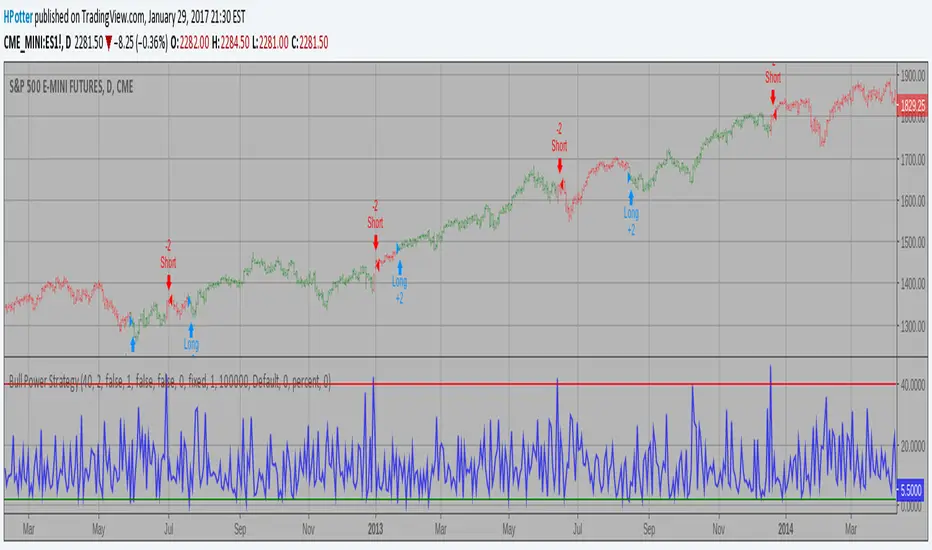
Bull Power Strategy Backtest Bull Power Indicator To get more information please see "Bull And Bear Balance Indicator" by Vadim Gimelfarb. กลยุทธ์ Pine Script®โดย HPotter108
1337 VolumeThis volume indicator gives you a unique perspective and ability to analyze volume in any market. The upper line that is always >=0 represents average up volume over a user definable period while the lower line that is always <= 0 represents the average down volume over a user definable period. green == bullish candle but volume lower than average lime == bullish candle with above average volume crimson == bearish candle with below average volume red == bearish candle with above average volume This indicator is very useful for spotting bottoms / tops (do a visual backtest and observe its behavior) as well as entry opportunities. By default, the lookback period for average volume is 7, but I encourage you to change this value in order to find settings that work best for your particular market. If you have any feedback or ideas for improvement, please comment. Enjoy :Dอินดิเคเตอร์ Pine Script®โดย LARP_Capital77 1.5 K
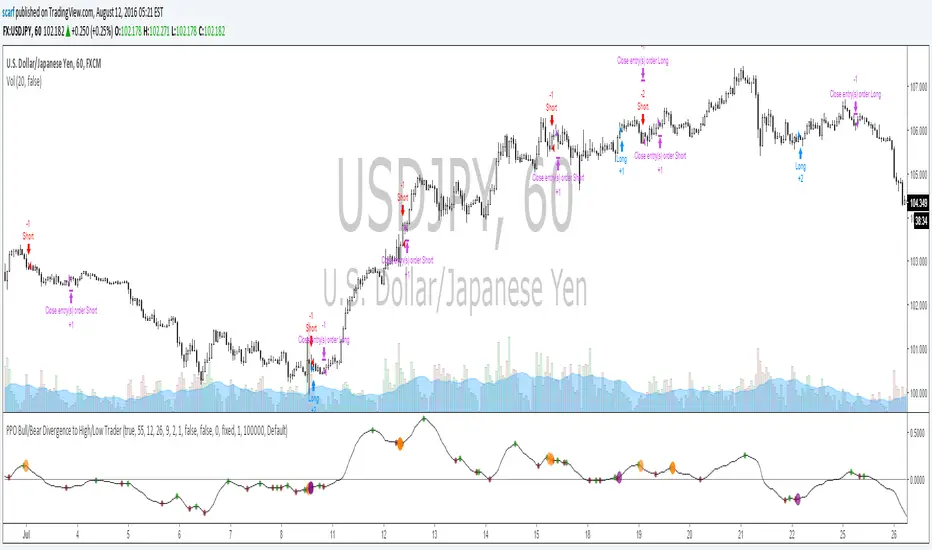
PPO Bull/Bear Divergence to High/Low StrategyA simple strategy that uses the PPO divergences to open trades and the highs/lows to close them. Credit to Pekipek for this PPO Divergence indicator (I changed the visuals a bit) STRATEGY Purple circle - bullish divergence - enter LONG Orange circle - bearish divergence - enter SHORT Green dot - high point - exit LONG Red dot - low point - exit SHORT That's it. Not very profitable, but I like Pekipek's indicator a lot so figured I'd see what a strategy was like. Would love to see any variations.กลยุทธ์ Pine Script®โดย scarf1111 1.9 K
[NM]Improved Linear Regression Bull and Bear Power v02Hi guys, I'm back with a little improvement on the Bull and Bear Signal I published just last week thanks to some feedback I received from a couple of users, which is of course highly appreciated. Here are the changes that have been implemented compared to v01 : (version 1 is the top indicator, version 2 is the bottom one) in the chart above Formula adapted to calculate the signal if no data is available for either bull or bear Added the possibility to smoothen the signal using Arnaud Legroux Moving Average (the benefit of this is that it does not add any lag to the signal) Zero line was added If you have any further ideas on how to improve the indicator or if you are happy with it and want to share your settings or rules of engagement, please feel free to share them below. Oh, and don't forget to click that like button ! :)อินดิเคเตอร์ Pine Script®โดย Profit_Through_Patience2828 2.6 K
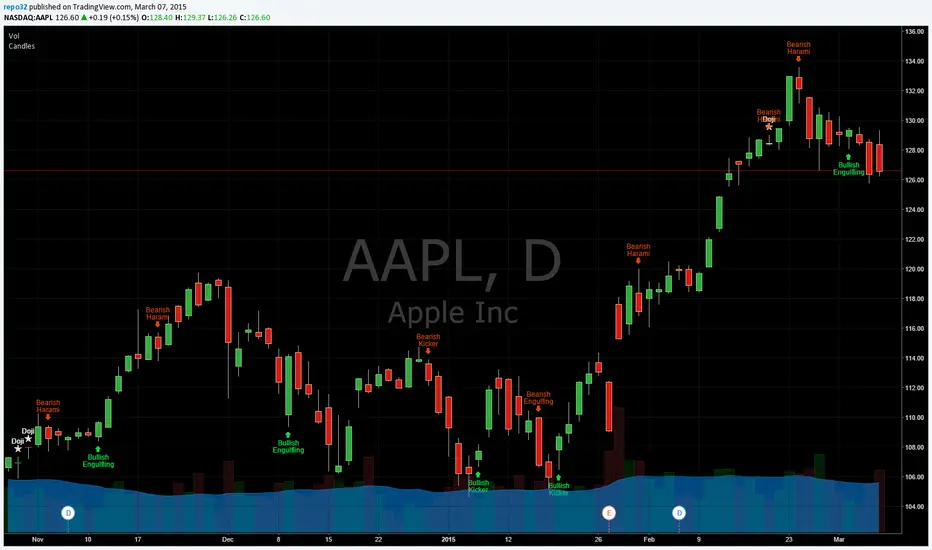
Candlestick Patterns Identified (updated 3/11/15)I decided to republish this one without the trend filter and with all the major symbols active. This will allow for all the patterns to show up. Due to 15 different candlestick formations in this one script, it will be difficult to turn off the last few due to screen size. You can turn off individual patterns on the settings screen. I have everything spelled out except the hammer and inverted hammer. They are "H" and "IH" respectively on the charts. They show up so often that they cluttered the charts. The default script has: Doji, Evening Star, Morning Star, Shooting Star, Hammer, Inverted Hammer, Bearish Harami, Bullish Harami, Bearish Engulfing, Bullish Engulfing, Piercing Line, Bullish Belt, Bullish Kicker, Bearish Kicker, Hanging man, and Dark Cloud Cover. You can turn off what you don't like. The Piercing Line, Bullish Belt, and the Kickers will usually show up better in the daily charts. I recommend watching videos with Stephen Bigalow to get a feel for how to trade these. You will want to add an 8 EMA to your chart with his setups. Enjoy. If you want the old version: Take a look at the related ideas below.อินดิเคเตอร์ Pine Script®โดย repo32ที่อัปเดต: 266266 31.8 K
Candlesticks Patterns IdentifiedI was using another script that colored the bars to show the different candle patterns. Thanks to HPotter (www.tradingview.com). Unfortunately, I can't think that fast when looking across a screen of charts with different color bars. Fortunately, Tradingview came up with symbols and names on 2/26/15. I decided to take my favorite symbols and attach them to a name. This makes it easier to see what is going on and where your entry would be if it confirms. Works beautifully for me. Decided to share. I also added the ability to alter what shows up based upon a look back. A bullish engulfing at the top of a trend, or a bearish harami at the bottom of the trend, is nearly useless and clutters the chart. I have the default set for the open of the current bar to be higher or lower than the open from 5 bars back. You can adjust in the settings to what you like. This trend setting is on all the patterns except doji. If you want to see all the candle patterns, set it to "1". The doji can be adjusted as well. I left some other patterns at the bottom of the script, but they are turned off. They became too much of a clutter for me. I prefer DovCaspi's pattern finder for hammers and stars: I use his due to the clean appearance. The default script has: Doji, Bearish Harami, Bullish Harami, Bearish Engulfing, Bullish Engulfing, Piercing Line, Bullish Belt, Bullish Kicker, and Bearish Kicker. You can turn off what you don't like. The Piercing Line, Bullish Belt, and the Kickers will usually show up better in the daily charts. If you would like the updated version, see the Related Ideas below:อินดิเคเตอร์ Pine Script®โดย repo323030 5.2 K
Custom Indicator Clearly Shows If Bulls or Bears are in Control!The Two Versions of this Indicator I learned from Two Famous and Highly Successful Traders. This Indicator shows With No Lag Clear Up and Down Trends in Market by Documenting Clearly If Bulls or Bears are in Control. The Version In SubChart 1 Shows Consecutive Closes if the Current Close is Greater than of Less than the Midpoint of the Previous Bar (Why Midpoint Explained in Detail in 1st Post). The Version in SubChart 2 Shows Consecutive Closes that are Greater than or Less Than the Previous Close (Will Discuss Specific Uses in 1st Post). Works on Stocks, Forex, Futures, on All Timeframes.อินดิเคเตอร์ Pine Script®โดย ChrisMoody3737 6 K
Kaste Trend MA (Bullish/Bearish)This indicator plots a moving average on top of the price chart and changes its color based on market trend direction. When the moving average is rising, it turns green to indicate a bullish market. When the moving average is falling, it turns red to indicate a bearish market. The trend is determined by the slope of the moving average, making it a simple and clear visual trend indicator.อินดิเคเตอร์ Pine Script®โดย teeccmakia3
RSI with Bullish/ Bearish Zones by VKKDisclaimer: Script is not suggesting any buy or sell any stock. It's a visual identification of the direction of the current state of the stock. This script is a modified Relative Strength Index (RSI) designed to help traders filter out market noise by identifying three distinct momentum phases. Instead of the traditional 70/30 approach, this version uses the 40 and 60 levels to define a "Neutral/Caution" zone. Key Features: 🟢 Bullish Zone (Above 60): Indicates strong upward momentum. The RSI line turns green, signaling a potential trend continuation. 🟠 Caution Zone (40–60): A neutral "no-man's land" where the market is often consolidating or undecided. The line turns orange, warning traders to be patient. 🔴 Bearish Zone (Below 40): Indicates strong downward momentum. The RSI line turns red, signaling a potential downtrend. ⚖️ Midline (50): A blue or your color choice dotted line acts as the ultimate pivot point between buyers and sellers. 🔥 Extremes (70/30): Classic Overbought (Red) and Oversold (Green) levels are included for mean-reversion context. How to Use: Trend Confirmation: Look for the RSI to sustain a position above 60 for longs or below 40 for shorts. Filter Noise: Avoid entering aggressive trend trades when the RSI is stuck in the Orange Caution Zone. Real-time Status: The dynamic label on the right provides an instant reading of the current market state and exact RSI value. อินดิเคเตอร์ Pine Script®โดย katakwar10
Ameen - External Bearish StructureIts a simple external bearish structure with bullish chochอินดิเคเตอร์ Pine Script®โดย ameenizhar28
FVG BearishThis indicator identified negetive Fair Value Gap based on the following creteria: 1. Gap between the last but 1 candle low and current candle high 2. The width of the gap is at least 0.3% of current close 3. The previous candle is a bearish candle with body at least 0.7% of current close 4. Value of the previous candle is greater tha equal to 30 M 5. The candle is marked with red dot on topอินดิเคเตอร์ Pine Script®โดย UKHASTAGIR4
Bullish and Bearish ConditionsBullish Bearish signal - Identify Buy and sell based on Price actionอินดิเคเตอร์ Pine Script®โดย srirvs110
Bullish/Bearish Engulfing Candle ScannerFinds instances on any time frame of bullish or bearish engulfing candles, those with some increased average volume showing green arrows to highlight, otherwise red.อินดิเคเตอร์ Pine Script®โดย superchopper22
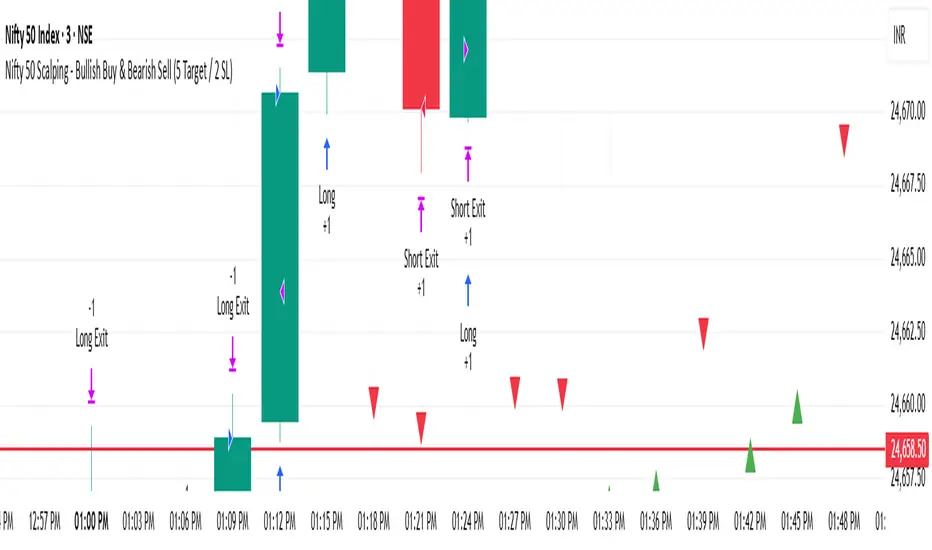
Nifty 50 Scalping - Bullish Buy & Bearish Sell (5 Target / 2 SL)Nifty 50 Scalping - Bullish Buy & Bearish Sell (5 Target / 2 SL)กลยุทธ์ Pine Script®โดย ajaynayak_net243
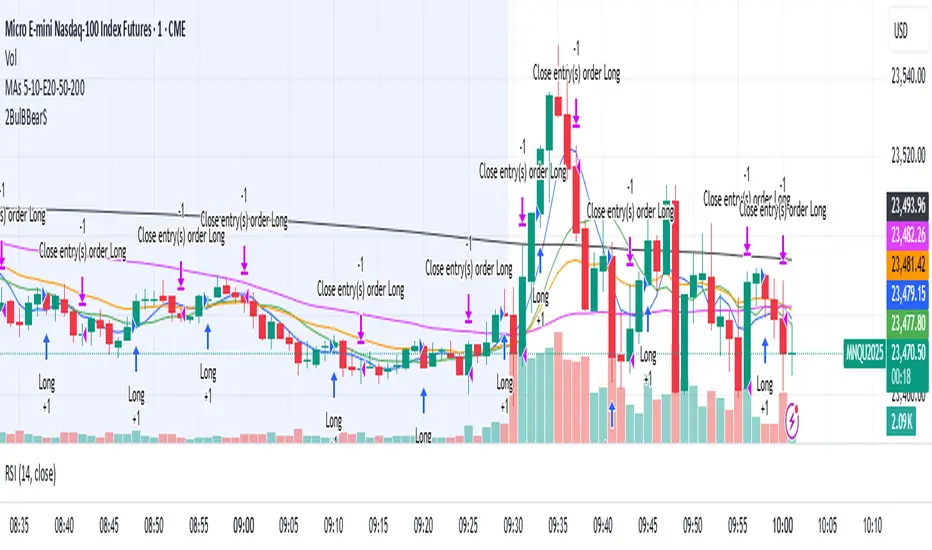
Two bullish candles buy and bearish candles sellA simple strategy for test. Buy when two consecutive bullish candles. Sell when two consecutive bearish candles.กลยุทธ์ Pine Script®โดย cmth_trading1113
Bullish & Bearish Signals (Dual Mode, Strong Filters)on research related to bullish & bearish signal, understanding how ema, macd works...อินดิเคเตอร์ Pine Script®โดย dhani_developer67
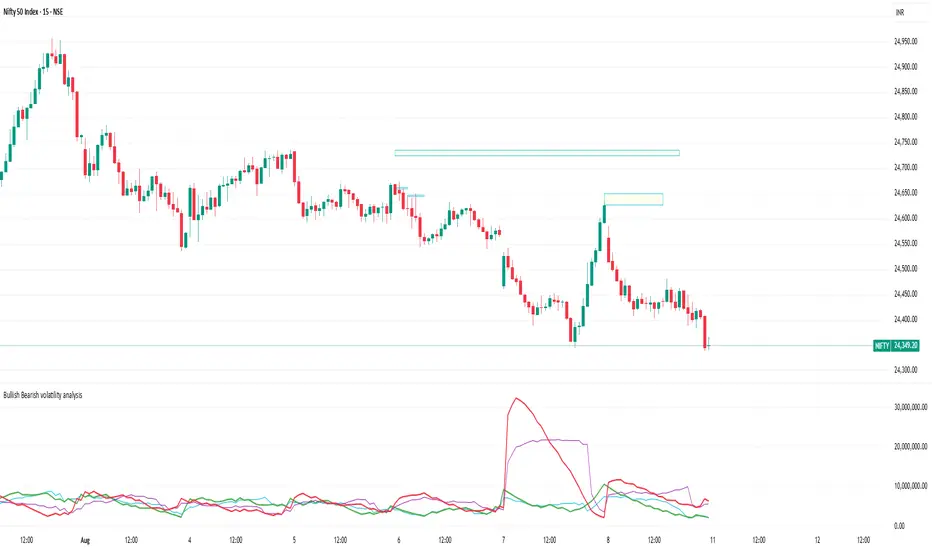
Bullish Bearish volatility analysisThis script is used to analyse Bullish/Bearish volatility direction based on volumes and moving average. อินดิเคเตอร์ Pine Script®โดย nikcxc24
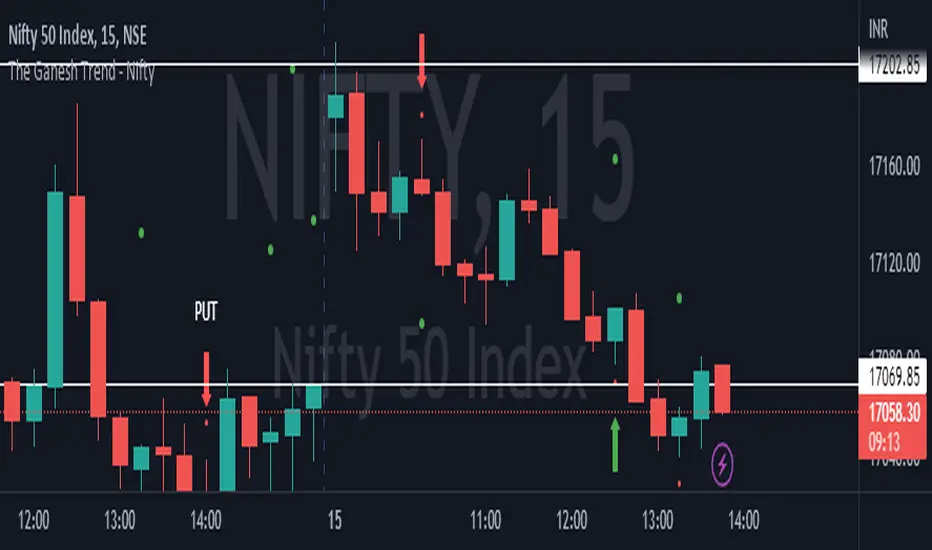
The Ganesh TrendThe Ganesh Trend is an indicator developed by Ganesh to help Traders to identify potential trend showing candle .This indicator identifies bullish and bearish candle with some specific rules. This gives fair idea of direction of market .It is very helpful if you use it on Nifty 50 index . Candlestick developed by me is my original work . It is very helpful for new traders looking for proper entry and exit . It has stop loss and target as well . red dot shows the stop loss and green dot shows the target . taking 2-3 trades a day is good . Thank You . NSE:NIFTYอินดิเคเตอร์ Pine Script®โดย gshedge63ที่อัปเดต: 1187
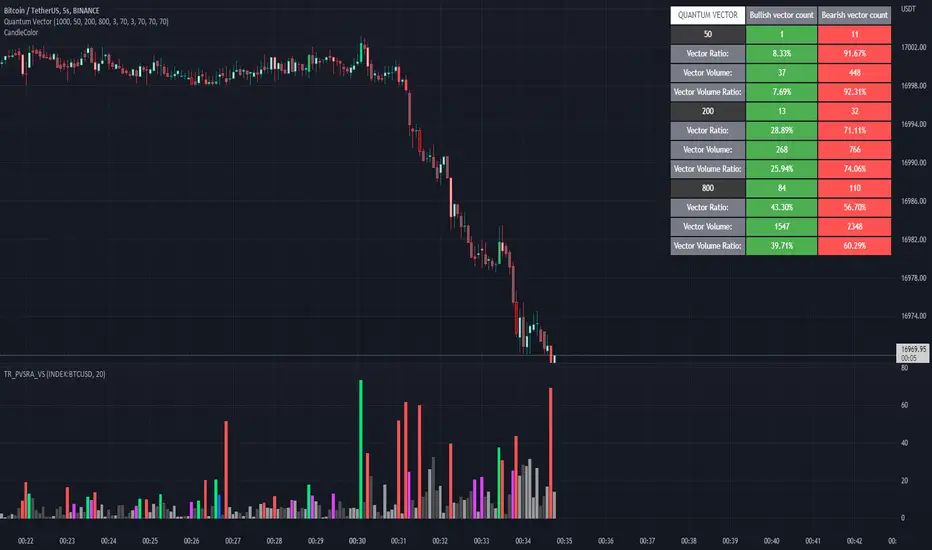
Quantum Vector AlertsIts the part 2 of Multiple Indicators 50EMA Cross Alerts. Its more suitable for the seconds chart. Beside, you can use it in higher timeframe. The input bars length is the sample size that the code will use to trigger all alert. 20 mean 20 bar after the current candle. When you activate volume alert you can select an amount of volume that when volume cross it you will be notified. The volume of every bar is displayed in the screener below volume. In the section percentage vector counting the script do the sum of the red vector and green vector and give a ratio. In bullish vector count percentage for alert, you can select the percentage difference that you want to receive an alert. If your sample have 3 red vectors and 7 green vectors you will receive an alert saying that there is an imbalance of 70% showing more green vectors. You can select a variant of percentage vector. The variant will do a summation of volume. If 1 vector candle is the size of the 3 other vector, they will have the same ponderation. Normal alert counting count the number of vectors in the bars length. You can count the red and green candle only or add the blue and violet. Bullish vector count will show a notification when the number of green candle will appear on the chart in the selected length. The same process is valid for bearish vector count. For example, if you want 3 bullish candle in 20 bar. You select bars length 20 and bullish vector count 3. These alerts are suitable to the hybrid system. Thanks to our teacher Trader Reality and to all the member that contribute to this great discord community. อินดิเคเตอร์ Pine Script®โดย F_rank_01ที่อัปเดต: 212