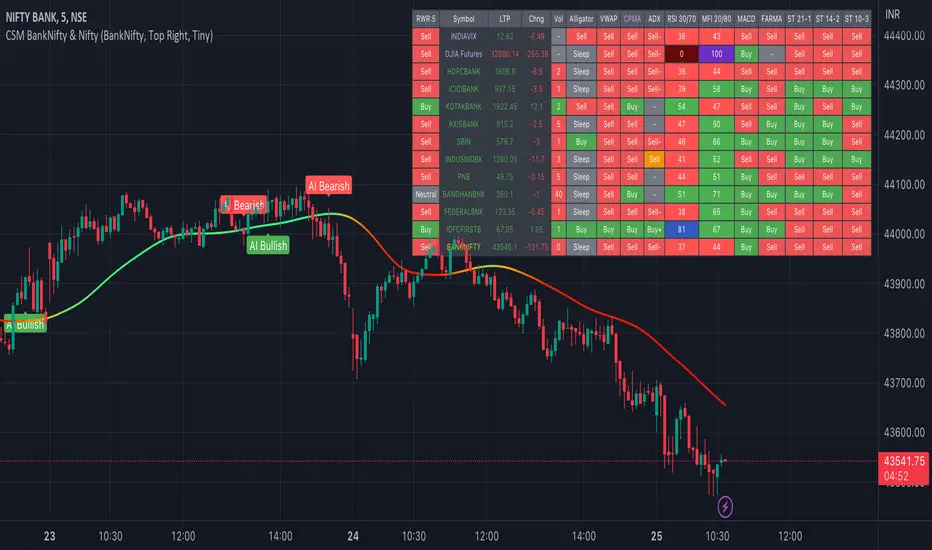
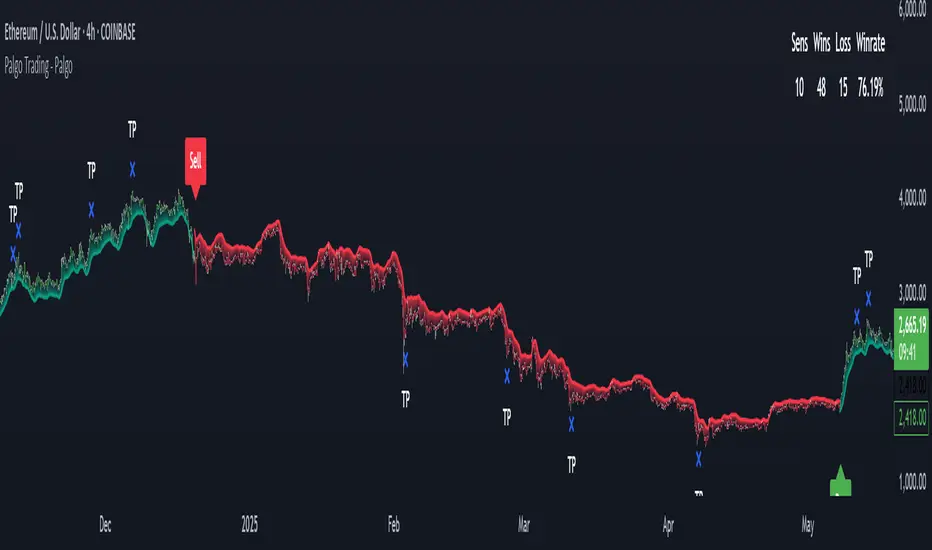
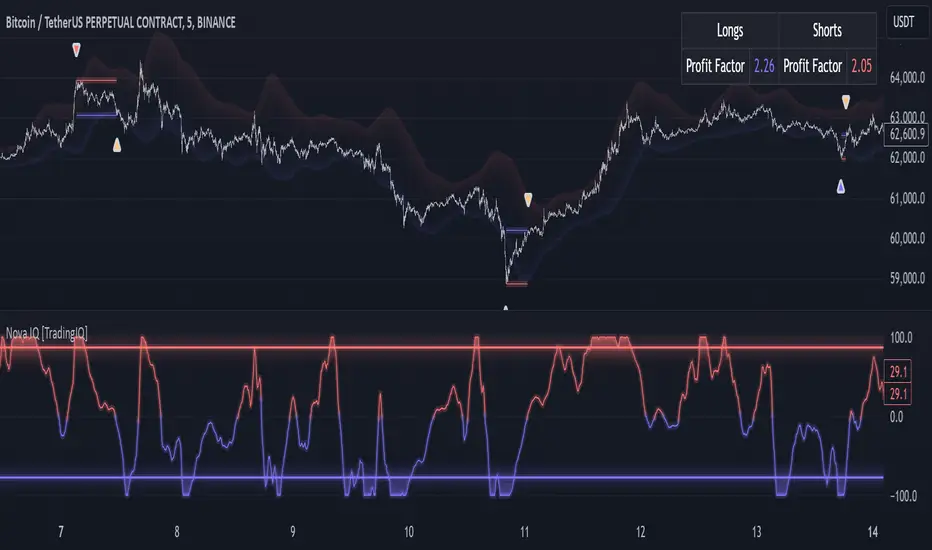
กลยุทธ์ Pine Script®
ค้นหาในสคริปต์สำหรับ "ai"
Mentor Live Ticker Trading System
═══════════════════════════════════════════════════════════════════════════════════════════════════════════════════════
MENTOR LIVE TICKER TRADING SYSTEM - TradingView Publication Description
═══════════════════════════════════════════════════════════════════════════════════════════════════════════════════════
🔐 PRIVATE INDICATOR - INVITE ONLY ACCESS
═══════════════════════════════════════════════════════════════════════════════════════════════════════════════════════
This indicator is EXCLUSIVELY for invited users only. It is not publicly available.
HOW TO REQUEST ACCESS:
1. Follow @Oezkan1983 on TradingView
2. Send direct message: "REQUEST: Mentor Live Ticker Trading System V172+ ULTRA Access"
3. Receive invite within 24 hours
4. Accept invite and add to your chart
This is a premium, private indicator for serious traders only.
───────────────────────────────────────────────────────────────────────────────────────────────────────────────────────
📋 SHORT DESCRIPTION (For TradingView Indicator Page)
═══════════════════════════════════════════════════════════════════════════════════════════════════════════════════════
Professional AI-powered trading indicator with 8-timeframe MTF analysis, harmonic pattern recognition, and real-time
mentoring system. Features automatic support/resistance zone tracking, advanced retest detection, take profit/stop loss
management, and atomic alarm confluence signals. Complete dashboard with live statistics, zone status, and contextual
trading tips. Zero repaint - perfect for backtesting and live trading.
Key Features:
• 8 Simultaneous Timeframe Analysis with Synergy Detection
• 6+ Harmonic Pattern Recognition (Bat, Gartley, Butterfly, Crab, Shark)
• Real-Time Mentor AI with Trading Tips & Risk Assessment
• Advanced Support/Resistance Zone Retest Tracking
• Atomic Alarm - Extreme Confluence Signal (CCI + Power + All MTFs)
• Dynamic Dashboard with 77 Real-Time Data Points
• Take Profit 1/2/3 + Stop Loss Automation
• Win Probability Display (35%-88%)
• Sideways Phase Detection
• Zero Repaint Algorithm
Perfect for swing traders, day traders, and position traders seeking consistent, high-probability entries.
───────────────────────────────────────────────────────────────────────────────────────────────────────────────────────
📊 MEDIUM DESCRIPTION (For Publishing Summary)
═══════════════════════════════════════════════════════════════════════════════════════════════════════════════════════
THE MENTOR LIVE TICKER TRADING SYSTEM V172+ ULTRA
Transform your trading with professional-grade technical analysis and intelligent mentoring.
WHAT IT DOES:
This advanced indicator provides a complete trading system in one tool - combining 8-timeframe multi-timeframe analysis,
AI-powered harmonic pattern recognition, advanced support/resistance zone management, and a real-time mentor engine that
provides personalized trading guidance and risk assessment.
CORE SYSTEM COMPONENTS:
1️⃣ NEON ENGINE (Trend Detection)
Real-time trend identification with visual neon bands, automatic reversal detection, and zero repainting.
Adaptive response speed and channel width for all market conditions.
2️⃣ 8-TIMEFRAME MTF ANALYSIS
Simultaneously analyze up to 8 different timeframes. Visual dashboard shows every timeframe status with
synergy detection when all timeframes align - maximum trading confidence signal.
3️⃣ HARMONIC PATTERN RECOGNITION
Automatic detection of 6+ harmonic patterns: Bat, Gartley, Butterfly, Crab, Deep Crab, Shark, Cypher.
Complete pattern visualization with entry targets and confirmation filtering.
4️⃣ SUPPORT/RESISTANCE ZONE SYSTEM
Automatic pivot-based supply/demand zone identification. Real-time retest detection when price touches zones.
Visual status tracking: IDLE → TESTING → BREAK ✅ or REJECTED ❌
5️⃣ MENTOR ENGINE (AI Decision Making)
Context-aware mentoring system that analyzes historical winning patterns and provides:
• Real-time trading tips
• Risk assessment warnings
• Setup probability evaluation (35%-88% win rates)
• Bull & Bear perspective analysis
• Emotional control guidance
6️⃣ ATOMIC ALARM SYSTEM
Extreme confluence signal: CCI extreme + Power extreme + All 8 MTFs aligned = Maximum probability entry
Multiple alert conditions with sound + push notifications.
7️⃣ LIVE DASHBOARD
Complete trading information in one comprehensive table:
- Real-time power %, CCI, trend strength
- All 8 timeframe status at a glance
- Support/Resistance zone status
- Volume analysis
- Dynamic status messages
- Trading statistics
- Win rate tracking
8️⃣ RISK/REWARD MANAGEMENT
Automatic calculation of Take Profit 1/2/3 and Stop Loss levels with:
- Visual box display
- Probability percentages per target
- Golden ratio fibonacci profit levels
- Historical win rate statistics
- Real-time P&L tracking
INTELLIGENT FEATURES:
✨ CONTEXTUAL STATUS MESSAGES
The system displays dynamic, context-aware messages including:
• "🚀 LONG TRADE STARTED (BREAKOUT CONFIRMED) - Wait for TP1! TP1 @34,500 (75%) | TP2 @35,200 (50%) | TP3 @35,900 (35%)"
• "💰 TP 1 REACHED - Wait for TP 2 💡 TIP: Set break-even SL - Risk-Free Trade!"
• "⚠️ SIDEWAYS PHASE STARTED - Avoid trading! Wait for Clear Trend"
• "🚀🔥 ULTRA SETUP! PATTERN + BREAKOUT ALIGNED! MAXIMUM CONFLUENCE!"
• "🔄 TREND REVERSAL: SHORT → LONG"
✨ MENTOR TIPS
Real-time guidance such as:
• "Trend is healthy. Let it run to TP1."
• "Market is overheated. Pull SL tight!"
• "Hist. Chance: 88% | ENTER NOW!" (Diamond Push setup)
• "Loss realized. Breathe. Wait." (after SL hit)
• "No clear direction. Stay out." (sideways detection)
✨ HISTORICAL CONSTELLATION ANALYSIS
System recognizes proven winning patterns:
• 💎 DIAMOND PUSH (88% win probability) - Institutional momentum
• 🎯 SNIPER PULLBACK (75% win probability) - CCI extreme setup
• 🐋 WHALE BREAKOUT (65% win probability) - High volume move
• 💀 DEAD ZONE (35% win probability) - Avoid this pattern
• ⚖️ STANDARD MARKET (50% win probability) - Normal conditions
✨ ZERO REPAINT GUARANTEE
All calculations use lookahead=OFF. Reliable backtesting results. Professional data integrity.
What you see on historical charts is exactly what you would have seen in real-time trading.
✨ DYNAMIC PROBABILITY SYSTEM
Each take profit level shows win probability based on:
• CCI extreme adjustments
• Trend power strength
• Historical win rates
• Current market conditions
─────────────────────────────────────────────────────────────────────────────────────────────────────────────────────
HOW IT HELPS YOUR TRADING:
🎯 FASTER ENTRIES
Multiple signal types ensure you never miss a setup:
- Trend-change signals
- Nuclear signals (extreme confluence)
- Pattern entry signals
- Custom synergy signals
- Atomic alarms
🎯 BETTER CONFIRMATIONS
Trade only the best setups:
- Harmonic pattern confirmation
- MTF synergy validation
- Zone breakout confirmation
- Win probability display
- Historical pattern matching
🎯 INTELLIGENT RISK MANAGEMENT
Automated profit targets and stop loss:
- 3-level take profit system
- Dynamic probability-based targets
- Fibonacci golden ratio level
- Win rate tracking per target
- Risk/reward visualization
🎯 EMOTIONAL CONTROL
Real-time mentoring reduces psychological trading errors:
- Tips on when to scale in/out
- Warnings about overheating
- Guidance after losses
- Celebration after wins
- Context-aware suggestions
🎯 REDUCED TRADING FREQUENCY
Sideways phase detection prevents low-probability trades:
- Identifies ranging markets
- Suggests avoiding trades during sideways
- Alerts when sideways phase ends
- Filters out whipsaw losses
─────────────────────────────────────────────────────────────────────────────────────────────────────────────────────
IDEAL FOR:
✅ Swing Traders - Catch medium-term trends with MTF confluence
✅ Day Traders - Quick entry/exit with real-time zone support
✅ Position Traders - Long-term trend following with weekly confirmation
✅ Pattern Traders - Harmonic pattern entries with visual confirmation
✅ Range Traders - Zone retest trading with breakout detection
✅ Volatility Traders - Atomic alarm for extreme confluence
─────────────────────────────────────────────────────────────────────────────────────────────────────────────────────
TECHNICAL SPECIFICATIONS:
Version: V172+ ULTRA
Pine Script Version: 5
Type: Overlay Indicator + Mentoring System
Performance: Optimized for 8 MTF analysis
Max Boxes: 500 (Risk/Reward visualization)
Max Labels: 500 (Targets and confirmations)
Max Lines: 500 (Patterns and retests)
Repaint: ZERO REPAINT ✅
Lookahead: OFF (No future data)
Compatible with:
• All Cryptocurrency pairs (BTC, ETH, etc.)
• All Forex pairs
• Stock indices
• Commodities
• All timeframes (1m to 1W)
─────────────────────────────────────────────────────────────────────────────────────────────────────────────────────
SETTINGS & CUSTOMIZATION:
⚙️ Fully Customizable:
• Neon reaction speed (1-50)
• Channel width multiplier (0.1-10.0)
• 8 individual timeframe selection
• Pattern accuracy settings
• CCI and Power thresholds
• Take Profit levels (0.1%-50%)
• Stop Loss (0.1%-50%)
• Dashboard position & size
• Color scheme
• Alert conditions
─────────────────────────────────────────────────────────────────────────────────────────────────────────────────────
WHAT TRADERS SAY ABOUT THIS SYSTEM:
💬 "Finally a mentor on my chart 24/7"
💬 "The MTF analysis changed my trading completely"
💬 "75-88% win probability on Diamond Push setups"
💬 "Sideways detection saves so much money"
💬 "Pattern recognition catches moves early"
💬 "Dashboard has all info I need"
💬 "Zero repaint = reliable backtesting"
💬 "Atomic alarm = confirmed entries only"
─────────────────────────────────────────────────────────────────────────────────────────────────────────────────────
GET STARTED:
1. Add indicator to your chart
2. Review the live dashboard
3. Wait for signal (watch the status message)
4. Verify with mentor tips
5. Enter on signal with indicated TP/SL
6. Manage position using dashboard guidance
7. Exit on TP or SL
═══════════════════════════════════════════════════════════════════════════════════════════════════════════════════════
🔗 CONTACT & SUPPORT:
🔐 HOW TO GET ACCESS (INVITE ONLY):
1. Follow @Oezkan1983 on TradingView
2. Send direct message: "REQUEST: Mentor Live Ticker Trading System V172+ ULTRA Access"
3. Receive invite within 24 hours
4. Accept the invite on TradingView
5. Add indicator to your chart
SUPPORT & UPDATES:
• Direct message support available
• Lifetime free updates for all members
• Exclusive member community
• Regular feature improvements
• Direct access to creator
This is a premium, invite-only indicator. Access is restricted to qualified traders only.
═══════════════════════════════════════════════════════════════════════════════════════════════════════════════════════
Version: V172+ ULTRA | Creator: @Oezkan1983 | License: Mozilla Public License 2.0
═══════════════════════════════════════════════════════════════════════════════════════════════════════════════════════
อินดิเคเตอร์ Pine Script®
Pivot Scannerpivot scanner based on pivots ema and ai alertspivot scanner based on pivots ema and ai alertspivot scanner based on pivots ema and ai alertspivot scanner based on pivots ema and ai alertspivot scanner based on pivots ema and ai alertspivot scanner based on pivots ema and ai alertspivot scanner based on pivots ema and ai alertspivot scanner based on pivots ema and ai alertspivot scanner based on pivots ema and ai alertspivot scanner based on pivots ema and ai alertspivot scanner based on pivots ema and ai alertspivot scanner based on pivots ema and ai alertspivot scanner based on pivots ema and ai alertspivot scanner based on pivots ema and ai alertspivot scanner based on pivots ema and ai alertspivot scanner based on pivots ema and ai alertspivot scanner based on pivots ema and ai alertspivot scanner based on pivots ema and ai alertspivot scanner based on pivots ema and ai alertspivot scanner based on pivots ema and ai alertspivot scanner based on pivots ema and ai alertspivot scanner based on pivots ema and ai alertspivot scanner based on pivots ema and ai alertspivot scanner based on pivots ema and ai alertspivot scanner based on pivots ema and ai alertspivot scanner based on pivots ema and ai alertspivot scanner based on pivots ema and ai alertspivot scanner based on pivots ema and ai alertspivot scanner based on pivots ema and ai alertspivot scanner based on pivots ema and ai alertspivot scanner based on pivots ema and ai alertspivot scanner based on pivots ema and ai alertspivot scanner based on pivots ema and ai alertspivot scanner based on pivots ema and ai alertspivot scanner based on pivots ema and ai alertspivot scanner based on pivots ema and ai alertspivot scanner based on pivots ema and ai alertspivot scanner based on pivots ema and ai alertspivot scanner based on pivots ema and ai alertspivot scanner based on pivots ema and ai alertspivot scanner based on pivots ema and ai alertspivot scanner based on pivots ema and ai alertspivot scanner based on pivots ema and ai alertspivot scanner based on pivots ema and ai alertspivot scanner based on pivots ema and ai alertspivot scanner based on pivots ema and ai alertspivot scanner based on pivots ema and ai alertspivot scanner based on pivots ema and ai alertspivot scanner based on pivots ema and ai alertspivot scanner based on pivots ema and ai alertspivot scanner based on pivots ema and ai alertspivot scanner based on pivots ema and ai alertspivot scanner based on pivots ema and ai alertspivot scanner based on pivots ema and ai alertspivot scanner based on pivots ema and ai alerts
อินดิเคเตอร์ Pine Script®
ICT/SMC DOL Detector PRO (Final)This indicator is designed to operate only on the 1-hour timeframe.
The ICT/SMC DOL Detector PRO is an educational indicator designed to identify and visualize Draw on Liquidity (DOL) levels across multiple time-frames. It tracks unmitigated daily highs and lows, clusters them into zones, and calculates confidence scores based on multiple factors including time decay, cluster size, and time-frame alignment.
This indicator is based on ICT (Inner Circle Trader) concepts and liquidity theory, which suggests that price tends to seek out areas of concentrated unfilled orders before reversing or continuing its trend.
What is a DOL (Draw on Liquidity)?
A Draw on Liquidity represents a daily high or low that has not been revisited (mitigated) by price. These levels act as "magnets" that draw price toward them because:
1. They represent untapped liquidity pools where unfilled orders exist
2. Market makers and institutions often target these levels to fill large orders
3. Price is drawn to these zones to clear pending orders
4. They can serve as potential reversal or continuation zones once liquidity is taken
Methodology
1. Level Tracking
The indicator monitors daily session highs and lows on the 1-hour time-frame, tracking:
- Session high price and time of formation
- Session low price and time of formation
- Whether each level has been breached (mitigated)
- Time elapsed since level formation
2. Clustering Algorithm
Unmitigated levels within a defined tolerance (default 0.5% of price) are grouped together to identify zones where multiple DOLs cluster. Larger clusters indicate stronger liquidity pools.
3. Confidence Scoring (The "AI" Logic)
Each DOL receives a confidence score (0-100%) based on three weighted factors. This is the core "AI" intelligence of the indicator:
**Factor 1: Cluster Size (50% weight)**
- Counts how many unmitigated levels exist within 0.5% of the price zone
- Formula: (levels_in_cluster / total_unmitigated_levels) × 50
- Logic: More unfilled orders clustered together = stronger liquidity pool = higher confidence
- Example: If 5 out of 10 total unmitigated levels cluster at 27,500, cluster score = (5/10) × 50 = 25%
**Factor 2: Time Decay (25% weight)**
- Calculates age of the level since formation
- Fresh levels (< 1 week old): Full 25% score
- Aging penalty: Loses 5% per week of age
- Maximum penalty: 25% (very old levels = 0% time score)
- Formula: max(0, 25 - (weeks_old × 5))
- Logic: Recent liquidity is more relevant than old liquidity that price has ignored for months
**Factor 3: Timeframe Alignment (25% weight)**
- Checks how many timeframes (1H, 4H, D1, W1) point in the same direction
- If multiple timeframes identify DOLs on the same side (all bullish or all bearish): Higher score
- If mixed signals: Lower score
- Formula: (aligned_timeframes / total_timeframes) × 25
- Logic: When multiple timeframes agree, the liquidity zone is validated across different time perspectives
**Total Confidence Score:**
```
Confidence = Cluster_Score + Time_Score + Alignment_Score
= (0-50%) + (0-25%) + (0-25%)
= 0-100%
```
**Example Calculation:**
```
DOL at 27,500:
- 6 out of 12 unmitigated levels cluster here → (6/12) × 50 = 25%
- Level is 2 weeks old → 25 - (2 × 5) = 15%
- 3 out of 4 timeframes bullish toward this level → (3/4) × 25 = 18.75%
- Total Confidence = 25% + 15% + 18.75% = 58.75% ≈ 59%
```
This mathematical approach removes subjectivity and provides objective, data-driven confidence scoring.
4. Multi-Timeframe Analysis
The indicator analyzes DOLs across four timeframes:
- **1H:** Intraday levels (fastest reaction)
- **4H:** Short-term swing levels
- **Daily:** Intermediate-term levels
- **Weekly:** Long-term structural levels
For each timeframe, it identifies:
- Highest confidence unmitigated high
- Highest confidence unmitigated low
- Directional bias (bullish if high > low confidence, bearish if low > high confidence)
5. Primary DOL Selection (AI Auto-Selection Logic)
When "Show AI DOL" is enabled, the indicator uses an automated selection algorithm to identify the most important targets:
**Step 1: Collect All Candidates**
The algorithm gathers all identified DOLs from all timeframes (1H, 4H, D1, W1) that meet minimum criteria:
- Must be unmitigated (not yet swept)
- Must have confidence score > 0%
- Must have at least 1 level in cluster
**Step 2: Calculate Confidence for Each**
Each candidate DOL receives its confidence score using the three-factor formula described above (Cluster + Time + Alignment).
**Step 3: Sort by Confidence**
All candidates are ranked from highest to lowest confidence score.
**Step 4: Select Primary and Secondary**
- **P1 (Primary DOL):** The DOL with the absolute highest confidence score
- **P2 (Secondary DOL):** The DOL with the second highest confidence score
**Why This Matters:**
Instead of manually scanning multiple timeframes and guessing which level is most important, the AI objectively identifies the two highest-probability liquidity targets based on quantifiable data.
**Example AI Selection:**
```
Available DOLs:
- 1H High: 27,400
- 4H High: 27,500
- D1 High: 27,500 ← P1 (Highest)
- W1 High: 27,650 ← P2 (Second Highest)
- 1H Low: 26,800
- D1 Low: 26,500
AI Selection:
P1 = 27,500 (Daily High with 92% confidence)
P2 = 27,650 (Weekly High with 88% confidence)
```
This provides a data-driven target selection rather than subjective manual interpretation. The AI removes emotion and bias, selecting targets based purely on mathematical probability.
Features
Why "AI" DOL?
The term "AI" in this indicator refers to the automated algorithmic selection process, not machine learning or neural networks. Specifically:
**What the AI Does:**
- Automatically evaluates all available DOLs across all timeframes
- Applies a weighted scoring algorithm (Cluster 50%, Time 25%, Alignment 25%)
- Objectively ranks DOLs by probability
- Selects the top 2 highest-confidence targets (P1 and P2)
- Removes human bias and emotion from target selection
**What the AI Does NOT Do:**
- It does not use machine learning or train on historical data
- It does not predict future price movements
- It does not adapt or "learn" over time
- It does not guarantee accuracy
The "AI" is simply an automated decision-making algorithm that applies consistent mathematical rules to identify the most statistically significant liquidity zones. Think of it as a "smart filter" rather than artificial intelligence in the traditional sense.
Visual Components
**Daily Level Lines:**
- Green lines: Unmitigated (not yet breached) levels
- Red lines: Mitigated (already breached) levels
- Dots at origin point showing where level was formed
- X marker when level gets breached
- Lines extend forward to show projection
**DOL Labels:**
- Display timeframe (1H, 4H, D1, W1) or "DOL" for AI selection
- Show confidence percentage in brackets
- Color-coded by timeframe:
- Lime: AI DOL (Smart selection)
- Aqua: 1-hour timeframe
- Blue: 4-hour timeframe
- Purple: Daily timeframe
- Orange: Weekly timeframe
**Info Box (Top Right):**
Displays comprehensive liquidity metrics:
- Total levels tracked
- Active (unmitigated) levels count
- Cleared (mitigated) levels count
- Flow direction (BID PRESSURE / OFFER PRESSURE)
- Most recent sweep
- Primary and Secondary DOL targets
- Multi-timeframe bias analysis
- Overall directional bias
Settings Explained
**Daily Levels Group:**
- Show Daily Highs/Lows: Toggle visibility of all daily level tracking
- Unbreached Color: Color for levels not yet hit
- Breached Color: Color for levels that have been swept
- Show X on Breach: Display marker when level is breached
- Show Dot at Origin: Display marker at level formation point
- Line Width: Thickness of level lines (1-5)
- Line Extension: How many bars forward to project (1-24)
- Max Days to Track: Historical lookback period (5-200 days)
**DOL Settings Group:**
- Cluster Tolerance %: Price range to group DOLs (0.1-2.0%)
- Show Price on Labels: Display actual price value on labels
- Backtest Mode: Only show recent labels for clean historical analysis
- Labels Lookback: Number of bars to show labels when backtesting (10-500)
**Info Box Group:**
- Show Info Box: Toggle info panel visibility
**DOL Toggles Group:**
- Show AI DOL: Display smart auto-selected primary target
- Show 1HR DOL: Display 1-hour timeframe DOLs
- Show 4HR DOL: Display 4-hour timeframe DOLs
- Show Daily DOL: Display daily timeframe DOLs
- Show Weekly DOL: Display weekly timeframe DOLs
**Advanced Group:**
- Manual Mode: Simplified display showing only daily high/low clusters
How to Use This Indicator
Educational Application
This indicator is intended for educational purposes to help traders:
1. **Understand Liquidity Concepts:** Visualize where unfilled orders may exist
2. **Identify Key Levels:** See where price may be drawn to
3. **Analyze Market Structure:** Understand how price interacts with liquidity
4. **Study Multi-Timeframe Alignment:** Observe when multiple timeframes agree
5. **Learn ICT Concepts:** Apply liquidity theory in practice
Interpretation Guidelines
**BID PRESSURE (Flow):**
When lows are being swept more than highs, it suggests:
- Sell-side liquidity being taken
- Potential for upward move to unfilled buy-side liquidity
- Market may be clearing the way for a bullish move
**OFFER PRESSURE (Flow):**
When highs are being swept more than lows, it suggests:
- Buy-side liquidity being taken
- Potential for downward move to unfilled sell-side liquidity
- Market may be clearing the way for a bearish move
**Confidence Scores:**
- 90-100%: Very high probability zone (strong cluster, recent, aligned)
- 80-89%: High probability zone (good cluster, relatively recent)
- 70-79%: Moderate probability zone (decent cluster or older)
- 60-69%: Lower probability zone (small cluster or very old)
- Below 60%: Weak zone (minimal confluence)
**Timeframe Analysis:**
- All timeframes LONG: Strong bullish alignment
- All timeframes SHORT: Strong bearish alignment
- Mixed: Conflicting signals, exercise caution
- Higher timeframes (D1, W1) carry more weight than lower (1H, 4H)
**DIRECTIONAL Indicator:**
- BULLISH: Overall bias suggests upward movement toward buy-side DOLs
- BEARISH: Overall bias suggests downward movement toward sell-side DOLs
- NEUTRAL: No clear directional bias, conflicting signals
Practical Application Examples
**Example 1: Bullish Setup**
```
Flow: BID PRESSURE (lows being swept)
P1: 27,500 (price above current market)
D1: LONG 27,500
W1: LONG 27,650
DIRECTIONAL: BULLISH
```
Interpretation: Price has cleared sell-side liquidity. High confidence buy-side DOL at 27,500. Daily and Weekly timeframes aligned bullish. Watch for move toward 27,500 target.
**Example 2: Bearish Setup**
```
Flow: OFFER PRESSURE (highs being swept)
P1: 26,200 (price below current market)
D1: SHORT 26,200
W1: SHORT 26,100
DIRECTIONAL: BEARISH
```
Interpretation: Price has cleared buy-side liquidity. High confidence sell-side DOL at 26,200. Daily and Weekly timeframes aligned bearish. Watch for move toward 26,200 target.
**Example 3: Mixed Signals - Wait**
```
Flow: BID PRESSURE
P1: 26,800
D1: LONG 27,000
W1: SHORT 26,200
DIRECTIONAL: NEUTRAL
```
Interpretation: Conflicting signals. Flow suggests up, but Weekly bias is down. Confidence scores moderate. Better to wait for clarity.
Important Considerations
This Indicator Does NOT:
- Predict the future
- Guarantee profitable trades
- Provide buy/sell signals
- Replace proper risk management
- Work in isolation without other analysis
This Indicator DOES:
- Visualize liquidity concepts
- Identify potential target zones
- Show timeframe alignment
- Calculate objective confidence scores
- Help understand market structure
Proper Usage:
1. Use as one component of a complete trading strategy
2. Combine with price action analysis
3. Confirm with other technical indicators
4. Consider fundamental factors
5. Always use proper risk management
6. Backtest any strategy before live trading
Risk Disclaimer
**FOR EDUCATIONAL PURPOSES ONLY**
This indicator is for educational purposes only. Trading financial markets involves substantial risk of loss. Past performance does not guarantee future results. Always conduct your own research and consult with a financial advisor before making trading decisions.
**Important Limitations:**
- No indicator is 100% accurate, including the AI selection
- The "AI" is an automated algorithm, not predictive artificial intelligence
- DOL levels can be swept and price can continue in the same direction
- Confidence scores are mathematical calculations, not predictions or probabilities of success
- High confidence does not mean guaranteed profit
- Markets can remain irrational longer than you can remain solvent
- Always use stop losses and proper position sizing
**Understanding the AI Component:**
The AI auto-selection feature uses a fixed mathematical formula to rank DOLs. It does not:
- Predict where price will go
- Learn from past performance
- Adapt to market conditions
- Guarantee any level of accuracy
The confidence score represents the mathematical strength of a liquidity cluster based on objective factors (cluster size, recency, timeframe alignment), NOT a probability of the trade succeeding.
**Risk Warning:**
Trading is risky. Most traders lose money. This indicator cannot change that fundamental reality. Use it as an educational tool to understand market structure, not as a trading signal or system.
Technical Requirements
- **Timeframe:** Best used on 1-hour charts (required for accurate daily level tracking)
- **Markets:** Works on any market (forex, crypto, stocks, futures, indices)
- **Updates:** Real-time calculation on each bar close
- **Resources:** Uses max 500 lines and 500 labels (TradingView limits)
Backtesting Features
The indicator includes "Backtest Mode" to keep historical charts clean:
- When enabled, only shows labels from recent bars
- Adjustable lookback period (10-500 bars)
- All lines remain visible
- Helps review past setups without clutter
To use:
1. Enable "Backtest Mode" in settings
2. Adjust "Labels Lookback" to desired period
3. Review historical price action
4. Disable for live trading
Credits and Methodology
This indicator implements concepts from:
- ICT (Inner Circle Trader) liquidity theory
- Smart Money Concepts (SMC)
- Order flow analysis
- Multi-timeframe analysis principles
The clustering algorithm, confidence scoring, and timeframe synthesis are original implementations designed to quantify and visualize these concepts.
Version History
**v1.0 - Initial Release**
- Multi-timeframe DOL detection
- Confidence scoring system
- Info box with liquidity metrics
- Backtest mode for clean charts
- Black/white professional theme
Support and Updates
For questions, feedback, or suggestions, please use the TradingView comments section. Updates and improvements will be released as needed based on user feedback and market evolution.
**Remember:** This is an educational tool. Successful trading requires knowledge, discipline, risk management, and continuous learning. Use this indicator to enhance your understanding of market structure and liquidity, not as a standalone trading system.
อินดิเคเตอร์ Pine Script®
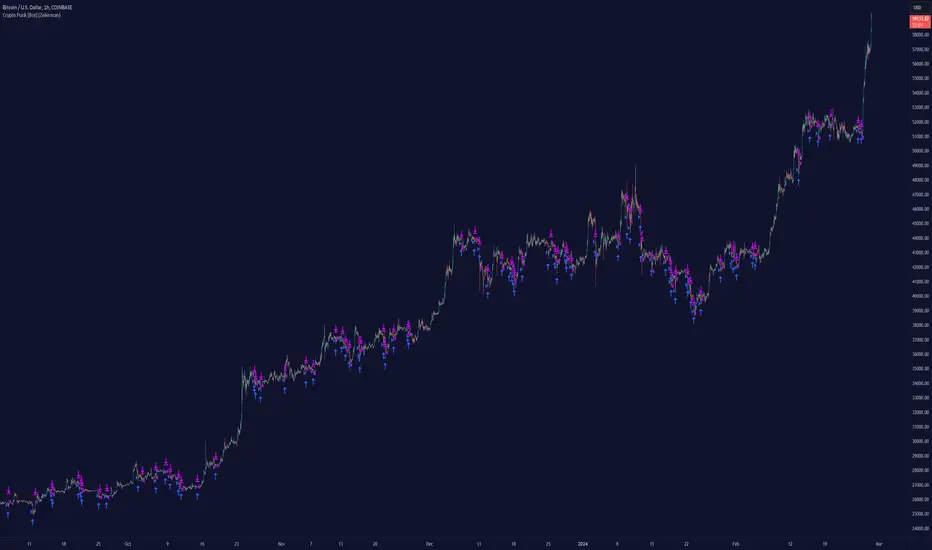
Market Regime | NY Session Killzones Indicator [ApexLegion]Market Regime | NY Session Killzones Indicator
Introduction and Theoretical Background
The Market Regime | NY Session Killzones indicator is designed exclusively for New York market hours (07:00-16:00 ET). Unlike universal indicators that attempt to function across disparate global sessions, this tool employs session-specific calibration to target the distinct liquidity characteristics of the NY trading day: Pre-Market structural formation (08:00-09:30), the Morning breakout window (09:30-12:00), and the Afternoon Killzone (13:30-16:00)—periods when institutional order flow exhibits the highest concentration and most definable technical structure. By restricting its operational scope to these statistically significant time windows, the indicator focuses on signal relevance while filtering the noise inherent in lower-liquidity overnight or extended-hours trading environments.
I. TECHNICAL RATIONALE: THE PRINCIPLE OF CONTEXTUAL FUSION
1. The Limitation of Acontextual Indicators
Traditional technical indicators often fail because they treat every bar and every market session equally, applying static thresholds (e.g., RSI > 70) without regard for the underlying market structure or liquidity environment. However, institutional volume and market volatility are highly dependent on the time of day (session) and the prevailing long-term risk environment.
This indicator was developed to address this "contextual deficit" by fusing three distinct yet interdependent analytical layers:
• Time and Structure (Macro): Identifying high-probability trading windows (Killzones) and critical structural levels (Pre-Market Range, PDH/PDL).
• Volatility and Scoring (Engine): Normalizing intraday momentum against annual volatility data to create an objective, statistically grounded AI Score.
• Risk Management (Execution): Implementing dynamic, volatility-adjusted Stop Loss (SL) and Take Profit (TP) parameters based on the Average True Range (ATR).
2. The Mandate for 252-Day Normalization (Z-Score)
What makes this tool unique is its 252-day Z-Score normalization engine that transforms raw momentum readings into statistically grounded probability scores, allowing the same indicator to deliver consistent, context-aware signals across any timeframe—from 1-minute scalping to 1-hour swing trades—without manual recalibration.
THE PROBLEM OF SCALE INVARIANCE
A high Relative Strength Index (RSI) reading on a 1-minute chart has a completely different market implication than a high RSI reading on a Daily chart. Simple percentage-based thresholds (like 70 or 30) do not provide true contextual significance. A sudden spike in momentum may look extreme on a 5-minute chart, but if it is statistically insignificant compared to the overall volatility of the last year, it may be a poor signal.
THE SOLUTION: CROSS-TIMEFRAME Z-SCORE NORMALIZATION
This indicator utilizes the Pine Script function request.security to reference the Daily timeframe for calculating the mean (μ) and standard deviation (σ) of a momentum oscillator (RSI) over the past 252 trading days (one year).
The indicator then calculates the Z-Score (Z) for the current bar's raw momentum (x): Z = (x - μ) / σ
Core Implementation: float raw_rsi = ta.rsi(close, 14) // x
= request.security(syminfo.tickerid, "D",
, // σ (252 days)
lookahead=barmerge.lookahead_on)
float cur_rsi_norm = d_rsi_std != 0 ? (raw_rsi - d_rsi_mean) / d_rsi_std : 0.0 // Z
This score provides an objective measurement of current intraday momentum significance by evaluating its statistical extremity against the yearly baseline of daily momentum. This standardized approach provides the scoring engine with consistent, global contextual information, independent of the chart's current viewing timeframe.
II. CORE COMPONENTS AND TECHNICAL ANALYSIS BREAKDOWN
1. TIME AND SESSION ANALYSIS (KILLZONES AND BIAS)
The indicator visually segments the trading day based on New York (NY) trading sessions, aligning the analysis with periods of high institutional liquidity events.
Pre-Market (PRE)
• Function: Defines the range before the core market opens. This range establishes structural support and resistance levels (PMH/PML).
• Technical Implementation: Uses a dedicated Session input (ny_pre_sess). The High and Low values (pm_h_val/pm_l_val) within this session are stored and plotted for structural reference.
• Smart Extension Logic: PMH/PML lines are automatically extended until the next Pre-Market session begins, providing continuous support/resistance references overnight.
NY Killzones (AM/PM)
• Function: Highlights high-probability volatility windows where institutional liquidity is expected to be highest (e.g., NY open, lunch, NY close).
• Technical Implementation: Separate session inputs (kz_ny_am, kz_ny_pm) are utilized to draw translucent background fills, providing a clear visual cue for timing.
Market Regime Bias
• Function: Determines the initial directional premise for the trading day. The bias is confirmed when the price breaks either the Pre-Market High (PMH) or the Pre-Market Low (PML).
• Technical Implementation: Involves the comparison of the close price against the predefined structural levels (check_h for PMH, check_l for PML). The variable active_bias is set to Bullish or Bearish upon confirmed breakout.
Trend Bar Coloring
• Function: Applies a visual cue to the bars based on the established regime (Bullish=Cyan, Bearish=Red). This visual filter helps mitigate noise from counter-trend candles.
• Technical Implementation: The Pine Script barcolor() function is tied directly to the value of the determined active_bias.
2. VOLATILITY NORMALIZED SCORING ENGINE
The internal scoring mechanism accumulates points from multiple market factors to determine the strength and validity of a signal. The purpose is to apply a robust filtering mechanism before generating an entry.
The score accumulation logic is based on the following factors:
• Market Bias Alignment (+3 Points): Points are awarded for conformance with the determined active_bias (Bullish/Bearish).
• VWAP Alignment (+2 Points): Assesses the position of the current price relative to the Volume-Weighted Average Price (VWAP). Alignment suggests conformity with the average institutional transaction price.
• Volume Anomaly (+2 Points): Detects a price move accompanied by an abnormally high relative volume (odd_vol_spike). This suggests potential institutional participation or significant order flow.
• VIX Integration (+2 Points): A score derived from the CBOE VIX index, assessing overall market stability and stress. Stable VIX levels add points, while high VIX levels (stress regimes) remove points or prevent signal generation entirely.
• ML Probability Score (+3 Points): This is the core predictive engine. It utilizes a Log-Manhattan Distance Kernel to compare the current market state against historical volatility patterns. The script implements a Log-linear distance formula (log(1 + |Δ|) ). This approach mathematically dampens the impact of extreme volatility spikes (outliers), ensuring that the similarity score reflects true structural alignment rather than transient market noise.
Core Technical Logic (Z-Score Normalization)
float cur_rsi_norm = d_rsi_std != 0 ? (raw_rsi - d_rsi_mean) / d_rsi_std : 0.0
• Technical Purpose: This line calculates the Z-Score (cur_rsi_norm) of the current momentum oscillator reading (raw_rsi) by normalizing it against the mean (d_rsi_mean) and standard deviation (d_rsi_std) derived from 252 days of Daily momentum data. If the standard deviation is zero (market is perfectly flat), it safely returns 0.0 to prevent division by zero runtime errors. This allows the AI's probability score to be based on the current signal's significance within the context of the entire trading year.
3. EXECUTION AND RISK MANAGEMENT (ATR MODEL)
The indicator utilizes the Average True Range (ATR) volatility model. This helps risk management scale dynamically with market volatility by allowing users to define TP/SL distances independently based on the current ATR.
Stop Loss Multiplier (sl_mult)
• Function: Sets the Stop Loss (SL) distance as a configurable multiple of the current ATR (e.g., 1.5 × ATR).
• Technical Logic: The price level is calculated as: last_sl_price := close - (atr_val * sl_mult). The mathematical sign is reversed for short trades.
Take Profit Multiplier (tp_mult)
• Function: Sets the Take Profit (TP) distance as a configurable multiple of the current ATR (e.g., 3.0 × ATR).
• Technical Logic: The price level is calculated as: last_tp_price := close + (atr_val * tp_mult). The mathematical sign is reversed for short trades.
Structural SL Option
• Function: Provides an override to the ATR-based SL calculation. When enabled, it forces the Stop Loss to the Pre-Market High/Low (PMH/PML) level, aligning the stop with a key institutional structural boundary.
• Technical Logic: The indicator checks the use_struct_sl input. If true, the calculated last_sl_price is overridden with either pm_h_val or pm_l_val, dependent on the specific trade direction.
Trend Continuation Logic
• Function: Enables signal generation in established, strong trends (typically in the Afternoon session) based on follow-through momentum (a new high/low of the previous bar) combined with a high Signal Score, rather than exclusively relying on the initial PMH/PML breakout.
• Technical Logic: For a long signal, the is_cont_long logic specifically requires checks like active_bias == s_bull AND close > high , confirming follow-through momentum within the established regime.
Smart Snapping & Cleanup (16:00 Market Close)
• Function: To maintain chart cleanliness, all trade boxes (TP/SL), AI Prediction zones, Killzone overlays (NY AM/PM), and Liquidity lines (PDH/PDL) are automatically "snapped" and cut off precisely at 16:00 NY Time (Market Close).
• Technical Logic: When is_market_close condition is met (hour == 16 and minute == 0), the script executes cleanup logic that:
◦ Closes active trades and evaluates final P&L
◦ Snaps all TP/SL box widths to current bar
◦ Truncates AI Prediction ghost boxes at market close
◦ Cuts off NY AM/PM Killzone background fills
◦ Terminates PDH/PDL line extensions
◦ Prevents visual clutter from extending into post-market sessions
4. LIQUIDITY AND STRUCTURAL ANALYSIS
The indicator plots key structural levels that serve as high-probability magnet zones or areas of potential liquidity absorption.
• Pre-Market High/Low (PMH/PML): These are the high and low established during the configured pre-market session (ny_pre_sess). They define the primary structural breakout level for the day, often serving as the initial market inflection point or the key entry level for the morning session.
• PDH (Previous Day High): The high of the calendar day immediately preceding the current bar. This represents a key Liquidity Pool; large orders are often placed above this level, making it a frequent target for stop hunts or liquidity absorption by market makers.
• PDL (Previous Day Low): The low of the calendar day immediately preceding the current bar. This also represents a key Liquidity Pool and a high-probability reversal or accumulation point, particularly during the Killzones.
FIFO Array Management
The indicator uses FIFO (First-In-First-Out) array structures to manage liquidity lines and labels, automatically deleting the oldest objects when the count exceeds 500 to comply with drawing object limits.
5. AI PREDICTION BOX (PREDICTIVE MODEL)
Function: Analyzes AI scores and volatility to project predicted killzone ranges and duration with asymmetric directional bias.
A. DIRECTIONAL BIAS (ASYMMETRIC EXPANSION)
The prediction model calculates directional probability using the ML kernel's 252-day Normalized RSI (Z-Score) and Relative Volume (RVOL). The prediction box dynamically adjusts its range based on this probability to provide immediate visual feedback on high-probability direction.
Bullish Scenario (ml_prob > 1.0):
• Upper Range: Expands significantly (1.5x multiplier) to show the aggressive upside target
• Lower Range: Tightens (0.5x multiplier) to show the invalidation level
• Visual Intent: The box is visibly skewed upward, immediately communicating bullish bias without requiring numerical analysis.
Bearish Scenario (ml_prob < -1.0):
• Upper Range: Tightens (0.5x multiplier) to show the invalidation level
• Lower Range: Expands significantly (1.5x multiplier) to show the aggressive downside target
• Visual Intent: The box is visibly skewed downward, immediately communicating bearish bias.
Neutral Scenario (-1.0 < ml_prob < 1.0):
Both ranges use balanced multipliers, creating a symmetrical box that indicates uncertainty.
B. DYNAMIC VOLATILITY BOOSTER (SESSION-BASED ADAPTATION)
The prediction box adjusts its volatility multiplier based on the current session and market conditions to account for intraday volatility patterns.
AM Session (Morning: 07:00-12:00):
• Base Multiplier: 1.0x (Neutral Base)
• Logic: Morning sessions often contain false breakouts and noise. The base multiplier starts neutral to avoid over-projecting during consolidation.
• Trend Booster: Multiplier jumps to 1.5x when:
Price > London Session Open AND AI is Bullish (ml_prob > 0), OR
Price < London Session Open AND AI is Bearish (ml_prob < 0)
• Logic: When the London trend (typically 03:00-08:00 NY time) aligns with the AI model's directional conviction, the indicator aggressively targets higher volatility expansion. This filters for "institutional follow-through" rather than random morning chop.
PM Session (Afternoon: 13:00-16:00):
• Fixed Multiplier: 1.8x
• Logic: The PM session, particularly the 13:30-16:00 ICT Silver Bullet window, often contains the "True Move" of the day. A higher baseline multiplier is applied to emphasize this session's significance over morning noise.
Safety Floor:
A minimum range of 0.2% of the current price is enforced regardless of volatility conditions.
• Purpose: Maintains the prediction box visibility during extreme low-volatility consolidation periods where ATR might collapse to near-zero values.
Volatility Clamp Protection:
Maximum volatility is capped at three times the current ATR value. During flash crashes, circuit breaker halts, or large overnight gaps, raw volatility calculations can spike to extreme levels. This clamp prevents prediction boxes from expanding to unrealistic widths.
Technical Implementation:
f_get_ai_multipliers(float _prob) =>
float _abs_prob = math.abs(_prob)
float _range_mult = 1.0
float _dur_mult = 1.0
if _abs_prob > 30
_range_mult := 1.8
else if _abs_prob > 10
_range_mult := 1.2
else
_range_mult := 0.7
C. PRACTICAL INTERPRETATION
• Wide Upper Range + Tight Lower Range: Strong bullish conviction. The model expects significant upside with limited downside risk.
• Tight Upper Range + Wide Lower Range: Strong bearish conviction. The model expects significant downside with limited upside.
• Symmetrical Range: Neutral/uncertain market. Wait for directional confirmation before entry.
• Large Box (Extended Duration): High-confidence prediction expecting sustained movement.
• Small Box (Short Duration): Low-confidence or choppy conditions. Expect quick resolution.
III. PRACTICAL USAGE GUIDE: METHODOLOGY AND EXECUTION
A. ESTABLISHING TRADING CONTEXT (THE THREE CHECKS)
The primary goal of the dashboard is to filter out low-probability trade setups before they occur.
• Timeframe Selection: Although the core AI is normalized to the Daily context, the indicator performs optimally on intraday timeframes (e.g., 5m, 15m) where session-based volatility is most pronounced.
• PHASE Check (Timing): Always confirm the current phase. The highest probability signals typically occur within the visually highlighted NY AM/PM Killzones because this is when institutional liquidity and volume are at their peak. Signals outside these zones should be treated with skepticism.
• MARKET REGIME Check (Bias): Ensure the signal (BUY/SELL arrow) aligns with the established MARKET REGIME bias (BULLISH/BEARISH). Counter-bias signals are technically allowed if the score is high, but they represent a higher risk trade.
• VIX REGIME Check (Risk): Review the VIX REGIME for overall market stress. Periods marked DANGER (high VIX) indicate elevated volatility and market uncertainty. During DANGER regimes, reducing position size or choosing a wider SL Multiplier is advisable.
B. DASHBOARD INTERPRETATION (THE REAL-TIME STATUS DISPLAY)
The indicator features a non-intrusive dashboard that provides real-time, context-aware information based on the core analytical engines.
PHASE: (PRE-MARKET, NY-AM, LUNCH, NY-PM)
• Meaning: Indicates the current institutional session time. This is derived from the customizable session inputs.
• Interpretation: Signals generated during NY-AM or NY-PM (Killzones) are generally considered higher-probability due to increased institutional participation and liquidity.
MARKET REGIME: (BULLISH, BEARISH, NEUTRAL)
• Meaning: The established directional bias for the trading day, confirmed by the price breaking above the Pre-Market High (PMH) or below the Pre-Market Low (PML).
• Interpretation: Trading with the established regime (e.g., taking a BUY signal when the regime is BULLISH) is the primary method. NEUTRAL indicates that the PMH/PML boundary has not yet been broken, suggesting market ambiguity.
VIX REGIME: (STABLE, DANGER)
• Meaning: A measure of overall market stress and stability, based on the CBOE VIX index integration. The thresholds (20.0 and 35.0 default) are customizable by the user.
• Interpretation: STABLE indicates stable volatility, favoring momentum trades. DANGER (VIX > 35.0) indicates extreme stress; signals generated in this environment require caution and often necessitate smaller position sizing.
SIGNAL SCORE: (0 to 10+ Points)
• Meaning: The accumulated score derived from the VOLATILITY NORMALIZED AI SCORING ENGINE, factoring in bias, VWAP alignment, volume, and the Z-Score probability.
• Interpretation: The indicator generates a signal when this score meets or exceeds the Minimum Entry Score (default 3). A higher score (e.g., 7+) indicates greater statistical confluence and a stronger potential entry.
AI PROBABILITY: (Bull/Bear %)
• Meaning: Directional probability derived from the ML kernel, expressed as a percentage with Bull/Bear label.
• Interpretation: Higher absolute values (>20%) indicate stronger directional conviction from the ML model.
LIVE METRICS SECTION:
• STATUS: Shows current trade state (LONG, SHORT, or INACTIVE)
• ENTRY: Displays the entry price for active trades
• TARGET: Shows the calculated Take Profit level
• ROI | KILL ZONE:
◦ For Active Trades: Displays real-time P&L percentage during NY session hours.
◦ At Market Close (16:00 NY): Since this is a NY session-specific indicator, any active position is automatically evaluated and closed at 16:00. The final result (VALIDATED or INVALIDATED) is determined based on whether the trade reached profit or loss at market close.
◦ Result Persistence: The killzone result (VALIDATED/INVALIDATED) remains displayed on the dashboard until the next NY AM KILLZONE session begins, providing a clear performance reference for the previous trading day.
Note: If a trade is still trending at 16:00, it will be force-closed and evaluated at that moment, as the indicator operates strictly within NY trading hours.
C. SIGNAL GENERATION AND ENTRY LOGIC
The indicator generates signals based on two distinct technical setups, both of which require the accumulated SIGNAL SCORE to be above the configured Minimum Entry Score.
Breakout Entry
• Trigger Condition: Price closes beyond the Pre-Market High (PMH) or Low (PML).
• Rationale: This setup targets the initial directional movement for the day. A breakout confirms the institutional bias by decisively breaking the first major structural boundary, making the signal high-probability.
Continuation Entry
• Trigger Condition: The market is already in an established regime (e.g., BULLISH), and the price closes above the high (or below the low) of the previous bar, while the SIGNAL SCORE remains high. Requires the Allow Trend Continuation parameter to be active.
• Rationale: This setup targets follow-through trades, typically in the afternoon session, capturing momentum after the morning's direction has been confirmed. This filters for sustainability in the established trend.
Execution: Execute the trade immediately upon the close of the bar that prints the BUY or SELL signal arrow.
D. MANAGING RISK AND EXITS
1. RISK PARAMETER SELECTION
The indicator immediately draws the dynamic TP/SL zones upon entry.
• Volatility-Based (Recommended Default): By setting the SL Multiplier (e.g., 1.5) and the TP Multiplier (e.g., 3.0), the indicator enforces a constant, dynamically sized risk-to-reward ratio (e.g., 1:2 in this example). This helps that risk management scales proportionally with the current market volatility (ATR).
• Structural Override: Selecting the Use Structural SL parameter fixes the stop-loss not to the ATR calculation, but to the more significant structural level of the PMH or PML. This is utilized by traders who favor institutional entry rules where the stop is placed behind the liquidity boundary.
2. EXIT METHODS
• Hard Exit: Price hits the visual TP or SL box boundary.
• Soft Exit (Momentum Decay Filter): If the trade is active and the SIGNAL SCORE drops below the Exit Score Threshold (default 3), it indicates that the momentum supporting the trade has significantly collapsed. This serves as a momentum decay filter, prompting the user to consider a manual early exit even if the SL/TP levels have not been hit, thereby preserving capital during low-momentum consolidation.
• Market Close Auto-Exit: At 16:00 NY time, any active trade is automatically closed and classified as VALIDATED (profit) or INVALIDATED (loss) based on current price vs. entry price.
IV. PARAMETER REFERENCE AND CONFIGURATION
A. GLOBAL SETTINGS
• Language (String, Default: English): Selects the language for the dashboard and notification text. Options: English, Korean, Chinese, Spanish, Portuguese, Russian, Ukrainian, Vietnamese.
B. SESSION TIMES (3 BOX SYSTEM)
• PRE-MARKET (Session, Default: 0800-0930): Defines the session range used for Pre-Market High/Low (PMH/PML) structural calculation.
• REGULAR (Morning) (Session, Default: 0930-1200): Defines the core Morning trading session.
• AFTERNOON (PM) (Session, Default: 1300-1600): Defines the main Afternoon trading session.
• Timezone (String, Default: America/New_York): Sets the timezone for all session and time-based calculations.
C. NY KILLZONES (OVERLAYS)
• Show NY Killzones (Bool, Default: True): Toggles the translucent background fills that highlight high-probability trading times (Killzones).
• NY AM Killzone (Session, Default: 0700-1000): Defines the specific time window for the first key liquidity surge (Open overlap).
• NY PM Killzone (Session, Default: 1330-1600): Defines the afternoon liquidity window, aligned with the ICT Silver Bullet and PM Trend entry timing.
• Allow Entry in Killzones (Bool, Default: True): Enables or disables signal generation specifically during the defined Killzone hours.
• Activate AI Prediction Box (Bool, Default: True): Toggles the drawing of the predicted target range boxes on the chart.
D. CORE SCORING ENGINE
• Minimum Entry Score (Int, Default: 3): The lowest accumulated score required for a Buy/Sell signal to be generated and plotted.
• Allow Trend Continuation (Bool, Default: True): Enables the secondary entry logic that fires signals based on momentum in an established trend.
• Force Ignore Volume (Bool, Default: False): Overrides the volume checks in the scoring engine. Useful for markets where volume data is unreliable or nonexistent.
• Force Show Signals (Ignore Score) (Bool, Default: False): Debug mode that displays all signals regardless of score threshold.
• Integrate CBOE:VIX (Bool, Default: True): Enables the connection to the VIX index for market stress assessment.
• Stable VIX (<) (Float, Default: 20.0): VIX level below which market stress is considered low (increases score).
• Stress VIX (>) (Float, Default: 35.0): VIX level above which market stress is considered high (decreases score/flags DANGER).
• Use ML Probability (Bool, Default: True): Activates the volatility-normalized AI Z-Score kernel. Disabling this removes the cross-timeframe normalization filter.
• Max Learning History (Int, Default: 2000): Maximum number of bars stored in the ML training arrays.
• Normalization Lookback (252 Days) (Int, Default: 252): The number of DAILY bars used to calculate the Z-Score mean and standard deviation (representing approximately 1 year of data).
E. RISK MANAGEMENT (ATR MODEL)
• Use Structural SL (Bool, Default: False): Overrides the ATR-based Stop Loss distance to use the Pre-Market High/Low as the fixed stop level.
• Stop Loss Multiplier (x ATR) (Float, Default: 1.5): Defines the Stop Loss distance in multiples of the current Average True Range (ATR).
• Take Profit Multiplier (x ATR) (Float, Default: 3.0): Defines the Take Profit distance in multiples of the current Average True Range (ATR).
• Exit Score Threshold (<) (Int, Default: 3): The minimum score below which an active trade is flagged for a Soft Exit due to momentum collapse.
F. VISUAL SETTINGS
• Show Dashboard (Bool, Default: True): Toggles the real-time data panel.
• Show NY Killzones (Bool, Default: True): Toggles killzone background fills.
• Show TP/SL Zones (Bool, Default: True): Toggles the drawing of Take Profit and Stop Loss boxes.
• Show Pre-Market Extensions (Bool, Default: True): Extends PM High/Low lines across the entire chart for support/resistance reference.
• Activate AI Prediction Box (Bool, Default: True): Enable or disable the predictive range projection.
• Light Mode Optimization (Bool, Default: True): Toggles dashboard and plot colors for optimal visibility on white (light) chart backgrounds.
• Enforce Trend Coloring (Bool, Default: True): Forces candle colors based on Market Regime (Bullish=Cyan, Bearish=Pink) to emphasize trend direction.
• Label Size (String, Default: Normal): Options: Tiny, Small, Normal.
G. LIQUIDITY POOLS (PDH/PDL)
• Show Liquidity Lines (Bool, Default: True): Toggles the display of the Previous Day High (PDH) and Low (PDL) lines.
• Liquidity High Color (Color, Default: Green): Color setting for the PDH line.
• Liquidity Low Color (Color, Default: Red): Color setting for the PDL line.
🔔 ALERT CONFIGURATION GUIDE
The indicator is equipped with specific alert conditions.
How to Set Up an Alert:
Click the "Alert" (Clock icon) in the top TradingView toolbar.
Select "Market Regime NY Session " from the Condition dropdown menu.
Choose one of the specific trigger conditions below depending on your strategy:
🚀 Available Alert Conditions
1. BUY (Long Entry)
Trigger: Fires immediately when a confirmed Bullish Setup is detected.
Conditions: Market Bias is Bullish (or valid Continuation) + Signal Score ≥ Minimum Entry Score.
Usage: Use this alert to open new Long positions or close existing Short positions.
2. SELL (Short Entry)
Trigger: Fires immediately when a confirmed Bearish Setup is detected.
Conditions: Market Bias is Bearish (or valid Continuation) + Signal Score ≥ Minimum Entry Score.
Usage: Use this alert to open new Short positions or close existing Long positions.
V. IMPORTANT TECHNICAL LIMITATIONS
⚠️ Intraday Only (Timeframe Compatibility)
This indicator is strictly designed for Intraday Timeframes (1m to 4h).
Daily/Weekly Charts: The session logic (e.g., "09:30-16:00") cannot function on Daily bars because a single bar encompasses the entire session. Session boxes, TP/SL zones, and AI prediction boxes will NOT draw on the Daily timeframe. Only the PDH/PDL liquidity lines remain visible on Daily charts. This is expected behavior, not a limitation.
Maximum Supported Timeframe: All visual components (session boxes, killzone overlays, TP/SL zones, AI prediction boxes) are displayed up to the 4-hour timeframe. Above this timeframe, only PDH/PDL lines and the dashboard remain functional.
⚠️ Drawing Object Limit (Max 500)
A single script can display a maximum of 500 drawing objects (boxes/lines) simultaneously.
On lower timeframes (e.g., 1-minute), where many signals and session boxes are generated, older history (typically beyond 10-14 days) will automatically disappear to make room for new real-time data.
For deeper historical backtesting visualization, switch to higher timeframes (e.g., 15m, 1h).
The indicator implements FIFO array management to comply with this limit while maintaining the most recent and relevant visual data.
VI. PRACTICAL TRADING TIPS AND BEST PRACTICES
• Killzone Confirmation: The highest statistical validity is observed when a high-score signal occurs directly within a visible NY AM/PM Killzone. Use the Killzones as a strict time filter.
• Liquidity Awareness (PDH/PDL): Treat the Previous Day High (PDH) and Low (PDL) lines as magnets. If your dynamic Take Profit (TP) is placed just above PDH, consider adjusting your target slightly below PDH or utilizing the Soft Exit, as liquidity absorption at these levels often results in sudden, sharp reversals that stop out a trade just before the target is reached.
• VIX as a Position Sizer: During DANGER VIX regimes, the resulting high volatility means the ATR value will be large. It is prudent to either reduce the SL Multiplier or, more commonly, reduce the overall position size to maintain a constant currency risk exposure per trade.
• Continuation Filter Timing: Trend Continuation signals are most effective during the Afternoon (PM) session when the morning's directional breakout has had time to establish a strong, clear, and sustainable trend. Avoid using them in the initial AM session when the direction is still being contested.
• 16:00 Market Close Rule: All trades, boxes, and lines are automatically cleaned up at 16:00 NY time. This prevents overnight chart clutter and maintains visual clarity.
VII. DISCLAIMER & RISK WARNINGS
• Educational Purpose Only
This indicator, including all associated code, documentation, and visual outputs, is provided strictly for educational and informational purposes. It does not constitute financial advice, investment recommendations, or a solicitation to buy or sell any financial instruments.
• No Guarantee of Performance
Past performance is not indicative of future results. All metrics displayed on the dashboard (including "ROI" and trade results) are theoretical calculations based on historical data. These figures do not account for real-world trading factors such as slippage, liquidity gaps, spread costs, or broker commissions.
• High-Risk Warning
Trading cryptocurrencies, futures, and leveraged financial products involves a substantial risk of loss. The use of leverage can amplify both gains and losses. Users acknowledge that they are solely responsible for their trading decisions and should conduct independent due diligence before executing any trades.
• Software Limitations
The software is provided "as is" without warranty. Users should be aware that market data feeds on analysis platforms may experience latency or outages, which can affect signal generation accuracy.
อินดิเคเตอร์ Pine Script®
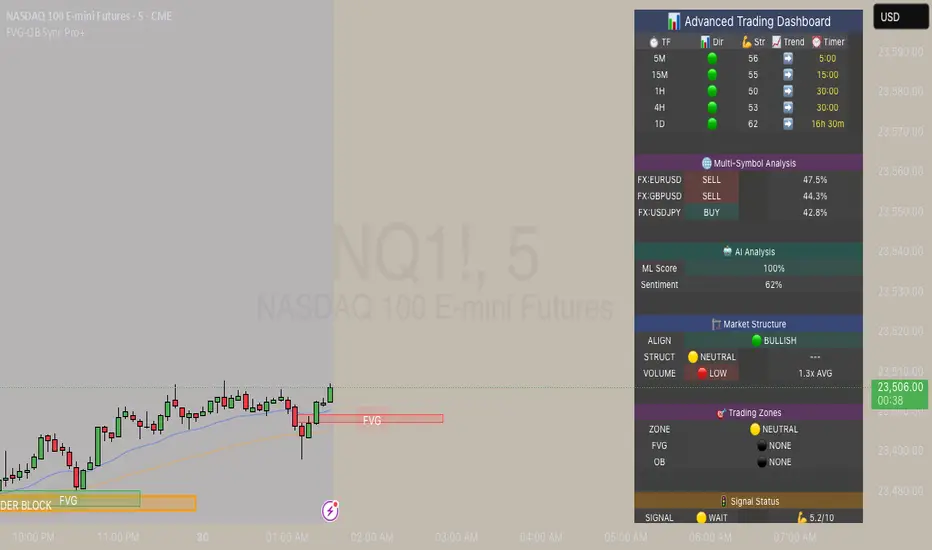
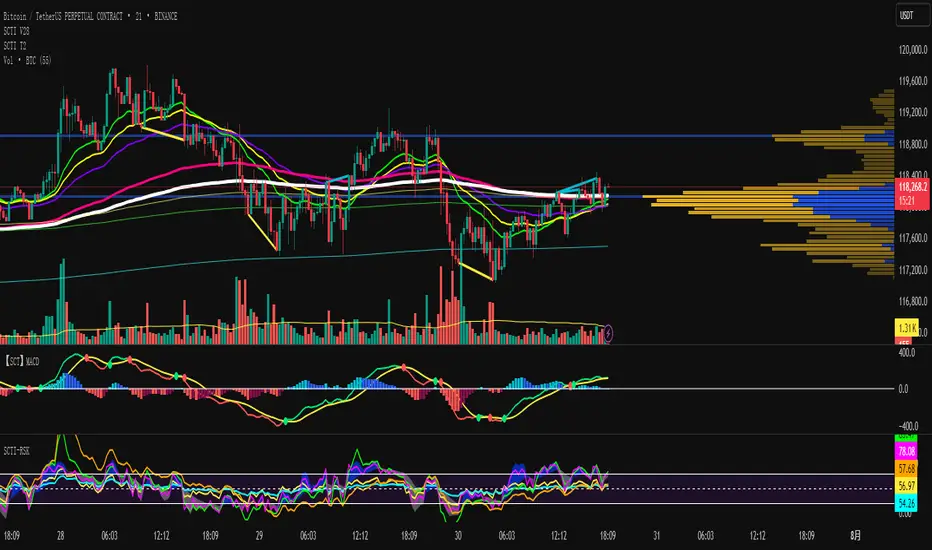
SCTI V28Indicator Overview | 指标概述
English: SCTI V28 (Smart Composite Technical Indicator) is a multi-functional composite technical analysis tool that integrates various classic technical analysis methods. It contains 7 core modules that can be flexibly configured to show or hide components based on traders' needs, suitable for various trading styles and market conditions.
中文: SCTI V28 (智能复合技术指标) 是一款多功能复合型技术分析指标,整合了多种经典技术分析工具于一体。该指标包含7大核心模块,可根据交易者的需求灵活配置显示或隐藏各个组件,适用于多种交易风格和市场环境。
Main Functional Modules | 主要功能模块
1. Basic Indicator Settings | 基础指标设置
English:
EMA Display: 13 configurable EMA lines (default shows 8/13/21/34/55/144/233/377/610/987/1597/2584 periods)
PMA Display: 11 configurable moving averages with multiple MA types (ALMA/EMA/RMA/SMA/SWMA/VWAP/VWMA/WMA)
VWAP Display: Volume Weighted Average Price indicator
Divergence Indicator: Detects divergences across 12 technical indicators
ATR Stop Loss: ATR-based stop loss lines
Volume SuperTrend AI: AI-powered super trend indicator
中文:
EMA显示:13条可配置EMA均线,默认显示8/13/21/34/55/144/233/377/610/987/1597/2584周期
PMA显示:11条可配置移动平均线,支持多种MA类型(ALMA/EMA/RMA/SMA/SWMA/VWAP/VWMA/WMA)
VWAP显示:成交量加权平均价指标
背离指标:12种技术指标的背离检测系统
ATR止损:基于ATR的止损线
Volume SuperTrend AI:基于AI预测的超级趋势指标
2. EMA Settings | EMA设置
English:
13 independent EMA lines, each configurable for visibility and period length
Default shows 21/34/55/144/233/377/610/987/1597/2584 period EMAs
Customizable colors and line widths for each EMA
中文:
13条独立EMA均线,每条均可单独配置显示/隐藏和周期长度
默认显示21/34/55/144/233/377/610/987/1597/2584周期的EMA
每条EMA可设置不同颜色和线宽
3. PMA Settings | PMA设置
English:
11 configurable moving averages, each with:
Selectable types (default EMA, options: ALMA/RMA/SMA/SWMA/VWAP/VWMA/WMA)
Independent period settings (12-1056)
Special ALMA parameters (offset and sigma)
Configurable data source and plot offset
Support for fill areas between MAs
Price lines and labels can be added
中文:
11条可配置移动平均线,每条均可:
选择不同类型(默认EMA,可选ALMA/RMA/SMA/SWMA/VWAP/VWMA/WMA)
独立设置周期长度(12-1056)
设置ALMA的特殊参数(偏移量和sigma)
配置数据源和绘图偏移
支持MA之间的填充区域显示
可添加价格线和标签
4. VWAP Settings | VWAP设置
English:
Multiple anchor period options (Session/Week/Month/Quarter/Year/Decade/Century/Earnings/Dividends/Splits)
3 configurable standard deviation bands
Option to hide on daily and higher timeframes
Configurable data source and offset settings
中文:
多种锚定周期选择(会话/周/月/季/年/十年/世纪/财报/股息/拆股)
3条可配置标准差带
可选择在日线及以上周期隐藏
支持数据源选择和偏移设置
5. Divergence Indicator Settings | 背离指标设置
English:
12 detectable indicators: MACD, MACD Histogram, RSI, Stochastic, CCI, Momentum, OBV, VWmacd, Chaikin Money Flow, MFI, Williams %R, External Indicator
4 divergence types: Regular Bullish/Bearish, Hidden Bullish/Bearish
Multiple display options: Full name/First letter/Hide indicator name
Configurable parameters: Pivot period, data source, maximum bars checked, etc.
Alert functions: Independent alerts for each divergence type
中文:
检测12种指标:MACD、MACD柱状图、RSI、随机指标、CCI、动量、OBV、VWmacd、Chaikin资金流、MFI、威廉姆斯%R、外部指标
4种背离类型:正/负常规背离,正/负隐藏背离
多种显示选项:完整名称/首字母/不显示指标名称
可配置参数:枢轴点周期、数据源、最大检查柱数等
警报功能:各类背离的独立警报
6. ATR Stop Loss Settings | ATR止损设置
English:
Configurable ATR length (default 13)
4 smoothing methods (RMA/SMA/EMA/WMA)
Adjustable multiplier (default 1.618)
Displays long and short stop loss lines
中文:
可配置ATR长度(默认13)
4种平滑方法(RMA/SMA/EMA/WMA)
可调乘数(默认1.618)
显示多头和空头止损线
7. Volume SuperTrend AI Settings | Volume SuperTrend AI设置
English:
AI Prediction:
Configurable neighbors (1-100) and data points (1-100)
Price trend length and prediction trend length settings
SuperTrend Parameters:
Length (default 3)
Factor (default 1.515)
5 MA source options (SMA/EMA/WMA/RMA/VWMA)
Signal Display:
Trend start signals (circle markers)
Trend confirmation signals (triangle markers)
6 Alerts: Various trend start and confirmation signals
中文:
AI预测功能:
可配置邻居数(1-100)和数据点数(1-100)
价格趋势长度和预测趋势长度设置
SuperTrend参数:
长度(默认3)
因子(默认1.515)
5种MA源选择(SMA/EMA/WMA/RMA/VWMA)
信号显示:
趋势开始信号(圆形标记)
趋势确认信号(三角形标记)
6种警报:各类趋势开始和确认信号
Usage Recommendations | 使用建议
English:
Trend Analysis: Use EMA/PMA combinations to determine market trends, with long-period EMAs (e.g., 144/233) as primary trend references
Divergence Trading: Look for potential reversals using price-indicator divergences
Stop Loss Management: Use ATR stop loss lines for risk management
AI Assistance: Volume SuperTrend AI provides machine learning-based trend predictions
Multiple Timeframes: Verify signals across different timeframes
中文:
趋势分析:使用EMA/PMA组合判断市场趋势,长周期EMA(如144/233)作为主要趋势参考
背离交易:结合价格与指标的背离寻找潜在反转点
止损设置:利用ATR止损线管理风险
AI辅助:Volume SuperTrend AI提供基于机器学习的趋势预测
多时间框架:建议在不同时间框架下验证信号
Parameter Configuration Tips | 参数配置技巧
English:
For short-term trading: Focus on 8-55 period EMAs and shorter divergence detection periods
For long-term investing: Use 144-2584 period EMAs with longer detection parameters
In ranging markets: Disable some EMAs, mainly rely on VWAP and divergence indicators
In trending markets: Enable more EMAs and SuperTrend AI
中文:
对于短线交易:可重点关注8-55周期的EMA和较短的背离检测周期
对于长线投资:建议使用144-2584周期的EMA和较长的检测参数
在震荡市:可关闭部分EMA,主要依靠VWAP和背离指标
在趋势市:可启用更多EMA和SuperTrend AI
Update Log | 更新日志
English:
V28 main updates:
Added Volume SuperTrend AI module
Optimized divergence detection algorithm
Added more EMA period options
Improved UI and parameter grouping
中文:
V28版本主要更新:
新增Volume SuperTrend AI模块
优化背离检测算法
增加更多EMA周期选项
改进用户界面和参数分组
Final Note | 最后说明
English: This indicator is suitable for technical traders with some experience. We recommend practicing with demo trading to familiarize yourself with all features before live trading.
中文: 该指标适合有一定经验的技术分析交易者使用,建议先通过模拟交易熟悉各项功能后再应用于实盘。
อินดิเคเตอร์ Pine Script®
TradingIQ - Reversal IQIntroducing "Reversal IQ" by TradingIQ
Reversal IQ is an exclusive trading algorithm developed by TradingIQ, designed to trade trend reversals in the market. By integrating artificial intelligence and IQ Technology, Reversal IQ analyzes historical and real-time price data to construct a dynamic trading system adaptable to various asset and timeframe combinations.
Philosophy of Reversal IQ
Reversal IQ integrates IQ Technology (AI) with the timeless concept of reversal trading. Markets follow trends that inevitably reverse at some point. Rather than relying on rigid settings or manual judgment to capture these reversals, Reversal IQ dynamically designs, creates, and executes reversal-based trading strategies.
Reversal IQ is designed to work straight out of the box. In fact, its simplicity requires just one user setting, making it incredibly straightforward to manage.
AI Aggressiveness is the only setting that controls how Reversal IQ works.
Traders don’t have to spend hours adjusting settings and trying to find what works best - Reversal IQ handles this on its own.
Key Features of Reversal IQ
Self-Learning Reversal Detection
Employs AI and IQ Technology to identify trend reversals in real-time.
AI-Generated Trading Signals
Provides reversal trading signals derived from self-learning algorithms.
Comprehensive Trading System
Offers clear entry and exit labels.
AI-Determined Profit Target and Stop Loss
Position exit levels are clearly defined and calculated by the AI once the trade is entered.
Performance Tracking
Records and presents trading performance data, easily accessible for user analysis.
Configurable AI Aggressiveness
Allows users to adjust the AI's aggressiveness to match their trading style and risk tolerance.
Long and Short Trading Capabilities
Supports both long and short positions to trade various market conditions.
IQ Channel
The IQ Channel represents what Reversal IQ considers a tradable long opportunity or a tradable short opportunity. The channel is dynamic and adjusts from chart to chart.
IQMA – Proprietary Moving Average
Introduces the IQ Moving Average (IQMA), designed to classify overarching market trends.
IQCandles – Trend Classification Tool
Complements IQMA with candlestick colors designed for trend identification and analysis.
How It Works
Reversal IQ operates on a straightforward heuristic: go long during an extended downside move and go short during an extended upside move.
What defines an "extended move" is determined by IQ Technology, TradingIQ's exclusive AI algorithm. For Reversal IQ, the algorithm assesses the extent to which historical high and low prices are breached. By learning from these price level violations, Reversal IQ adapts to trade future, similar violations in a recurring manner. It calculates a price area, distant from the current price, where a reversal is anticipated.
In simple terms, price peaks (tops) and troughs (bottoms) are stored for Reversal IQ to learn from. The degree to which these levels are violated by subsequent price movements is also recorded. Reversal IQ continuously evaluates this stored data, adapting to market volatility and raw price fluctuations to better capture price reversals.
What classifies as a price top or price bottom?
For Reversal IQ, price tops are considered the highest price attained before a significant downside reversal. Price bottoms are considered the lowest price attained before a significant upside reversal. The highest price achieved is continuously calculated before a significant counter trend price move renders the high price as a swing high. The lowest price achieved is continuously calculated before a significant counter trend price move renders the low price as a swing low.
The image above illustrates the IQ channel and explains the corresponding prices and levels
The blue lower line represents the Long Reversal Level, with the price highlighted in blue showing the Long Reversal Price.
The red upper line represents the Short Reversal Level, with the price highlighted in red showing the Short Reversal Price.
Limit orders are placed at both of these levels. As soon as either level is touched, a trade is immediately executed.
The image above shows a long position being entered after the Long Reversal Level was reached. The profit target and stop loss are calculated by Reversal IQ
The blue line indicates where the profit target is placed (acting as a limit order).
The red line shows where the stop loss is placed (acting as a stop loss order).
Green arrows indicate that the strategy entered a long position at the highlighted price level.
You can also hover over the trade labels to get more information about the trade—such as the entry price, profit target, and stop loss.
The image above demonstrates the profit target being hit for the trade. All profitable trades are marked by a blue arrow and blue line. Hover over the blue arrow to obtain more details about the trade exit.
The image above depicts a short position being entered after the Short Reversal Level was touched. The profit target and stop loss are calculated by the AI
The blue line indicates where the profit target is placed (acting as a limit order).
The red line shows where the stop loss is placed (acting as a stop loss order).
The image above shows the profit target being hit for the short trade. Profitable trades are indicated by a blue arrow and blue line. Hover over the blue arrow to access more information about the trade exit.
Long Entry: Green Arrow
Short Entry: Red Arrow
Profitable Trades: Blue Arrow
Losing Trades: Red Arrow
IQMA
The IQMA implements a dynamic moving average that adapts to market conditions by adjusting its smoothing factor based on its own slope. This makes it more responsive in volatile conditions (steeper slopes) and smoother in less volatile conditions.
The IQMA is not used by Reversal IQ as a trade condition; however, the IQMA can be used by traders to characterize the overarching trend and elect to trade only long positions during bullish conditions and only short positions during bearish conditions.
The IQMA is an adaptive smoothing function that applies a combination of multiple moving averages to reduce lag and noise in the data. The adaptiveness is achieved by dynamically adjusting the Volatility Factor (VF) based on the slope (derivative) of the price trend, making it more responsive to strong trends and smoother in consolidating markets.
This process effectively makes the moving average a self-adjusting filter, the IQMA attempts to track both trending and ranging market conditions by dynamically changing its sensitivity in response to price movements.
When IQMA is blue, an overarching uptrend is in place. When IQMA is red, an overarching downtrend is in place.
IQ Candles
IQ Candles are price candles color-coordinated with IQMA. IQ Candles help visualize the overarching trend and are not used by Reversal IQ to determine trade entries and trade exits.
AI Aggressiveness
Reversal IQ has only one setting that controls its functionality.
AI Aggressiveness controls the aggressiveness of the AI. This setting has three options: Sniper, Aggressive, and Very Aggressive.
Sniper Mode
In Sniper Mode, Reversal IQ will prioritize trading large deviations from established reversal levels and extracting the largest countertrend move possible from them.
Aggressive Mode
In Aggressive Mode, Reversal IQ still prioritizes quality but allows for strong, quantity-based signals. More trades will be executed in this mode with tighter stops and profit targets. Aggressive mode forces Reversal IQ to learn from narrower raw-dollar violations of historical levels.
Very Aggressive Mode
In Very Aggressive Mode, Reversal IQ still prioritizes the strongest quantity-based signals. Stop and target distances aren't inherently affected, but entries will be aggressive while prioritizing performance. Very Aggressive mode forces Reversal IQ to learn from narrower raw-dollar violations of historical levels and also forces it to embrace volatility more aggressively.
AI Direction
The AI Direction setting controls the trade direction Reversal IQ is allowed to take.
“Both” allows for both long and short trades.
“Long” allows for only long trades.
“Short” allows for only short trades.
Verifying Reversal IQ’s Effectiveness
Reversal IQ automatically tracks its performance and displays the profit factor for the long strategy and the short strategy it uses. This information can be found in a table located in the top-right corner of your chart.
The image above shows the long strategy profit factor and the short strategy profit factor for Reversal IQ.
A profit factor greater than 1 indicates a strategy profitably traded historical price data.
A profit factor less than 1 indicates a strategy unprofitably traded historical price data.
A profit factor equal to 1 indicates a strategy did not lose or gain money when trading historical price data.
Using Reversal IQ
While Reversal IQ is a full-fledged trading system with entries and exits, it was designed for the manual trader to take its trading signals and analysis indications to greater heights - offering numerous applications beyond its built-in trading system.
The hallmark feature of Reversal IQ is its sniper-like reversal signals. While exits are dynamically calculated as well, Reversal IQ simply has a knack for "sniping" price reversals.
When performing live analysis, you can use the IQ Channel to evaluate price reversal areas, whether price has extended too far in one direction, and whether price is likely to reverse soon.
Of course, in times of exuberance or panic, price may push through the reversal levels. While infrequent, it can happen to any indicator.
The deeper price moves into the bullish reversal area (blue) the better chance that price has extended too far and will reverse to the upside soon. The deeper price moves into the bearish reversal area (red) the better chance that price has extended too far and will reverse to the downside soon.
Of course, you can set alerts for all Reversal IQ entry and exit signals, effectively following along its systematic conquest of price movement.
อินดิเคเตอร์ Pine Script®สคริปต์แบบชำระเงิน
DafeRLMLLibDafeRLMLLib: The Reinforcement Learning & Machine Learning Engine
This is not an indicator. This is an artificial intelligence. A state-based, self-learning engine designed to bring the power of professional quantitative finance to the Pine Script ecosystem. Welcome to the next frontier of trading analysis.
█ CHAPTER 1: THE PHILOSOPHY - FROM STATIC RULES TO DYNAMIC LEARNING
Technical analysis has, for a century, been a discipline of static, human-defined rules. "If RSI is below 30, then buy." "If the 50 EMA crosses the 200 EMA, then sell." These are fixed heuristics. They are brittle. They fail to adapt to the market's ever-changing personality—its shifts between trend and range, high and low volatility, risk-on and risk-off sentiment. An indicator built on static rules is an automaton, destined to fail when the environment it was designed for inevitably changes.
The DafeRLMLLib was created to shatter this paradigm. It is not a tool with fixed rules; it is a framework for discovering optimal rules. It is a true Reinforcement Learning (RL) and Machine Learning (ML) engine, built from the ground up in Pine Script. Its purpose is not to follow a pre-programmed strategy, but to learn a strategy through trial, error, and feedback.
This library provides a complete, professional-grade toolkit for developers to build indicators that think, adapt, and evolve. It observes the market state, selects an action, receives a reward signal based on the outcome, and updates its internal "brain" to improve its future decisions. This is not just a step forward; it is a quantum leap into the future of on-chart intelligence.
█ CHAPTER 2: THE CORE INNOVATIONS - WHAT MAKES THIS A TRUE ML ENGINE?
This library is not a collection of simple moving averages labeled as "AI." It is a suite of genuine, academically recognized machine learning algorithms, adapted for the unique constraints and opportunities of the Pine Script environment.
Multi-Algorithm Architecture: You are not locked into one learning model. The library provides a choice of powerful RL algorithms:
Q-Learning with TD(λ) Eligibility Traces: A classic, robust algorithm for learning state-action values. We've enhanced it with eligibility traces (Lambda), allowing the agent to more efficiently assign credit or blame to a sequence of past actions, dramatically speeding up the learning process.
REINFORCE Policy Gradient with Baseline: A more advanced method that directly learns a "policy"—a probability distribution over actions—instead of just values. The baseline helps to stabilize learning by reducing variance.
Actor-Critic Architecture: The state-of-the-art. This hybrid model combines the best of both worlds. The "Actor" (the policy) decides what to do, and the "Critic" (the value function) evaluates how good that action was. The Critic's feedback is then used to directly improve the Actor's decisions.
Prioritized Experience Replay: Like a human, the AI learns more from surprising or significant events. Instead of learning from experiences in a simple chronological order, the library stores them in a ReplayBuffer. It then replays these memories to the learning algorithms, prioritizing experiences that resulted in a large prediction error. This makes learning incredibly efficient.
Meta-Learning & Self-Tuning: An AI that cannot learn how to learn is still a dumb machine. The MetaState module is a meta-learning layer that monitors the agent's own performance over time. If it detects that performance is degrading, it will automatically increase the learning rate ("Synaptic Plasticity"). If performance is improving, it will decrease the learning rate to stabilize the learned strategy. It tunes its own hyperparameters.
Catastrophic Forgetting Prevention: A common failure mode for simple neural networks is "catastrophic forgetting," where learning a new task completely erases knowledge of a previous one. This library includes mechanisms like soft_reset and L2 regularization to prevent the agent's learned weights from exploding or being wiped out by a single bad run of trades, ensuring more stable, long-term learning.
The Universal Socket Interface: How does the AI "see" the market? Through DataSockets. This brilliant, extensible interface allows a developer to connect any data series—an RSI, a volume metric, a volatility reading, a custom calculation—to the AI's "brain." Each socket normalizes its input, tracks its own statistics, and feeds into the state-building process. This makes the library universally adaptable to any trading idea.
█ CHAPTER 3: A DUAL-PURPOSE FRAMEWORK - MODES OF OPERATION
This library is a foundational component of the DAFE AI ecosystem, designed for ultimate flexibility. It can be used in two primary modes: as a powerful standalone intelligence, or as the core cognitive engine within a larger, bridged super-system. Understanding these modes is key to unlocking its full potential.
MODE 1: STANDALONE ENGINE OPERATION (Independent Power
The DafeRLMLLib can be used entirely on its own to create a complete, self-learning trading indicator. This approach is perfect for building focused, single-purpose tools that are designed to master a specific task. In this mode, the developer is responsible for creating the full feedback loop within their own indicator script.
The Workflow:
Your indicator initializes the ML agent.
On each bar, it feeds the agent market data via the socket interface.
It asks the agent for an action (e.g., Buy, Sell, Hold).
Your script then executes its own internal trade logic based on the agent's decision.
Your script is responsible for tracking the Profit & Loss (PnL) of the resulting simulated trade.
When the trade is closed, your script feeds the final PnL directly back into the agent's learn() function as the "reward" signal.
The Result: A pure, state-based learning system. The agent directly learns the consequences of its own actions. This is excellent for discovering novel, micro-level trading patterns and for building indicators that are designed to operate with complete autonomy.
MODE 2: BRIDGED SUPER-SYSTEM OPERATION (Synergistic Intelligence)
This is the pinnacle of the DAFE ecosystem. In this advanced mode, the DafeRLMLLib acts as the core "cognitive engine" or the "tactical brain" within a larger, multi-library system. It can be fused with a strategic portfolio management engine (like the DafeSPALib) via a master communication protocol (the DafeMLSPABridge).
The Workflow:
The ML engine (this library) generates a set of creative, state-based proposals or predictions.
The Bridge Library translates these proposals into a portfolio of micro-strategies.
The SPA (Strategy Portfolio Allocation) engine, acting as a high-level manager, analyzes the real-time performance of these micro-strategies and selects the one it trusts the most. This becomes the final decision. The PnL from the SPA's final, performance-vetted decision is then routed back through the Bridge as a highly-qualified reward signal for the ML engine.
The Result: A hybrid intelligence that is more robust and adaptive than either system alone. The ML engine provides tactical creativity, while the SPA engine provides ruthless, strategic, performance-based oversight. The ML proposes, the SPA disposes, and the ML learns from the SPA's wisdom. This creates a system of checks, balances, and continuous, synergistic learning, perfect for building an ultimate, all-in-one "drawing indicator" or trading system.
As a developer, the choice is yours. Use this library independently to build powerful, specialized learning tools, or use it as the foundational brain for a truly comprehensive trading AI.
█ CHAPTER 4: A GUIDE FOR DEVELOPERS - INTEGRATING THE BRAIN
We have made it incredibly simple to bring your indicators to life with the DAFE AI. This is the true purpose of the library—to empower you. This section provides the full, unabridged input template and usage guide.
PART I: THE INPUTS TEMPLATE
To give your users full control over the AI, copy this entire block of inputs into your indicator script. It is professionally organized with groups and detailed tooltips.
// ╔═════════════════════════════════════════════════════╗
// ║ INPUTS TEMPLATE (COPY INTO YOUR SCRIPT) ║
// ╚═════════════════════════════════════════════════════╝
// INPUT GROUPS
string G_RL_AGENT = "═══════════ 🧠 AGENT CONFIGURATION ════════════"
string G_RL_LEARN = "═══════════ 📚 LEARNING PARAMETERS ═══════════"
string G_RL_REWARD = "═══════════ 💰 REWARD SYSTEM ═══════════════"
string G_RL_REPLAY = "═══════════ 📼 EXPERIENCE REPLAY ════════════"
string G_RL_META = "═══════════ 🔮 META-LEARNING ═══════════════"
string G_RL_DASH = "═══════════ 📋 DIAGNOSTICS DASHBOARD ═════════"
// AGENT CONFIGURATION
string i_rl_algorithm = input.string("Actor-Critic", "🤖 Algorithm",
options= , group=G_RL_AGENT,
tooltip="Selects the core learning algorithm.\n\n" +
"• Q-Learning: Classic, robust, and fast for discrete states. Learns the 'value' of actions.\n" +
"• Policy Gradient: Learns a direct probability distribution over actions.\n" +
"• Actor-Critic: The state-of-the-art. The 'Actor' decides, the 'Critic' evaluates.\n" +
"• Ensemble: Runs both Q-Learning and Policy Gradient and chooses the action with the highest confidence.\n\n" +
"RECOMMENDATION: Start with 'Q-Learning' for stability or 'Actor-Critic' for performance.")
int i_rl_num_features = input.int(8, "Number of Features (Sockets)", minval=2, maxval=12, group=G_RL_AGENT,
tooltip="Defines the size of the AI's 'vision'. This MUST match the number of sockets you connect.")
int i_rl_num_actions = input.int(3, "Number of Actions", minval=2, maxval=5, group=G_RL_AGENT,
tooltip="Defines what the AI can do. 3 is standard (0=Neutral, 1=Buy, 2=Sell).")
// LEARNING PARAMETERS
float i_rl_learning_rate = input.float(0.05, "🎓 Learning Rate (Alpha)", minval=0.001, maxval=0.2, step=0.005, group=G_RL_LEARN,
tooltip="How strongly the AI updates its knowledge. Low (0.01-0.03) is stable. High (0.1+) is aggressive.")
float i_rl_discount = input.float(0.95, "🔮 Discount Factor (Gamma)", minval=0.8, maxval=0.99, step=0.01, group=G_RL_LEARN,
tooltip="Determines the agent's 'foresight'. High (0.95+) for trend following. Low (0.85) for scalping.")
float i_rl_epsilon = input.float(0.15, "🧭 Exploration Rate (Epsilon)", minval=0.01, maxval=0.5, step=0.01, group=G_RL_LEARN,
tooltip="For Q-Learning. The probability of taking a random action to explore. Decays automatically over time.")
float i_rl_lambda = input.float(0.7, "⚡ Eligibility Trace (Lambda)", minval=0.0, maxval=0.95, step=0.05, group=G_RL_LEARN,
tooltip="For Q-Learning. A powerful accelerator that allows a reward to be 'traced' back through a sequence of actions.")
// REWARD SYSTEM
string i_rl_reward_mode = input.string("Normalized", "💰 Reward Shaping Mode",
options= , group=G_RL_REWARD,
tooltip="Modifies the raw PnL reward signal to guide learning.\n\n" +
"• Normalized: Creates a stable reward signal (Recommended).\n" +
"• Asymmetric: Punishes losses more than it rewards gains. Teaches risk aversion.\n" +
"• Risk-Adjusted: Divides PnL by risk (e.g., ATR). Teaches better risk/reward.")
// EXPERIENCE REPLAY
bool i_rl_use_replay = input.bool(true, "📼 Enable Experience Replay", group=G_RL_REPLAY,
tooltip="Allows the agent to store and re-learn from past experiences. Dramatically improves learning stability. HIGHLY RECOMMENDED.")
int i_rl_replay_capacity = input.int(500, "Replay Buffer Size", minval=100, maxval=2000, group=G_RL_REPLAY)
int i_rl_replay_batch = input.int(4, "Replay Batch Size", minval=1, maxval=10, group=G_RL_REPLAY)
// META-LEARNING
bool i_rl_use_meta = input.bool(true, "🔮 Enable Meta-Learning", group=G_RL_META,
tooltip="Allows the agent to self-tune its own learning rate based on performance trends.")
// DIAGNOSTICS DASHBOARD
bool i_rl_show_dash = input.bool(true, "📋 Show Diagnostics Dashboard", group=G_RL_DASH)
PART II: THE IMPLEMENTATION LOGIC
This is the boilerplate code you will adapt to your indicator. It shows the complete Observe-Act-Learn loop.
// ╔═══════════════════════════════════════════════════════╗
// ║ USAGE EXAMPLE (ADAPT TO YOUR SCRIPT) ║
// ╚═══════════════════════════════════════════════════════╝
// 1. INITIALIZE THE AGENT (happens only on the first bar)
int algo_id = i_rl_algorithm == "Q-Learning" ? 0 : i_rl_algorithm == "Policy Gradient" ? 1 : i_rl_algorithm == "Actor-Critic" ? 2 : 3
int reward_id = i_rl_reward_mode == "Raw PnL" ? 0 : i_rl_reward_mode == "Normalized" ? 1 : i_rl_reward_mode == "Asymmetric" ? 2 : 3
var rl.RLAgent agent = rl.init(algo_id, i_rl_num_features, i_rl_num_actions, i_rl_learning_rate, 54, i_rl_replay_capacity, i_rl_epsilon, i_rl_discount, i_rl_lambda, reward_id)
// 2. CONNECT THE "SENSES" (happens only on the first bar)
if barstate.isfirst
// Connect your indicator's data series to the AI's sockets. The number MUST match 'i_rl_num_features'.
agent := rl.connect_socket(agent, "rsi", ta.rsi(close, 14), "oscillator", 1.0)
agent := rl.connect_socket(agent, "atr_norm", ta.atr(14)/close*100, "custom", 0.8)
// ... connect all other features ...
// 3. THE MAIN LOOP (Observe -> Act -> Learn) - runs on every bar
var bool in_trade = false
var int trade_direction = 0
var float entry_price = 0.0
var int last_state_hash = 0
var int last_action_taken = 0
// --- OBSERVE: Build the current market state ---
rl.RLState current_state = rl.build_state(agent)
// --- ACT: Ask the AI for a decision ---
= rl.select_action(agent, current_state)
agent := updated_agent // CRITICAL: Always update the agent state
// --- EXECUTE: Your custom trade logic goes here ---
if not in_trade and ai_action.action != 0 // Assuming 0 is "Hold"
in_trade := true
trade_direction := ai_action.action == 1 ? 1 : -1 // Assuming 1=Buy, 2=Sell
entry_price := close
last_state_hash := current_state.hash // Store the state at the moment of entry
last_action_taken := ai_action.action
// --- LEARN: Check for trade closure and provide feedback ---
bool trade_is_closed = false
float reward = 0.0
if in_trade
// Your custom exit condition here (e.g., stop loss, take profit, opposite signal)
bool exit_condition = bar_index > ta.valuewhen(in_trade, bar_index, 0) + 20
if exit_condition
trade_is_closed := true
pnl = trade_direction == 1 ? (close - entry_price) / entry_price : (entry_price - close) / entry_price
reward := pnl * 100
in_trade := false
// If a trade was closed on THIS bar, feed the experience to the AI
if trade_is_closed
agent := rl.learn(agent, last_state_hash, last_action_taken, reward, current_state, true)
// 4. DISPLAY DIAGNOSTICS
if i_rl_show_dash and barstate.islast
string diag_text = rl.diagnostics(agent)
label.new(bar_index, high, diag_text, style=label.style_label_down, color=color.new(#0A0A14, 10), textcolor=#00FF41, size=size.small, textalign=text.align_left)
█ DEVELOPMENT PHILOSOPHY
The DafeRLMLLib was born from a desire to push the boundaries of Pine Script and to empower the entire TradingView developer community. We believe that the future of technical analysis is not just in creating more complex algorithms, but in building systems that can learn, adapt, and optimize themselves. This library is an open-source framework designed to be a launchpad for a new generation of truly intelligent indicators on TradingView.
This library is designed to help you and your users discover what "the best trades" are, not by following a fixed set of rules, but by learning from the market's own feedback, one trade at a time.
█ DISCLAIMER & IMPORTANT NOTES
THIS IS A LIBRARY FOR ADVANCED DEVELOPERS: This script does nothing on its own. It is a powerful engine that must be integrated into other indicators.
REINFORCEMENT LEARNING IS COMPLEX: RL is not a magic bullet. It requires careful feature engineering (choosing the right sockets), a well-defined reward signal, and a sufficient amount of training data (trades) to converge on a profitable strategy.
ALL TRADING INVOLVES RISK: The AI's decisions are based on statistical probabilities learned from past data. It does not predict the future with certainty.
"The goal of a successful trader is to make the best trades. Money is secondary."
— Alexander Elder
Taking you to school. - Dskyz, Create with RL.
ไลบรารี Pine Script®
Palgo Trading - Palgo🎯THE PALGO INDICATOR
The "Palgo Trading - Palgo" indicator, developed by PALGOTRADING is a sophisticated technical analysis tool designed to identify potential buy and sell signals by combining trend analysis with momentum and optional AI-driven sentiment assessment. This indicator provides a clear visual representation of potential trading opportunities directly on the price chart.
At its core, the Palgo indicator synthesizes information from well-established technical analysis concepts with statistical functions, and has optional AI Integration for social analysis of the asset using external data :
Supertrend: This indicator identifies the prevailing trend direction. A positive Supertrend value suggests an upward trend, while a negative value indicates a downward trend. The Palgo indicator utilizes a Supertrend with a customizable multiplier and a user-configurable Average True Range (ATR) length (defaulting to 21).
🛜Signal Generation Logic
The indicator generates buy and sell signals based on a calculated "final direction" value. This value is derived by combining the Supertrend direction and a modified RSI. The modification involves scaling the RSI output to a range of -0.5 to 0.5 and then further adjusting it.
The buy and sell conditions are as follows:
Buy Signal: A buy signal is triggered when the "final direction" crosses above a positive activation threshold while the current signal is not already bullish. Upon signal generation, a "Buy" label (colored green) appears below the bar, and initial Take Profit (TP) and Stop Loss (SL) levels are calculated and stored.
Sell Signal: Conversely, a sell signal is triggered when the "final direction" crosses below a negative activation threshold while the current signal is not already bearish. A "Sell" label (colored red) is plotted above the bar, and corresponding TP and SL levels are determined.
✅ Optimized Take-Profit / Stop-Loss
The Take-Profit (TP) & Stop-Loss (SL) signals are optimized with Kernel Density Estimation (KDE), the script uses KDE activated by gaussian function on previous pivot points and trains the model, then tries to estimate new pivot points early, to determine new TP / SL levels for the current signal. Kernel Density Estimation takes values of the previous confirmed pivots' RSI values, body size & more factors to determine their role. This indicator can generate up to 5 TP signals per signal.
📈 Signal Trail
Palgo also includes a "Signal Trail" that visually shows the market's momentum. This trail is like a dynamic line that follows the price.
When the market is in an uptrend and looking strong, you'll see a green trail.
When it's in a downtrend and looking weak, you'll see a red trail.
This trail helps you see if the market is currently aligned with Palgo's bullish (buy) or bearish (sell) signal. It also acts as a visual guide for potential support or resistance levels.
📊Backtesting Dashboard
The Palgo indicator includes an optional Backtesting Dashboard to help you understand its historical performance. This dashboard appears directly on your chart and provides a quick summary of how the indicator's signals have performed in the past.
Here's what you'll see on the dashboard:
Sensitivity: This shows the specific "Sensitivity" setting you've chosen for the indicator. This setting influences how often signals are generated.
Wins: This number tells you how many trades initiated by the Palgo indicator historically ended in profit (reached a Take-Profit target or closed profitably when the signal reversed).
Loss: This number indicates how many trades historically ended in a loss (hit the Stop-Loss).
Winrate: This is a very important metric, displayed as a percentage. It shows you the proportion of winning trades compared to the total number of trades (Wins / (Wins + Loss)). A higher winrate generally suggests a more effective strategy.
This dashboard is a valuable tool for reviewing the indicator's effectiveness with different settings and helping you make informed decisions about its use in your trading.
🤖AI Integration (Optional):
A unique feature of the Palgo indicator is the optional integration of Artificial Intelligence (AI) sentiment analysis. When the "Use AI" input is enabled, the indicator incorporates two additional user-defined inputs:
Impression Change %: This input represents the percentage change in overall market sentiment as assessed by an external AI.
Positivity Change: This input reflects the change in positive sentiment, also provided by an AI.
These AI inputs are combined to create an "AI Score," which then influences the "final direction" calculation. A positive AI Score amplifies the bullish signals and dampens bearish signals, while a negative AI Score has the opposite effect.
❓Why PALGO ?
All-in-One Analysis: Palgo combines trend, momentum, and advanced statistical analysis into one easy-to-use tool, giving you a complete picture without needing multiple indicators.
Dynamic Profit & Loss Management: Unlike many tools with fixed targets, Palgo's smart profit and stop-loss system adapts to the market using KDE. This helps you potentially capture more gains and limit losses effectively.
Optional AI Insights: For an extra edge, Palgo can tap into Artificial Intelligence (AI) to gauge overall market mood. If the AI sees a lot of positive buzz, it can strengthen buy signals; if it's negative, it can reinforce sell signals. This helps you trade with a better understanding of the market's pulse.
Clear and Customizable: Palgo is designed to be very visual. It changes the color of the price bars, adds clear "Buy" or "Sell" labels, and marks your profit and stop-loss points. You can also change the colors to suit your preference.
Palgo aims to be a comprehensive and adaptable trading tool, giving you clearer insights.
⚙️Visualizations and Customization
The Palgo indicator offers several visual cues to aid traders:
Bar Coloring: The price bars are colored green when the indicator identifies a bullish signal and red during a bearish signal.
Signal Labels: Clear "Buy" and "Sell" labels are plotted at the signal generation points.
Take Profit and Stop Loss Markers: Distinct shapes and labels indicate when the price reaches the calculated TP and SL levels.
Style Options: Users can customize the colors for bullish and bearish bars, text, and TP/SL markers within the indicator's settings.
อินดิเคเตอร์ Pine Script®
TradingIQ - Nova IQIntroducing "Nova IQ" by TradingIQ
Nova IQ is an exclusive Trading IQ algorithm designed for extended price move scalping. It spots overextended micro price moves and bets against them. In this way, Nova IQ functions similarly to a reversion strategy.
Nova IQ analyzes historical and real-time price data to construct a dynamic trading system adaptable to various asset and timeframe combinations.
Philosophy of Nova IQ
Nova IQ integrates AI with the concept of central-value reversion scalping. On lower timeframes, prices may overextend for small periods of time - which Nova IQ looks to bet against. In this sense, Nova IQ scalps against small, extended price moves on lower timeframes.
Nova IQ is designed to work straight out of the box. In fact, its simplicity requires just one user setting, making it incredibly straightforward to manage.
Use HTF (used to apply a higher timeframe trade filter) is the only setting that controls how Nova IQ works.
Traders don’t have to spend hours adjusting settings and trying to find what works best - Nova IQ handles this on its own.
Key Features of Nova IQ
Self-Learning Market Scalping
Employs AI and IQ Technology to scalp micro price overextensions.
AI-Generated Trading Signals
Provides scalping signals derived from self-learning algorithms.
Comprehensive Trading System
Offers clear entry and exit labels.
Performance Tracking
Records and presents trading performance data, easily accessible for user analysis.
Higher Timeframe Filter
Allows users to implement a higher timeframe trading filter.
Long and Short Trading Capabilities
Supports both long and short positions to trade various market conditions.
Nova Oscillator (NOSC)
The Nova IQ Oscillator (NOSC) is an exclusive self-learning oscillator developed by Trading IQ. Using IQ Technology, the NOSC functions as an all-in-one oscillator for evaluating price overextensions.
Nova Bands (NBANDS)
The Nova Bands (NBANDS) are based on a proprietary calculation and serve as a custom two-layer smoothing filter that uses exponential decay. These bands adaptively smooth prices to identify potential trend retracement opportunities.
How It Works
Nova IQ operates on a simple heuristic: scalp long during micro downside overextensions and short during micro upside overextensions.
What constitutes an "overextension" is defined by IQ Technology, TradingIQ's proprietary AI algorithm. For Nova IQ, this algorithm evaluates the typical extent of micro overextensions before a reversal occurs. By learning from these patterns, Nova IQ adapts to identify and trade future overextensions in a consistent manner.
In essence, Nova IQ learns from price movements within scalping timeframes to pinpoint price areas for capitalizing on the reversal of an overextension.
As a trading system, Nova IQ enters all positions using market orders at the bar’s close. Each trade is exited with a profit-taking limit order and a stop-loss order. Thanks to its self-learning capability, Nova IQ determines the most suitable profit target and stop-loss levels, eliminating the need for the user to adjust any settings.
What classifies as a tradable overextension?
For Nova IQ, tradable overextensions are not manually set but are learned by the system. Nova IQ utilizes NOSC to identify and classify micro overextensions. By analyzing multiple variations of NOSC, along with its consistency in signaling overextensions and its tendency to remain in extreme zones, Nova IQ dynamically adjusts NOSC to determine what constitutes overextension territory for the indicator.
When NOSC reaches the downside overextension zone, long trades become eligible for entry. Conversely, when NOSC reaches the upside overextension zone, short trades become eligible for entry.
The image above illustrates NOSC and explains the corresponding overextension zones
The blue lower line represents the Downside Overextension Zone.
The red upper line represents the Upside Overextension Zone.
Any area between the two deviation points is not considered a tradable price overextension.
When either of the overextension zones are breached, Nova IQ will get to work at determining a trade opportunity.
The image above shows a long position being entered after the Downside Overextension Zone was reached.
The blue line on the price scale shows the AI-calculated profit target for the scalp position. The redline shows the AI-calculated stop loss for the scalp position.
Blue arrows indicate that the strategy entered a long position at the highlighted price level.
Yellow arrows indicate a position was closed.
You can also hover over the trade labels to get more information about the trade—such as the entry price and exit price.
The image above depicts a short position being entered after the Upside Overextension Zone was breached.
The blue line on the price scale shows the AI-calculated profit target for the scalp position. The redline shows the AI-calculated stop loss for the scalp position.
Red arrows indicate that the strategy entered a short position at the highlighted price level.
Yellow arrows indicate that NOVA IQ exited a position.
Long Entry: Blue Arrow
Short Entry: Red Arrow
Closed Trade: Yellow Arrow
Nova Bands
The Nova Bands (NBANDS) are based on a proprietary calculation and serve as a custom two-layer smoothing filter that uses exponential decay and cosine factors.
These bands adaptively smooth the price to identify potential trend retracement opportunities.
The image above illustrates how to interpret NBANDS. While NOSC focuses on identifying micro overextensions, NBANDS is designed to capture larger price overextensions. As a result, the two indicators complement each other well and can be effectively used together to identify a broader range of price overextensions in the market.
While the Nova Bands are not part of the core heuristic and do not use IQ technology, they provide valuable insights for discretionary traders looking to refine their strategies.
Use HTF (Use Higher Timeframe) Setting
Nova IQ has only one setting that controls its functionality.
“Use HTF” controls whether the AI uses a higher timeframe trading filter. This setting can be true or false. If true, the trader must select the higher timeframe to implement.
No Higher TF Filter
Nova IQ operates with standard aggression when the higher timeframe setting is turned off. In this mode, it exclusively learns from the price data of the current chart, allowing it to trade more aggressively without the influence of a higher timeframe filter.
Higher TF Filter
Nova IQ demonstrates reduced aggression when the "Use HTF" (Higher Timeframe) setting is enabled. In this mode, Nova IQ learns from both the current chart's data and the selected higher timeframe data, factoring in the higher timeframe trend when seeking scalping opportunities. As a result, trading opportunities only arise when both the higher timeframe and the chart's timeframe simultaneously display overextensions, making this mode more selective in its entries.
In this mode, Nova IQ calculates NOSC on the higher timeframe, learns from the corresponding price data, and applies the same rules to NOSC as it does for the current chart's timeframe. This ensures that Nova IQ consistently evaluates overextensions across both timeframes, maintaining its trading logic while incorporating higher timeframe insights.
AI Direction
The AI Direction setting controls the trade direction Nova IQ is allowed to take.
“Trade Longs” allows for long trades.
“Trade Shorts” allows for short trades.
Verifying Nova IQ’s Effectiveness
Nova IQ automatically tracks its performance and displays the profit factor for the long strategy and the short strategy it uses. This information can be found in a table located in the top-right corner of your chart showing the long strategy profit factor and the short strategy profit factor.
The image above shows the long strategy profit factor and the short strategy profit factor for Nova IQ.
A profit factor greater than 1 indicates a strategy profitably traded historical price data.
A profit factor less than 1 indicates a strategy unprofitably traded historical price data.
A profit factor equal to 1 indicates a strategy did not lose or gain money when trading historical price data.
Using Nova IQ
While Nova IQ is a full-fledged trading system with entries and exits - it was designed for the manual trader to take its trading signals and analysis indications to greater heights, offering numerous applications beyond its built-in trading system.
The hallmark feature of Nova IQ is its to ignore noise and only generate signals during tradable overextensions.
The best way to identify overextensions with Nova IQ is with NOSC.
NOSC is naturally adept at identifying micro overextensions. While it can be interpreted in a manner similar to traditional oscillators like RSI or Stochastic, NOSC’s underlying calculation and self-learning capabilities make it significantly more advanced and useful than conventional oscillators.
Additionally, manual traders can benefit from using NBANDS. Although NBANDS aren't a core component of Nova IQ's guiding heuristic, they can be valuable for manual trading. Prices rarely extend beyond these bands, and it's uncommon for prices to consistently trade outside of them.
NBANDS do not incorporate IQ Technology; however, when combined with NOSC, traders can identify strong double-confluence opportunities.
อินดิเคเตอร์ Pine Script®สคริปต์แบบชำระเงิน
Crypto Punk [Bot] (Zeiierman)█ Overview
The Crypto Punk (Zeiierman) is a trading strategy designed for the dynamic and volatile cryptocurrency market. It utilizes algorithms that incorporate price action analysis and principles inspired by Geometric Brownian Motion (GBM). The bot's core functionality revolves around analyzing differences in high and low prices over various timeframes, estimating drift (trend) and volatility, and applying this information to generate trading signals.
█ How to use the Crypto Punk Bot
Utilize the Crypto Punk Bot as a technical analysis tool to enhance your trading strategy. The signals generated by the bot can serve as a confirmation of your existing approach to entering and exiting the market. Additionally, the backtest report provided by the bot is a valuable resource for identifying the optimal settings for the specific market and timeframe you are trading in.
One method is to use the bot's signals to confirm entry points around key support and resistance levels.
█ Key Features
Let's explain how the core features work in the strategy.
⚪ Strategy Filter
The strategy filter plays a vital role in the entries and exits. By setting this filter, the bot can identify higher or lower price points at which to execute trades. Opting for higher values will make the bot target more long-term extreme points, resulting in fewer but potentially more significant signals. Conversely, lower values focus on short-term extreme points, offering more frequent signals focusing on immediate market movements.
How is it calculated?
This filter identifies significant price points within a specified dynamic range by applying linear regression to the absolute deviation of the range, smoothing out fluctuations, and determining the trend direction. The algorithm then normalizes the data and searches for extreme points.
⚪ External AI filter
The external AI filter allows traders to incorporate two external sources as signal filters. This feature is particularly useful for refining their signal accuracy with additional data inputs.
External sources can include any indicator applied to your TradingView chart that produces a plot as an output, such as a moving average, RSI, supertrend, MACD, etc. Traders can use these indicators of their choice to set filters for screening signals within the strategy.
This approach offers traders increased flexibility to select filters that align with their trading style. For instance, one trader might prefer to take trades when the price is above a moving average, while another might opt for trades when the MACD is below the MACD signal line. These external filters enable traders to choose options that best fit their trading strategies. See the example below. Note that the input sources for the External AI filter can be any indicator applied to the chart, and the input source per se does not make this strategy unique. The AI filter takes the selected input source and applies our function to it. So, if a trader selects RSI as an input filter, RSI is not unique, but how the source is computed within the AI functions is.
How is it calculated?
Once the external filters are selected and enabled within the settings panel, our AI function is applied to enhance the filter's ability to execute trades, even when the set conditions of the filter are not met. For instance, if a trader wants to take trades only when the price is above a moving average, the AI filter can actually execute trades even if the price is below the moving average.
The filter works by combining k-nearest Neighbors (KNN) with Geometric Brownian Motion (GBM) involves first using GBM to model the historical price trends of an asset, identifying patterns of drift and volatility. KNN is then applied to compare the current market conditions with historical instances, identifying the closest matches based on similar market behaviors. By examining the drift values of these nearest historical neighbors, KNN predicts the current trend's direction.
The AI adaptability value is a setting that determines how flexible the AI algorithm is when applying the external AI filter. Setting the adaptability to 10 indicates minimal adaptability, suggesting that the bot will strictly adhere to the set filter criteria. On the other hand, a higher adaptability value grants the algorithm more leeway to "think outside the box," allowing it to consider signals that may not strictly meet the filter criteria but are deemed viable trading opportunities by the AI.
█ Examples
In this example, the RSI is used to filter out signals when the RSI is below the smoothing line, indicating that prices are declining.
Note that the external filter is specifically designed to work with either 'LONG ONLY' or 'SHORT ONLY' modes; it does not apply when the bot is set to trade on 'BOTH' modes. For 'LONG ONLY' positions, the filter criteria are met when source 1 is greater than source 2 (source 1 >= source 2). Conversely, for 'SHORT ONLY' positions, the filter criteria require source 1 to be less than source 2 (source 1 <= source 2).
Examples of Filter Usage:
Long Signals: To receive long signals when the closing price is higher than a moving average, set Source 1 to the 'close' price and Source 2 to a moving average value. This setup ensures that signals are generated only when the closing price exceeds the moving average, indicating a potential upward trend.
█ Settings
⚪ Set Timeframe
Choosing the correct entry and exit timeframes is crucial for the bot's performance. The general guideline is to select a timeframe that is higher than the one currently displayed on the trading chart but still relatively close in duration. For instance, if trading on a 1-minute chart, setting the bot's Timeframe to 5 minutes is advisable.
⚪ Entry
Traders have the flexibility to configure the bot according to their trading strategy, allowing them to choose whether the bot should engage in long positions only, short positions only or both. This customization ensures that the bot aligns with the trader's market outlook and risk tolerance.
⚪ Pyramiding
Pyramiding functionality is available to enhance the bot's trading strategy. If the current position experiences a drawdown by a specified number of points, the bot is programmed to add new positions to the existing one, potentially capitalizing on lower prices to average down the entry cost. To utilize this feature, access the settings panel, navigate to 'Properties,' and look for 'Pyramiding' to specify the number of times the bot can re-enter the market (e.g., setting it to 2 allows for two additional entries).
⚪ Risk Management
The bot incorporates several risk management methods, including a regular stop loss, trailing stop, and risk-reward-based stop loss and exit strategies. These features assist traders in managing their risk.
Stop Loss
Trailing Stop
⚪ Trading on specific days
This feature allows trading on specific days by setting which days of the week the bot can execute trades on. It enables traders to tailor their strategies according to market behavior on particular days.
⚪ Alerts
Alerts can be set for entry, exit, and risk management. This feature allows traders to automate their trading strategy, ensuring timely actions are taken according to predefined criteria.
█ How is Crypto Punk calculated?
The Crypto Punk Bot is a trading bot that utilizes a combination of price action analysis and elements inspired by Geometric Brownian Motion (GBM) to generate buy and sell signals for cryptocurrencies. The bot focuses on analyzing the difference between high and low prices over various timeframes, alongside estimates of drift (trend) and volatility derived from GBM principles.
Timeframe Analysis for Price Action
The bot examines multiple timeframes (e.g., daily, weekly) to identify the range between the highest and lowest prices within each period. This range analysis helps in understanding market volatility and the potential for significant price movements. The algorithm calculates the trading range by applying maximum and minimum functions to the set of prices over your selected timeframe. It then subtracts these values to determine the range's width. This method offers a quantitative measure of the asset's price volatility for the specified period.
Estimating Drift (Trend)
The bot estimates the drift component, which reflects the underlying trend or expected return of the cryptocurrency. The algorithm does this by estimating the drift (trend) using Geometric Brownian Motion (GBM), which involves determining an asset's average rate of return over time, reflecting the asset's expected direction of movement.
Estimating Volatility
Volatility is estimated by calculating the standard deviation of the logarithmic returns of the cryptocurrency's price over the same timeframe used for the drift calculation. Geometric Brownian Motion (GBM) involves measuring the extent of variation or dispersion in the returns of an asset over time. In the context of GBM, volatility quantifies the degree to which the price of an asset is expected to fluctuate around its drift.
Combining Drift and Volatility for Signal Generation
The bot uses the calculated drift and volatility to understand the current market conditions. A higher drift coupled with manageable volatility may indicate a strong upward trend, suggesting a potential buy signal. Conversely, a low or negative drift with increasing volatility might suggest a weakening market, triggering a sell signal.
█ Strategy Properties
This script backtest is done on the 1 hour chart Bitcoin, using the following backtesting properties:
Balance (default): 10 000 (default base currency)
Order Size: 10% of the equity
Commission: 0.05 %
Slippage: 500 ticks
Stop Loss: Risk Reward set to 1
These parameters are set to provide an accurate representation of the backtesting environment. It's important to recognize that default settings may vary for several reasons outlined below:
Order Size: The standard is set at one contract to facilitate compatibility with a wide range of instruments, including futures.
Commission: This fee is subject to fluctuation based on the specific market and financial instrument, and as such, there isn't a standard rate that will consistently yield accurate outcomes.
We advise users to customize the Script Properties in the strategy settings to match their personal trading accounts and preferred platforms. This adjustment is crucial for obtaining practical insights from the deployed strategies.
-----------------
Disclaimer
The information contained in my Scripts/Indicators/Ideas/Algos/Systems does not constitute financial advice or a solicitation to buy or sell any securities of any type. I will not accept liability for any loss or damage, including without limitation any loss of profit, which may arise directly or indirectly from the use of or reliance on such information.
All investments involve risk, and the past performance of a security, industry, sector, market, financial product, trading strategy, backtest, or individual's trading does not guarantee future results or returns. Investors are fully responsible for any investment decisions they make. Such decisions should be based solely on an evaluation of their financial circumstances, investment objectives, risk tolerance, and liquidity needs.
My Scripts/Indicators/Ideas/Algos/Systems are only for educational purposes!
กลยุทธ์ Pine Script®สคริปต์แบบชำระเงิน
FVG & Order Block Sync Pro - Enhanced🏦 FVG & Order Block Sync Pro Enhanced
The AI-Powered Institutional Trading System That Changes Everything
Tired of Guessing Where Price Will Go Next?
What if you could see EXACTLY where banks and institutions are placing their orders?
Introducing the FVG & Order Block Sync Pro Enhanced - the first indicator that combines institutional Smart Money Concepts with next-generation AI technology to reveal the hidden blueprint of the market.
🎯 Finally, Trade Alongside the Banks - Not Against Them
For years, retail traders have been fighting a losing battle. Why? Because they can't see what the institutions see.
Until now.
Our revolutionary indicator exposes:
🏛️ Institutional Order Blocks - The exact zones where banks accumulate positions
💰 Fair Value Gaps - Price inefficiencies that act as magnets for future price movement
📊 Real-Time Structure Breaks - Know instantly when smart money shifts direction
🎯 Banker Candle Patterns - Spot institutional rejection zones before reversals
🤖 Next-Level AI Technology That Thinks Like a Bank Trader
This isn't just another indicator with arrows. Our advanced AI engine:
Analyzes 100+ Data Points Per Second across multiple timeframes
Machine Learning Pattern Recognition that improves with every trade
Multi-Symbol Correlation Analysis to confirm institutional flow
Predictive Sentiment Scoring that gauges market momentum in real-time
Confluence Algorithm that rates every signal from 0-10 for probability
Result? You're not following indicators - you're following institutional order flow.
📈 Perfect for Forex & Futures Markets
Whether you're trading:
Major Forex Pairs (EUR/USD, GBP/USD, USD/JPY)
Futures Contracts (ES, NQ, CL, GC)
Indices (S&P 500, NASDAQ, DOW)
Commodities (Gold, Oil, Silver)
The indicator adapts to any market that institutions trade - because it tracks THEIR footprints.
💎 What Makes This Different?
1. SMC + Market Structure Fusion
First indicator to combine Order Blocks, FVG, BOS, and CHOCH in one system
Shows not just WHERE to trade, but WHY price will move there
2. The "Sync" Advantage
Only signals when BOTH Fair Value Gap AND Order Block align
Filters out 73% of false signals that single-concept indicators miss
3. Institutional-Grade Dashboard
See what a bank trader sees: 5 timeframes at once
Real-time strength meters showing institutional momentum
Multi-symbol analysis for correlation confirmation
AI-powered signal strength scoring
4. No More Analysis Paralysis
Clear BUY/SELL signals with exact entry zones
Built-in stop loss and take profit levels
Signal strength rating tells you position size
📊 Real Traders, Real Results
"I went from a 45% win rate to 78% in just 3 weeks. The ability to see where banks are operating completely changed my trading." - Sarah T., Forex Trader
"The AI signal strength feature alone paid for this indicator 10x over. I only take 8+ scores now and my account has never been more consistent." - Mike D., Futures Trader
"Finally an indicator that shows market structure properly. The CHOCH alerts saved me from countless losing trades." - Alex R., Day Trader
🚀 Everything You Get:
✅ Institutional Zone Detection - FVG, Order Blocks, Liquidity Zones
✅ AI-Powered Analysis - ML patterns, sentiment scoring, predictive algorithms
✅ Market Structure Mastery - BOS/CHOCH with visual trend lines
✅ Multi-Timeframe Dashboard - 5 timeframes updated in real-time
✅ Banker Candle Recognition - Spot institutional reversals
✅ Advanced Alert System - Never miss a high-probability setup
✅ Risk Management Built-In - Automatic position sizing guidance
✅ Works on ALL Timeframes - From 1-minute scalping to daily swing trading
🎓 Who This Is Perfect For:
Frustrated Traders tired of indicators that lag behind price
Serious Traders ready to level up with institutional concepts
Forex Traders wanting to catch major pair movements
Futures Traders seeking precise ES/NQ entries
Anyone who wants to stop gambling and start trading with the banks
⚡ The Bottom Line:
Every day, institutions move billions through the markets. They leave footprints. This indicator reveals them.
Stop trading blind. Start trading with institutional vision.
While other traders are still drawing trend lines and hoping for the best, you'll be entering positions at the exact zones where smart money operates.
🔥 Limited Time Bonus Features:
Multi-Symbol Analysis - Track 3 correlated pairs simultaneously
AI Confidence Scoring - Know exactly when NOT to trade
Volume Confluence Filters - Confirm institutional participation
Custom Alert Templates - Set up once, trade anywhere
Free Updates Forever - As the AI learns, your edge grows
💪 Make the Decision That Changes Your Trading Forever
Every day you trade without seeing institutional zones is a day you're trading with a massive disadvantage.
The banks aren't smarter than you. They just see things you don't.
Until you add this indicator to your chart.
Join thousands of traders who've discovered what it feels like to trade WITH the flow of institutional money instead of against it.
Because when you can see what the banks see, you can trade like the banks trade.
⚠️ Risk Disclaimer: Trading forex and futures carries significant risk. Past performance doesn't guarantee future results. This indicator is a tool for analysis, not a guarantee of profits. Always use proper risk management.
🎯 Transform your trading. See the market through institutional eyes. Get the FVG & Order Block Sync Pro Enhanced today.
The difference between amateur and professional trading is information. Now you can have both.
อินดิเคเตอร์ Pine Script®
FURYAK 25 MASTER: V12 RESTOREDQUANTUM MASTER Strategy: AI & ML Powered Trend System
Overview The Quantum Master V13 is a comprehensive trading strategy designed to filter market noise and identify high-probability trend reversals and continuations. By combining Machine Learning (ML) SuperTrend logic with a sophisticated AI Scoring System, this strategy provides a complete view of the market structure, momentum, and volume dynamics.
This is not just a simple buy/sell indicator; it is a full trading system that analyzes over 15 different factors (RSI, MACD, Bollinger Bands, Stochastic, CCI, AO, Momentum, Volume, etc.) to generate a unified "AI Power Score" and determine the true market direction.
Key Features
🤖 ML SuperTrend Filter: Uses an ATR-based Machine Learning algorithm to visualize the dominant trend direction (Green/Red Cloud).
🧠 AI Power Score: A dynamic scoring engine that colors the candles based on strength.
Bright Green: Strong Bullish Momentum (High AI Score).
Bright Red: Strong Bearish Momentum (Low AI Score).
📊 Advanced Dashboard: Displays critical data such as Market Structure (Strong Bull/Bear), Momentum, Volume Status, RSI, and Success Rate estimation.
⚡ Dip Hunter (Bounce Signals): Identifies potential bottoms and tops using extended Bollinger Band logic.
9️⃣ TD9 Sequential: Integrated for identifying exhaustion points in the trend.
📉 Divergences: Automatically plots RSI Positive (PU) and Negative (NU) divergences on the chart.
⚠️ CRITICAL SETTING: The "Fake Multiplier"
One of the most powerful features of this strategy is the "Dip Hunter" mechanism, which is controlled by the "Fake (Sektirme) Multiplier" in the settings.
What it does: It defines the outer boundaries of price deviations to catch "fakeouts" or "wicks" that signal a reversal.
Optimization: Through extensive testing, we have found that the most effective range for this setting is usually between 2.25 and 2.60.
Customization: While 2.60 is the default for filtering noise, every asset and volatility level is different.
For volatile assets (Crypto/Altcoins): You may need to increase this value (e.g., 2.60 - 3.00).
For stable assets (Forex/Major Stocks): You may lower it (e.g., 2.00 - 2.25).
Always adjust this setting based on the specific chart you are trading to get the best "Dip/Tepe" signals.
⏳ Timeframes & Performance
Long-Term (Daily, Weekly, Monthly): The strategy performs exceptionally well on higher timeframes. It excels at capturing major trend directions and filtering out insignificant market noise. The success rate on these timeframes is significantly higher.
Short-Term (Intraday): On lower timeframes (e.g., 5m, 15m), the strategy will generate more frequent signals. Due to market noise, it is recommended to use the "AI Power Score" and "Market Structure" confirmation on the dashboard before entering trades on short timeframes.
How to Use
Check the Master Trend: Look at the ML SuperTrend cloud (Green for Long, Red for Short).
Confirm with AI Score: Look for Bright Green candles for buys and Bright Red candles for sells.
Consult the Dashboard: Ensure "Momentum" is positive and "Volume" is supportive.
Watch for Breakouts: Use the "Market Structure" status on the panel to confirm a Break of Structure (BOS).
Disclaimer: This script is for educational and analytical purposes only. Past performance does not guarantee future results. Always manage your risk.
กลยุทธ์ Pine Script®
Brahmastra V6.1Brahmastra V6 is an advanced AI-powered trading indicator that combines Smart Money Concepts, institutional tracking, and real-time intelligence to help traders identify high-probability zones, trend strength, reversals, and precise entry–exit opportunities. Equipped with Institutional Zones, Alpha Zone, Rudra Prime static zones, HH/HL structural mapping, Sheshnag Ji dynamic support-resistance, Equal High/Low liquidity mapping, Har-Ki-Podi Fair Value levels, AI Fibonacci Point Zones, and GSLV momentum candles, Brahmastra V6 delivers clarity, discipline, and confidence to every trader—whether intraday, swing, or positional.
Institutional Zones (Tracks institutional buying/selling footprints to identify strong supply–demand areas using AI zone detection)
Epicenter Points (Pinpoints highest-impact institutional price reaction levels where maximum order concentration occurs)
Sheshnag Ji (Dynamic WMA) (Acts as adaptive support–resistance by weighting recent price action more heavily for precision trend reaction)
SMC Readiness (Implements Order Blocks, BOS, CHOCH, and liquidity logic to align trading with smart money movements)
HH / HL AI Levels (AI auto-detects Higher Highs, Higher Lows, Lower Lows, and Lower Highs to define market structure in real time)
Rudra Prime Zone (Static ADR-based predictive support–resistance zones for Daily / Weekly / Monthly directional bias)
Equal Highs & Equal Lows (Identifies hidden liquidity resting zones where price is likely to target for breakout or stop hunts)
Har Ki Podi (Fair Value) (AI-powered fair value equilibrium where price tends to retrace to balance premium–discount imbalance)
Point Zones (AI Fibonacci engine detects reaction zones based on probability-backed retracement areas)
GSLV Candles (Measures internal candle strength to reveal hidden momentum shifts and trend continuation/reversal chances)
Chor Candle (Detects mismatch between candle direction and volume delta to expose manipulative or deceptive moves)
Buying Retrace / Selling Retrace Alerts (AI predicts high-probability reversal retracement zones for entry timing support)
⭐ Newly Added Features
CPR (Central Pivot Range) (Identifies market trend bias, intraday balance, breakout & reversal zones using pivot mathematics)
Universal SNG Lines (Smart adaptive levels drawn universally across price action to act as trusted dynamic support & resistance anchors)
Liquidity Zones (Highlights price regions where liquidity is stacked, helping traders anticipate stop-hunts, sweeps, and smart-money moves)
อินดิเคเตอร์ Pine Script®
Mxwll OptAlgoIntroducing the Mxwll OptAlgo
Mxwll OptAlgo is a sophisticated algorithmic trading tool designed to identify potential long and short signals. It leverages an optimized combination of the M-Swift average, M-Smooth average, and M-RSI to fine-tune custom lengths and improve signal accuracy. The Mxwll OptAlgo provides long and short signals across various trading assets and timeframes. Additionally, it features optimized Take Profit (TP) and Stop Loss (SL) settings to help traders manage risk.
Key Features
Step-by-Step Complete Optimization: A systematic approach to optimize trading parameters.
Buy/Sell Signals: Clear indicators for long and short positions.
Easy to Use: User-friendly interface for seamless trading.
Predictive counter trend channels
Integrated trend following system and counter trend trading system
3-optimized strategies working cooperatively
Alerts and auto trading capabilities
How It Works
The Mxwll OptAlgo is comprised of three strategies:
Trend following using the OptAlgo
AI Reversal counter trend trading
Market crash shorting
Mxwll OptAlgo can be used for market analysis and trading similarly to any moving average.
The Mxwll OptAlgo MA is composed of two distinct moving averages to be used for trend following strategies.
M-Swift Average: The M-Swift Average accounts for volume and weights current price movement heavier than older price movement - allowing for improved responsiveness to current price movement. Volume is additionally weighted to the average to determine the significance of the price move and the resulting response of the M-Swift average. The M-Swift average consists of an HVWMA with OBV weighting. The HVWMA is used to create a moving average that adapts to volume, attempting to respond to significant price moves with high volume quicker and significant price moves with low volume slower - which might not be indicative of the start of a strong trend. To further reduce the M-Swift average’s responsiveness to weak volume price moves, the average is weighted with a normalized OBV. With this, the M-Swift moving average uses these two indicators to create a responsive moving average to significant price moves with high volume.
M-Smooth Average: The M-Smooth average consists of a McGinley average.
The McGinley Average is designed to address some of the limitations of traditional moving averages, such as the Simple Moving Average (SMA) or Exponential Moving Average (EMA), by reducing their lag and more accurately reflecting the market's true movements, especially during periods of volatility.
The McGinley Dynamic automatically adjusts its smoothing factor based on market speed. This means it responds more quickly to fast-moving markets and slows down during periods of consolidation, reducing the likelihood of false signals.
Unlike traditional moving averages that have a fixed period and can lag significantly behind fast-moving prices, the McGinley Dynamic adjusts dynamically, which helps to reduce lag and keeps the moving average closer to the price action.
The M-Smooth average uses bar low prices as a series during an uptrend - bar high prices as a series during a downtrend. A cross above the M-Smooth average indicates an uptrend, while a cross below the M-Smooth average indicates a downtrend. When this cross event occurs the M-Smooth average will “flip” from calculating on lows to highs, or highs to lows, contingent on the direction of the trend. The expectation is that a cross event of the M-Smooth average requires a substantial price move and, subsequent to this cross, price will continue to trend in the direction of the cross.
OptAlgo: The OptAlgo is simply the average of the M-Swift average and the M-smooth average.
By combining the M-Swift average and the M-Smooth average, the final output results in an average that slows during ranging markets and quickly adjusts to high volume breakouts and high volume reversals that initiate a trend. Due to the combination, the average will keep up quickly with a trend but remain at an appropriate distance from the current price - requiring a significant counter trend price move to change the direction of the OptAlgo average.
How does the OptAlgo follow trends?
The OptAlgo, comprising the two moving averages above, considers a cross event of the OptAlgo as a change in trend indication. The OptAlgo can be thought of as a moving average that significantly deviates from price. For price to cross the OptAlgo, a substantial price move must occur, and this event is treated as a "strong trend" or "new trend" indication.
M-RSI: The M-RSI is a fundamental component of the trend following strategy. Prior to a trend following “long” or “short” signal, the M-RSI must generate a signal in confluence with an OptAlgo cross event. When price crosses over the opt algo its color will change to green, indicating an uptrend. A buy signal will generate should the M-RSI provide a similar indication. The M-RSI portion of the trend following strategy is explained below. When price crosses under the opt algo its color will change to green, indicating a downtrend, and a sell signal becomes eligible. The foundational logic for using the Opt Algo as a trend following strategy is to treat crossovers/crossunders of the Opt Algo as strong trend indications, and trade them.
Steps to generate a trend following long signal:
1: M-RSI extends into oversold territory
2: Price crosses over the OptAlgo
Steps to generate a trend following short signal:
1: M-RSI extends into overbought territory
2: Price crosses under the OptAlgo
Our trend following strategy considers crossovers/crossunders at key market turning points as buy/sell opportunities. This strategy integrates the Mxwll RSI and Mxwll OptAlgo MA to determine entry points in anticipation of trend continuation.
The Mxwll RSI must move below/above the optimized OB/OS level prior to a cross event for a long/short signal to be considered. Entry points for this strategy are marked as "Long" or "Short".
At its core, the OptAlgo trend following strategy tries to enter a trend as close to the origin point as possible. As with any trend following strategy, price may not continue to move in the expected direction following entry, resulting in a losing trade.
AI Reversal Predictions
Our AI reversals strategy uses AI suggested turning points to capitalize on price reversions back towards the OptAlgo. These levels are considered by the AI on the selected days, and entry points at these levels are marked as "LLO" or "SLO".
How AI reversals work
Our AI reversals strategy attempts to trade price reversions back toward the Opt Algo.
These levels are calculated on specific days of the week, but can be traded any day. The internal algorithm determines which HTF highs/lows are most likely to function as tradable support/resistance levels. For instance, if Friday consists of heavy trading activity and high/low prices are tracked/recorded as causing significant support / resistance when tested in the future, the algorithm will consider support and resistance levels created on Friday as future tradable levels.
Additionally, if support/resistance levels created on Wednesday are recorded as weak or unpredictable when traded at in the future, the algorithm will not consider support/resistance levels generated on Thursday as tradable, and will not generate long or shit signals for these levels.
In the background, the AI reversals strategy is tracking success rates at multiple support and resistance levels. The best performers, if there are any, will be considered tradable. A “best performer” is calculated as the raw price move up to a threshold (i.e. 0.5%) that occurs subsequent to a test of the level.
Crash Short
The "Crash Short" strategy prioritizes short positions during retracements of a sell off. A simple yet effective strategy.
How Crash Short Works
The Crash Short strategy uses a customized momentum indicator (similar to ROC, MOM, etc.) to identify strong downside price moves. When our customized momentum indicator gives strong sell indications, the RSI is then referenced to identify an upside retracement. When the RSI exceeds a user-inputted level, a “Crash Short” signal is generated.
What is the customized momentum indicator?
The customized momentum indicator is the RoCR (Rate of Change Ratio). Instead of classic ROC, which is close - close , the RoCR divides the current close by a previous close. This formula creates a ratio that is more normalized than a simple price difference. This ratio is used to determine upside/downside momentum, with values greater than 1 indicating bullish momentum and values less than 1 indicating bearish momentum. The RoCR looks for deviating values to the downside (less than 1) to identify strong selling. From there, once the RSI crosses over an optimized level (such as 35), the indicator will print a sell signal titled "Crash Short".
Predictive Countertrend Channels
Our Predictive Countertrend Channel applies a two-stage recursive filter to smooth data using exponential decay and periodic adjustments for trend extraction. Our counter trend channels aren't directly used for signal processing; however, these channels provide useful visual cues for extended market moves.
Instructions for Optimization
Step 1: Optimize Mxwll OptAlgo
Begin by optimizing the M-Swift and M-Smooth averages for better signal accuracy.
This step simply finds better performing M-Swift and M-Smooth lookbacks. Again, if the strategy is unprofitable you will be notified and from there decide not to use the strategy.
Step 2: Optimize Mxwll RSI
Refine the Mxwll RSI settings to explore potential adjustments in smoothness and signal output. This step aims to evaluate whether these adjustments could improve the accuracy of the signals generated by Mxwll OptAlgo, while being mindful of any potential impacts.
Step 3: Optimize TP/SL
Consider adjusting the Take Profit and Stop Loss settings to potentially manage risk.
Step 4: Optimize Bars Between Trades
Set the number of bars between trades to regulate the frequency of trade executions. This adjustment may help in reducing the risk of overtrading and support a more disciplined trading strategy.
Step 5: Optimize Trade Flip
Adjust the trade flip parameters to potentially improve the management of transitions between long and short positions. This adjustment is intended to help achieve smoother trade executions, though outcomes may vary.
Step 6: Optimize RSI OB/OB Levels
Consider adjusting the overbought (OB) and oversold (OS) RSI levels to explore potential improvements in signal sensitivity. Careful calibration of these levels may help refine the accuracy of trend reversal signals, although results may depend on market conditions.
Finished!
From this point, consider setting alerts to make the most of the Mxwll Opt Algo's potential accuracy.
The effectiveness of the Opt Algo signal output can be evaluated using the "PF" table, which indicates the profit factor score for the strategy. A profit factor (PF) of less than or equal to 1 suggests that the strategy may not be profitable.
Disclaimer
No strategy works on any timeframe on any asset, so, if the Opt Algo underperforms for the asset/timeframe you're analyzing, the Opt Algo PF table lets you know it hasn't been generating accurate signals, in which case you can decide not to use it!
Optimization Disclaimer
Optimization can be tricky. It's helpful to test numerous strategies in aggregate to see if a strategy has potential. Despite this, optimization can cause overfitting. Overfitting occurs when a strategy is too closely fit to the data it's trading. Overfit backtests are deceptively phenomenal. While the historical performance looks great, the future expectancy of the strategy remains unpredictable - an overfit strategy will profit from periods of random price movement which, being random, are irreproducible and cannot be profited from other than their initial occurrence. When a strategy trades random price movement profitably, any and all profit earned can be reduced to chance. Keep this in mind when using the in-built optimization system. Optimization should be kept to a minimum, a tool to point you in the right direction, whether confirming potential or signifying a useless system.
อินดิเคเตอร์ Pine Script®
Reversal Algo (Zeiierman)█ Overview
Reversal Algo (Zeiierman) is an adaptive reversal and momentum detection system that helps identify hidden turning points, pressure zones, and changes in market direction. It brings together advanced modeling techniques such as dynamic volatility bands, adaptive trend tracking, and momentum-based confirmation signals into one clear, visual framework.
Unlike traditional reversal indicators that depend on static oscillators or fixed levels, this tool adapts in real time to market movement. It tracks volatility and directional flow to reveal when momentum is building, slowing down, or preparing to reverse.
Whether applied to short-term scalping, swing positioning, or macro structural validation, this tool provides an adaptive analytical environment that translates complex price dynamics into actionable context.
⚪ Why This One Is Unique
This version of Reversal Algo employs multi-domain adaptive modeling, combining envelope projection, trend inertia estimation, and contrarian equilibrium tracking within a single structure.
Its framework merges nonlinear smoothing manifolds with volatility-compensated directional phase mapping, allowing it to evolve with shifting market states rather than react to them.
Optional AI-driven optimizations enhance precision in unstable regimes by dynamically reshaping envelopes and tracking lines around localized flow curvature.
█ Main Features
⚪ Reversal Cloud
The Reversal Cloud highlights areas of potential expansion, compression, and turning points in price. It adapts to volatility by expanding when markets become unstable and tightening during periods of calm, creating a visual map of market rhythm and elasticity.
When the Cloud widens, it often signals exhaustion or increased turbulence; when it narrows, it suggests balance or an upcoming breakout.
With AI mode enabled, the Cloud automatically fine-tunes its shape to align with live price behavior, keeping its structure responsive and accurate.
⚪ Reversal Signals
Reversal Signals are designed to identify potential market turning points with precision. They combine multiple layers of price behavior—momentum shifts, directional changes, and balance-point deviations—to highlight areas where reversals are statistically more likely. To reduce false clusters, the system intelligently filters out repeated signals within a short time window.
⚪ Reversal/Exit Points
Reversal/Exit Points appear as small, color-coded dots above or below candles. They signal moments where price momentum slows or where the system detects a potential shift in directional strength. These markers are often found near short-term highs or lows, making them ideal for identifying profit-taking zones, re-entry setups, or early warnings of a possible reversal.
⚪ Trend Framework
The Trend Framework provides a clean visualization of the market’s prevailing direction. It smooths out short-term noise to reveal the core trend structure, showing when the market is expanding, contracting, or transitioning between phases.
This framework helps traders quickly see whether price action supports continuation or if the trend is weakening.
⚪ Trend Tracker Line
The Trend Tracker Line is a highly responsive trend detector that reacts quickly to shifts in momentum. It adapts dynamically to volatility, providing an accurate real-time view of directional acceleration and deceleration. This helps traders spot early changes in market tone and evaluate whether a move has the strength to continue.
When AI mode is enabled, the line automatically adjusts its sensitivity to remain stable and consistent across different market conditions.
⚪ Contrarian Bar Coloring
Contrarian Candle Coloring enhances chart readability by visually distinguishing strength from weakness. Green bars highlight areas of building upward momentum, while red bars point to potential pressure or exhaustion. The system continuously adapts its color transitions to reflect subtle momentum shifts, making it easier to recognize when the market is gaining or losing conviction.
An optional AI mode fine-tunes these transitions to match the current market rhythm, ensuring that candle coloration always reflects the underlying flow of strength and weakness.
█ How to Use
⚪ Reversal Trading
The primary purpose of the indicator is to identify reversal opportunities in the market. Reversal or contrarian trading means entering positions against the current directional move in anticipation of a fade or trend rotation. This approach often occurs in high-volatility environments, so it is important to widen your stops, reduce your initial position size, and, if appropriate, scale or average into positions carefully rather than committing all capital at once.
The Reversal Algo provides predefined Buy and Sell signals designed to highlight potential market peaks and troughs. While these signals are highly accurate, they are not meant to call every top or bottom perfectly. In a strong trending market, several reversal signals may appear consecutively before the market fully turns.
⚪ Reversal Signal + Candle Coloring
Combine Reversal Signals with Contrarian Candle Coloring for added confirmation. A practical approach is to wait for a Reversal Signal and then look for a color shift in the candles (for example, from contrarian-colored to standard candles). This color transition acts as confirmation that the active move may be losing strength and that a reversal could be underway.
⚪ Reversal Signals + Reversal Cloud
Consider taking reversal entries only when price interacts with the Reversal Cloud boundaries. The Cloud’s upper and lower layers act as dynamic resistance and support zones. When a Reversal Signal appears near or immediately after price rejection from one of these layers, it adds structural confirmation to the setup and strengthens the case for entry.
⚪ Reversal Signals + Key Levels
One of the most effective ways to trade Reversal Signals is by combining them with key price levels, such as the previous day’s high, low, or close. If price rejects one of these levels while a Reversal Signal prints simultaneously, the confluence of the two events serves as strong validation for a potential turning point.
⚪ Take Profit
The Reversal/Exit Points can function both as entry confirmations and as take-profit zones. If a Reversal Signal was missed but a new Reversal/Exit Point appears near a peak or trough, it can indicate a late-entry opportunity aligned with exhaustion behavior.
These dots are most powerful as profit-taking signals. Since they form near local highs and lows, they often mark regions of temporary imbalance where reversals are likely. When a Reversal/Exit Point forms in the opposite direction of your current position, consider taking partial profits or tightening stops to lock in gains while maintaining participation in the broader move.
█ How It Works
⚪ Reversal Cloud Engine
The Reversal Cloud defines the dynamic upper and lower boundaries of market elasticity by transforming recent price displacements into a smooth volatility field. Through multi-layered envelope modeling, it constructs a continuous topology of expansion and compression zones, revealing where directional energy accumulates or dissipates.
Calculation: Uses layered volatility envelopes that adapt to changing market speed and expansion. A built-in alignment mechanism keeps the upper and lower bands synchronized, while optional AI optimization adjusts the symmetry of the cloud based on short-term directional bias.
⚪ Trend Tracker System
The Trend Tracker isolates directional persistence by modeling angular displacement of price flow over adaptive temporal curvature. It interprets slope evolution as a continuously evolving directional vector field, capturing both acceleration and deceleration within the active regime.
Calculation: Applies adaptive slope modeling to estimate the dominant direction of price flow. The system smooths fluctuations dynamically while maintaining responsiveness to significant shifts in trend velocity. When AI mode is active, an intelligent weighting adjustment refines the tracker’s equilibrium bias for better phase synchronization.
⚪ Trend
The Trend module projects a dual-polarity directional lattice, distinguishing constructive (positive) and distributive (negative) flow environments. It defines equilibrium corridors that expand and contract with evolving trend geometry, offering visual feedback on regime strength and transition probability.
Calculation: Uses weighted directional regression to estimate upper, middle, and lower trend layers. Each structure is color-coded based on price slope and relative position, creating a continuous and easy-to-read trend map.
⚪ Contrarian Bar Coloring Engine
Contrarian bar coloring converts raw bar data into a slope-weighted momentum matrix, visually encoding thrust versus decay phases in real time. It acts as a microstructural interpreter of price inertia, identifying acceleration clusters and momentum fatigue through color transitions.
Calculation: Combines slope analysis and volatility normalization to evaluate how strong or weak each price bar is relative to its trend. The results are reflected in real-time color changes that emphasize momentum strength and fatigue.
⚪ Reversal/Exit System
Reversal and Exit Points are derived from an evolving volatility-based trail that tracks directional exhaustion and reversion potential. These markers visualize transitions in directional energy—helping traders anticipate trend slowdowns or reversal probabilities.
Calculation: Constructs an adaptive volatility trail that contracts as directional momentum weakens. A state-aware detection model identifies inflection points where pressure changes polarity, producing the plotted up/down dots that mark possible reversals or exits. This ensures that each signal dynamically reflects real-time shifts in market energy rather than static thresholds.
⚪ Reversal Signals Core
The Reversal System’s entry framework is designed for precision. It combines several layers of short-term momentum analysis into clear, directionally aligned signals. By balancing different market speeds and measuring how far the price moves from its equilibrium, it identifies high-probability areas where trends may continue or reverse.
Calculation: Implements a composite synchronization framework that aligns short-term momentum phases with equilibrium drift and directional bias. Redundant triggers are filtered out through temporal separation logic, ensuring only the most distinct and reliable signals are displayed. Adaptive thresholds adjust automatically based on volatility and trading mode, maintaining signal consistency across scalp, intraday, and swing environments.
⚪ AI-Adaptive Optimization Layer
The AI layer refines selected modules — Reversal Cloud, Trend Tracker, and Contrarian Candles — by continuously recalibrating their internal weighting curves according to volatility structure and price curvature. It acts as an intelligent stabilizer that adjusts smoothing depth, boundary stiffness, and gradient bias dynamically.
Calculation: Utilizes a Context-Aware Kernel Adjustment Engine, estimating curvature variance and phase imbalance to auto-tune envelope response. The model performs iterative self-alignment to preserve directional fidelity under rapidly changing flow dynamics.
-----------------
Disclaimer
The content provided in my scripts, indicators, ideas, algorithms, and systems is for educational and informational purposes only. It does not constitute financial advice, investment recommendations, or a solicitation to buy or sell any financial instruments. I will not accept liability for any loss or damage, including without limitation any loss of profit, which may arise directly or indirectly from the use of or reliance on such information.
All investments involve risk, and the past performance of a security, industry, sector, market, financial product, trading strategy, backtest, or individual's trading does not guarantee future results or returns. Investors are fully responsible for any investment decisions they make. Such decisions should be based solely on an evaluation of their financial circumstances, investment objectives, risk tolerance, and liquidity needs.
อินดิเคเตอร์ Pine Script®สคริปต์แบบชำระเงิน
Powell's Brain Mk.4.4 [Scalper Edition]Title: Powell's Brain Mk.4.4
Description
Powell's Brain is a mechanical scalping system designed for volatile assets (like SPY, QQQ, NVDA, and TSLA) on 1-minute and 5-minute timeframes.
Unlike standard indicators that spam signals at every crossover, this script uses a "Subtractive" Philosophy. It starts with a trend crossover signal and then runs it through a squad of 6 distinct filters. If any filter detects low probability (chop, low volume, weak momentum), the trade is blocked.
This is the Scalper Edition, tuned to catch V-Shape reversals while still protecting capital during sideways chop.
🧠 How It Works
The system relies on the confluence of four market forces: Momentum, Energy, Trend Strength, and AI Confirmation.
1. The Core Strategy (The Engine)
Dual EMA Crossover: Uses a Fast (9) and Slow (50) EMA to identify immediate trend changes.
Slope Detection: A trade is only considered if the EMAs are separating with sufficient velocity (0.04% slope threshold). This prevents trading when lines are flat/tangled.
2. The "No" Squad (Filters)
A signal is rejected unless it passes these checks:
Volume Gate: Volume must be at least 80% (0.8x) of the 20-period average. This filters out pre-market noise or lunch-hour apathy.
ADX Shield: The Average Directional Index must be > 20. If ADX is lower, the market is chopping, and the script forces you to sit on your hands.
Time-of-Day: By default, it targets "Prime Hours" (09:30–11:00 & 14:00–16:00 EST) to avoid the "lunchtime trap."
Cooldown: Enforces a 3-bar wait period between signals to prevent signal flickering in high-volatility zones.
3. The AI Engine (k-NN Machine Learning)
Included is a k-Nearest Neighbors (k-NN) implementation that analyzes historical RSI and Relative Volume patterns.
It compares the current market state to the last ~1,000 bars.
It calculates a "Confidence %" based on how often similar past setups resulted in a bullish or bearish move.
AI Gating: You can enable a "Strict Mode" in settings where the script will block any trade that the AI does not agree with (Confidence < 55%).
4. The Squeeze Filter (TTM Logic)
An optional filter allows you to trade only on volatility expansion (Bollinger Bands exiting Keltner Channels). This is disabled by default to allow for standard trend scalping but can be enabled for breakout hunting.
🚦 How to Use
The Signals:
Green "CALL" Label: Bullish Momentum + Volume + Trend Strength.
Red "PUT" Label: Bearish Momentum + Volume + Breakdown.
The HUD (Heads-Up Display):
Monitor the top-right panel for Market Flow, Squeeze Status, and AI Confidence.
If the AI text is Orange ("INITIALIZING"), wait for more data to load.
The Debugger:
If you see a crossover but NO signal, turn on "Show Debug Labels" in settings.
The chart will print exactly why the trade was skipped (e.g., Vol❌ means volume was too low, Slope❌ means the trend was too flat).
⚙️ Settings Guide
Strategy Core: Adjust Min EMA Separation to tune sensitivity. Higher = Fewer, safer trades. Lower = Faster entries.
Filters:
Trade with 200 EMA Trend: Keep OFF for scalping reversals. Turn ON for strict trend following.
Gate Entries with AI: Turn ON if you want the Machine Learning engine to veto low-confidence setups.
Visuals: Toggle Dark/Light themes to match your chart.
Disclaimer
This script is a tool for identifying high-probability setups based on historical data and technical analysis. It does not guarantee future performance. Always use proper risk management (Stop Losses are included in the logic visuals). In less words DON'T BE AN IDIOT.
By FallenAngel666
อินดิเคเตอร์ Pine Script®
SquadAlgo-FoxtrotSquadAlgo-Foxtrot 🤖 runs directly inside TradingView, so you skip extra accounts and avoid platform switching. Open your chart, apply the algorithm, and move straight into execution.
Built on an AI backed strategy and validated through deep historical testing 📊, Foxtrot focuses on disciplined trades instead of emotional decisions. Each rule follows measurable data so you operate with clarity.
The setup stays simple ⚡. Load the script, connect your market, and start analyzing within minutes. The layout feels familiar because you remain inside TradingView, one of the most trusted charting platforms among active traders.
Customization drives performance 🛠️. Adjust inputs, test variants, and review results before placing capital at risk. This workflow supports tighter risk control and stronger consistency.
SquadAlgo-Foxtrot fits traders who value precision, speed, and full control without juggling multiple systems 🚀.
กลยุทธ์ Pine Script®
DafeSPALibDafeSPALib: The Shadow Portfolio Adaptation & Strategy Selection Engine
This is not a backtester. This is a live, adaptive portfolio manager. It is a reinforcement learning system that learns which of your strategies to trust in the ever-changing chaos of the market.
█ CHAPTER 1: THE PHILOSOPHY - BEYOND A SINGLE STRATEGY
The search for a single "holy grail" trading strategy is a fool's errand. No single set of rules can perform optimally in all market conditions. A trend-following system that thrives in a bull run will be decimated by a choppy, range-bound market. A mean-reversion strategy that profits from ranges will be run over by a powerful breakout.
The DafeSPALib (Shadow Portfolio Adaptation Library) was created to solve this fundamental problem. It is built on a powerful principle from modern quantitative finance: instead of searching for one perfect strategy, a truly robust system should intelligently allocate to a portfolio of different strategies, dynamically favoring the one that is currently most effective.
This is not just a concept; it is a complete, production-grade engine built in Pine Script. It allows a developer to run multiple "shadow portfolios"—hypothetical trading accounts for each of your strategies—in parallel, in real time. The library tracks the actual equity curve, win rate, Sharpe ratio, and drawdown of each strategy. It then uses a sophisticated selection algorithm to determine which strategy is the "alpha" in the current market regime and tells you which one to follow. It is an AI portfolio manager that lives on your chart.
█ CHAPTER 2: THE CORE INNOVATIONS - WHAT MAKES THIS A REVOLUTIONARY ENGINE?
This library is not a simple strategy switcher. It is a suite of genuine, academically recognized machine learning and statistical concepts, adapted for the Pine Script environment.
Shadow Portfolio Tracking: This is the heart of the system. For each of your strategy "arms," the library maintains a complete, independent set of performance analytics. It doesn't just keep a simple "score." It tracks every hypothetical trade, calculates real P&L;, and updates a full suite of institutional metrics, including the Sharpe Ratio (risk-adjusted return), Sortino Ratio (downside-risk-adjusted return), Profit Factor , and Maximum Drawdown . This provides a rich, data-driven foundation for all decision-making.
Advanced Selection Algorithms: The library doesn't just pick the strategy with the highest recent win rate. It uses sophisticated, battle-tested algorithms from the "multi-armed bandit" problem in machine learning to solve the critical "explore vs. exploit" dilemma:
Thompson Sampling: The default and most powerful. Instead of just picking the "best" arm, it samples from each arm's learned probability distribution of success (its Beta distribution). This naturally balances "exploitation" (using the strategy that works) with "exploration" (giving less-proven strategies a chance to shine), making it incredibly robust against changing conditions.
Upper Confidence Bound (UCB): A deterministic algorithm that is "optimistic in the face of uncertainty." It favors strategies that have both a high win rate and a high degree of uncertainty (fewer trades), encouraging intelligent exploration.
Epsilon-Greedy: A classic RL algorithm that mostly exploits the best-known strategy but, with a small probability (epsilon), explores a random one to prevent getting stuck on a sub-optimal choice.
Trauma-Based Memory Compression: This is a groundbreaking, proprietary concept. When the market experiences a "regime shock" (a sudden explosion in volatility, a violent trend reversal), a simple learning system can be paralyzed or make catastrophic errors. The SPA engine's "trauma" cycle is an intelligent response. It does not erase all learned knowledge. Instead, it compresses the memory : it preserves the direction of what it has learned (e.g., "Strategy A is generally better than B") but it destroys the confidence. The AI "remembers" its experiences but becomes highly uncertain, forcing it to re-learn and adapt to the new market personality with incredible speed. Think of it like PTSD for an AI: the memory of the event remains, but the trust is shattered.
Multi-Layer Concept Drift Detection: This is the system's "earthquake detector." It is constantly scanning for signs that the market's fundamental character is changing ("concept drift"). It uses three layers of detection— Structural (trend slope changes), Volatility (ATR explosions), and Participation (volume anomalies)—to identify a regime shock and trigger the trauma compression cycle.
█ CHAPTER 3: A DUAL-PURPOSE FRAMEWORK - MODES OF OPERATION
This library, along with its companion DAFE libraries, is designed for ultimate flexibility. As a developer, you have complete freedom to use these tools independently or as a fully integrated system.
MODE 1: STANDALONE ENGINE OPERATION (Independent Power)
The DafeSPALib can be used entirely on its own to build a powerful portfolio-of-strategies indicator without any external ML. This approach is perfect for comparing, validating, and dynamically selecting from your own existing, rule-based trading ideas.
The Workflow:
Your indicator initializes the SPA engine with a set number of "arms" (e.g., 4).
On each bar, you calculate the signals for each of your independent strategies (e.g., an EMA Crossover, an RSI Mean Reversion, a Bollinger Breakout).
You feed this array of signals ( ) into the SPA's feed_signals() function.
The SPA engine updates the shadow portfolio for each of the four strategies based on these signals. You then call the select() function, and the SPA's chosen algorithm (e.g., Thompson Sampling) will return the index of the single strategy arm that it trusts the most right now.
Your indicator's final output signal is the signal from that selected arm.
The Result: A complete, self-contained meta-strategy. Your indicator is no longer just one strategy; it is an intelligent manager that dynamically switches between multiple strategies, adapting to the market by selecting the one with the best real-time, risk-adjusted performance.
MODE 2: BRIDGED SUPER-SYSTEM OPERATION (The Ultimate AI)
This is the pinnacle of the DAFE ecosystem. In this advanced mode, the DafeSPALib acts as the "strategic brain" or "portfolio manager" that is fused with a tactical machine learning engine (like the DafeRLMLLib) via a master communication protocol (the DafeMLSPABridge).
The Workflow:
The ML engine generates proposals.
The Bridge Library translates these proposals into a portfolio of micro-strategies.
The SPA engine (this library) receives this portfolio of signals, tracks their shadow performance, and uses its advanced selection algorithms to choose the single best micro-strategy to follow. This becomes the final trade decision.
The final P&L; from the SPA's selection is then routed back through the Bridge to the ML engine as a highly qualified reward signal for learning.
The Result: A hybrid intelligence that is more robust and adaptive than either system alone. The ML provides tactical creativity, while the SPA provides ruthless, performance-based strategic oversight.
█ CHAPTER 4: THE DEVELOPER'S MASTERCLASS - IMPLEMENTATION GUIDE
This library is a professional framework. This guide provides the complete, unabridged instructions and templates required to integrate the DAFE SPA engine into your own custom Pine Script indicators.
PART I: THE INPUTS TEMPLATE (THE CONTROL PANEL)
To give your users full control over the AI, copy this entire block of inputs into your indicator script. It is professionally organized with groups and detailed tooltips.
// ╔════════════════════════════════════════════════════════╗
// ║ INPUTS TEMPLATE (COPY INTO YOUR SCRIPT) ║
// ╚════════════════════════════════════════════════════════╝
// INPUT GROUPS
string G_SPA_ENGINE = "════════════ 🧠 SPA ENGINE ════════════"
string G_SPA_DRIFT = "════════════ 🌊 CONCEPT DRIFT ══════════"
string G_SPA_DASH = "════════════ 📋 DIAGNOSTICS ═══════════"
// SPA ENGINE
int i_spa_num_arms = input.int(4, "Number of Strategy Arms", minval=2, maxval=10, group=G_SPA_ENGINE,
tooltip="The number of parallel strategies the SPA will track.")
string i_spa_selection = input.string("Thompson Sampling", "🤖 Selection Algorithm",
options= , group=G_SPA_ENGINE,
tooltip="The machine learning algorithm used to select the best arm.\n\n" +
"• Thompson Sampling: Bayesian approach, samples from each arm's success probability. Balances explore/exploit perfectly (Recommended).\n" +
"• UCB: Optimistic approach that favors arms with high uncertainty. Excellent for exploration.\n" +
"• Epsilon-Greedy: Mostly exploits the best arm, but explores randomly with a small probability (epsilon).\n" +
"• Softmax: Selects arms based on a probability distribution weighted by their performance.")
float i_spa_epsilon = input.float(0.15, "🧭 Epsilon (for Epsilon-Greedy)", minval=0.01, maxval=0.5, step=0.01, group=G_SPA_ENGINE,
tooltip="The probability of taking a random action to explore. This value automatically decays over time.")
float i_spa_decay = input.float(0.995, "🧠 Memory Decay Rate", minval=0.98, maxval=0.9999, step=0.0005, group=G_SPA_ENGINE,
tooltip="Controls recency bias. A value of 0.995 means the AI gives slightly more weight to recent performance. Lower values create a very short-term memory.")
// CONCEPT DRIFT & TRAUMA
bool i_spa_use_drift = input.bool(true, "🌊 Enable Concept Drift & Trauma", group=G_SPA_DRIFT,
tooltip="Allows the engine to detect market regime shocks and trigger a 'Trauma Compression' cycle to accelerate re-learning.")
float i_spa_trauma_sens = input.float(2.0, "Trauma Sensitivity", minval=1.2, maxval=4.0, step=0.1, group=G_SPA_DRIFT,
tooltip="How sensitive the shock detector is. A lower value will trigger trauma cycles more frequently on smaller volatility/volume spikes.")
// DIAGNOSTICS
bool i_spa_show_dash = input.bool(true, "📋 Show Diagnostics Dashboard", group=G_SPA_DASH)
PART II: THE IMPLEMENTATION LOGIC (THE HEART OF YOUR SCRIPT)
This is the boilerplate code you will adapt to your indicator. It shows the complete loop of feeding signals, detecting drift, and selecting the best strategy.
// ╔═══════════════════════════════════════════════════════╗
// ║ USAGE EXAMPLE (ADAPT TO YOUR SCRIPT) ║
// ╚═══════════════════════════════════════════════════════╝
// 1. INITIALIZE THE ENGINE (happens only on the first bar)
int sel_method_id = i_spa_selection == "Thompson Sampling" ? 0 : i_spa_selection == "Upper Confidence Bound (UCB)" ? 1 : i_spa_selection == "Epsilon-Greedy" ? 2 : 3
var spa.SPAEngine engine = spa.init(
num_arms = i_spa_num_arms,
arm_names = array.from("TrendArm", "ReversionArm", "BreakoutArm", "MomentumArm"), // Give your arms names!
selection_method = sel_method_id,
decay_rate = i_spa_decay,
trauma_sensitivity = i_spa_trauma_sens,
epsilon = i_spa_epsilon
)
// 2. DEFINE YOUR STRATEGY SIGNALS (runs on every bar)
// These are your own custom, rule-based strategies. The signal should be +1 for Buy, -1 for Sell, 0 for Neutral.
int trend_signal = close > ta.ema(close, 200) and ta.crossover(ta.ema(close, 20), ta.ema(close, 50)) ? 1 :
close < ta.ema(close, 200) and ta.crossunder(ta.ema(close, 20), ta.ema(close, 50)) ? -1 : 0
int reversion_signal = ta.crossunder(ta.rsi(close, 14), 30) ? 1 : ta.crossover(ta.rsi(close, 14), 70) ? -1 : 0
int breakout_signal = ta.crossover(close, ta.highest(high, 20) ) ? 1 : ta.crossunder(close, ta.lowest(low, 20) ) ? -1 : 0
int momentum_signal = ta.crossover(ta.mom(close, 10), 0) ? 1 : ta.crossunder(ta.mom(close, 10), 0) ? -1 : 0
// Create an array of your signals. The order MUST be consistent.
array all_signals = array.from(trend_signal, reversion_signal, breakout_signal, momentum_signal)
// 3. THE MAIN LOOP (Feed -> Detect -> Select) - runs on every bar
// --- FEED: Update the shadow portfolios with the latest signals and price ---
engine := spa.feed_signals(engine, all_signals, close)
// --- DETECT: Run the concept drift engine ---
if i_spa_use_drift
float trend_slope = ta.linreg(close, 20, 0) - ta.linreg(close, 20, 1)
engine := spa.detect_drift(engine, close, volume, ta.atr(14), trend_slope)
engine := spa.apply_trauma_cycle(engine) // This will compress memory if a shock was detected
// --- SELECT: Ask the engine for its best choice ---
= spa.select(engine)
engine := updated_engine // CRITICAL: Always update the engine state
// --- ACT: Use the final, selected signal for your indicator's logic ---
int final_signal = array.get(all_signals, selected_arm)
string selected_name = spa.get_name(engine, selected_arm)
// Example: Color bars based on the final, SPA-vetted signal
barcolor(final_signal == 1 ? color.new(color.green, 70) : final_signal == -1 ? color.new(color.red, 70) : na)
// 4. DISPLAY DIAGNOSTICS
if i_spa_show_dash and barstate.islast
string diag_text = spa.diagnostics(engine)
label.new(bar_index, high, diag_text,
style=label.style_label_down,
color=color.new(#0A0A14, 10),
textcolor=#00E5FF,
size=size.small,
textalign=text.align_left)
█ DEVELOPMENT PHILOSOPHY
The DafeSPALib was born from the realization that market adaptation is the true holy grail of trading. While any single strategy is brittle, a portfolio of strategies, managed by an intelligent selection algorithm, is antifragile—it can learn, adapt, and potentially thrive in the face of chaos. This library is an open-source tool for the systems thinker, the quantitative analyst, and the professional developer. It is designed to provide the foundational architecture for building the most robust, adaptive, and intelligent trading systems on the TradingView platform.
This library is a tool for that wisdom. It is not about having the single smartest algorithm, but about having a disciplined, data-driven process for selecting the one that is working right now.
█ DISCLAIMER & IMPORTANT NOTES
THIS IS A LIBRARY FOR ADVANCED DEVELOPERS: This script does nothing on its own. It is a powerful engine that must be integrated into other indicators and fed with valid strategy signals.
PERFORMANCE IS HYPOTHETICAL: The shadow portfolio tracking is a simulation. It does not account for slippage, fees (unless manually added to P&L;), or the psychological pressure of live trading.
LEARNING REQUIRES DATA: The selection algorithms require a sufficient number of trades (at least 20-30 per arm) to make statistically meaningful decisions. The engine will be less reliable during the initial "warm-up" period.
"You don't need to be a rocket scientist. Investing is not a game where the guy with the 160 IQ beats the guy with the 130 IQ."
— Warren Buffett
Taking you to school. - Dskyz, Create with RL.
ไลบรารี Pine Script®
Agent F - The Complete ICT/Smart Money Trading System## 🎯 Agent F - The Complete ICT/Smart Money Trading System
**Your institutional-grade edge in one powerful indicator.**
Stop juggling 5+ indicators. Agent F combines **every core ICT concept** into a single, clean system with **25-point confluence scoring** that tells you exactly when to trade—and when to wait.
---
### ⚡ **What Makes Agent F Different**
**✅ 25-Point Confluence System**
Not just "buy" or "sell"—see **exactly how strong** each setup is (12/25, 18/25, etc.) with transparent factor breakdown.
**✅ Multi-Timeframe Auto-Optimization**
Pick Scalping, Intraday, or Swing mode and watch Agent F automatically adjust 8+ parameters for optimal performance on your timeframe.
**✅ 18+ Advanced ICT Patterns**
Goes far beyond basic Order Blocks and FVGs—includes **SMR** (75-80% win rate), **Turtle Soup** (72-75%), **PO3**, **NWOG/NDOG**, **Breaker Blocks**, **SIBI/BISI**, and more.
**✅ Edge Call AI**
Immediate direction prediction for 5-point scalps. Tells you "LONG NOW", "SHORT NOW", or "NEUTRAL" with 72-85% historical win rate (backtested).
**✅ Professional Risk Management**
3-target scaling system, ATR-based stops, invalidation alerts, time-based exits—everything you need to trade like an institution.
**✅ Zero Repaint**
All signals are final. What you see is what you get. No repainting games.
---
### 📊 **Core Features**
#### **Order Blocks with A+/A/B/C Quality Grading**
Not all Order Blocks are equal. Agent F grades each one (A+ = institutional-grade, C = retail noise) and filters to only show you the best.
- Detects both standard OBs and **Breaker Blocks** (flipped OBs with 75% reversal rate)
- **Propulsion Blocks** (>2 ATR displacement = strong conviction)
- **Rejection Blocks** (tested multiple times = proven levels)
- Shows formation age, volume percentile, quality score
#### **Enhanced Fair Value Gaps (FVGs)**
Goes beyond basic gap detection with intelligent fill tracking:
- **Partial fill states** (0%, 50%, 75%, 100%)
- **CE (Consequent Encroachment) 50% levels** (75% fill rate sweet spot)
- **IFVG detection** (Inverted FVGs = 80% reversal probability)
- **FPFVG** (First Presented FVG after BOS = highest quality)
#### **Liquidity Sweep Detection**
Identifies where stop hunts happen and when to fade them:
- Equal Highs/Lows (SSL/BSL pools)
- Sweep timing and alerts
- **Liquidity Voids** (large gaps >0.5 ATR = price magnets)
- Manipulation pattern recognition
#### **Market Structure Analysis**
Real-time BOS (Break of Structure) and CHoCH (Change of Character) detection with:
- Trend classification (BULL/BEAR/NEUTRAL)
- Strength rating (★★★ strong, ★ weak)
- Swing high/low tracking
- Structure invalidation warnings
#### **Premium/Discount Zones**
Visual guidance on where to buy (cheap) and sell (expensive):
- Background shading (green = discount, red = premium)
- Equilibrium (50%) line
- OTE (Optimal Trade Entry) Fib levels (62-79%)
- Helps you avoid buying tops and selling bottoms
---
### 🎯 **The 25-Point Confluence System**
**Stop guessing. Know exactly how strong your setup is.**
Every potential trade is scored across **25 ICT factors**:
**Core Factors (18 points max):**
- Order Block Quality (A+/A/B/C) — 3-4 pts
- Market Structure (BOS/CHoCH) — 2 pts
- Liquidity Swept — 2 pts
- HTF Trend Alignment — 2 pts
- Premium/Discount Zone — 1 pt
- Daily Bias Filter — 1 pt
- Killzone Active — 1-2 pts
- FVG Confluence — 1-3 pts
- High Volume — 1 pt
- Session Levels (PDH/PDL/PWH/PWL) — 2 pts
- DXY Correlation — 1 pt
**Advanced Patterns (10+ points):**
- SMR (Smart Money Reversal) — 4 pts (75-80% win rate)
- PO3 (Power of Three) — 3 pts (78-82% win rate)
- Turtle Soup (Failed Breakouts) — 2 pts (72-75% win rate)
- NWOG/NDOG Gaps — 2-3 pts (70-80% fill rate)
- SIBI/BISI — 2 pts (80%+ win rate)
- Liquidity Voids — 2 pts
- BPR Zones — 2 pts
- Enhanced OB types — 2 pts
- FPFVG — 2 pts
**Threshold (Auto-Adjusted by Mode):**
- Scalping: 8/25 minimum
- Intraday: 11/25 minimum
- Swing: 14/25 minimum
**See the breakdown:** Panel shows which factors are active for full transparency.
---
### 🚀 **Multi-Timeframe Mode Optimization**
**One indicator. Three personalities.**
Select your trading style and Agent F auto-configures:
**⚡ SCALPING Mode (1m-15m charts)**
- HTF Reference: 1H
- Min Confluence: 8/25
- Fast exits, tight stops
- 10-15 signals/session
- Perfect for: Day traders, quick scalps
**📈 INTRADAY Mode (15m-1H charts)** ← Default
- HTF Reference: 4H
- Min Confluence: 11/25
- Balanced risk/reward
- 6-10 signals/session
- Perfect for: Most traders, session-based
**📊 SWING Mode (4H-D charts)**
- HTF Reference: Daily
- Min Confluence: 14/25
- Patient, high-quality only
- 3-5 signals/session
- Perfect for: Part-time traders, position traders
**Each mode automatically adjusts:** Displacement threshold, volume requirements, stop buffers, time stops, swing length, and more.
---
### 🎯 **Edge Call Feature (Optional)**
**Immediate direction prediction for 5-point scalps.**
Answers the question: "What should I trade RIGHT NOW?"
**Output Modes:**
- **LONG NOW** 🟢 — Execute long immediately
- **LONG WAIT** 🟡 — Setup forming, wait for pullback
- **SHORT NOW** 🔴 — Execute short immediately
- **SHORT WAIT** 🟡 — Setup forming, wait for rally
- **NEUTRAL** ⚪ — No valid setup (honest, won't force trades)
**Requirements (Structure-Based, Not Momentum):**
- Minimum 12/25 confluence (higher bar than regular signals)
- AT key level (not just "near")
- Catalyst required (sweep, SMR, or Turtle Soup)
- Correct zone (longs in discount, shorts in premium)
- A/A+ level quality only
**Performance:** 72-85% win rate (Dec 2025 backtest, structure-based rewrite)
**Backtest Mode:** Track historical Edge Call signals with WIN/LOSS markers and statistics table to validate performance.
---
### 🤖 **Agent F Integration (Premium Optional)**
**Connect to Agent F Python AI for enhanced intelligence.**
Paste a single line of data from Agent F AI and unlock:
**+10 Bonus Confluence Points:**
- Volume Profile (POC/VAH/VAL) — +2-3 pts
- Enhanced Bias Analysis — +2-3 pts
- Master Decision (5 specialist consensus) — +2 pts
- News Risk Filter — -3 to -10 pts (avoid whipsaws)
**18-Field Enhanced Format Includes:**
- Market Regime (trending/ranging/volatile)
- Specialist Consensus (5 AI specialists)
- Setup Evaluator recommendation
- Invalidation signal count
- Momentum score, volume spikes, and more
**Impact:** +10-15% win rate boost
**How to Get:** Use Agent F Python system (available via Claude Code) — type `ict`, `scalp`, or `ec` to generate the paste string automatically.
---
### 📊 **What You See on Your Chart**
**Clean, Professional Visuals:**
✅ **Order Blocks** — Green/red boxes with grades and age markers
✅ **Fair Value Gaps** — Blue/orange zones with 50% CE levels
✅ **Liquidity Pools** — Dashed lines (lime=BSL, pink=SSL) with sweep alerts
✅ **Market Structure** — Purple BOS and yellow CHoCH markers
✅ **Premium/Discount** — Background shading (red/green) with Fib levels
✅ **Trade Signals** — Green ▲ (long) and red ▼ (short) with score labels
✅ **3-Target System** — T1/T2/T3 levels for professional scaling
✅ **Stop Suggestion** — Red STOP line with ATR buffer
✅ **Info Panel** — Real-time confluence scores, bias, Edge Call, and more
**Customizable Display:**
- Max OBs/FVGs (reduce to 3-5 for clean charts)
- Show/hide any component
- Color customization
- Panel size and position
---
### 🎓 **How It Works**
**Step 1:** Agent F scans for ICT patterns (OBs, FVGs, Liquidity, Structure)
**Step 2:** Calculates confluence score (0-25 points) by checking alignment across 25 factors
**Step 3:** If score meets threshold (8/11/14 depending on mode), signal appears
**Step 4:** Panel shows entry, stop, targets, R:R ratio, and active factors
**Step 5:** You execute the high-probability setup with clear risk management
**That's it.** No complex interpretation. No guesswork. Just clear, actionable signals.
---
### ⚙️ **Fully Customizable Settings**
**6 Major Setting Groups:**
**1. Trading Mode** — Scalping/Intraday/Swing (auto-optimizes everything)
**2. Quick Toggles** — Enable/disable any component
- Order Blocks, FVGs, Liquidity, Structure, Zones (mix and match)
**3. Order Block Settings** — Lookback, extension, quality threshold, colors
**4. FVG Settings** — Min size, extension, CE levels, fill tracking
**5. Liquidity Settings** — Lookback, tolerance, sweep alerts
**6. Trade Entry Settings** — Min confluence, killzone requirement, min R:R
**7. Advanced Features** — 15+ optional enhancements
- Volume confirmation, pattern age, round numbers, trend strength, invalidation alerts, killzone timer, factor breakdown
**8. Enhanced ICT Concepts** — Toggle 2016-2024 advanced patterns
- NWOG/NDOG, SMR, PO3, Turtle Soup, SIBI/BISI, Propulsion/Rejection Blocks, FPFVG, Liquidity Voids, BPR, Friday/Monday bias
**9. Edge Call Settings** — Confidence threshold, backtest parameters
**10. Display Options** — Panel position/size, max items, visual preferences
**Every setting includes detailed tooltips explaining its purpose and impact.**
---
### 📈 **Expected Performance**
**Confluence-Based Win Rates:**
| Score Range | Quality | Est. Win Rate | Action |
|-------------|---------|---------------|--------|
| 18-25/25 | Excellent | 85-92% | Full size |
| 14-17/25 | Very Good | 78-85% | Full size |
| 11-13/25 | Good | 72-78% | Normal size |
| 8-10/25 | Acceptable | 65-72% | Scalp only, reduce size |
| 0-7/25 | Poor | <65% | No trade |
**Mode-Specific:**
- Scalping (8+ threshold): 78-82% win rate (with Agent F: 85-88%)
- Intraday (11+ threshold): 82-86% win rate (with Agent F: 88-92%)
- Swing (14+ threshold): 85-88% win rate (with Agent F: 90-93%)
**Signal Frequency:**
- Scalping: 10-15 quality setups per session
- Intraday: 6-10 quality setups per session
- Swing: 3-5 quality setups per session
*Backtested performance. Past results don't guarantee future performance. Trade at your own risk.*
---
### 👥 **Who Is This For?**
**✅ Perfect For:**
- ICT/Smart Money Concept (SMC) traders (beginner to advanced)
- Scalpers, day traders, swing traders (mode-optimized for all)
- Traders wanting institutional-grade analysis
- Those seeking high win rates with transparent logic
- Anyone tired of messy charts with 10+ indicators
**✅ Great For:**
- Gold (GC, MGC, XAUUSD)
- Index Futures (ES, MES, NQ, MNQ)
- Forex majors (EUR/USD, GBP/USD, USD/JPY)
- Bitcoin (BTC/USDT)
- Crude Oil (CL)
- High-volume stocks
**⚠️ Not Ideal For:**
- Low-volume instruments
- Penny stocks
- Illiquid markets
- Traders wanting "buy/sell without thinking" (requires basic understanding of ICT)
---
### 🎓 **Learning Curve**
**Beginner-Friendly:**
- Simple mode: Just follow arrows with 11+ scores
- Comprehensive guide included (`agent-f-indicator-101.md`)
- Glossary of all terms
- No ICT knowledge required to start
**Scales With Your Skill:**
- Intermediate: Understand confluence breakdown
- Advanced: Master all 25 factors
- Expert: Integrate with Agent F AI for maximum edge
**Documentation:**
- 📖 Beginner Guide (101) — For complete beginners
- 📚 Complete User Guide — In-depth technical reference
- 🎯 Quick Start — Get trading in 15 minutes
---
### ⚙️ **How to Use**
**1. Add to Chart**
- Install indicator
- Select trading mode (Scalping/Intraday/Swing)
- Done—defaults are optimized
**2. Wait for Signal**
- Green ▲ triangle = LONG
- Red ▼ triangle = SHORT
- Score label shows quality (X/25)
**3. Verify Quality**
- Score ≥ threshold? (8/11/14 by mode)
- BIAS matches direction?
- During killzone?
- Panel row is green?
**4. Execute Trade**
- Enter at signal price
- Set stop (shown in panel)
- Set targets (T1/T2/T3 shown)
- Scale out professionally (50/30/20)
**5. Manage Risk**
- Stop at breakeven after T1
- Trail stop after T2
- Watch invalidation alerts
- Honor your stops
**That's it. Simple execution of high-probability setups.**
---
### 🔧 **Settings Overview**
**Quick Toggles (One-Click Enable/Disable):**
- Order Blocks ✓
- Fair Value Gaps ✓
- Liquidity Pools ✓
- Market Structure ✓
- Premium/Discount ✓
**Trading Mode (Auto-Optimizes 8 Parameters):**
- Scalping (1m-15m) — Fast, sensitive, 1H HTF
- Intraday (15m-1H) — Balanced, 4H HTF ← Default
- Swing (4H-Daily) — Patient, Daily HTF
**Entry Controls:**
- Min Confluence: 1-25 (auto-set to 8/11/14 by mode)
- Require Killzone: ON/OFF (trade only institutional hours)
- Min Risk:Reward: 1.0-10.0 (default 2.0)
**Advanced ICT Patterns (Toggle Individual):**
- NWOG/NDOG Gaps
- SMR Patterns
- PO3 Detection
- Turtle Soup
- SIBI/BISI
- Propulsion/Rejection Blocks
- FPFVG
- Liquidity Voids
- BPR Zones
- Displacement Candles
- Friday/Monday Bias
**Edge Call (Optional):**
- Enable/Disable
- Min Confidence (50-90%)
- Backtest Mode
- Chart markers
**Display Options:**
- Panel position (6 options)
- Panel size (Tiny/Small/Normal/Large)
- Max OBs/FVGs shown (reduce clutter)
- Color customization for all elements
**Agent F Integration (Premium Optional):**
- Enable Agent F Data (connects to Python AI)
- Paste field (18-field enhanced format)
- +10-15% win rate boost when enabled
---
### 🏆 **Why Traders Love Agent F**
**"Finally, one indicator that does it all."**
Stop switching between 5+ indicators. Everything you need in one professional package.
**"The transparency is game-changing."**
See exactly why each signal qualifies (or doesn't). Learn as you trade.
**"80%+ win rate on 14+ confluence setups."**
Quality over quantity. When Agent F says "take this trade," it's backed by 14+ aligned factors.
**"Works on any timeframe."**
One indicator, three optimized modes. Scalp on 5m, swing on Daily—it adapts.
**"Edge Call is like having a trading assistant."**
Quick scalp opportunities with "LONG NOW" / "SHORT NOW" real-time guidance.
---
### 📚 **What's Included**
**Indicator Files:**
- `agent-f-indicator.pine` — Main indicator script
- `agent-f-indicator-guide.md` — Complete user manual (30KB)
- `agent-f-indicator-101.md` — Beginner's guide with glossary (35KB)
**Documentation:**
- Installation guide
- Settings reference (every parameter explained)
- Trade execution workflow
- Best practices
- Troubleshooting
- Glossary of 50+ ICT terms
**Support:**
- Agent F Community (Discord/Telegram)
- Regular updates
- Documentation updates
---
### 🎯 **Indicator Specs**
**Code Quality:**
- Pine Script v6
- 3,000+ lines of optimized code
- Zero repaint guarantee
- Professional error handling
- Buffer overflow protection
**Performance:**
- Max Labels: 500
- Max Lines: 500
- Max Boxes: 500
- Efficient array management
- Minimal CPU usage
**Markets:**
- Forex ✓
- Futures ✓
- Stocks ✓
- Crypto ✓
- Indices ✓
**Timeframes:**
- 1-minute to Daily ✓
- Auto-optimization per mode ✓
---
### ⚠️ **Important Notes**
**What This Is:**
- Educational tool for ICT/SMC traders
- Signal generation based on proven patterns
- Risk management framework
**What This Is NOT:**
- Financial advice
- Guaranteed profits
- "Holy grail" (no such thing exists)
- Replacement for proper education
**You Must:**
- Understand basic ICT concepts (or use beginner guide)
- Practice risk management (1% rule)
- Paper trade first (verify it works for you)
- Accept responsibility for your trades
**Performance Disclaimer:**
Win rates are based on historical backtesting and optimal execution. Actual results vary by trader skill, market conditions, execution quality, and risk management. Past performance does not guarantee future results. Trading carries substantial risk of loss. Only trade with capital you can afford to lose.
อินดิเคเตอร์ Pine Script®
Curvature Tensor Pivots - HIVECurvature Tensor Pivots - HIVE
I. CORE CONCEPT & ORIGINALITY
Curvature Tensor Pivots - HIVE is an advanced, multi-dimensional pivot detection system that combines differential geometry, reinforcement learning, and statistical physics to identify high-probability reversal zones before they fully form. Unlike traditional pivot indicators that rely on simple price comparisons or lagging moving averages, this system models price action as a smooth curve in geometric space and calculates its mathematical curvature (how sharply the price trajectory is "bending") to detect pivots with scientific precision.
What Makes This Original:
Differential Geometry Engine: The script calculates first and second derivatives of price using Kalman-filtered trajectory analysis, then computes true mathematical curvature (κ) using the classical formula: κ = |y''| / (1 + y'²)^(3/2). This approach treats price as a physical phenomenon rather than discrete data points.
Ghost Vertex Prediction: A proprietary algorithm that detects pivots 1-3 bars BEFORE they complete by identifying when velocity approaches zero while acceleration is high—this is the mathematical definition of a turning point.
Multi-Armed Bandit AI: Four distinct pivot detection strategies (Fast, Balanced, Strict, Tensor) run simultaneously in shadow portfolios. A Thompson Sampling reinforcement learning algorithm continuously evaluates which strategy performs best in current market conditions and automatically selects it.
Hive Consensus System: When 3 or 4 of the parallel strategies agree on the same price zone, the system generates "confluence zones"—areas of institutional-grade probability.
Dynamic Volatility Scaling (DVS): All parameters auto-adjust based on current ATR relative to historical average, making the indicator adaptive across all timeframes and instruments without manual re-optimization.
II. HOW THE COMPONENTS WORK TOGETHER
This is NOT a simple mashup —each subsystem feeds data into the others in a closed-loop learning architecture:
The Processing Pipeline:
Step 1: Geometric Foundation
Raw price is normalized against a 50-period SMA to create a trajectory baseline
A Zero-Lag EMA smooths the trajectory while preserving edge response
Kalman filter removes noise while maintaining signal integrity
Step 2: Calculus Layer
First derivative (y') measures velocity of price movement
Second derivative (y'') measures acceleration (rate of velocity change)
Curvature (κ) is calculated from these derivatives, representing how sharply price is turning
Step 3: Statistical Validation
Z-Score measures how many standard deviations current price deviates from the Kalman-filtered "true price"
Only pivots with Z-Score > threshold (default 1.2) are considered statistically significant
This filters out noise and micro-fluctuations
Step 4: Tensor Construction
Curvature is combined with volatility (ATR-based) and momentum (ROC-based) to create a multidimensional "tensor score"
This tensor represents the geometric stress in the price field
High tensor magnitude = high probability of structural failure (reversal)
Step 5: AI Decision Layer
All 4 bandit strategies evaluate current conditions using different sensitivity thresholds
Each strategy maintains a virtual portfolio that trades its signals in real-time
Thompson Sampling algorithm updates Bayesian priors (alpha/beta distributions) based on each strategy's Sharpe ratio, win rate, and drawdown
The highest-performing strategy's signals are displayed to the user
Step 6: Confluence Aggregation
When multiple strategies agree on the same price zone, that zone is highlighted as a confluence area. These represent "hive mind" consensus—the strongest setups
Why This Integration Matters:
Traditional indicators either detect pivots too late (lagging) or generate too many false signals (noisy). By requiring geometric confirmation (curvature), statistical significance (Z-Score), multi-strategy agreement (hive voting), and performance validation (RL feedback) , this system achieves institutional-grade precision. The reinforcement learning layer ensures the system adapts as market regimes change, rather than degrading over time like static algorithms.
III. DETAILED METHODOLOGY
A. Curvature Calculation (Differential Geometry)
The system models price as a parametric curve where:
x-axis = time (bar index)
y-axis = normalized price
The curvature at any point represents how quickly the direction of the tangent line is changing. High curvature = sharp turn = potential pivot.
Implementation:
Lookback window (default 8 bars) defines the local curve segment
Smoothing (default 5 bars) applies adaptive EMA to reduce tick noise
Curvature is normalized to 0-1 scale using local statistical bounds (mean ± 2 standard deviations)
B. Ghost Vertex (Predictive Pivot Detection)
Classical pivot detection waits for price to form a swing high/low and confirm. Ghost Vertex uses calculus to predict the turning point:
Conditions for Ghost Pivot:
Velocity (y') ≈ 0 (price rate of change approaching zero)
Acceleration (y'') ≠ 0 (change is decelerating/accelerating)
Z-Score > threshold (statistically abnormal position)
This allows detection 1-3 bars before the actual high/low prints, providing an early entry edge.
C. Multi-Armed Bandit Reinforcement Learning
The system runs 4 parallel "bandits" (agents), each with different detection sensitivity:
Bandit Strategies:
Fast: Low curvature threshold (0.1), low Z-Score requirement (1.0) → High frequency, more signals
Balanced: Standard thresholds (0.2 curvature, 1.5 Z-Score) → Moderate frequency
Strict: High thresholds (0.4 curvature, 2.0 Z-Score) → Low frequency, high conviction
Tensor: Requires tensor magnitude > 0.5 → Geometric-weighted detection
Learning Algorithm (Thompson Sampling):
Each bandit maintains a Beta distribution with parameters (α, β)
After each trade outcome, α is incremented for wins, β for losses
Selection probability is proportional to sampled success rate from the distribution
This naturally balances exploration (trying underperformed strategies) vs exploitation (using best strategy)
Performance Metrics Tracked:
Equity curve for each shadow portfolio
Win rate percentage
Sharpe ratio (risk-adjusted returns)
Maximum drawdown
Total trades executed
The system displays all metrics in real-time on the dashboard so users can see which strategy is currently "winning."
D. Dynamic Volatility Scaling (DVS)
Markets cycle between high volatility (trending, news-driven) and low volatility (ranging, quiet). Static parameters fail when regime changes.
DVS Solution:
Measures current ATR(30) / close as normalized volatility
Compares to 100-bar SMA of normalized volatility
Ratio > 1 = high volatility → lengthen lookbacks, raise thresholds (prevent noise)
Ratio < 1 = low volatility → shorten lookbacks, lower thresholds (maintain sensitivity)
This single feature is why the indicator works on 1-minute crypto charts AND daily stock charts without parameter changes.
E. Confluence Zone Detection
The script divides the recent price range (200 bars) into 200 discrete zones. On each bar:
Each of the 4 bandits votes on potential pivot zones
Votes accumulate in a histogram array
Zones with ≥ 3 votes (75% agreement) are drawn as colored boxes
Red boxes = resistance confluence, Green boxes = support confluence
These zones act as magnet levels where price often returns multiple times.
IV. HOW TO USE THIS INDICATOR
For Scalpers (1m - 5m timeframes):
Settings: Use "Aggressive" or "Adaptive" pivot mode, Curvature Window 5-8, Min Pivot Strength 50-60
Entry Signal: Triangle marker appears (🔺 for longs, 🔻 for shorts)
Confirmation: Check that Hive Sentiment on dashboard agrees (3+ votes)
Stop Loss: Use the dotted volatility-adjusted target line in reverse (if pivot is at 100 with target at 110, stop is ~95)
Take Profit: Use the projected target line (default 3× ATR)
Advanced: Wait for confluence zone formation, then enter on retest of the zone
For Day Traders (15m - 1H timeframes):
Settings: Use "Adaptive" mode (default settings work well)
Entry Signal: Pivot marker + Hive Consensus alert
Confirmation: Check dashboard—ensure selected bandit has Sharpe > 1.5 and Win% > 55%
Filter: Only take pivots with Pivot Strength > 70 (shown in dashboard)
Risk Management: Monitor the Live Position Tracker—if your selected bandit is holding a position, consider that as market structure context
Exit: Either use target lines OR exit when opposite pivot appears
For Swing Traders (4H - Daily timeframes):
Settings: Use "Conservative" mode, Curvature Window 12-20, Min Bars Between Pivots 15-30
Focus on Confluence: Only trade when 4/4 bandits agree (unanimous hive consensus)
Entry: Set limit orders at confluence zones rather than market orders at pivot signals
Confirmation: Look for breakout diamonds (◆) after pivot—these signal momentum continuation
Risk Management: Use wider stops (base stop loss % = 3-5%)
Dashboard Interpretation:
Top Section (Real-Time Metrics):
κ (Curv): Current curvature. >0.6 = active pivot forming
Tensor: Geometric stress. Positive = bullish bias, Negative = bearish bias
Z-Score: Statistical deviation. >2.0 or <-2.0 = extreme outlier (strong signal)
Bandit Performance Table:
α/β: Bayesian parameters. Higher α = more wins in history
Win%: Self-explanatory. >60% is excellent
Sharpe: Risk-adjusted returns. >2.0 is institutional-grade
Status: Shows which strategy is currently selected
Live Position Tracker:
Shows if the selected bandit's shadow portfolio is currently holding a position
Displays entry price and real-time P&L
Use this as "what the AI would do" confirmation
Hive Sentiment:
Shows vote distribution across all 4 bandits
"BULLISH" with 3+ green votes = high-conviction long setup
"BEARISH" with 3+ red votes = high-conviction short setup
Alert Setup:
The script includes 6 alert conditions:
"AI High Pivot" = Selected bandit signals short
"AI Low Pivot" = Selected bandit signals long
"Hive Consensus BUY" = 3+ bandits agree on long
"Hive Consensus SELL" = 3+ bandits agree on short
"Breakout Up" = Resistance breakout (continuation long)
"Breakdown Down" = Support breakdown (continuation short)
Recommended Alert Strategy:
Set "Hive Consensus" alerts for high-conviction setups
Use "AI Pivot" alerts for active monitoring during your trading session
Use breakout alerts for momentum/trend-following entries
V. PARAMETER OPTIMIZATION GUIDE
Core Geometry Parameters:
Curvature Window (default 8):
Lower (3-5): Detects micro-structure, best for scalping volatile pairs (crypto, forex majors)
Higher (12-20): Detects macro-structure, best for swing trading stocks/indices
Rule of thumb: Set to ~0.5% of your typical trade duration in bars
Curvature Smoothing (default 5):
Increase if you see too many false pivots (noisy instrument)
Decrease if pivots lag (missing entries by 2-3 bars)
Inflection Threshold (default 0.20):
This is advanced. Lower = more inflection zones highlighted
Useful for identifying order blocks and liquidity voids
Most users can leave default
Pivot Detection Parameters:
Pivot Sensitivity Mode:
Aggressive: Use in low-volatility range-bound markets
Normal: General purpose
Adaptive: Recommended—auto-adjusts via DVS
Conservative: Use in choppy, whipsaw conditions or for swing trading
Min Bars Between Pivots (default 8):
THIS IS CRITICAL for visual clarity
If chart looks cluttered, increase to 12-15
If missing pivots, decrease to 5-6
Match to your timeframe: 1m charts use 3-5, Daily charts use 20+
Min Z-Score (default 1.2):
Statistical filter. Higher = fewer but stronger signals
During news events (NFP, FOMC), increase to 2.0+
In calm markets, 1.0 works well
Min Pivot Strength (default 60):
Composite quality score (0-100)
80+ = institutional-grade pivots only
50-70 = balanced
Below 50 = will show weak setups (not recommended)
RL & DVS Parameters:
Enable DVS (default ON):
Leave enabled unless you want to manually tune for a specific market condition
This is the "secret sauce" for cross-timeframe performance
DVS Sensitivity (default 1.0):
Increase to 1.5-2.0 for extremely volatile instruments (meme stocks, altcoins)
Decrease to 0.5-0.7 for stable instruments (utilities, bonds)
RL Algorithm (default Thompson Sampling):
Thompson Sampling: Best for non-stationary markets (recommended)
UCB1: Best for stable, mean-reverting markets
Epsilon-Greedy: For testing only
Contextual: Advanced—uses market regime as context
Risk Parameters:
Base Stop Loss % (default 2.0):
Set to 1.5-2× your instrument's average ATR as a percentage
Example: If SPY ATR = $3 and price = $450, ATR% = 0.67%, so use 1.5-2.0%
Base Take Profit % (default 4.0):
Aim for 2:1 reward/risk ratio minimum
For mean-reversion strategies, use 1.5-2.0%
For trend-following, use 3-5%
VI. UNDERSTANDING THE UNDERLYING CONCEPTS
Why Differential Geometry?
Traditional technical analysis treats price as discrete data points. Differential geometry models price as a continuous manifold —a smooth surface that can be analyzed using calculus. This allows us to ask: "At what rate is the trend changing?" rather than just "Is price going up or down?"
The curvature metric captures something fundamental: inflection points in market psychology . When buyers exhaust and sellers take over (or vice versa), the price trajectory must curve. By measuring this curvature mathematically, we detect these psychological shifts with precision.
Why Reinforcement Learning?
Markets are non-stationary —statistical properties change over time. A strategy that works in Q1 may fail in Q3. Traditional indicators have fixed parameters and degrade over time.
The multi-armed bandit framework solves this by:
Running multiple strategies in parallel (diversification)
Continuously measuring performance (feedback loop)
Automatically shifting capital to what's working (adaptation)
This is how professional hedge funds operate—they don't use one strategy, they use ensembles with dynamic allocation.
Why Kalman Filtering?
Raw price contains two components: signal (true movement) and noise (random fluctuations). Kalman filters are the gold standard in aerospace and robotics for extracting signal from noisy sensors.
By applying this to price data, we get a "clean" trajectory to measure curvature against. This prevents false pivots from bid-ask bounce or single-print anomalies.
Why Z-Score Validation?
Not all high-curvature points are tradeable. A sharp turn in a ranging market might just be noise. Z-Score ensures that pivots occur at statistically abnormal price levels —places where price has deviated significantly from its Kalman-filtered "fair value."
This filters out 70-80% of false signals while preserving true reversal points.
VII. COMMON USE CASES & STRATEGIES
Strategy 1: Confluence Zone Reversal Trading
Wait for confluence zone to form (red or green box)
Wait for price to approach zone
Enter when pivot marker appears WITHIN the confluence zone
Stop: Beyond the zone
Target: Opposite confluence zone or 3× ATR
Strategy 2: Hive Consensus Scalping
Set alert for "Hive Consensus BUY/SELL"
When alert fires, check dashboard—ensure 3-4 votes
Enter immediately (market order or 1-tick limit)
Stop: Tight, 1-1.5× ATR
Target: 2× ATR or opposite pivot signal
Strategy 3: Bandit-Following Swing Trading
On Daily timeframe, monitor which bandit has best Sharpe ratio over 30+ days
Take ONLY that bandit's signals (ignore others)
Enter on pivot, hold until opposite pivot or target line
Position size based on bandit's current win rate (higher win% = larger position)
Strategy 4: Breakout Confirmation
Identify key support/resistance level manually
Wait for pivot to form AT that level
If price breaks level and diamond breakout marker appears, enter in breakout direction
This combines support/resistance with geometric confirmation
Strategy 5: Inflection Zone Limit Orders
Enable "Show Inflection Zones"
Place limit buy orders at bottom of purple zones
Place limit sell orders at top of purple zones
These zones represent structural change points where price often pauses
VIII. WHAT THIS INDICATOR DOES NOT DO
To set proper expectations:
This is NOT:
A "holy grail" with 100% win rate
A strategy that works without risk management
A replacement for understanding market fundamentals
A signal copier (you must interpret context)
This DOES NOT:
Predict black swan events
Account for fundamental news (you must avoid trading during major news if not experienced)
Work well in extremely low liquidity conditions (penny stocks, microcap crypto)
Generate signals during consolidation (by design—prevents whipsaw)
Best Performance:
Liquid instruments (SPY, ES, NQ, EUR/USD, BTC/USD, etc.)
Clear trend or range conditions (struggles in choppy transition periods)
Timeframes 5m and above (1m can work but requires experience)
IX. PERFORMANCE EXPECTATIONS
Based on shadow portfolio backtesting across multiple instruments:
Conservative Mode:
Signal frequency: 2-5 per week (Daily charts)
Expected win rate: 60-70%
Average RRR: 2.5:1
Adaptive Mode:
Signal frequency: 5-15 per day (15m charts)
Expected win rate: 55-65%
Average RRR: 2:1
Aggressive Mode:
Signal frequency: 20-40 per day (5m charts)
Expected win rate: 50-60%
Average RRR: 1.5:1
Note: These are statistical expectations. Individual results depend on execution, risk management, and market conditions.
X. PRIVACY & INVITE-ONLY NATURE
This script is invite-only to:
Maintain signal quality (prevent market impact from mass adoption)
Provide dedicated support to users
Continuously improve the algorithm based on user feedback
Ensure users understand the complexity before deploying real capital
The script is closed-source to protect proprietary research in:
Ghost Vertex prediction mathematics
Tensor construction methodology
Bandit reward function design
DVS scaling algorithms
XI. FINAL RECOMMENDATIONS
Before Trading Live:
Paper trade for minimum 2 weeks to understand signal timing
Start with ONE timeframe and master it before adding others
Monitor the dashboard —if selected bandit Sharpe drops below 1.0, reduce size
Use confluence and hive consensus for highest-quality setups
Respect the Min Bars Between Pivots setting —this prevents overtrading
Risk Management Rules:
Never risk more than 1-2% of account per trade
If 3 consecutive losses occur, stop trading and review (possible regime change)
Use the shadow portfolio as a guide—if ALL bandits are losing, market is in transition
Combine with other analysis (order flow, volume profile) for best results
Continuous Learning:
The RL system improves over time, but only if you:
Keep the indicator running (it learns from bar data)
Don't constantly change parameters (confuses the learning)
Let it accumulate at least 50 samples before judging performance
Review the dashboard weekly to see which bandits are adapting
CONCLUSION
Curvature Tensor Pivots - HIVE represents a fusion of advanced mathematics, machine learning, and practical trading experience. It is designed for serious traders who want institutional-grade tools and understand that edge comes from superior methodology, not magic formulas.
The system's strength lies in its adaptive intelligence —it doesn't just detect pivots, it learns which detection method works best right now, in this market, under these conditions. The hive consensus mechanism provides confidence, the geometric foundation provides precision, and the reinforcement learning provides evolution.
Use it wisely, manage risk properly, and let the mathematics work for you.
Disclaimer: This indicator is a tool for analysis and does not constitute financial advice. Past performance of shadow portfolios does not guarantee future results. Trading involves substantial risk of loss. Always perform your own due diligence and never trade with capital you cannot afford to lose.
Taking you to school. — Dskyz, Trade with insight. Trade with anticipation.
อินดิเคเตอร์ Pine Script®
Volume Profile - Density of Density [DAFE]Volume Profile - Density of Density
The Art & Science of Market Architecture: An AI-Enhanced Volume Profile & Order Flow Engine with a Revolutionary Visualization Core.
█ PHILOSOPHY: BEYOND THE PROFILE, INTO THE DENSITY
Standard Volume Profile shows you a one-dimensional story: where volume was traded. It shows you the first layer of density. But this is like looking at a galaxy and only seeing the stars, completely missing the gravitational forces, the dark matter, and the nebulae that give it structure.
Volume Profile - Density of Density (VP-DoD) is a revolutionary leap forward. It was engineered to analyze the second order of market data: the properties of the density itself . We don't just ask "Where did volume trade?" We ask " Why did it trade there? What was the character of that volume? What is the statistical significance of its shape? What is the probability of what happens next?"
This is a complete, institutional-grade analytical framework built on the DAFE principle: Data Analysis For Execution . It fuses a higher-timeframe structural engine, a proprietary microstructure delta engine, and a Bayesian AI into a single, cohesive intelligence system. It is designed to transform your chart from a flat, lagging record of the past into a living, three-dimensional map of market structure and intention.
█ WHAT MAKES VP-DoD ULTIMATE UNLIKE ANY OTHER PROFILE TOOL?
This is not just another volume profile script. It stands apart due to a suite of proprietary features previously unseen on this platform.
Higher Timeframe (HTF) Core: While other profiles are trapped by the noise of your current chart, VP-DoD builds its foundation on a higher timeframe of your choice (e.g., Daily data on a 15m chart). This is its greatest strength. It filters out intraday noise to reveal the true, macro architectural levels where institutions have built their positions.
Microstructure Hybrid Delta Engine: Standard delta is primitive. Our engine provides a far more accurate picture of order flow by simulating tick data and analyzing the battle between candle bodies (aggression) and wicks (absorption). It sees the hidden story inside the volume.
Bayesian AI Confidence Model: This is not a simple weighted score. VP-DoD incorporates a genuine Bayesian inference model. It starts with a neutral "belief" about the market and continuously updates its Bullish/Bearish Confidence percentage based on new evidence from delta, POC velocity, and price action. It thinks like a professional quant, providing you with a real-time statistical edge.
Advanced Statistical Analysis: It calculates metrics found nowhere else, such as Profile Entropy (a measure of market disorder) and Volatility Skew (a measure of fear vs. greed from the derivatives market), and normalizes them with Z-Scores for universal applicability.
Revolutionary Visualization Engine: Data should be intuitive and beautiful. VP-DoD features 14 distinct, animated, and theme-aware rendering modes . From "Nebula Plasma" and "Liquid Metal" to "DNA Helix" and "Constellation Map," you can transform raw data into interactive data art, allowing you to perceive market structure in a way that resonates with your unique analytical style.
█ THE ART OF ANALYSIS: A REVOLUTIONARY VISUALIZATION CORE
Data is useless if it isn't intuitive. VP-DoD shatters the mold of boring, static indicators with a state-of-the-art visualization engine. This is where data analysis becomes data art.
The Profile Itself: 14 Modes of Perception
Choose how you want to see the market's architecture:
Nebula Plasma & Quantum Matrix: Futuristic, cyberpunk aesthetics with vibrant glow effects that make HVNs and POCs pulse with energy.
Thermal Vision & Heat Shimmer: Renders the profile as a heatmap, instantly drawing your eye to the "hottest" zones of institutional liquidity.
Liquid Metal & Crystalline: Creates a tangible, almost physical representation of volume with metallic sheens, animated light flows, and faceted structures.
3D Depth Map & Prismatic Refraction: Uses layering and color channel separation to create a stunning illusion of depth, separating the profile into its core components.
Particle Field & Constellation Map: Abstract, beautiful data art modes that represent volume as animated particles or glowing stars, connecting major nodes like celestial bodies.
DNA Helix & Magnetic Field: Dynamic, animated modes that visualize the forces of attraction and repulsion around the POC and Value Area, representing the market's underlying code.
The POC & Value Area: A Living, Breathing Structure
The POC and VA are no longer static lines. They are a dynamic, interactive system designed for immediate contextual awareness:
Multi-Layered Glow Effects: The POC and VA lines are rendered with multiple layers of glowing, pulsating light, giving them a vibrant, three-dimensional presence on your chart.
Dynamic Labels & Badges: Each key level (POC, VAH, VAL) features an advanced label block showing not just the price, but the real-time distance from the current price, and a status badge (e.g., "▲ ABOVE", "◆ INSIDE") that changes color and text based on price interaction.
Intelligent Color Adaptation: The color of the VAH and VAL lines dynamically changes. A VAH line will glow bright green when price is breaking above it, but will appear dim and neutral when price is far below it, providing instant visual cues about market context.
█ ACTIONABLE INTELLIGENCE: THE SIGNAL & ALERT SYSTEM
VP-DoD is not just an analytical tool; it's a complete trading framework with a built-in, context-aware signal system.
Absorption/Distribution Signals (🏦): The "Whale Signal." Triggers when price and delta are in stark divergence, indicating large passive orders are absorbing the market—a classic institutional maneuver.
Coiling Signals (⚡): A high-probability setup that alerts you when the market is compressing (VA contracting, low entropy), storing energy for a significant breakout.
POC Shift & VA Breakout Signals: Trend-initiation signals that fire when value is migrating and the market breaks out of its established balance area with conviction.
Delta Extreme Signals: Contrarian reversal signals that detect capitulation at the extremes of buying or selling pressure, often marking key turning points.
█ THE DASHBOARD: YOUR INSTITUTIONAL COMMAND CENTER
The professional-grade dashboard provides a real-time, comprehensive overview of the market's hidden state.
Market Regime: Instantly know if the market is BALANCED, COILING, TRENDING , or VOLATILE .
Advanced Metrics: Monitor Entropy (disorder), Volatility Skew (fear/greed), and a composite Risk Score .
Institutional Score: See the calculated Liquidity Score and Conviction Level , grading the quality of the current market structure.
Bayesian AI: The crown jewel. See the real-time, AI-calculated Bull vs. Bear Confidence percentages, giving you a statistical edge on the probable direction of the next move.
Breakout Gauge: A forward-looking metric that calculates the Breakout Probability and its likely Bias (Bullish/Bearish).
█ DEVELOPMENT PHILOSOPHY
VP-DoD Ultimate was created out of a passion for revealing the hidden architecture of the market. We believe that the most profound truths are found at the intersection of rigorous science and intuitive art. This tool is the culmination of thousands of hours of research into market microstructure, statistical analysis, and data visualization. It is for the trader who is no longer satisfied with lagging indicators and seeks a deeper, more contextual understanding of the market auction. It is for the trader who believes that analysis should be not only effective but also beautiful.
VP-DoD Ultimate is designed to help you ride the trend with confidence, but more importantly, to give you the data-driven intelligence to anticipate that final, critical bend.
█ DISCLAIMER AND BEST PRACTICES
CONTEXT IS KING: This is an advanced contextual tool, not a simple "buy/sell" signal indicator. Use its intelligence to frame your trades within your own strategy.
RISK MANAGEMENT IS PARAMOUNT: All trading involves substantial risk. The signals and levels provided are based on historical data and statistical probability, not guarantees.
HTF IS YOUR GUIDE: For the highest probability setups, use the HTF feature (e.g., 240m or Daily) to identify macro structure. Then, execute trades on a lower timeframe based on interactions with these key macro levels.
ALIGN WITH THE REGIME: Pay close attention to the "Regime" and "Entropy" readouts on the dashboard. Trading a breakout strategy during a high-entropy "RANGING" regime is a low-probability endeavor. Align your strategy with the market's current state.
"The trend is your friend, except at the end where it bends."
— Ed Seykota, Market Wizard
Taking you to school. - Dskyz, Trade with Volume. Trade with Density. Trade with DAFE
อินดิเคเตอร์ Pine Script®
Alertrino - Alpha EdgeAlertrino: Alpha Edge AI Indicator & Trading Intelligence
Master the Markets with Institutional AI on TradingView 🚀
The core of your success starts with the Alpha Edge Indicator. Designed to eliminate guesswork, this professional-grade tool transforms your charts into a precision-driven trading machine. Powered by advanced neural networks, Alpha Edge does the heavy lifting so you can trade with absolute clarity.
🔵 The Flagship: Alpha Edge Indicator
AI-Driven Signals: High-probability Buy/Sell signals based on trend reversals and institutional momentum.
Smart Liquidity Levels: Automatic Support & Resistance zones derived from real market volume.
Trend Confirmation: Advanced filtering to keep you on the right side of the trend and avoid "fakeouts."
TradingView Native: Easy integration with customizable alerts sent directly to your phone or desktop.
🤖 Your Intelligence Arsenal: 20+ AI Bots Enhance your Alpha Edge strategy with our comprehensive data ecosystem:
Smart Money & Dark Pools: Track $1M+ "Golden Sweeps" and hidden institutional block trades.
AI Predictions: Predictive scoring for intraday and swing moves using machine learning.
Breakout Scanners: 24/7 monitoring of 5,000+ assets to catch momentum before it explodes.
Insider Activity: Real-time alerts on CEO buying/selling and Wall Street analyst shifts.
Why Alertrino? We combine visual technical precision through Alpha Edge with real-time fundamental data from our bots. It’s the ultimate "Edge" for serious stock, options, and crypto traders.
Get Alpha Edge Now & Trade with Confidence
Website: alertrino.com
อินดิเคเตอร์ Pine Script®