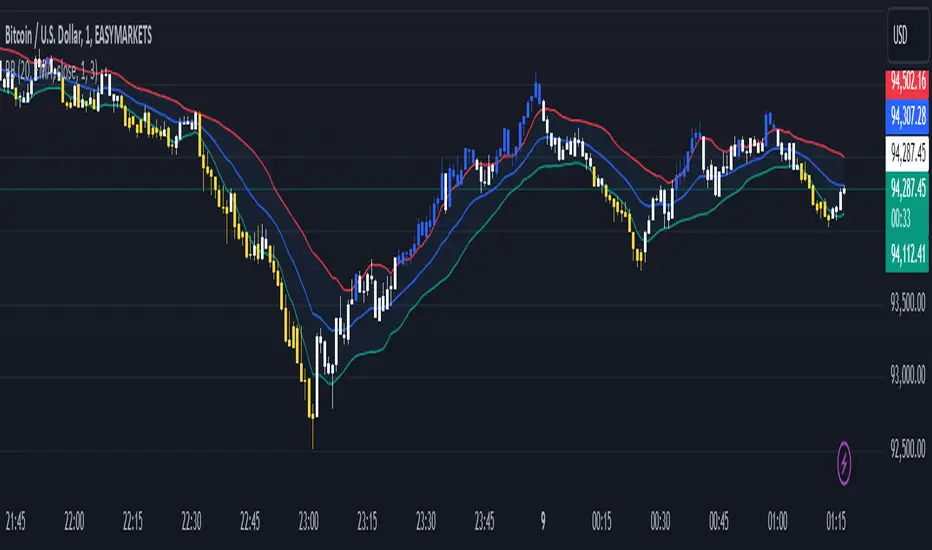
KNN Trend Forecaster [UAlgo]KNN Trend Forecaster is a chart overlay forecasting tool that uses a K Nearest Neighbors style similarity engine to estimate the next directional bias and project a probabilistic price path. It converts the current market state into a compact feature vector, compares it to a rolling memory of historical states, and computes an expected forward change as a weighted consensus of the most similar past observations.
The indicator is built for decision support rather than signal chasing. It provides a projected path, a volatility aware tunnel around that path, and optional ghost structures that visualize how the forecast could evolve bar by bar. A minimal UI panel summarizes the current projection and sentiment, while the plot color adapts to bullish, bearish, or neutral expectation.
This script is most effective when treated as a contextual layer. It can help align trade selection with the dominant statistical bias implied by recent conditions, while still leaving execution to your own confirmation rules.
🔹 Features
1) KNN Similarity Forecasting Engine
The core model is a K Nearest Neighbors approach. For each bar, the script builds a three dimensional feature set from momentum, volatility, and relative strength. It then measures the distance between the current feature set and each stored historical feature set. The closest K neighbors are selected, and their realized forward returns are combined into a single prediction.
Model Sensitivity controls K. Lower values behave more reactive and can change bias quickly. Higher values behave more stable and tend to smooth the projection.
2) Feature Design Focused On Trading Context
The feature set is intentionally practical:
RSI captures directional pressure and mean reversion tendencies
ROC captures normalized momentum
ATR captures normalized volatility regime
Normalization ensures that ROC and ATR values are scaled into comparable ranges so the distance metric remains balanced and does not get dominated by raw magnitude differences.
3) Rolling Memory With Outcome Labels
The script builds a training memory in real time. On each confirmed bar, it stores the features from ten bars ago and labels them with the percentage change over the next ten bars. This creates a consistent supervised learning target:
Feature snapshot at time t
Outcome equals return from time t to t plus ten bars
Memory is capped to a fixed size to keep performance stable.
4) Weighted Neighbor Voting For Robust Predictions
Rather than using a simple average of neighbor outcomes, the script assigns higher weight to closer neighbors. Weight is the inverse of distance, which prioritizes highly similar historical states and reduces the influence of weaker matches.
This helps stabilize results when the market is transitioning and the feature landscape becomes noisier.
5) Forecast Path With Adaptive Step Decay
Once a prediction is produced, the script generates a forward path for a user selected Forecast Horizon. The step applied to the path decays with the square root of the forecast index, which makes the projection more confident near the present and more conservative further out.
The result is a smooth curve rather than an aggressive linear extrapolation.
6) Multi Layer Volatility Tunnel
A tunnel can be drawn around the projected path. Its width scales with ATR and expands over the forecast horizon using a square root growth profile. Tunnel Volatility controls how wide the envelope becomes.
This provides a practical view of expected dispersion around the forecast rather than a single deterministic line.
7) Ghost Structures For Bar To Bar Projection Framing
Optional ghost boxes are printed for each forward step. Each box visualizes the projected candle body from the current projected close to the next projected close. The ghost color adapts to whether the step is rising or falling, making momentum and path rhythm easier to read.
8) Neon Glow Path And Target Tag
When enabled, the path is rendered twice using polylines:
A wider glow stroke for visual depth
A thinner main stroke for precision
A target label is placed at the end of the horizon, showing the model predicted change in percent.
9) Projection Basis And Dashboard
A 21 period EMA is plotted as a reference basis, colored by the current prediction bias. A compact table displays the projection value and a sentiment label that classifies the forecast into bullish, bearish, or neutral ranges.
🔹 Calculations
1) Feature Construction
The model uses three features built from common market analytics.
RSI uses standard 14 period RSI:
float f_rsi = ta.rsi(close, 14)
ROC and ATR are normalized into a 0 to 100 style range using rolling min max scaling:
normalize(float src, int len) =>
float mn = ta.lowest(src, len)
float mx = ta.highest(src, len)
(src - mn) / (math.max(mx - mn, 0.000001)) * 100
float f_roc = normalize(ta.roc(close, 10), 100)
float f_atr = normalize(ta.atr(14), 100)
The current feature vector:
FeatureSet current_f = FeatureSet.new(f_rsi, f_roc, f_atr)
2) Training Memory And Outcome Labeling
On each confirmed bar, the script stores the feature snapshot from ten bars earlier and labels it with the forward ten bar return.
Outcome in percent:
float outcome = (close - close ) / close * 100
Training point created from the past feature snapshot:
memory.push(TrainingPoint.new(FeatureSet.new(f_rsi , f_roc , f_atr ), outcome))
Memory is limited for stability:
if memory.size() > 1000
memory.shift()
3) Distance Metric Between Feature Vectors
Similarity is computed using Euclidean distance in three dimensions:
method distance(FeatureSet v1, FeatureSet v2) =>
math.sqrt(math.pow(v1.f1 - v2.f1, 2) + math.pow(v1.f2 - v2.f2, 2) + math.pow(v1.f3 - v2.f3, 2))
Smaller distance means greater similarity.
4) Neighbor Selection And Weighted Prediction
The script computes distances from the current state to each stored training point and gathers the outcomes. It then selects the closest K entries by repeatedly taking the minimum distance.
Each neighbor is weighted by inverse distance:
float w = 1.0 / math.max(td.get(idx), 0.0001)
twc += tc.get(idx) * w
ws += w
pred := twc / ws
This produces pred, a percentage change estimate inferred from the most similar historical contexts.
5) Signal Color Classification
The display color adapts to the sign and magnitude of the prediction. Small values map to a neutral tone, stronger positive values map to bullish tone, and stronger negative values map to bearish tone.
color sig_col = pred > 0.005 ? THEME_UP : pred < -0.005 ? THEME_DN : THEME_MID
6) Forecast Path Generation
Path construction begins from the current close. A base step is derived from the prediction and then decayed across the horizon.
Base step:
float step = (pred / 10.0) * 0.01
Forward projection with square root decay:
float next_c = cur_c * (1 + step * (1.0 / math.sqrt(i)))
This produces a smooth forecast curve where early steps carry more weight than later steps.
7) Volatility Tunnel Width Model
The tunnel uses ATR as the volatility anchor and expands across the horizon:
Outer width:
float v_outer = (atr * expansion * 0.3 * math.sqrt(i))
Inner width is half of the outer width:
float v_inner = v_outer * 0.5
Upper and lower bounds are then computed around the projected close:
float h_out = next_c + v_outer
float l_out = next_c - v_outer
float h_in = next_c + v_inner
float l_in = next_c - v_inner
8) Ghost Structures
For each forecast step, a box is drawn between the current projected close and the next projected close. Its color reflects whether the path step is rising or falling.
color g_col = next_c >= cur_c ? color.new(THEME_UP, 40) : color.new(THEME_DN, 40)
box b = box.new(x1, math.max(cur_c, next_c), x2, math.min(cur_c, next_c), border_color=color.new(g_col, 20), bgcolor=g_col, border_width=1)
9) Path Rendering And Target Tag
When glow is enabled, the script renders a thick glow polyline and a thinner main polyline over the same projected points. A label is placed at the final horizon index showing the predicted percent change.
path_glow := polyline.new(pts, curved=true, line_color=color.new(sig_col, 70), line_width=8)
path_main := polyline.new(pts, curved=true, line_color=sig_col, line_width=2)
target_tag := label.new(bar_index + forecast_len, cur_c, "TARGET: " + str.tostring(pred, "#.##") + "%")
10) UI Summary And Basis Plot
A 21 period EMA is plotted and colored by the current bias. A table panel prints the projection value and a sentiment classification:
Bullish when pred is above 0.01
Bearish when pred is below minus 0.01
Neutral otherwise
This gives an at a glance readout that matches the on chart color theme.
อินดิเคเตอร์ Pine Script®