HMA-Kahlman Trend & TrendlinesThis script utilizes two modules, Trendlines module (by Joris Duyck) and HMA-Kahlman Trend module. Trendlines module produces crossovers predictive of the next local trend.อินดิเคเตอร์ Pine Script®โดย capissimoที่อัปเดต: 7171 3 K
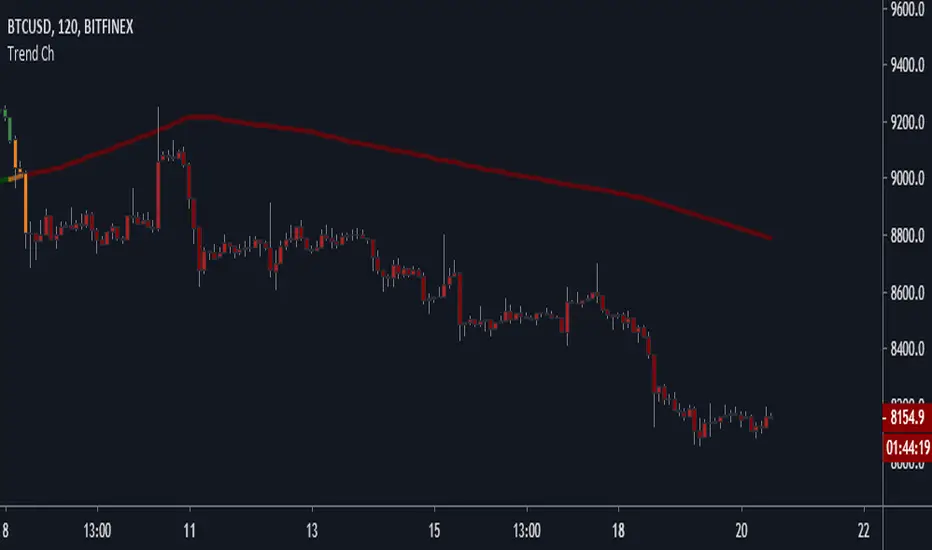
Trend Channel [Gu5]SMA 200 determines the trend Bullish trend, green candles. Down trend, red candles. If the market value is narrow to the SMA200 channel, yellow candles. Setting recommended for SMA Range BTCUSD = 100 EURUSD = 1000 SPX = 100 ETHUSD = 10 อินดิเคเตอร์ Pine Script®โดย gu5tavo71ที่อัปเดต: 77457
Impulse Trend ArrowsThis indicator is a volatility-normalized momentum + trend state tool designed to provide a clean “market regime” read: UP / DOWN / NEUTRAL, with optional visual confirmation on the chart. Works on collection of clasic indicators RSI, EMA + ATR and some simple math. 🧭 Trend state behavior When a new BUY/SELL impulse is confirmed, the script updates a persistent trend state (“BUY”, “SELL”, or “NONE”). That state stays active until the opposite confirmed impulse appears. ✅ Visuals & Usage Made some minor, mostly visual upgrades on this release: Baseline + ATR bands are smoothed for cleaner visuals. Optional BUY/SELL arrows are plotted outside the channel to avoid overlap with channel. Optional full-chart background shading reflects the current trend state: Green = UPTREND Red = DOWNTREND A minimal top panel shows the current regime (UP / DOWN / NEUTRAL). I also recently added this channel smoother parameter (for Dragon Channel), if you want it to have less spikes on those MAs just use the bigger number, I picked 8 for default. อินดิเคเตอร์ Pine Script®โดย FxShareRobots2290
Dual Super Trend IndicatorDual Super Trend Indicator A powerful trend-following indicator designed to capture clean and reliable market moves using dual SuperTrend confirmation. Signals are generated only when both fast and slow SuperTrend align, helping traders avoid noise and focus on strong directional trends. ✔ One clear signal per trend ✔ Reduced false signals in sideways markets ✔ Automatic signal flip alerts (Long ↔ Short) ✔ Works on Intraday, Swing & Positional trading ✔ Suitable for Index, Stocks, Futures, Crypto & Forex How to use: Go Long when both SuperTrends turn bullish. Go Short when both turn bearish. Exit or trail using SuperTrend or price structure. Built for traders who prefer simple, rule-based trend trading with clarity. For educational purposes only. Use proper risk management.อินดิเคเตอร์ Pine Script®โดย sincereZebra47325
Dynamic Trend-Based Fibonacci Extension💡 This indicator is a sophisticated, automated technical analysis tool designed to identify high-probability trend continuation setups using the principles of market structure and Fibonacci geometry. By algorithmically detecting "A-B-C" price structures (Pivot -> Impulse -> Retracement), it projects dynamic Fibonacci Extension levels to forecast potential price targets for the next impulsive move (Wave C to D). Unlike static drawing tools, this script adapts to market volatility and features an advanced invalidation engine to keep your charts clean and your risk managed. ✨ Originality and Utility Traders often struggle with the subjectivity of drawing Fibonacci extensions manually. This script solves that by standardizing the identification of market structure using a proprietary ZigZag algorithm enhanced with Average True Range (ATR) for volatility-adjusted sensitivity. Key unique features include: Automated Structure Detection: Instantly spots Bullish (Higher High, Higher Low) and Bearish (Lower Low, Lower High) sequences without manual input. Dynamic Invalidation: The script monitors price action in real-time. If price breaks the invalidation point (Point A), the structure is immediately "grayed out" or deleted, preventing you from trading based on broken setups. Golden Zone Targeting: Highlights the high-probability reversal zone between the 1.5 and 1.618 extensions, often associated with the completion of a measured move. JSON Alerting: Built-in support for algorithmic trading with structured JSON payloads (Entry, TP, SL) ready for webhook integration. 🔬 Methodology and Concepts The core logic operates on a three-step algorithmic sequence: 1. Pivot Identification: The script uses a "ZigZag" approach to find significant swing highs and lows. It employs an ATR-based threshold (or fixed deviation) to filter out market noise, ensuring only significant structural points are considered. 2. Geometric Validation: It evaluates the last three pivot points (A, B, C) to confirm a valid trend structure. Bullish Setup: Point C must be higher than Point A but lower than Point B (a valid retracement). Bearish Setup: Point C must be lower than Point A but higher than Point B. 3. Projection Mathematics: Once a valid ABC structure is locked, the script calculates extension targets using the standard formula: Target = Price C + ((Price B - Price A) * Ratio) . It also supports Logarithmic Scale calculations for assets with exponential growth, such as cryptocurrencies, ensuring proportional accuracy over large price ranges. 🎨 Visual Guide The indicator paints a clear, detailed roadmap on your chart. Here is how to interpret the visual elements: ● Structure Lines Solid Line (A to B): Represents the initial "Impulse" leg of the move. Dashed Line (B to C): Represents the "Retracement" or corrective leg. Green Structures: Indicate Bullish setups (looking for long entries). Red Structures: Indicate Bearish setups (looking for short entries). Gray/Dimmed Structures: These are invalidated setups where the price has breached the Stop Loss level (Point A). ● Extension Levels (Targets) The script projects the following key Fibonacci ratios extending from Point C: 0.618 (Wave 5): An early profit-taking level, often corresponding to a truncated 5th wave. 1.0 (Measured Move): Where the extension equals the length of the initial impulse (AB = CD pattern). 1.272 (Harmonic): A common extension level for corrective structures or deep pullbacks. Golden Zone (1.5 - 1.618): A highlighted fill area. The 1.618 level (Solid Line) is the "Golden Ratio" and is statistically one of the most significant targets in trending markets, often labeled as "Wave 3". ● Labels Points A, B, C: Clearly marks the swing points defining the structure. Right-Side Labels: Display the Ratio (e.g., 1.618) and the exact Price Level for easy order placement. 📖 How to Use This tool is best used as a trend-following system. 1. Trend Identification Wait for a new Solid Colored Structure (Green or Red) to appear. This confirms that a valid ABC retracement has occurred. 2. Entry Strategy The "Trigger" is generally the reversal from Point C. Aggressive traders enter near C, while conservative traders may wait for a breakout above B. Stop Loss: Place your SL just beyond Point A . If price breaks A, the script will automatically gray out the structure, signaling invalidation. 3. Profit Taking Use the projected extension lines as dynamic Take Profit (TP) zones: TP1: 1.0 (The Measured Move). TP2: The Golden Zone (1.5 to 1.618). This is often the strongest target for a Wave 3 impulsive move. 4. Automation For automated traders, create an alert using the "Any alert() function call" option. The script outputs a JSON string containing the Action, Ticker, Entry Price, TP (1.618), and SL (Point A). ⚙️ Inputs and Settings You can fully customize the script to fit your asset class and timeframe: ● ZigZag Detection Pivot Lookback Depth: (Default: 5) Determines how many bars to check left/right for a pivot. Higher numbers find larger, more significant structures. Use ATR-Based Threshold: (Default: True) Adapts the sensitivity to market volatility. ATR Multiplier: (Default: 2.0) Adjusts how much price must reverse to form a new leg. ● Structure Invalidation Enable Structure Invalidation: (Default: True) Toggles the logic that checks if Point A is breached. Invalidation Action: Choose "Gray Out" to keep history visible but dimmed, or "Delete" to remove failed setups entirely. ● Fibonacci Settings Use Logarithmic Scale: Essential for crypto or long-term timeframe analysis. Show 0.618 / 1.0 / 1.272 / 1.618: Toggles individual levels on/off to declutter the chart. Extend Lines Right: Extends the target lines into the future for better visibility. ● Display Settings Keep Last N Structures: Controls how many historical structures remain on the chart to prevent visual clutter. Show Elliott Wave Labels: Adds theoretical wave counts (e.g., "Wave 3") to the ratio labels. 🔍 Deconstruction of the Underlying Scientific and Academic Framework This indicator is grounded in Fractal Market Geometry and Elliott Wave Theory . 1. The Golden Ratio (Phi - 1.618): Mathematically derived from the Fibonacci sequence, the 1.618 ratio is omnipresent in natural growth patterns. In financial markets, it represents the psychological "tipping point" of crowd behavior during an impulsive trend. This script emphasizes the 1.618 extension as the primary target for a "Wave 3," which is academically cited as typically the longest and strongest wave in a 5-wave motive sequence. 2. Harmonic AB=CD Patterns: The inclusion of the 1.0 extension validates the "Measured Move" concept. Statistically, markets often move in symmetrical legs where the secondary impulse (CD) equals the magnitude of the primary impulse (AB). 3. Volatility Normalization (ATR): By utilizing the Average True Range (ATR) for pivot detection, the script adheres to statistical volatility normalization. This ensures that the structures identified are statistically significant relative to the asset's current volatility regime, rather than relying on arbitrary percentage moves which fail across different asset classes. ⚠️ Disclaimer All provided scripts and indicators are strictly for educational exploration and must not be interpreted as financial advice or a recommendation to execute trades. I expressly disclaim all liability for any financial losses or damages that may result, directly or indirectly, from the reliance on or application of these tools. Market participation carries inherent risk where past performance never guarantees future returns, leaving all investment decisions and due diligence solely at your own discretion.อินดิเคเตอร์ Pine Script®โดย MarkitTickที่อัปเดต: 55 1 K
Smart Pivot Trend█ OVERVIEW Smart Pivot Trend is a market structure–based trend indicator that combines swing pivots, volatility adaptation (ATR), and dynamic range levels to determine which side of the market is in control — buyers or sellers. Instead of moving averages, trend direction is defined through structural breaks inside pivot ranges. The indicator visualizes the active trend, evolving market structure, and historical support/resistance levels created at moments of control shifts. It helps identify trend transitions, structure breaks, and areas where price has an increased probability of reaction. █ CONCEPT Built around adaptive swing structure. The core idea is that trend emerges from market structure, not from price relative to an average. - Swing highs and swing lows form the current structural range. - Two internal percentage-based levels inside this range act as decision zones. - Break above the upper level → bullish control. - Break below the lower level → bearish control. To prevent structure from becoming outdated during strong moves, pivots are dynamically adjusted when price deviates beyond ATR × multiplier. This mechanism makes the structure volatility-aware rather than static. As a result, the indicator combines: - a dynamic, living market structure (active pivot trend) - static “market memory” levels marking previous control shifts █ FEATURES Calculations - Swing pivots as the foundation of market structure - Internal range levels as structural decision zones - ATR-based adaptive pivot correction (volatility-aware structure) - Smooth Factor — controls the degree of structural correction relative to price; defines how fast pivots adapt during strong moves - Trend change detection through structural range breaks Visualization - Active trend line based on current structure - Historical support/resistance levels plotted at trend flips - Triangles marking breaks of those levels - Gradient fill between price and the active trend line - Trend-based coloring (green = bullish, red = bearish) - Optional candle coloring based on current structural trend (bullish / bearish control) Signals - BUY / SELL — on structural trend changes - Bullish Break / Bearish Break — when historical levels are broken - Impulse breaks (when candles break levels with strong momentum) Alerts - Trend change to bullish - Trend change to bearish - Resistance break - Support break █ HOW TO USE Main settings: - Swing Length — sensitivity of swing detection - Lower / Upper Level — internal structural decision levels - ATR Length / Multiplier — influence of volatility on pivot adaptation - Smooth Factor — speed of structural adjustment to price - Visual options — colors, hiding lines, deleting broken levels, color candles by trend Trend logic: - Price above active pivot low → bullish structure - Price below active pivot high → bearish structure █ APPLICATION Trend-following - The indicator can act as a directional filter for signals from other tools. - Entries are taken only when signals from external indicators (e.g., RSI, MACD, momentum tools, price action setups, breakout systems) align with the current Smart Pivot Trend direction. - Highest probability occurs when entries happen during pullbacks to the active trend line in the direction of the prevailing structure. Market structure shifts - A trend flip represents a transfer of control between buyers and sellers. - These moments often precede larger moves because the swing structure changes. Breakout trading - Historical levels mark areas where control previously changed. - Their break often leads to volatility expansion and impulsive movement. Pullback trading - The active trend line acts as dynamic support/resistance. - Pullbacks to this line in strong trends often provide favorable risk-to-reward setups. █ ADAPTATION TO TRADING STYLE The Swing Length and Smooth Factor parameters allow the indicator to be tailored to different trading styles: Shorter Swing Length + higher Smooth Factor - structure reacts faster - more frequent trend shifts - suitable for scalping and intraday trading Longer Swing Length + lower Smooth Factor - slower structural changes - filters minor fluctuations - better suited for swing trading and longer-term positions This allows the indicator to function both as a fast micro-structure engine and as a stable higher-level trend filter. █ NOTES - This is a structural analysis tool, not a standalone trading system - Best results come when combined with key S/R levels, higher timeframe context, and price action - In ranging markets, trend flips may occur more frequently — a natural behavior of structure-based systemsอินดิเคเตอร์ Pine Script®โดย Uncle_the_shooter868
Trend Line & Delta Montosca [English v33.7]This indicator, Trend Line & Delta Montosca , is a high-precision tool designed to identify institutional entry points by combining price action structure with real-time volume sentiment (Order Flow). Here is a breakdown of its core logic and operational flow: 1. Market Structure & Trendline Analysis The indicator starts by identifying "Pivot Highs" and "Pivot Lows" based on the Sensitivity settings you chose. Pivot Connect Method: It draws trendlines connecting these key structural points. A "Long" bias is established when a trendline is broken to the upside, and a "Short" bias when broken to the downside. BOS (Break of Structure): It monitors when the price closes above the previous high or below the previous low to confirm the current market phase (Bullish or Bearish). 2. Intermarket Synchronization (ES + NQ) This is a unique "Institutional" filter. The script checks a secondary symbol (e.g., NQ if you are trading ES) to ensure the move is happening across the entire market. If both instruments hit a pivot at the same time, the trendline is drawn thicker, indicating higher institutional conviction. 3. Order Flow Validation (Delta) Breaking a trendline is not enough; it must be backed by "Smart Money" volume. The indicator uses Lower Timeframe (LTF) Intrabar Data to calculate the Delta: Strength Filter: It checks if the buying/selling volume in a single candle exceeds a specific percentage (set to 75% by default). Efficiency Filter: It identifies "Absorption" where the price moves aggressively with lower volume, suggesting a lack of resistance. 4. Inverted FVG (Fair Value Gap) Reaction The final "trigger" is often the reaction to a Fair Value Gap. The script tracks bearish and bullish FVGs. The Inversion Logic: A "Long" signal is only validated if the price "inverts" a bearish FVG (closes above it), treating the old resistance as new institutional support. 5. Blue Sky Filter (ATH) When the price is at an All-Time High (ATH), traditional FVG reactions might not exist. The script includes an optional "Blue Sky" logic that allows for trend-following entries even if there is no previous FVG to invert, as long as the structural breakout and Delta are present. Visualization Summary Labels: Clearly mark "LONG" or "SHORT" at the exact candle of entry. Snapshots: To help you review your trades, the script leaves a "visual footprint" (the trendline and the FVG box) that caused the signal, so you can see the exact institutional context after the trade has moved.อินดิเคเตอร์ Pine Script®โดย alanmontosca70
ADX Trend Strength with DashboardA comprehensive ADX (Average Directional Index) indicator featuring an intuitive real-time dashboard that helps traders quickly assess trend strength and direction at a glance. Key Features: Visual Analytics: Standard ADX line with customizable +DI/-DI directional indicators Color-coded background zones that automatically highlight trend strength (Weak/Ranging, Emerging, Strong, Very Strong, Extreme) Optional fill between directional indicators for clear visual trend identification Fully customizable colors and display options Smart Dashboard: Real-time ADX value with color-coded strength classification Instant trend direction indicator (Bullish/Bearish/Neutral) Trade signal suggestions based on ADX strength and DI crossovers DI spread analysis showing conviction strength (Strong/Moderate/Weak) Quick reference checks for key threshold levels Fully adjustable position, size, and transparency Customizable Thresholds: Default levels at 20 (Emerging), 25 (Strong), 40 (Very Strong), and 50 (Extreme) All threshold levels are adjustable to match your trading strategy Visual reference lines on chart Built-in Alerts: ADX crossing major threshold levels (25, 40, 50) Bullish/Bearish DI crossovers when ADX confirms strong trend Set-and-forget notifications for trend changes Perfect for: Scalpers and day traders needing quick trend assessment Swing traders filtering choppy markets from trending conditions Multi-timeframe analysis with clear visual feedback Settings: Fully customizable ADX length (default 14), DI length (default 14), and smoothing period (default 14) to adapt to any timeframe or market. Does this capture everything you wanted, or would you like me to adjust the tone/emphasis on certain features?Claude is AI and can make mistakes. Please double-check responses.อินดิเคเตอร์ Pine Script®โดย el1live19
Strict EMA Wick Pullback Trend ContinuationThis script is a strict EMA pullback entry model designed exclusively for trend continuation traders. It does NOT attempt to predict tops or bottoms. It waits for established trends and enters only on shallow pullbacks with defined risk. OVERVIEW This strategy is built for disciplined trend continuation trading. It looks for shallow pullbacks into a fast EMA during established uptrends and exits when trend structure breaks. There is no counter-trend logic and no optimization for win rate. ENTRY LOGIC A long entry is triggered when: • Price pulls back into the fast EMA area (wick touch) • The pullback remains above the slow EMA (trend integrity) • The candle closes bullish • Optional: slow EMA is rising (trend filter) RISK MANAGEMENT • A dynamic stop is placed just below the fast EMA • The stop only tightens — it never loosens • Losses are small and predefined • The system is designed to be scaled via position sizing EXIT LOGIC • Positions are closed when the fast EMA crosses below the slow EMA • This represents a breakdown of trend continuation structure WHAT THIS STRATEGY IS • A trend continuation entry module • Risk-first by design • Low win-rate, high payoff profile • Designed for trending markets WHAT THIS STRATEGY IS NOT • Not a reversal system • Not a scalping strategy • Not a signal service • Not optimized for ranging markets • Not a promise of profitability IMPORTANT NOTES • Long-only by design (BTC context) • No repainting logic • Best used with higher-timeframe trend confirmation • This is a tool, not financial advice Recommended markets: BTCUSD / BTCUSDT Timeframe: 1D Trend filter: ON Risk: fixed % per trade (user-defined) กลยุทธ์ Pine Script®โดย SystemsOverFeelings117
Multi Asset & Multi Timeframe Trend DashboardOverview The Multi-Asset & Multi-Timeframe Trend Dashboard is a comprehensive visual data terminal designed to provide a bird's-eye view of market sentiment across five different assets and seven distinct timeframes simultaneously. By consolidating 10 core technical indicators into a single table, it eliminates the need for "chart hopping" and helps traders identify high-probability trend alignment. How It Works The dashboard evaluates each asset based on a Scoring System ($-10$ to $+10$). For every timeframe, the script analyzes the following 10 conditions: Trend: EMA 20 > EMA 50Macro Trend: EMA 50 > EMA 200 Position: Price > EMA 200 MACD: MACD Line > Signal Line MACD Momentum: MACD Histogram > 0 RSI Momentum: RSI(14) > RSI SMA(14) RSI Level: RSI(14) > 50 Stochastics: Stoch K > D CCI: Commodity Channel Index > 0 Awesome Oscillator: AO > 0 Visual Logic & Features Indicator Dots (■): Represent the 10 individual technical conditions. Green indicates a bullish state; Red indicates a bearish state. Trend Arrows (▲/▼): Displays the aggregate directional bias of a timeframe based on the sum of the 10 dots. Neutral State (✖): If indicators are split 50/50 (Score of 0), a grey cross is displayed to indicate total market indecision. "ALL" Column: A macro-summary that aggregates scores across all four primary timeframes. Volatility Marker (•): A dot appearing next to the symbol name indicates that current ATR is higher than the historical average (user-defined threshold). Market Status Color: The symbol name background turns Green if the market is currently open and active, and Red if it is closed or stagnant. Technical Implementation This script utilizes request.security calls to fetch data across timeframes. To ensure performance and prevent repainting issues, all security calls are handled using the barstate.islast flag to only render the dashboard on the most recent bar. How to Use Alignment Trading: Look for "Full House" scenarios where all arrows (15m through Daily) are the same color. Scalping Bias: Use the "Mini Timeframes" (1m, 3m, 5m) to find entries that align with the higher timeframe trend shown in the main table. Volatility Filter: Only take trades when the volatility marker (•) is active to ensure there is enough "power" in the move.อินดิเคเตอร์ Pine Script®โดย realmacgyver775530
EMA Trend Reversal (Regime Change)EMA Trend Reversal (Regime Change) This indicator highlights EMA slope reversals that often coincide with trend or regime shifts, using a simple two-stage visual system. It is especially effective on higher timeframes (Daily / Weekly) for swing trading and trend-bias awareness. Detailed User Guide What the signals mean Confirmed signals (dots) Green dot below price - EMA slope has confirmed upward (bullish regime shift) Red dot above price - EMA slope has confirmed downward (bearish regime shift) Confirmed dots only appear after the candle closes. Unconfirmed signals (triangles) Yellow triangle below price - EMA is turning up intrabar (not yet confirmed) Yellow triangle above price - EMA is turning down intrabar (not yet confirmed) Unconfirmed signals may repeat at a set interval until confirmation. Alerts This script provides two alerts: EMA Reversal UP EMA Reversal DOWN Each alert can fire on: Initial unconfirmed reversal Reminder interval while unconfirmed Final confirmed reversal Alerts will NOT fire unless this indicator is active on at least one chart. It may be kept on a chart you do not actively trade. Settings EMA Length (default: 21) Reminder interval (minutes) Show / hide unconfirmed triangles Show / hide confirmed dots Dot transparency Colors (locked to preserve signal meaning) Best use cases Identifying trend or regime changes Weekly swing trade entries and exits Holding-period guidance during trends Alert-based monitoring without watching charts This is not a scalp or oscillator signal. It works best when combined with structure, support/resistance, or higher-timeframe context. Disclaimer This indicator is provided for educational and informational purposes only. It does not constitute financial, investment, or trading advice. All trading involves risk. Use at your own discretion.อินดิเคเตอร์ Pine Script®โดย jimmycryp14
Liquidity Trend Horizon [Pineify]Pineify - Liquidity Trend Horizon The Liquidity Trend Horizon is a sophisticated trend-following indicator designed to identify potential liquidity sweep zones while providing clear visual trend direction. It combines adaptive volatility bands with smart liquidity detection to help traders spot high-probability reversal points where institutional activity may be occurring. Key Features Dynamic trend baseline using WMA and EMA smoothing ATR-based volatility bands that adapt to market conditions Automatic liquidity sweep detection with visual alerts Gradient-filled channels for intuitive trend visualization Real-time candle coloring based on trend direction How It Works The indicator calculates a weighted moving average (WMA) of the closing price, then applies exponential smoothing (EMA) to create a responsive yet stable baseline. This dual-smoothing approach filters out market noise while maintaining sensitivity to genuine trend changes. Volatility bands are constructed using a 200-period Average True Range (ATR) multiplied by a user-defined factor. This creates dynamic support and resistance zones that automatically widen during volatile periods and contract during consolidation. How Multiple Indicators Work Together The synergy between WMA, EMA, and ATR creates a comprehensive trend analysis system: The WMA provides the initial trend estimation with emphasis on recent price action The EMA layer adds smoothness to reduce false signals The ATR bands define probabilistic boundaries where price is likely to find support or resistance Trading Ideas and Insights Liquidity sweeps occur when price wicks beyond the volatility bands but closes back within the channel. These events often indicate: Stop-loss hunting by larger market participants False breakouts that may lead to reversals Areas of accumulated liquidity being absorbed A bullish sweep (wick below lower band, close above) suggests potential buying opportunity. A bearish sweep (wick above upper band, close below) may signal selling pressure. Unique Aspects Unlike traditional channel indicators, the Liquidity Trend Horizon specifically identifies sweep events where price temporarily breaks boundaries before reverting. This behavior is commonly associated with institutional order flow and smart money concepts. How to Use Observe the baseline color for overall trend direction (cyan for bullish, purple for bearish) Watch for sweep markers (🚀 BULL / 📉 BEAR) at band extremes Use background flashes as immediate alerts for sweep events Consider entries when sweeps align with the prevailing trend direction Customization Trend Period - Adjust baseline sensitivity (default: 24) Channel Width Multiplier - Control band distance from baseline (default: 2.0) Smoothness - Fine-tune signal responsiveness (default: 5) Color Settings - Personalize bullish/bearish colors and transparency Conclusion The Liquidity Trend Horizon bridges technical analysis with liquidity concepts, offering traders a unique perspective on market structure. By highlighting potential sweep zones within an adaptive trend framework, it helps identify areas where reversals are statistically more likely to occur. อินดิเคเตอร์ Pine Script®โดย Pineify537
London Session Counter-Trend Strategy 👉 Timeframe: 15 minutes 🕗 Phase 1 — Morning Market Reading Between 8:00 and 9:00, we observe the dominant market direction. This direction is considered structural for the rest of the trading day. If this movement continues until 10:00, it is also validated until a clear pullback occurs. ➡️ Therefore: 8:00–9:00 (and possibly until 10:00) = analysis zone 📐 Phase 2 — Trendline Construction We draw a dashed trendline based on: the lowest point if the 9:00 trend is bullish the highest point if the 9:00 trend is bearish This trendline acts as a key reference level. 🔄 Phase 3 — Trade Setup We do NOT trade in the direction of the 8:00 trend. Instead, we wait for: a price retracement back to the trendline Then: we enter a position in the opposite direction of the 8:00 trend 👉 This is a counter-trend strategy, but a structural and rule-based one — not emotional. อินดิเคเตอร์ Pine Script®โดย hsemmam2238
GCM Price Volume Trend with BB [Dual Signal]Title: GCM Price Volume Trend with BB Description: This script presents an advanced variation of the Price Volume Trend (PVT) indicator, enhanced with a Dual-Signal system and Bollinger Bands to provide a complete volume-momentum analysis tool. The Concept: Standard PVT can often produce jagged, noisy signals that make trend identification difficult. To solve this, this script integrates three distinct technical concepts into a single "Volume Dashboard": Trend Baseline (Signal 1 - SMA): A standard Simple Moving Average (Length 21) acts as the slow-moving baseline to filter out minor volume noise. Volume-Weighted Trigger (Signal 2 - VWMA): We utilize a Volume Weighted Moving Average (VWMA) (Length 9) as the fast signal. Applying a Volume-Weighted average on top of a Volume indicator (PVT) provides a double-confirmation of volume momentum, making the signal highly sensitive to significant volume spikes while ignoring low-volume drift. Volatility Context (Bollinger Bands): Standard Bollinger Bands are calculated on the PVT data itself. This allows traders to identify when the volume trend is statistically overextended (touching Upper Band) or oversold (touching Lower Band), which often precedes a price reversal. Key Features Dynamic Trend Coloring: The PVT line changes color (Bright Green/Red) based on its immediate slope (Rising vs. Falling), offering instant visual feedback on momentum. Dual Ribbon System: Ribbon 1: Fills the space between PVT and the Baseline (SMA) to show the macro trend. Ribbon 2: Fills the space between PVT and the Fast Trigger (VWMA). By default, this ribbon changes color based on the slope of the PVT, highlighting the strength of the move. Volatility Bands: A background fill between the Bollinger Bands helps visualize the "normal" operating range of the volume trend. How to Use Trend Confirmation: Look for the PVT line to be above the SMA (Signal 1) and the Ribbon to be Green. Entry Signals: A crossover of the PVT above the VWMA (Signal 2) suggests an immediate influx of buying volume. Exhaustion: If the PVT line touches or exceeds the Upper Bollinger Band, the volume trend may be overheated, suggesting a potential pause or reversal in price. Settings Signal 1: Defaults to SMA (21) for the baseline. Signal 2: Defaults to VWMA (9) for the fast trigger. Bollinger Bands: Enabled by default (2.0 Deviation, 20 Length). Visuals: Fully customizable transparency, colors, and line types.อินดิเคเตอร์ Pine Script®โดย uniGram46
Trend Speed Analyzer with Entries (Zeiierman)📈 Trend Speed Analyzer with Entry Signals (Zeiierman – Modified) 🔹 Overview This indicator is a trend-following momentum system built around an adaptive (dynamic) moving average and a proprietary trend speed / wave strength engine. It is designed to identify high-quality continuation entries after price confirms direction, not to predict tops or bottoms. Best suited for: Index futures (ES, NQ) ETFs (SPY, QQQ) Strongly trending stocks Intraday or swing trading 🔹 Core Concepts 1️⃣ Dynamic Trend Line (Adaptive EMA) Instead of using a fixed EMA length, this script dynamically adjusts: EMA length based on normalized price movement EMA responsiveness using an accelerator factor Result: Fast reaction during strong trends Smooth behavior during choppy markets Fewer false flips compared to traditional EMAs This trend line acts as the primary regime filter. 2️⃣ Trend Speed & Wave Analysis The indicator tracks trend speed, which represents cumulative directional pressure over time. It also records: Bullish wave sizes Bearish wave sizes Average vs maximum wave strength Bull/Bear dominance These statistics are displayed in an optional table to help assess: Market bias Momentum asymmetry Whether the current move is weak, average, or exceptional 🔹 Entry Signal Logic (One Signal per Trend Shift) Signals are not spammy. Only one entry signal is allowed per crossover. Long Entry Conditions A long signal is generated when: Price crosses above the dynamic trend line A bullish candle forms The candle body is at least X% of ATR (filters weak/doji candles) The entire candle body is above the trend line (Optional) Trend speed is positive Short Entry Conditions A short signal is generated when: Price crosses below the dynamic trend line A bearish candle forms The candle body is at least X% of ATR The entire candle body is below the trend line (Optional) Trend speed is negative 📌 Once a signal fires, no additional signals will appear until a new crossover occurs. 🔹 What this indicator is NOT ❌ Not a mean-reversion system ❌ Not a prediction tool ❌ Not meant for sideways markets This tool assumes structure → confirmation → continuation. 🔹 How to Trade It (Suggested Use) Use higher timeframes (5m–30m) for cleaner signals Trade in the direction of higher-timeframe bias Combine with: VWAP Key levels (PDH / PDL / PMH / PML) Market session context 🔹 Customization Adjust Maximum Length for smoother vs faster trends Adjust Accelerator Multiplier for sensitivity Enable/disable speed filter for stricter momentum confirmation ATR candle filter removes weak signals automatically ⚠️ Disclaimer This indicator provides technical signals only and does not include trade management, stops, or targets. Always apply proper risk management.อินดิเคเตอร์ Pine Script®โดย hakan_gul_7995
Tori's Trendline Strategy with sugested stop loss and tp levels this will draw its own trendlines looks for consolidation and determines which pressure is building up inside the consolidation to minimize fake outs. also suggests long and short entries along with sl and tp levels. if you want to see the chart more clear shut off the long and short entry suggestions in the settings . อินดิเคเตอร์ Pine Script®โดย wateriskey66892230
Golden Vector Trend Orchestrator (GVTO)Golden Vector Trend Orchestrator (GVTO) is a composite trend-following strategy specifically engineered for XAUUSD (Gold) and volatile assets on H4 (4-Hour) and Daily timeframes. This script aims to solve a common problem in trend trading: "Whipsaws in Sideways Markets." Instead of relying on a single indicator, GVTO employs a Multi-Factor Confluence System that filters out low-probability trades by requiring alignment across Trend Structure, Momentum, and Volatility. 🛠 Methodology & Logic The strategy executes trades only when four distinct technical conditions overlap (Confluence). If any single condition is not met, the trade is filtered out to preserve capital. 1. Market Structure Filter (200 EMA) Indicator: Exponential Moving Average (Length 200). Logic: The 200 EMA acts as the baseline for the long-term trend regime. Bullish Regime: Price must close above the 200 EMA. Bearish Regime: Price must close below the 200 EMA. Purpose: Prevents counter-trend trading against the macro direction. 2. Signal Trigger & Trailing Stop (Supertrend) Indicator: Supertrend (ATR Length 14, Factor 3.5). Logic: Uses Average True Range (ATR) to detect trend reversals while accounting for volatility. Purpose: Provides the specific entry signal and acts as a dynamic trailing stop-loss to let profits run while cutting losses when the trend invalidates. 3. Volatility Gatekeeper (ADX Filter) Indicator: Average Directional Index (Length 14). Threshold: > 25. Logic: A high ADX value indicates a strong trend presence, regardless of direction. Purpose: This is the most critical filter. It prevents the strategy from entering trades during "choppy" or ranging markets (consolidation zones) where trend-following systems typically fail. 4. Momentum Confirmation (DMI) Indicator: Directional Movement Index (DI+ and DI-). Logic: Checks if the buying pressure (DI+) is physically stronger than selling pressure (DI-), or vice versa. Purpose: Ensures that the price movement is backed by genuine momentum, not just a momentary price spike. 📋 How to Use This Strategy 🟢 LONG (BUY) Setup A Buy signal is generated only when ALL of the following occur simultaneously: Price Action: Price closes ABOVE the 200 EMA (Orange Line). Trigger: Supertrend flips to GREEN (Bullish). Strength: ADX is greater than 25 (Strong Trend). Momentum: DI+ (Plus Directional Indicator) is greater than DI- (Minus). 🔴 SHORT (SELL) Setup A Sell signal is generated only when ALL of the following occur simultaneously: Price Action: Price closes BELOW the 200 EMA (Orange Line). Trigger: Supertrend flips to RED (Bearish). Strength: ADX is greater than 25 (Strong Trend). Momentum: DI- (Minus Directional Indicator) is greater than DI+ (Plus). 🛡 Exit Strategy Stop Loss / Take Profit: The strategy utilizes the Supertrend Line as a dynamic Trailing Stop. Exit Long: When Supertrend turns Red. Exit Short: When Supertrend turns Green. Note: Traders can also use the real-time P/L Dashboard included in the script to manually secure profits based on their personal Risk:Reward ratio. 📊 Included Features Real-Time P/L Dashboard: A table in the top-right corner displays the current trend status, ADX strength, and the Unrealized Profit/Loss % of the current active position. Smart Labeling: Buy/Sell labels are coded to appear only on the initial entry trigger. They do not repaint and do not spam the chart if the trend continues (no pyramiding visualization). Visual Aids: Background color changes (Green/Red) to visually represent the active trend based on the Supertrend status. ⚠️ Risk Warning & Best Practices Asset Class: Optimized for XAUUSD (Gold) due to its high volatility nature. It also works well on Crypto (BTC, ETH) and Major Forex Pairs. Timeframe: Highly recommended for H4 (4 Hours) or D1 (Daily). Using this on lower timeframes (M5, M15) may result in false signals due to market noise. News Events: Automated strategies cannot predict economic news (CPI, NFP). Exercise caution or pause trading during high-impact economic releases.กลยุทธ์ Pine Script®โดย Gustav_Rex22581
Trend Strength Matrix [JOAT]Trend Strength Matrix — Multi-Timeframe Confluence Analysis System This indicator addresses a specific analytical challenge: how to efficiently compare multiple technical measurements across different timeframes while accounting for their varying scales and interpretations. Rather than managing separate indicator windows with different scales, this tool normalizes four distinct analytical approaches to a common -1 to +1 scale and presents them in a unified matrix format. Why This Combination Adds Value The core problem this indicator solves is analytical fragmentation. Traders often use multiple indicators but struggle with: 1. **Scale Inconsistency**: RSI ranges 0-100, MACD has no fixed range, ADX ranges 0-100 but measures strength not direction 2. **Timeframe Coordination**: Checking multiple timeframes requires switching between charts or cramming multiple indicators 3. **Cognitive Load**: Processing different indicator types simultaneously creates mental overhead 4. **Confluence Assessment**: Determining when multiple approaches agree requires manual comparison This indicator specifically addresses these issues by creating a standardized analytical framework where different measurement approaches can be directly compared both within and across timeframes. Originality and Technical Innovation While the individual components (RSI, MACD, ADX, Moving Average) are standard, the originality lies in: 1. **Unified Normalization System**: Each component is mathematically transformed to a -1 to +1 scale using component-specific normalization that preserves the indicator's core characteristics 2. **Multi-Timeframe Weighting Algorithm**: Higher timeframes receive proportionally more weight (40% current, 25% next, 20% third, 15% fourth) based on the principle that longer timeframes provide more significant context 3. **Real-Time Confluence Scoring**: The composite calculation provides an instant assessment of how much the different analytical approaches agree 4. **Adaptive Visual Encoding**: The heatmap format allows immediate pattern recognition of agreement/disagreement across both indicators and timeframes How the Components Work Together Each component measures a different aspect of market behavior, and their combination provides a more complete analytical picture: **Momentum Component (RSI-based)**: Measures the velocity of price changes by comparing average gains to losses **Trend Component (MACD-based)**: Measures the relationship between fast and slow moving averages, indicating trend acceleration/deceleration **Strength Component (ADX-based)**: Measures trend strength regardless of direction, then applies directional bias **Position Component (MA-based)**: Measures price position relative to a reference average The mathematical relationship between these components creates a comprehensive view: - When all four agree (similar colors), it suggests multiple analytical approaches are aligned - When they disagree (mixed colors), it highlights analytical uncertainty or transition periods - The composite score quantifies the degree of agreement numerically Detailed Component Analysis **1. Momentum Oscillator Component** This component transforms RSI into a centered oscillator by subtracting 50 and dividing by 50, creating a -1 to +1 range where 0 represents equilibrium between buying and selling pressure. // Momentum calculation normalized to -1 to +1 scale float rsi = ta.rsi(close, rsiLength) float rsiScore = (rsi - 50) / 50 // Result: 0 at equilibrium, +1 at extreme overbought, -1 at extreme oversold **2. Moving Average Convergence Component** MACD is normalized by its own volatility (standard deviation) to create a bounded oscillator. This prevents the unbounded nature of MACD from dominating the composite calculation. // MACD normalized by its historical volatility = ta.macd(close, macdFast, macdSlow, macdSignal) float macdStdev = ta.stdev(macdLine, 100) float macdScore = macdStdev != 0 ? math.max(-1, math.min(1, macdLine / (macdStdev * 2))) : 0 **3. Directional Movement Component** This combines ADX (strength) with directional movement (+DI vs -DI) to create a directional strength measurement. ADX alone shows strength but not direction; this component adds directional context. // ADX-based directional strength = calcADX(adxLength) float adxStrength = math.min(adx / 50, 1) // Normalize ADX to 0-1 float adxDirection = plusDI > minusDI ? 1 : -1 // Direction bias float adxScore = adxStrength * adxDirection // Combine strength and direction **4. Price Position Component** This measures price deviation from a moving average, weighted by the magnitude of deviation to distinguish between minor and significant displacements. // Price position relative to moving average float ma = ta.sma(close, maLength) float maDirection = close > ma ? 1 : -1 float maDeviation = math.abs(close - ma) / ma * 10 // Percentage deviation scaled float maScore = math.max(-1, math.min(1, maDirection * math.min(maDeviation, 1))) Multi-Timeframe Integration Logic The multi-timeframe system uses a weighted average that gives more influence to higher timeframes: // Timeframe weighting system float currentTF = composite * 0.40 // Current timeframe: 40% float higherTF1 = composite_tf2 * 0.25 // Next higher: 25% float higherTF2 = composite_tf3 * 0.20 // Third higher: 20% float higherTF3 = composite_tf4 * 0.15 // Fourth higher: 15% float multiTFComposite = currentTF + higherTF1 + higherTF2 + higherTF3 This weighting reflects the principle that higher timeframes provide more significant context for market direction, while lower timeframes provide timing precision. What the Dashboard Shows The heatmap displays a grid where: Each row represents a timeframe Each column shows one component's normalized reading Colors indicate the value: green shades for positive, red shades for negative, gray for neutral The rightmost column shows the composite average for that timeframe Visual Elements Moving Average Line — A simple moving average plotted on the price chart Background Tint — Subtle coloring based on the composite score Shift Labels — Markers when the composite crosses threshold values Dashboard Table — The main heatmap display Inputs Calculation Parameters: Momentum Length (default: 14) MACD Fast/Slow/Signal (default: 12/26/9) Directional Movement Length (default: 14) Moving Average Length (default: 50) Timeframe Settings: Enable/disable multi-timeframe analysis Select additional timeframes to display How to Read the Display Similar colors across a row indicate the components are showing similar readings Mixed colors indicate the components are showing different readings The composite percentage shows the average of all four components Alerts Composite crossed above/below threshold values Strong readings (above 50% or below -50%) Important Limitations and Realistic Expectations This indicator displays current analytical conditions—it does not predict future price movements Agreement between components indicates current analytical alignment, not future price direction All four components are based on historical price data and inherently lag price action Market conditions can change rapidly, making current readings irrelevant Different parameter settings will produce different readings and interpretations No combination of technical indicators can reliably predict future market behavior Strong readings in one direction do not guarantee continued movement in that direction The composite score reflects mathematical relationships, not market fundamentals or sentiment This tool should be used as one input among many in a comprehensive analytical approach Appropriate Use Cases This indicator is designed for: - Analytical organization and efficiency - Multi-timeframe confluence assessment - Pattern recognition in indicator relationships - Educational study of how different analytical approaches relate - Supplementary analysis alongside other methods This indicator is NOT designed for: - Standalone trading signals - Guaranteed profit generation - Market timing precision - Replacement of fundamental analysis - Automated trading systems — Made with passion by officialjackofalltrades อินดิเคเตอร์ Pine Script®โดย officialjackofalltrades22887
Trend Regime Bands (EMA 50 / 150 / 200)📘 Trend Regime Bands – EMA 50·150·200 Overview Trend Regime Bands is a visual trend-context indicator designed to help users quickly understand whether the market is in a bullish or bearish regime. The indicator uses the alignment of EMA 50, EMA 150, and EMA 200 to determine overall trend direction, while additional EMAs are used only to create color-based bands for visual context. No buy or sell signals are generated. How Trend Direction Is Determined Trend direction is derived exclusively from the relative positioning of: EMA 50 (short-term trend) , EMA 150 (medium-term trend) , EMA 200 (long-term trend) . Bullish regime: EMA 50 ≥ EMA 150 ≥ EMA 200 . Bearish regime: EMA 50 < EMA 150 < EMA 200. These three EMAs act as the decision framework for the indicator. What the Color Bands Represent : The indicator displays two visual bands on the chart: Fast Band (Momentum Context) - Built using faster EMAs, Represents short-term momentum and pullback behavior. Brighter color intensity reflects stronger momentum Slow Band (Regime Context) - Built using slower EMAs. Represents broader trend structure and regime stability.Deeper color intensity reflects stronger trend alignment The color of both bands follows the trend direction determined by EMA 50/150/200: Green shades indicate a bullish regime. Red shades indicate a bearish regime. Color intensity increases or decreases smoothly based on trend strength. How to Use This Indicator Use the bands to understand market context, not as entry or exit signals. Strong, bright bands suggest a well-established trend. Lighter bands indicate weaker or transitioning trends. The indicator works across intraday, swing, and higher timeframes. This tool is best used alongside price action, support/resistance, or other confirmation methods. Important Notes This indicator does not provide buy or sell signals. It does not predict future price movement. It is intended solely as a visual trend-regime and context tool Summary Trend Regime Bands offers a clean, distraction-free way to visualize bullish and bearish market regimes using EMA structure and color intensity, helping traders maintain directional awareness and discipline.อินดิเคเตอร์ Pine Script®โดย Market_Logic_Indiaที่อัปเดต: 25
AlgoZ Smart Divergence [Trend Filtered]AlgoZ Smart Divergence is a precision entry tool designed to catch market reversals by analyzing Volume Divergence combined with Multi-Timeframe Trend Filtering. Unlike standard divergence indicators that signal on every minor price fluctuation, this script uses a strict set of filters to only present high-probability trade setups that align with the broader market trend. This is the Free Edition of the AlgoZ Suite, focused on providing clean, non-repainting Buy and Sell signals based on institutional volume flow. How It Works The script operates on a 3-step validation process: Volume Divergence: It detects anomalies where volume spikes relative to price action (e.g., Price makes a Lower Low, but Volume hits a Higher High). HTF Trend Painting: It analyzes a Higher Timeframe (Default: 3 Hours) to determine the macro trend. If the 3H trend is Bullish, the candles turn Green. If Bearish, they turn Red. Color Match Filtering: The script includes a smart filter that blocks signals that go against the trend. You will only see BUY signals when the candles are Green (Uptrend) and SELL signals when the candles are Red (Downtrend). Key Features Volume Divergence Engine: Identifies hidden accumulation and distribution zones. HTF Trend Coloring: Automatically paints your chart based on Higher Timeframe breakouts (Default: 3-Hour Trend). Smart Signal Filtering: Toggles are available to "Only Show Signals Matching Candle Color," ensuring you never trade against the momentum. EMA Trend Filter: Includes a built-in 10-period EMA filter to further refine entries. Volatility Filters: Optional RSI and ADX filters are included to avoid trading during low-volatility "chop." How to Use For Longs (Buys): Wait for the candles to turn Green (indicating the 3-Hour trend is up) and look for a BUY label. The price must also be above the 10 EMA (if enabled). For Shorts (Sells): Wait for the candles to turn Red (indicating the 3-Hour trend is down) and look for a SELL label. Risk Management: This script is designed to catch reversals. Always place your Stop Loss below the recent swing low (for buys) or above the swing high (for sells). Settings Higher Timeframe: Default is set to 3 Hours (180 minutes). You can adjust this to 1 Day or 4 Hours depending on your trading style. EMA Length: Default is 10. Color Match Filter: On by default.อินดิเคเตอร์ Pine Script®โดย rowdyllama199
FxAST Trend Force [ALLDYN]Attribution This indicator is based on the original Trend Speed Analyzer created by Zeiierman . FxAST Trend Force is a modified and simplified derivative that preserves the core methodology while focusing on clarity, usability, and practical trend interpretation . This indicator is intended for educational and analytical use. Derivative works must retain attribution and license terms. __________________________________________________________________________________ FxAST Trend Force Overview FxAST Trend Force is a directional pressure indicator designed to show who is in control of the market and how strong that control is, in real time. Instead of measuring raw price speed or traditional momentum, this tool focuses on trend force — the sustained push of price relative to a dynamic trend baseline. The result is a clean, intuitive view of trend direction, strength, and condition without complex math or hard-to-interpret ratios. This indicator is best used as a trend confirmation and trade management tool , not a standalone signal generator. _________________________________________________________________________________ How It Works FxAST Trend Force uses a Dynamic Moving Average (DMA) that adapts to changing market conditions. Price behavior relative to this adaptive trend line determines the current trend regime. While price remains on one side of the trend: Directional pressure accumulates Strength builds or weakens The regime resets only when price decisively crosses the trend This creates a clear visual representation of trend persistence vs exhaustion , rather than short-term noise. __________________________________________________________________________________ Core Concepts (Plain English) Trend Shows the current directional bias: Bull → price above the dynamic trend Bear → price below the dynamic trend This answers: “Which side is currently in control?” __________________________________________________________________________________ Strength Displays how strong the current trend pressure is on a 0–100 scale , normalized to recent market conditions. Strength is shown both as: A simple label: Weak / Normal / Strong A visual meter for quick interpretation This answers: “Is this move weak, average, or meaningful?” __________________________________________________________________________________ State Indicates whether trend force is: Building → pressure increasing Fading → pressure weakening This answers: “Is the trend gaining energy or losing it?” __________________________________________________________________________________ Visual Meter A compact bar at the bottom of the table represents trend force intensity at a glance. Longer bar → stronger sustained pressure Shorter bar → weaker or stalling trend No ratios. No multipliers. Just visual clarity. __________________________________________________________________________________ How to Use Trend Confirmation Favor longs when Trend = Bull and Strength = Normal/Strong Favor shorts when Trend = Bear and Strength = Normal/Strong __________________________________________________________________________________ Trade Management Building state supports continuation Fading state warns of exhaustion, consolidation, or potential reversal __________________________________________________________________________________ Filtering Noise Weak strength often signals chop or low-quality conditions Strong force helps filter false breakouts __________________________________________________________________________________ Settings (Simplified) Maximum Length Controls how smooth or responsive the dynamic trend is. Accelerator Multiplier Adjusts how quickly the trend adapts to price changes. Lookback Period Defines the window used to normalize trend force. Enable Candles Colors price candles by trend force for visual clarity. Show Simple Table Toggles the Trend / Strength / State display. __________________________________________________________________________________ Philosophy FxAST Trend Force is intentionally not a signal-spamming indicator. It is designed to reduce cognitive load , not increase it. If you need: exact entries → use price action exact exits → use structure context and confirmation → use Trend Force __________________________________________________________________________________ Disclaimer This indicator is provided for educational purposes only and does not constitute financial advice. Trading involves risk, and users are responsible for their own decisions. อินดิเคเตอร์ Pine Script®โดย alldyn_pip_kingที่อัปเดต: 43
Institutional Trend & Liquidity Nexus [Pro]Concept & Methodology The core philosophy of this script is "Confluence Filtering." It does not simply overlay indicators; it forces them to work together. A signal is only valid if it aligns with the macro trend and liquidity structure. Key Components: Trend Engine: Uses a combination of EMA (7/21) for fast entries and SMA (200) for macro trend direction. The script includes a logical filter that invalidates Buy signals below the SMA 200 to prevent counter-trend trading. Liquidity Imbalance (FVG): Automatically detects Fair Value Gaps to identify areas where price is likely to react. Unlike standalone FVG scripts, this module is visually optimized to show support/resistance zones without obscuring price action. Smart Confluence Zones (Originality): The script calculates a background "State" based on multiple factors. Bullish Zone (Green Background): Triggers ONLY when Price > SMA 200 AND RSI > 50 AND Price > Baseline EMA. Bearish Zone (Red Background): Triggers ONLY when Price < SMA 200 AND RSI < 50 AND Price < Baseline EMA. This visual aid helps traders stay out of choppy markets and only focus when momentum and trend are aligned. █ How to Use Entry: Wait for a "Triangle" signal (Buy/Sell). Validation: Check the Background Color. Is it highlighting a Confluence Zone? Example: A Buy Signal inside a Green Confluence Zone is a high-probability setup. Example: A Buy Signal with no background color suggests weak momentum and should be taken with caution. Targets: Use the plotted FVG boxes as potential take-profit targets or re-entry zones. อินดิเคเตอร์ Pine Script®โดย THF8433
Apex Liquidity & Trend Architect [Smart]Trading charts often suffer from two problems: Noise (too many false signals in chopping markets) and Clutter (too many old lines and zones obscuring price). ALTA solves both. It is a streamlined, institutional-grade trend system that uses ADX filtering to silence weak signals and Time-Decay logic to automatically clean up old liquidity zones. It respects your screen real estate, showing you only what matters, right now. 1. The "Smart" Engine Unlike standard trend indicators that repaint or clutter the screen, ALTA introduces three key innovations: A. Hull Moving Average (HMA) Baseline We have upgraded the core engine to use the Hull Moving Average. HMA is significantly faster and smoother than standard EMAs or SMAs, reducing lag on entry signals. Note: You can switch back to WMA or SMA in the settings if you prefer a slower pace. B. ADX Momentum Filtering Quality over Quantity: The script monitors the ADX (Average Directional Index). If the trend flips, but the ADX is below 20 (weak trend), the signal is blocked. This prevents you from getting chopped out during sideways accumulation phases. You only get a "BUY" or "SELL" label when there is actual momentum behind the move. C. Adaptive Gradient Coloring The candles do not just turn Green or Red. They change intensity based on trend strength. Bright/Vivid Candles: Strong Momentum (High ADX). Dark/Dull Candles: Weak Momentum (Low ADX). Visual Cue: If the candles are fading into the background, stay out of the market. 2. Self-Cleaning Liquidity Zones Most support/resistance indicators leave old boxes on the chart forever. ALTA uses a Decay Protocol. Volume Validation: Supply/Demand zones are only drawn if the pivot point had volume significantly higher than average (configurable). Mitigation: If price wicks through a zone, it is deleted instantly. Time Decay (New): If a zone is not hit within a set number of bars (Default: 100), it automatically deletes itself. This keeps your chart focused on fresh levels only. 3. The Minimalist HUD A simplified dashboard in the corner of your screen provides an instant health check of the market: ALTA Label: System Status. Trend: BULL / BEAR / WAIT (Squeeze). Power: WEAK / SOLID / STRONG (Based on ADX). 4. How to Trade (The Strategy) The High-Probability Buy Trend: Ribbon is Green. Candles: Candles are Bright Green (indicating High ADX Strength). Signal: A "BUY" label appears (confirmed by ADX filter). Liquidity: Price is bouncing off a valid Demand Zone. The High-Probability Sell Trend: Ribbon is Red. Candles: Candles are Bright Red (indicating High ADX Strength). Signal: A "SELL" label appears. Liquidity: Price is rejecting off a valid Supply Zone. When to STAY OUT The Squeeze: If the ribbon turns Grey/White, volatility is compressing. Wait for the breakout. The Fade: If the candles are dark/translucent, momentum is dying. Take profits or wait for a fresh impulse. 5. Settings & Customization Basis Type: Switch between HMA (Fast), WMA (Standard), or SMA (Slow). Signal Quality Filter: Toggle the ADX filter on/off. Zone Life: How many bars should a Supply/Demand zone survive before decaying? Tooltips: Every single setting in this script includes a descriptive tooltip. Hover over the "i" icon in the settings menu for detailed explanations of every feature. Disclaimer This indicator is for educational purposes only. Past performance (even with smart filtering) does not guarantee future results. Always manage your risk.อินดิเคเตอร์ Pine Script®โดย DarkPoolCrypto22406