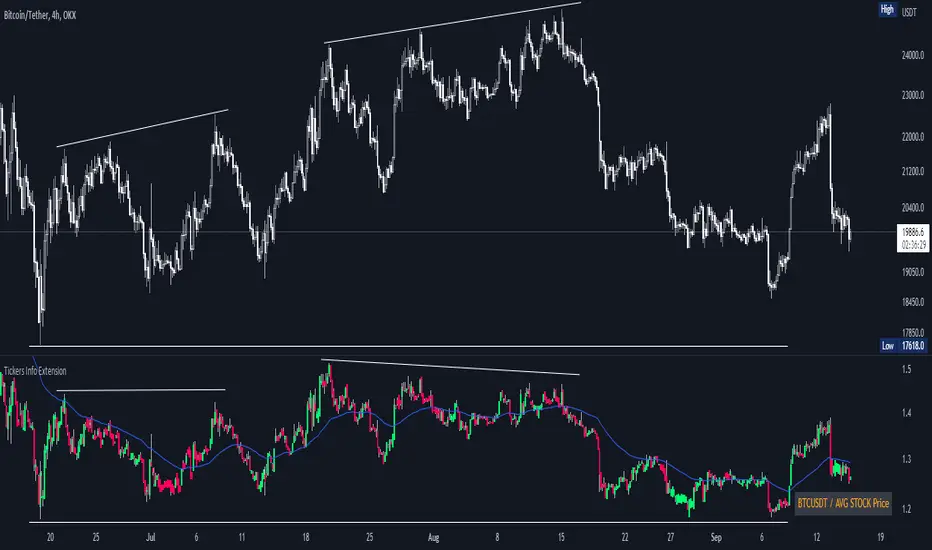
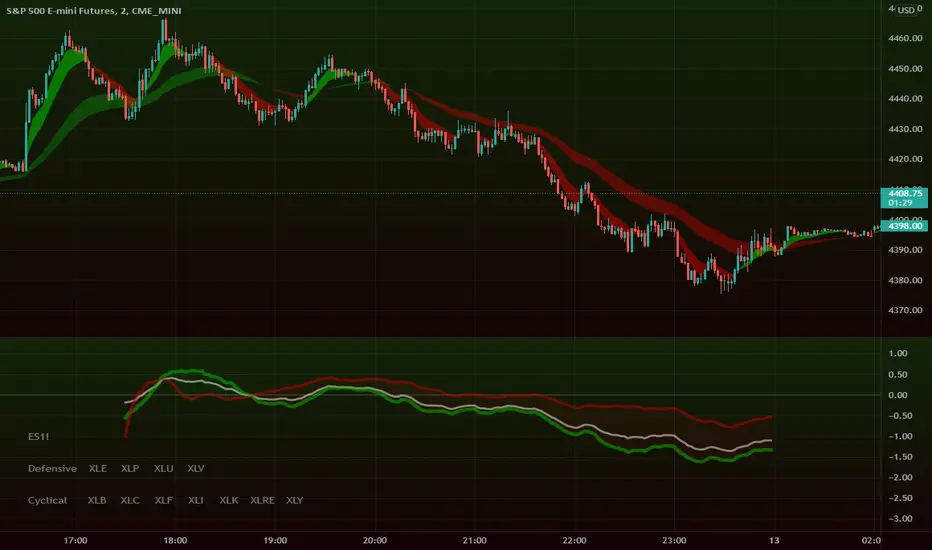
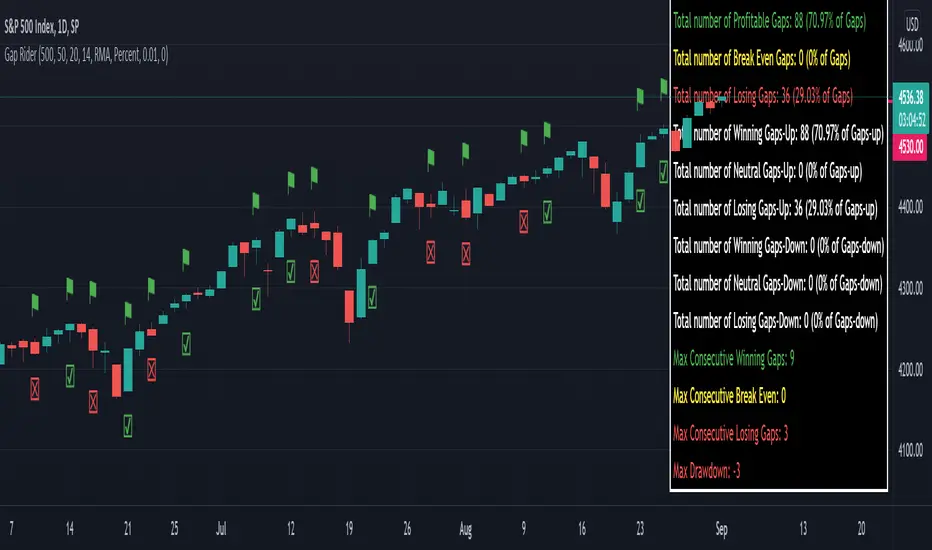
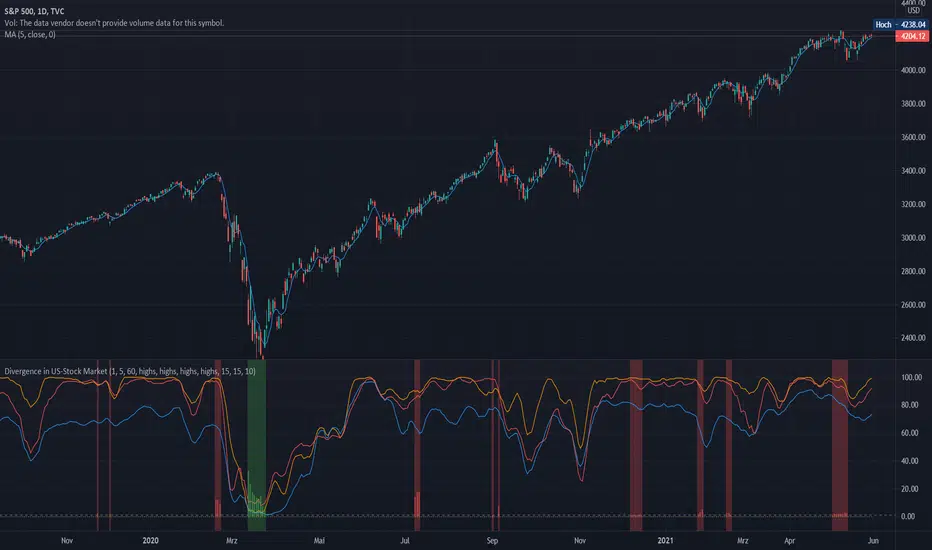
GEX Walls + Market Open Shading### Overview
This Pine Script (version 6) creates a TradingView indicator called **"GEX Walls + Market Open Shading"**. It overlays directly on the price chart and is designed for intraday trading, particularly for indices like SPX or ES futures. The script combines two main features:
- **GEX Walls**: Visual boxes and labels highlighting "Gamma Exposure" (GEX) levels—key support (Put Wall) and resistance (Call Wall) zones based on options gamma. It includes approach alerts.
- **Market Open Shading**: A semi-transparent background shade during a customizable post-market-open session (e.g., first 2 hours after 9:30 AM EST).
It uses up to 20 boxes and 20 labels, with right-scale positioning for better visibility on the price axis. The script detects new trading days to reset visuals dynamically.
### Key Inputs
The script is highly customizable via inputs grouped into sections:
#### GEX Walls Inputs
- **Call Wall** (default: 6900.0): Upper resistance level.
- **Put Wall** (default: 6850.0): Lower support level.
- **Buffer** (default: 3.0 points): Vertical padding around each wall for box thickness.
- **Alert Distance** (default: 10.0 points): Threshold for triggering "approach" alerts.
- **Colors**: Semi-transparent yellow for Call Wall boxes (#ffeb3b at 80% opacity), orange for Put Wall (#ff9800 at 80%).
- **Toggles**: Show/hide boxes; enable/disable alerts; restrict alerts to shaded session only.
- **Labels**: Text color (white), offset (bars to the right, default -2), size (tiny/small/normal/large).
#### Market Open Shading Inputs
- **Shade Color** (default: white at 90% transparency): Background fill during session.
- **Transparency** (0-100, default: 90): Opacity level.
- **Open Time** (default: 9:30 EST): Hour/minute for session start.
- **Duration**: Dropdown with pre-formatted options (e.g., "120 min: 11:30a EST / 8:30a PST" up to 195 min), showing both EST and PST end times for convenience.
- **Toggle**: Show/hide shading.
### How It Works
#### 1. Market Open Shading
- Calculates end time from open hour/minute + selected duration (e.g., 120 minutes from 9:30 AM EST = 11:30 AM EST).
- Builds a session string (e.g., "0930-1130") for TradingView's `time()` function.
- Detects if the current bar is within the session using `not na(time("", sessionString))`.
- Applies `bgcolor()` with the user-defined color/transparency only during the session.
- Helper functions format times in 12-hour AM/PM style (e.g., "11:30a") for labels, with EST/PST variants.
#### 2. Day Detection
- Uses `time("D")` to track daily changes (`ta.change(dayTime) != 0` signals a new day).
- Maintains variables for the current day's start bar index (`todayStartIndex`) and previous day's start (`prevStartIndex`).
- This ensures boxes span exactly from yesterday's open to today (intraday reset on new days).
#### 3. GEX Walls Visualization
- **Boxes**: Drawn once `prevStartIndex` is known (i.e., on the second day onward).
- Left edge: Previous day's start bar.
- Right edge: Current bar (extends live).
- Height: Wall level ± buffer (e.g., Call Wall box from 6900-3 to 6900+3).
- Updated dynamically with `box.set_*` functions; hidden (100% transparent) if toggled off.
- **Labels**: Placed at exact wall levels, offset to the right (e.g., 2 bars ahead for readability).
- Text: "CALL WALL: 6900.0" or "PUT WALL: 6850.0".
- Style: Right-aligned, black background (transparent), user-defined text color/size.
- Deleted if toggled off.
- All visuals use `xloc.bar_index` for bar-based positioning.
#### 4. Alerts
- **Call Wall Approach**: Triggers when close enters within `alertDistance` below the wall, but prior bar was further away (rising toward resistance). Message: "Price approaching Call Wall at from below (within points)".
- **Put Wall Approach**: Symmetric for falling toward support (within distance above wall).
- Filtered optionally to shaded session only.
- Uses `alertcondition()` with hidden plots (`display=display.none`) for dynamic message placeholders (e.g., `{{plot_0}}` inserts wall level).
### Notable Features & Behaviors
- **Intraday Focus**: Boxes/labels reset daily, making it ideal for day trading without historical clutter.
- **Time Zone Handling**: Defaults to EST for market open but shows PST equivalents in dropdowns (subtracts 3 hours).
- **Efficiency**: Uses `var` declarations for persistent objects (boxes/labels) to avoid recreation on every bar.
- **Edge Cases**: Handles label offsets (clamped -10 to 50 bars); session wrapping (e.g., overnight via %24); new chart loads (initializes on first bar).
- **Customization Depth**: 20+ inputs allow fine-tuning without code edits. Alerts integrate seamlessly with TradingView's system.
- **Limitations**: Relies on bar_index for historical spanning (best on lower timeframes like 1-5 min); no historical backfill for walls (live-only).
This script is a practical tool for options-aware traders monitoring gamma squeezes or pinning levels during market open volatility. To use it, paste into TradingView's Pine Editor, adjust inputs for your asset (e.g., update walls for current GEX data), and add to chart.
ค้นหาในสคริปต์สำหรับ "spx"
Entry ChecklistEntry Checklist
A comprehensive multi-factor analysis tool for stock and crypto entry decisions, combining fundamental, technical, and market sentiment indicators in a dynamic table display.
🎯 Overview
This advanced Pine Script indicator provides traders and investors with a systematic checklist for evaluating potential entry points. It consolidates critical market data into a clean, color-coded table that adapts based on asset type and data availability.
📊 Key Features
Market Context Analysis:
Seasonality: Historical S&P 500 monthly return patterns with strength/weakness labels
Market Breadth (S5TH): Percentage of S&P 500 stocks above their 50-day moving average
Fear/Greed Index (VIX): Market sentiment indicator with threshold-based color coding
Fundamental Analysis (Stocks Only):
Earnings Dates: Upcoming earnings announcement tracking with 14-day warning
Growth Metrics: Year-over-year sales and EPS growth rates
Acceleration: Quarter-over-quarter growth acceleration analysis
Sector & Industry Analysis:
Sector Relative Strength: 20-day performance vs SPY benchmark
Industry Relative Strength: Granular industry ETF performance comparison
120+ Industry ETF Mappings: Comprehensive sector and industry classifications
Technical Analysis:
IBD-Style RS Rating: Multi-timeframe relative strength scoring (1-99 scale)
RS vs SPX: Stock performance relative to S&P 500
RS vs Sector: Performance relative to sector ETF
RS vs Industry: Performance relative to industry ETF
🎨 Visual Design
Dynamic Table: Bottom-right overlay with professional dark theme
Color-Coded Signals: Green (bullish), red (bearish), neutral (white)
Ichimoku + EMA + RSI [Enhanced]# **Ichimoku + EMA + RSI Strategy - User Instructions**
---
## **📋 TABLE OF CONTENTS**
1. (#installation)
2. (#strategy-overview)
3. (#parameter-configuration)
4. (#understanding-the-dashboard)
5. (#entry--exit-rules)
6. (#best-practices)
7. (#optimization-guide)
8. (#troubleshooting)
---
## **🚀 INSTALLATION**
### **Step 1: Add to TradingView**
1. Open TradingView.com
2. Click **Pine Editor** (bottom of screen)
3. Click **"New"** → Select **"Blank indicator"**
4. Delete all default code
5. **Copy and paste** the complete script
6. Click **"Save"** (give it a name: "Ichimoku EMA RSI Strategy")
7. Click **"Add to Chart"**
### **Step 2: Verify Installation**
✅ You should see:
- Orange **200 EMA** line
- Blue **Tenkan** line
- Red **Kijun** line
- Green/Red **Cloud** (Ichimoku cloud)
- **Dashboard** in top-right corner
- **Strategy Tester** tab at bottom
---
## **📊 STRATEGY OVERVIEW**
### **What This Strategy Does**
Combines three powerful technical indicators to identify high-probability trades:
| Component | Purpose |
|-----------|---------|
| **200 EMA** | Determines overall trend direction |
| **Ichimoku Cloud** | Provides support/resistance and momentum |
| **RSI** | Filters momentum strength |
| **Dashboard** | Real-time signal analysis |
### **Trading Logic**
- **LONG**: Enter when all bullish conditions align
- **SHORT**: Enter when all bearish conditions align
- **EXITS**: Automatic via trailing stops, cloud breach, or TK cross reversal
---
## **⚙️ PARAMETER CONFIGURATION**
### **🔵 Trend Filter Settings**
```
EMA Length: 200 (default)
```
- **Lower (100-150)**: More sensitive, faster signals
- **Higher (250-300)**: More stable, slower signals
- **Recommendation**: Keep at 200 for most timeframes
---
### **🟢 RSI Settings**
```
RSI Length: 14 (default)
RSI Long Minimum: 55
RSI Short Maximum: 45
```
**Adjustment Guide:**
- **Aggressive** (more signals): Long=50, Short=50
- **Balanced** (default): Long=55, Short=45
- **Conservative** (fewer signals): Long=60, Short=40
---
### **🟡 Ichimoku Settings**
```
Tenkan Period: 9
Kijun Period: 26
Senkou B Period: 52
Displacement: 26
```
**Standard Configurations:**
| Timeframe | Tenkan | Kijun | Senkou B |
|-----------|--------|-------|----------|
| **1H - 4H** | 9 | 26 | 52 |
| **15m - 1H** | 7 | 22 | 44 |
| **Daily** | 9 | 26 | 52 |
**Filters:**
- ✅ **Require Chikou Confirmation**: Adds extra validation (recommended)
- ✅ **Require Cloud Position**: Price must be above/below cloud (recommended)
---
### **🔴 Risk Management**
```
ATR Length: 14
ATR Stop Loss Multiplier: 2.0
ATR Take Profit Multiplier: 3.0
Min Bars Between Trades: 3
```
**Risk/Reward Profiles:**
| Profile | SL Multiplier | TP Multiplier | Description |
|---------|---------------|---------------|-------------|
| **Conservative** | 2.5 | 4.0 | Wider stops, higher R:R |
| **Balanced** | 2.0 | 3.0 | Default settings |
| **Aggressive** | 1.5 | 2.5 | Tighter stops, faster exits |
---
### **🎨 Display Settings**
```
Show Dashboard: ON
Show Entry Signals: ON
```
- **Dashboard**: Shows real-time analysis
- **Entry Signals**: Green/Red arrows on chart
---
## **📈 UNDERSTANDING THE DASHBOARD**
### **Dashboard Components**
```
┌─────────────────────┬──────────┐
│ Component │ Status │
├─────────────────────┼──────────┤
│ EMA Trend │ BULL/BEAR│
│ Cloud │ ABOVE/BELOW/INSIDE│
│ TK Cross │ BULL/BEAR│
│ RSI │ 55.3 │
│ Chikou │ BULL/BEAR│
│ Signal │ STRONG LONG│
└─────────────────────┴──────────┘
```
### **Signal Interpretation**
| Signal | Score | Meaning | Action |
|--------|-------|---------|--------|
| **STRONG LONG** | 7+ | All conditions aligned | High confidence LONG |
| **LONG** | 4-6 | Most conditions met | Moderate confidence |
| **NEUTRAL** | <4 | Mixed signals | Wait for clarity |
| **SHORT** | 4-6 | Bearish bias | Moderate SHORT |
| **STRONG SHORT** | 7+ | All bearish conditions | High confidence SHORT |
---
## **📍 ENTRY & EXIT RULES**
### **✅ LONG ENTRY CONDITIONS**
All must be TRUE:
1. ✅ Price **above** 200 EMA
2. ✅ Price **above** Ichimoku Cloud
3. ✅ Tenkan **crosses above** Kijun (TK Bull Cross)
4. ✅ RSI **above** 55
5. ✅ Chikou **above** price 26 bars ago
6. ✅ Minimum bars since last trade met
**Visual Confirmation:**
- 🟢 Green triangle **below** candle
- Dashboard shows **"STRONG LONG"**
---
### **❌ LONG EXIT CONDITIONS**
Any ONE triggers exit:
1. ❌ Price closes **below** cloud bottom
2. ❌ Tenkan **crosses below** Kijun
3. ❌ ATR trailing stop hit (2.0 × ATR)
4. ❌ Take profit hit (3.0 × ATR)
---
### **✅ SHORT ENTRY CONDITIONS**
All must be TRUE:
1. ✅ Price **below** 200 EMA
2. ✅ Price **below** Ichimoku Cloud
3. ✅ Tenkan **crosses below** Kijun (TK Bear Cross)
4. ✅ RSI **below** 45
5. ✅ Chikou **below** price 26 bars ago
6. ✅ Minimum bars since last trade met
**Visual Confirmation:**
- 🔴 Red triangle **above** candle
- Dashboard shows **"STRONG SHORT"**
---
### **❌ SHORT EXIT CONDITIONS**
Any ONE triggers exit:
1. ❌ Price closes **above** cloud top
2. ❌ Tenkan **crosses above** Kijun
3. ❌ ATR trailing stop hit (2.0 × ATR)
4. ❌ Take profit hit (3.0 × ATR)
---
## **💡 BEST PRACTICES**
### **Recommended Timeframes**
| Timeframe | Trading Style | Signals/Week |
|-----------|---------------|--------------|
| **15m** | Scalping | 20-30 |
| **1H** | Day Trading | 10-15 |
| **4H** | Swing Trading | 5-10 |
| **Daily** | Position Trading | 2-5 |
---
### **Asset Classes**
✅ **Best Performance:**
- Major Forex pairs (EUR/USD, GBP/USD)
- Crypto (BTC/USD, ETH/USD)
- Major indices (SPX, NAS100)
⚠️ **Use Caution:**
- Low liquidity pairs
- Highly volatile altcoins
- Stocks with gaps
---
### **Risk Management Rules**
```
1. Never risk more than 2% per trade
2. Use the built-in ATR stops (don't override)
3. Respect the "Min Bars Between Trades" cooldown
4. Don't trade during major news events
5. Monitor dashboard - only trade STRONG signals
```
---
## **🔧 OPTIMIZATION GUIDE**
### **Step 1: Run Initial Backtest**
1. Open **Strategy Tester** tab (bottom of screen)
2. Set date range (minimum 6 months)
3. Review:
- **Net Profit**
- **Win Rate** (target: >50%)
- **Profit Factor** (target: >1.5)
- **Max Drawdown** (target: <20%)
---
### **Step 2: Optimize Parameters**
**If Win Rate is Low (<45%):**
- Increase RSI thresholds (Long=60, Short=40)
- Enable both Chikou + Cloud filters
- Increase "Min Bars Between Trades" to 5
**If Too Few Signals:**
- Decrease RSI thresholds (Long=50, Short=50)
- Reduce EMA to 150
- Adjust Ichimoku to faster settings (7/22/44)
**If Drawdown is High (>25%):**
- Increase ATR Stop Loss Multiplier to 2.5
- Add longer cooldown period (5+ bars)
- Trade only STRONG signals
---
### **Step 3: Forward Test**
```
1. Paper trade for 2-4 weeks
2. Compare results to backtest
3. Adjust if live results differ significantly
4. Only go live after consistent paper trading success
```
---
## **🛠️ TROUBLESHOOTING**
### **Problem: No Signals Appearing**
**Solutions:**
- Check RSI levels aren't too restrictive
- Verify timeframe is appropriate (try 1H or 4H)
- Ensure both filters aren't enabled on ranging markets
- Review dashboard - components may be conflicting
---
### **Problem: Too Many Losing Trades**
**Solutions:**
- Enable **both** Chikou + Cloud filters
- Increase RSI thresholds (more conservative)
- Only trade when dashboard shows "STRONG" signals
- Increase cooldown period to avoid overtrading
---
### **Problem: Dashboard Not Showing**
**Solutions:**
- Verify "Show Dashboard" is enabled in settings
- Check chart isn't zoomed out too far
- Refresh chart (F5)
- Re-add indicator to chart
---
### **Problem: Stops Too Tight/Wide**
**Solutions:**
- **Too Tight**: Increase ATR Stop Loss Multiplier to 2.5-3.0
- **Too Wide**: Decrease to 1.5-1.8
- Verify ATR Length is appropriate for timeframe
- Consider asset volatility (crypto needs wider stops)
---
## **📞 QUICK REFERENCE CARD**
```
═══════════════════════════════════════════════════
STRATEGY QUICK REFERENCE
═══════════════════════════════════════════════════
BEST TIMEFRAMES: 1H, 4H, Daily
BEST ASSETS: Major Forex, BTC, ETH, Indices
RISK PER TRADE: 1-2% of capital
LONG ENTRY:
✓ Price > 200 EMA
✓ Price > Cloud
✓ TK Bull Cross
✓ RSI > 55
✓ Dashboard = STRONG LONG
SHORT ENTRY:
✓ Price < 200 EMA
✓ Price < Cloud
✓ TK Bear Cross
✓ RSI < 45
✓ Dashboard = STRONG SHORT
EXITS:
× Cloud breach
× TK reverse cross
× ATR trailing stop
× Take profit (3:1 R:R)
═══════════════════════════════════════════════════
```
---
## **⚠️ DISCLAIMER**
This strategy is for **educational purposes only**. Always:
- Backtest thoroughly on your specific assets
- Paper trade before going live
- Never risk more than you can afford to lose
- Past performance ≠ future results
- Consider market conditions and your risk tolerance
---
**Happy Trading! 📈**
TradingView — Track All Markets
Where the world charts, chats, and trades markets. We're a supercharged super-charting platform and social network for traders and investors. Free to sign up.
Spearman Correlation🔗 Spearman Correlation – Ranked Relationship Tracker
Overview:
This indicator calculates and plots the Spearman Rank Correlation Coefficient between the current chart’s asset and a custom comparison ticker (the example shown is BTC vs the OTHERS market cap for crypto). Unlike Pearson correlation, which measures linear relationships, Spearman correlation captures monotonic (ranked) relationships—making it better suited for analysing assets that move in sync but not necessarily in a linear fashion.
🧠 What It Does:
Computes ranked correlation between two assets over a user-defined lookback period
Smooths the correlation curve for better readability
Visually shades the background by correlation strength and direction:
🟩 Strong Positive (+0.5 to +1)
🟨 Weak Positive (+0.1 to +0.5)
⬜ No Correlation (–0.1 to +0.1)
🟧 Weak Negative (–0.5 to –0.1)
🟥 Strong Negative (–1 to –0.5)
⚙️ User Inputs:
Lookback Period: Number of bars used to calculate correlation
Comparison Ticker: Choose any asset to compare against
Shading Toggles: Customize which correlation zones are highlighted
📈 Use Cases:
Identify evolving relationships between assets (e.g., BTC vs DXY, ETH vs SPX)
Spot when assets become inversely correlated or lose correlation entirely
Track regime shifts where traditional relationships break down or re-align
Use alongside trend or momentum strategies to add a cross-asset confirmation layer
🔍 Interpreting the Correlation:
+1 → Perfect positive (ranks match exactly)
+0.5 to +1 → Strong positive relationship
+0.1 to +0.5 → Weak but positive relationship
–0.1 to +0.1 → Essentially uncorrelated
–0.5 to –0.1 → Weak negative correlation
–1 to –0.5 → Strong inverse relationship
–1 → Perfect negative (rankings are completely opposite)
🧪 Technical Notes:
Calculation uses ranked returns to better reflect monotonic relationships
Smoothed with a simple moving average (SMA) for stability
Arrays are managed internally to maintain performance and adaptability
This script is ideal for traders seeking deeper insight into cross-asset dynamics, portfolio hedging, or timing divergence-based strategies.
Directional Comparisons - Two Tickers📊 Directional Comparisons – Two Tickers
Overview:
This tool allows you to visually and statistically compare the directional behaviour of any two assets on any chart timeframe. It identifies and color-codes each bar based on how both the current asset and your chosen comparison asset performed in that period (e.g., both up, both down, diverging). A statistical summary table dynamically updates in the corner of your chart, tracking the probability and streak performance of each condition.
🛠 How It Works:
Each candle is analysed and color-coded based on the relationship between the current chart's asset and a comparison asset of your choice:
✅ Green – Both tickers closed higher (bullish alignment)
🔻 Red – Both tickers closed lower (bearish alignment)
🔷 Blue – Current ticker up, comparison ticker down (positive divergence)
🟧 Orange – Current ticker down, comparison ticker up (negative divergence)
You can toggle each colour condition on/off independently.
📈 Statistical Table (Top Right):
For the candles in the visible chart range, the indicator displays:
The frequency (probability) of each condition
Longest, shortest, and average streaks for each condition
Average % change for both the current and comparison asset under each scenario
All stats auto-update as you zoom or scroll through the chart.
🔧 User Inputs:
Comparison Ticker: Choose any ticker symbol to compare against the current chart
Toggle Conditions: Enable or disable individual directional conditions (color-coded)
✅ Use Cases:
Spot high-probability alignment zones between two assets (e.g., BTC vs ETH, SPX vs VIX)
Identify divergence opportunities for trading signals
Analyse historical relationships and co-movements between assets
Perform correlation streak studies directly on the chart
🔍 Notes:
The script works across all timeframes (1min to monthly).
Stats only consider visible bars on your chart for responsiveness.
Ideal for pair traders, macro analysts, or anyone interested in cross-asset relationships.
MA Zone Candle Color 8.0This indicator plots a selected moving average (any type: EMA, VWAP, HMA, ALMA, custom composites, RVWAP, etc.) and creates a symmetrical grid of horizontal levels/bands spaced at precise, predefined increments around it. The spacing between levels can be set in two modes:
Percent (%) of the current MA value
Points (fixed price units)
The available increment sizes follow a specific geometric-like sequence (very similar to Gann square-of-9 derived steps), giving you clean, repeatable distance choices such as 0.61, 1.22, 2.44, 4.88, 9.77 points (or their percentage equivalents).
Core purpose
It visually marks exactly how far price has moved away from your chosen moving average — in multiples of the increment you selected.
Main practical use cases -
1. Measuring distance from key reference level
VWAP or EMA(20–89), Points mode, 1.22–4.88 incr.
"Price is currently 3.5 increments above VWAP" → quick context for context
2. Identifying structured price levels
Points mode + 2.44 or 4.88 increment
Treat every band as potential support/resistance or target zone
3. Comparing extension size across instruments
Percent mode, same increment value across symbols
Makes extensions visually comparable (BTC vs ETH vs SPX vs NQ)
4. Session / intraday structure mapping
RVWAP or session VWAP + Points mode
See how many "steps" price has made since session open / reset
5. Setting objective take-profit / scale-out levels
Any MA + medium increment (4.88–19.53 points)
"I'll take partials at +2×, +4×, +6× increment" — very mechanical
6. Volatility-adjusted grid (crypto/forex)
Points mode with larger increments
Prevents bands from becoming too wide/narrow during huge volatility swings
Most common combo
MA: VWAP or RVWAP (session/day reset)
Mode: Points
Increment: 1.220704 or 2.441408 or 4.8828125
Bands per side: 30–60
→ Creates a clean, evenly-spaced ladder of levels around the daily/intraday average that traders can use purely for distance measurement and objective level marking.
In short:
It's a very precise, repeatable distance ruler built around any moving average you choose — nothing more, nothing less.
Guac's MAs, BBs, and ADX (SMA/EMA/BB + ADX/DI + Daily ATR)As someone who browses through numerous TradingView scripts, I find many ideas/functions that I find useful. However, sometimes I find certain features that I don't find useful or that could be added to make something more useful. Because of this I designed this script to collectively encompass functionality of the items/indicators I find useful when looking at an index/equity chart.
This script was desgined/inspired to keep the chart clean while providing signal context for trend, volatility, price action, and regime conditions.
Summary of what this script does:
Plots a compact, customizable set of SMAs + EMAs for structure and trend layering.
Adds Bollinger Bands with expansion/contraction coloring to visualize volatility state.
Optionally overlays ADX/DI regime context, including:
• an ADX-based “regime fill” (temperature-style colors) on the BB fill
• optional DI+ / DI- cross markers for directional shift awareness
• expanded ADX regime labels (Dead Chop → Very Strong/Extended)
• optional “ADX momentum” (smoothed ADX slope) in the status label to show regime acceleration/decay
Provides a small corner “Regime Status Label” that summarizes ADX regime (with numeric ADX) when enabled.
Optionally appends Daily ATR (value + momentum) to the same label for range/volatility context that is consistent across intraday timeframes.
I always find it frustrating when I am testing or playing with someones indicator and they don't have tooltips implemented so that I can understand the purpose of their parameters and the inputs. I have specifically tried to implement tooltip info bubbles next to every parameter input to give a short explanation of the parameter and it's purpose
Macro Risk Sentiment - Intermarket Timing SignalOverview
This indicator builds a composite macro sentiment score by analyzing intermarket relationships between bonds, credit spreads, the US dollar, and volatility. The core premise is that these markets often signal shifts in risk appetite before equities react, providing a timing edge for managing exposure.
When macro conditions favor risk assets, the indicator signals RISK-ON (green). When conditions deteriorate, it signals RISK-OFF (red). This is not a predictive tool but rather a systematic way to assess the current macro environment.
The Problem It Solves
Markets do not move in isolation. Before major equity drawdowns, stress often appears first in credit markets, bonds, and volatility. By monitoring these leading indicators systematically, we can identify periods when holding equity exposure carries elevated risk.
The goal is not to catch every move but to avoid the worst drawdowns by stepping aside when multiple macro factors align negatively.
How It Works
Step 1: Data Collection
The indicator pulls daily data from four key markets:
Risk-On Inputs (positive for equities when rising):
- TLT (20+ Year Treasury Bonds): Rising bonds can signal improving liquidity or flight-to-safety ending
- JNK (High-Yield Corporate Bonds): Rising junk bonds indicate credit conditions improving and risk appetite increasing
Risk-Off Inputs (negative for equities when rising):
- DXY (US Dollar Index): Strong dollar tightens global financial conditions and signals risk-off flows
- VIX (Volatility Index): Elevated VIX indicates fear and hedging demand
Step 2: Z-Score Normalization
Each input trades at different absolute levels, so direct comparison is impossible. The indicator converts each to a z-score: how many standard deviations the current value is from its 252-day (1 year) average.
A z-score of +1 means "unusually high relative to recent history." A z-score of -1 means "unusually low." This puts all inputs on the same scale.
Step 3: Composite Calculation
The macro score combines the normalized inputs:
Macro Score = (TLT z-score + JNK z-score) - (DXY z-score + VIX z-score)
The result is clamped between -1.5 and +1.5 to prevent outliers from dominating, then smoothed with an EMA to reduce noise.
Step 4: Signal Generation
Seven different methods are available for determining when conditions shift:
1. EMA Cross: Classic crossover between smoothed macro and its signal line
2. Slope: Simple direction of the macro trend
3. Momentum: Rate of change exceeding a threshold
4. Session Delta: Comparing today's reading to yesterday's
5. Pivot: Market structure analysis (higher lows vs lower highs)
6. Acceleration: Second derivative (is momentum increasing?)
7. Multi-Confirm: Requires 4 or more methods to agree
Why These Specific Markets?
Bonds (TLT)
Treasury bonds often lead equities at turning points. When institutions rotate into bonds, it signals caution. When they rotate out, it signals risk appetite returning.
Credit (JNK)
High-yield bonds price credit risk faster than equities. Widening credit spreads (falling JNK) often precede equity weakness by days or weeks.
Dollar (DXY)
A strong dollar creates headwinds for multinational earnings, tightens global USD liquidity, and signals defensive positioning globally.
Volatility (VIX)
The options market prices fear before it manifests in price. Sustained elevated VIX readings indicate hedging demand and uncertainty.
Research Application: Weekly Put Selling
One application of this indicator is timing premium-selling strategies. I tested using the EMA Cross method to filter 7-day-to-expiration (7DTE) put sales on ES futures with 90% Profit Target and 600% Stop Loss, only selling puts when the indicator showed RISK-ON.
Results with Macro Filter (2020-2025):
- Trades: 200
- Win Rate: 96.0%
- Total P/L: +$33,636
- Max Drawdown: 2.91%
- Profit Factor: 3.51
Results without Filter (same period):
- Trades: 357
- Win Rate: 96.1%
- Total P/L: +$63,492
- Max Drawdown: 10.30%
- Profit Factor: 2.90
Key Insight:
The filtered approach made less total profit (fewer trades) but reduced maximum drawdown by 72% (from 10.30% to 2.91%). This significantly improves risk-adjusted returns and allows for potentially higher position sizing with confidence.
Note: These results are from external backtesting on actual options data, not the TradingView backtest engine. Past performance does not guarantee future results.
Features
Seven configurable signal methods for different trading styles
Adjustable weights for each data source
Z-score normalization puts all inputs on equal footing
Visual info table showing all metrics at a glance
Background coloring for quick regime identification
Alert conditions for signal changes
Secondary plot showing method-specific metrics
Settings Guide
Macro Settings
Z-Score Lookback (default 252): Period for calculating standard deviations. 252 equals approximately one trading year. Longer periods are more stable but slower to adapt.
Macro EMA (default 7): Smoothing for the raw composite score. Lower values give faster but noisier signals.
Signal EMA (default 8): Secondary smoothing for the signal line. Used primarily in EMA Cross method.
Signal Method
EMA Cross : Recommended starting point. Signals when smoothed macro crosses its signal line.
Slope : Simpler approach based purely on trend direction.
Momentum : Requires rate of change to exceed a threshold.
Session Delta : Compares today to yesterday (daily timeframe focus).
Pivot : Uses market structure (higher lows for bullish, lower highs for bearish).
Acceleration : Measures change in slope (second derivative).
Multi-Confirm : Conservative approach requiring 4+ methods to agree.
Data Sources
Each source can be enabled/disabled and weighted from 0 to 3
Default is equal weighting (1.0) for all four sources
Experiment with emphasizing sources most relevant to your trading (tested on SPX)
How to Use
Basic Interpretation:
Green background / RISK-ON: Macro conditions favor equity exposure
Red background / RISK-OFF: Macro conditions suggest caution
Arrow markers indicate regime changes
For Risk Management:
Use RISK-OFF signals to reduce position size or hedge
Use RISK-ON signals to resume normal exposure
Consider the indicator as one input among many, not a complete system
For Options Strategies:
Avoid selling premium during RISK-OFF periods
Resume premium selling when RISK-ON returns
This approach trades frequency for reduced tail risk
Alert Setup:
Set alerts on "Bullish Turn" and "Bearish Turn" conditions
Receive notifications when the macro regime changes
Research Ideas
This indicator is designed as a research framework. Consider testing:
Different signal methods for your specific strategy
Adding or removing data sources based on what you trade
Varying the z-score lookback for different market regimes
Combining with price-based filters (moving averages, support/resistance)
Using the multi-confirm method for higher-conviction signals only
Limitations
The indicator uses daily data, so intraday signals may lag
Overnight gaps from surprise news cannot be anticipated
False signals will occur, especially in choppy, range-bound markets
The z-score lookback creates a recency bias; what was "normal" a year ago may not be relevant today
Not all drawdowns are preceded by macro deterioration; some come from idiosyncratic events
Past intermarket relationships may not persist in the future
Disclaimer
This indicator is for educational and research purposes only. It does not constitute financial advice.
Past performance does not guarantee future results
The research results shared are from historical backtesting and may not reflect actual trading conditions
Always conduct your own research and due diligence
Consider your personal risk tolerance before making any trading decisions
Never risk more than you can afford to lose
Credits
Intermarket analysis concepts draw from established macro trading principles. The multi-signal approach is original work designed to give users flexibility in how they interpret the macro data.
IV Rank & Percentile Suite V1.0What This Indicator Does
The IV Rank & Percentile Suite provides the volatility context options traders need to time entries. It calculates two complementary metrics—IV Rank and IV Percentile—using historical volatility as a proxy, then displays clear visual zones to identify favorable conditions for premium selling strategies.
Stop guessing if volatility is "high" or "low." This indicator tells you exactly where current volatility sits relative to recent history.
The Two Metrics Explained
IV Rank (0-100) Measures where current volatility sits within its 52-week high-low range.
IV Rank = (Current HV - 52w Low) / (52w High - 52w Low) × 100
70 means current volatility is 70% of the way between the yearly low and high
Sensitive to extreme spikes (a single high reading affects the range)
IV Percentile (0-100) Measures what percentage of days in the lookback period had lower volatility than today.
IV Percentile = (Days with lower HV / Total days) × 100
70 means volatility was lower than today on 70% of days in the past year
More stable, less affected by outlier spikes
Why Both?
IV Rank reacts faster to volatility changes. IV Percentile is more stable and statistically robust. When both agree (e.g., both above 50), you have stronger confirmation. Divergence between them can signal transitional periods.
Zone System
The indicator divides readings into three zones:
Zone ------- Default Range ---- Meaning ------------------ Premium Selling
🟢 High ≥ 50 Elevated volatility Favorable
🟡 Neutral 25-50 Normal volatility Selective
🔴 Low ≤ 25 Compressed volatility Avoid
An additional Extreme threshold (default 75) highlights prime conditions when volatility is significantly elevated.
Zone thresholds are fully customizable in settings.
How to Use It
For Premium Sellers (Iron Condors, Credit Spreads, Strangles)
Wait for IV Rank to enter the green zone (≥50)
Confirm IV Percentile agrees (also elevated)
Enter premium selling positions when both metrics align
Avoid initiating new positions when in the red zone
For Premium Buyers (Long Options, Debit Spreads)
Low IV Rank/Percentile means cheaper options
Red zone can favor directional debit strategies
Avoid buying premium when both metrics are in the green zone
General Principle:
Sell premium when volatility is high (it tends to revert to mean). Buy premium when volatility is low (if you have a directional thesis).
Inputs
Volatility Calculation
HV Period — Lookback for historical volatility calculation (default: 20)
Trading Days/Year — 252 for stocks, 365 for crypto
Lookback Periods
IV Rank Lookback — Period for high/low range (default: 252 = 1 year)
IV Percentile Lookback — Period for percentile calculation (default: 252)
Zone Thresholds
High IV Zone — Readings above this are highlighted green (default: 50)
Low IV Zone — Readings below this are highlighted red (default: 25)
Extreme High — Threshold for "prime" conditions alert (default: 75)
Display Options
Toggle IV Rank, IV Percentile, and raw HV display
Show/hide zone backgrounds
Show/hide info panel
Panel position selection
Info Panel
The panel displays:
Field ------- Description
IV Rank ------- Current reading with color coding
IV Pctl ------- Current percentile with color coding
HV 20d ------- Raw historical volatility percentage
52w Range ------- Lowest to highest HV in lookback period
Zone ------- Current zone status
Premium ------- Signal quality for premium selling
Lookback ------- Days used for calculations
R/P Spread ------- Difference between Rank and Percentile
Alerts
Six alerts are available:
Zone Transitions
IV Entered High Zone — Favorable for premium selling
IV Reached Extreme Levels — Prime conditions
IV Dropped to Low Zone — Caution for premium sellers
Threshold Crosses
IV Rank Crossed Above High Threshold
IV Rank Crossed Below Low Threshold
IV Percentile Above 75
IV Percentile Below 25
Set up alerts to get notified when conditions change without watching charts.
Technical Notes
Volatility Calculation Method
This indicator uses close-to-close historical volatility as an IV proxy:
Calculate log returns: ln(Close / Previous Close)
Take standard deviation over HV Period
Annualize: multiply by √(Trading Days)
This method correlates well with implied volatility for most liquid instruments. On highly liquid options underlyings (SPY, QQQ, major stocks), HV and IV tend to move together, making this a reliable proxy for IV Rank analysis.
Non-Repainting
All calculations use confirmed bar data. Values are fixed once a bar closes.
Lookback Requirement
The indicator needs sufficient history to calculate accurately. For a 252-day lookback, ensure your chart has at least 300+ bars of data.
Best Used On
ETFs: SPY, QQQ, IWM, DIA
Indices: SPX, NDX
High-volume stocks: AAPL, TSLA, NVDA, AMD, META
Timeframe: Daily (recommended), Weekly for longer-term view
The indicator works on any instrument but is most meaningful on underlyings with active options markets.
Important Notes
⚠️ This indicator uses historical volatility as a proxy for implied volatility. While HV and IV are correlated, they are not identical. For precise IV data, consult your options broker's platform.
⚠️ High IV Rank does not guarantee profitable premium selling. It indicates favorable conditions, not guaranteed outcomes. Position sizing and risk management remain essential.
⚠️ Past volatility patterns do not guarantee future behavior. Volatility regimes can shift, and historical ranges may not predict future ranges.
Suggested Workflow
Add to daily chart of your preferred underlying
Set up alert for "IV Entered High Zone"
When alerted, check both IV Rank and IV Percentile
If both elevated, evaluate premium selling opportunities
Use your broker's actual IV data for final entry decisions
Questions? Leave a comment below.
MAG7 Market Cap Weighted Index [Reflex]Summary
A synthetic intraday index built from the MAG7, weighted by market cap and plotted as true OHLC candles.
Usage
This indicator was designed for market breadth analyses. Since it uses market cap weighting, it behaves like any other index (eg. SPX).
It shows where mega-cap leadership is actually trading, making it useful for trend confirmation, divergence analysis versus NQ/ES, and contextualizing the breadth of the market.
The index is intentionally gated to the NY RTH session to avoid distorted behavior when component data is unavailable.
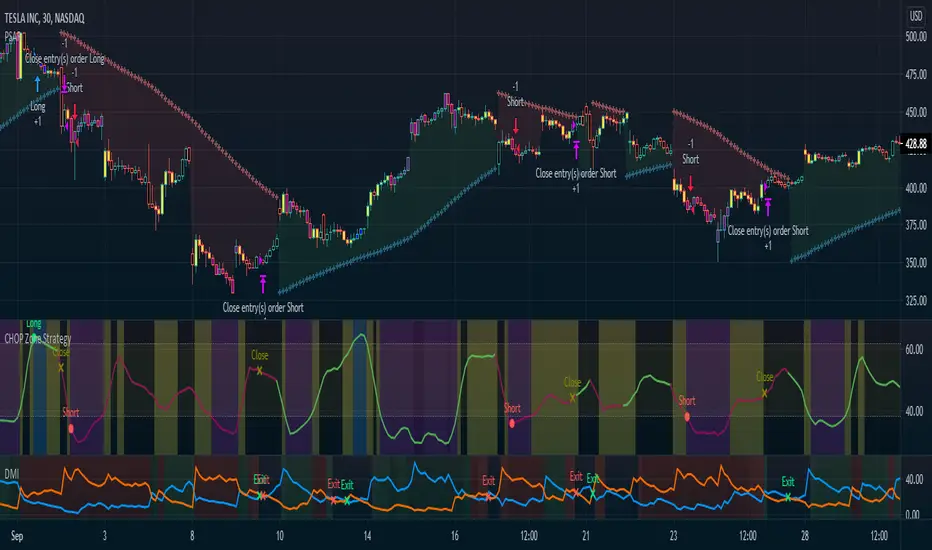
The Blessed Trader Ph. | Double EMA + RSI (20) Strategy v1.0📊 The Blessed Trader Ph.
Double EMA + RSI (20) Strategy — v1.0
1️⃣ Strategy Overview
This is a trend-following breakout strategy designed to:
Catch strong directional moves
Filter out weak trades using momentum confirmation
Control risk with ATR-based stop-loss and take-profit
It works best in trending markets such as:
Crypto (BTC, ETH, altcoins)
Forex (major & minor pairs)
Indices (NAS100, US30, SPX)
2️⃣ Indicators Used
🔹 Double EMA Channel
EMA 20 High → Dynamic resistance
EMA 20 Low → Dynamic support
These two EMAs create a price channel:
Break above → bullish strength
Break below → bearish weakness
Unlike a single EMA on close, using High & Low EMAs helps:
Reduce fake breakouts
Confirm real price expansion
🔹 RSI (20)
Measures momentum strength
RSI > 50 → bullish momentum
RSI < 50 → bearish momentum
RSI is used only as a filter, not as an overbought/oversold signal.
🔹 ATR (14)
Measures market volatility
Used to calculate:
Stop Loss (1.5 × ATR)
Take Profit (3.0 × ATR)
This makes the strategy:
Adaptive to any market
Effective across timeframes
3️⃣ Trade Rules (Very Important)
✅ BUY (LONG) Conditions
A buy trade is opened only when all conditions are met:
Price closes above EMA 20 High
RSI (20) is above 50
Candle is confirmed (bar close)
➡️ This means:
“Price has broken resistance with strong momentum.”
❌ SELL / EXIT Conditions
The long trade is closed when:
Price closes below EMA 20 Low
RSI (20) is below 50
➡️ This signals:
“Trend strength is weakening or reversing.”
🛑 Stop Loss & 🎯 Take Profit
Stop Loss = Entry − (ATR × 1.5)
Take Profit = Entry + (ATR × 3.0)
Risk–Reward ≈ 1 : 2
This protects capital and lets winners run.
4️⃣ Why This Strategy Works
✔ Trades with the trend
✔ Avoids ranging markets
✔ Uses confirmation, not prediction
✔ Non-repainting (bar close only)
✔ Works on any timeframe
5️⃣ 🔥 Why Heikin Ashi Candles Improve Results
What are Heikin Ashi candles?
Heikin Ashi candles smooth price action by averaging price data instead of using raw OHLC values.
Benefits for THIS strategy:
✅ 1. Cleaner Trend Detection
Fewer false EMA breakouts
Smoother closes above EMA High
Stronger continuation signals
✅ 2. Reduced Whipsaws
RSI stays more stable
Fewer fake buy signals during consolidation
✅ 3. Better Trade Holding
Keeps you in trends longer
Avoids early exits caused by noise
6️⃣ How to Use Heikin Ashi with This Strategy
On TradingView:
Open your chart
Click Candles
Select Heikin Ashi
Apply the strategy
📌 Important Tip
EMAs & RSI will now be calculated using Heikin Ashi data
This is ideal for trend-following, not scalping ranges
7️⃣ Best Settings & Recommendations
⏱ Timeframes
5m / 15m → Crypto & Forex intraday
1H / 4H → Swing trading
Daily → Position trading
📈 Market Conditions
Best in strong trends
Avoid low-volatility ranges
🎯 Pro Tip
Combine with:
Higher-timeframe trend bias
Session filter (London / New York)
Volume confirmation
8️⃣ Final Advice from
🙏 The Blessed Trader Ph.
“This strategy doesn’t predict — it confirms.
Be patient. Wait for clean Heikin Ashi closes.
Trade less, but trade better.”
Options Liquidity Meter (OLM)❓ The question behind this indicator
When trading options, it is common to experience situations where price moves in the expected direction, yet the option contract does not increase in value as anticipated.
This typically happens when one or more of the following conditions is missing:
Insufficient liquidity participation
Lack of volatility expansion
Weak or passive order flow
Options Liquidity Meter (OLM) was created to address this specific question:
“If price moves from here, are there conditions for option premiums to actually expand?”
🎯 What this indicator does
Options Liquidity Meter is a context tool, not a trading system.
It evaluates whether the current market environment is favorable for option premium expansion , based on three core engines:
Liquidity (Relative Volume)
Measures whether price movement is supported by meaningful participation.
Volatility State
Identifies compression, release, and expansion phases, where options tend to respond differently.
Order Flow Activity (OBV-based)
Acts as a proxy for active vs. passive participation, helping filter hollow moves.
These components are combined into a single, easy-to-read options context.
🟢🟡🔴 Options Context Output
The indicator displays one consolidated state:
RED — NO EXPANSION
Price may move, but option premiums often do not respond.
YELLOW — BUILDING
Liquidity or volatility is developing. Conditions are improving but not fully aligned.
GREEN — EXPANSION LIKELY
Liquidity, volatility expansion, and active flow are aligned.
This is a favorable environment for option premium expansion.
The same logic is reflected visually through the background color and summarized in the dashboard.
📊 How to read the dashboard
The dashboard shows:
Liquidity: LOW / OK / HIGH
Volatility: COMPRESSED / RELEASED / EXPANDING
Order Flow: FLAT / ACTIVE
Options Context: NO EXPANSION / BUILDING / EXPANSION LIKELY
Below, a Background Color Meaning section explains what each color represents, making the indicator intuitive and educational.
📍 Where to apply this indicator
Options Liquidity Meter must be applied to the underlying asset chart, such as:
Indices (SPY, SPX, QQQ, etc.)
Stocks
Futures
ETFs
It is not designed to be applied to option contracts themselves.
The indicator evaluates the market conditions of the underlying, which are the drivers that influence option premium behavior.
Contract selection (strike, delta, gamma, expiration) remains the trader’s responsibility.
🧠 How to use it
Use your own methodology to define:
Direction
Structure
Entries and exits
Use Options Liquidity Meter to evaluate:
Whether the current environment supports option premium expansion
If the context is RED, be cautious — price may move without rewarding options.
If the context is GREEN, the environment is statistically more favorable for options responsiveness.
🔗 Complementary tools
Options Liquidity Meter is designed to complement, not replace, other tools.
It works well alongside:
Opening Path Selector (EMA200 Context Tool)
For deciding which asset offers the cleanest directional context.
Multi-Tool VWAP + EMAs (Multi-Timeframe) + Key Levels
For in-chart structure, bias, and reference levels.
Each tool addresses a different stage of the decision process and can be used independently.
⚠️ Important notes
This indicator provides context only
It does not generate trading signals
No indicator guarantees results
Use at your own risk.
RRR EMA Ignition BUY & SELL (Sideways-Proof)🔹 Description
RRR EMA Ignition Buy & Sell is a trend-following, non-repainting indicator designed to capture high-probability trend ignition points while filtering out sideways market noise.
Unlike basic EMA crossover systems that generate frequent false signals, this indicator uses a state-based trend engine, volatility filters, and trend strength confirmation to ensure signals appear only when a real directional move is underway.
It is optimized for swing trading and positional trading on stocks and indices.
🔹 Core Logic
🔼 BUY Signal (Bullish Ignition)
A BUY signal is generated only when all of the following conditions are met:
EMA 21 confirms bullish regime above EMA 55
EMA 9 shows momentum above EMA 21
Price is trading above EMA 55
Candle closes bullish (confirmation)
Trend strength is validated using ADX
EMA 55 is sloping upward
Price is sufficiently far from EMA 55 (ATR-based distance filter)
Only one BUY per bullish trend leg (no repeated signals)
🔽 SELL Signal (Bearish Ignition)
A SELL signal is the exact reverse of the BUY logic:
EMA 21 confirms bearish regime below EMA 55
EMA 9 shows bearish momentum below EMA 21
Price is trading below EMA 55
Candle closes bearish
ADX confirms trend strength
EMA 55 is sloping downward
ATR distance filter blocks sideways chop
Only one SELL per bearish trend leg
🔹 Key Features
✅ Non-repainting (signals appear only after candle close)
✅ Sideways-market protection using ATR + ADX
✅ State-based logic (prevents repeated BUY/SELL spam)
✅ Handles strong V-reversals using trend re-arm logic
✅ Clean signals suitable for alerts and automation
✅ Works across stocks, indices, and ETFs
🔹 Best Use Cases
📈 Swing trading on Daily / 4H charts
📊 Large-cap stocks and indices (Nifty, Bank Nifty, SPX, NASDAQ)
🚫 Not intended for low-timeframe scalping
🎯 Designed for trend capture, not range trading
🔹 Recommended Settings
Indian Stocks
ADX Minimum: 18
ATR Multiplier: 0.6 – 0.8
US Indices
ADX Minimum: 22
ATR Multiplier: 0.5
(Default settings work well for most instruments.)
🔹 How to Trade (Simple Guide)
Use BUY signals to enter or add to long positions
Use SELL signals to enter short positions or exit longs
Combine with:
Support/resistance
Higher-timeframe bias
Position sizing & risk management
🔹 Disclaimer
This indicator is a decision-support tool, not financial advice.
Always apply proper risk management and confirm signals with your own analysis.
0DTE Credit-Spread Morning FilterUPDATE: NATIVE ALERTS ADDED!
You asked, we delivered. You no longer need to sit and stare at the dashboard waiting for a green signal.
1. New "Trade Entry Signal" Alert:
I have added a custom alert condition to the code. This triggers the exact moment the dashboard flips from "NO TRADE" to "GREEN" (Strategy Found).
2. How to set it:
Simply click the "Create Alert" button (clock icon) in TradingView, select this indicator, and choose "Trade Entry Signal" from the list.
Now you can get notified on your phone or desktop instantly when the market conditions align for a 0DTE play.
Happy Trading!
Custom Psych Levels V1.0 Theo SignalDesigned for Index Traders (US30, NAS100, SPX, etc.)
This script is especially effective on indices such as US30, where price reacts strongly to round numbers and psychological zones. By default, levels adapt to index volatility and scale, making them ideal for:
intraday bias
pullback reactions
breakout continuation
mean reversion back to balance
Key Features
Rolling 5-Level Structure: Always centered on current price, no chart clutter.
Market- Aware Magnitude: Automatically adjusts spacing for indices, forex, and crypto.
Higher- Timeframe Anchoring: Optionally anchor levels to 1H, 4H, or Daily closes while trading lower timeframes like 5m.
Session & Daily Resets: Re-anchor levels at New York session open or new trading day.
Center Line Emphasis: Highlight the equilibrium level with custom color, thickness, and style for balance or decision-making.
Clean Professional Display: Only relevant levels near price are shown.
Trading Use Cases
This indicator is best used as a framework, not a signal generator. It excels when combined with:
momentum confirmation
liquidity sweeps
volume expansion
break-and-retest structures
session highs/lows
Traders can use the center line as balance, outer levels as reaction or target zones, and band shifts as confirmation of expanding price acceptance.
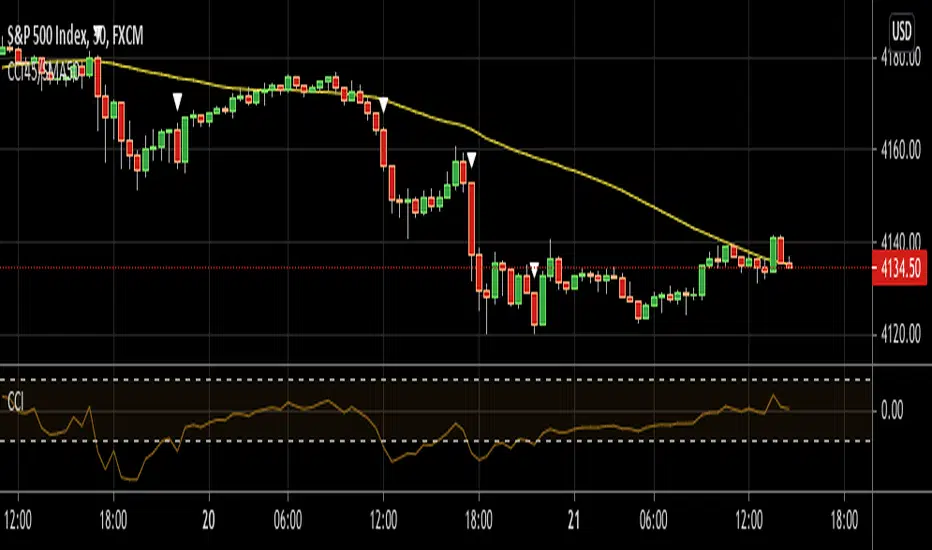
CCI Standard DeviationCCI Standard Deviation – Asymmetric Volatility-Adjusted Trend Filter (CCI SD)
The Commodity Channel Index (CCI), created by Donald Lambert in 1980, measures how far the typical price deviates from its statistical average to identify cyclical momentum and trend strength.
The standard formula is:
CCI = (Typical Price − SMA(Typical Price, n)) / (0.015 × Mean Deviation)
where Typical Price = (High + Low + Close)/3.
CCI is unbounded and centered around zero: sustained readings above zero indicate bullish momentum, below zero bearish. Classic interpretations often use zero-line crosses or fixed levels (±100, ±200, ±250), but these can be unreliable when CCI volatility changes across market regimes.
This indicator was developed to create a more disciplined trend-following tool that aligns with my core risk principle: “always protect to the downside.”
Starting from the standard CCI zero-line concept for trend direction, I experimented with standard deviation bands to make the oscillator volatility-adjusted. I then applied deliberate asymmetry: requiring the lower 1σ envelope (CCI − stdev) to cross above a positive threshold for bullish confirmation (high-probability entry only in robust trends), while exiting immediately on any raw CCI weakness below a negative threshold (quick downside protection). User inputs for both thresholds were added to allow fine-tuning and adaptability across different assets and timeframes.
An optional DEMA-smoothed version of the lower envelope provides additional clarity when desired.
Extreme zones
raw CCI ±240 and lower envelope > 200 or < –200 - are highlighted with background shading to flag rare acceleration or capitulation phases.
How it works
Standard CCI calculated on typical price (default length 38).
Rolling standard deviation of the CCI itself (default length 13) measures the oscillator’s recent volatility.
Lower envelope = CCI − stdev (dn).
Optional DEMA smoothing (default length 12) can be toggled.
Trend logic:
Bullish regime only when lower envelope
→ Long Threshold (default +10)
→ statistical proof of strength
Bearish/neutral immediately when raw CCI
→ Short Threshold (default –25)
→ fast downside protection
Origin and development
The indicator emerged from wanting a cleaner, more reliable CCI for trend direction. After testing volatility-adjusted versions, the asymmetric design proved superior:
it enters only high-conviction uptrends and exits rapidly on weakness, significantly reducing whipsaws while preserving trend capture.
Parameters were optimized through extensive backtests on major assets (BTC, ETH, SOL and many more Cryptos; Magnificent 7 stocks, QQQ, SPX, gold).
The defaults were selected for the best average Sortino ratio and lowest maximum drawdown across this broad universe, ensuring robustness and avoiding single-asset overfitting.
How to use it
Green triangle below bar
→ lower envelope crosses above Long Threshold
→ high-conviction bullish trend confirmed
→ enter or add to longs
Magenta triangle above bar
→ CCI crosses below Short Threshold
→ exit longs or go cash/short
While lower envelope remains above Long Threshold
→ hold bullish positions
Extreme background shading (dn >200 or CCI ±240)
→ rare high-attention zones (potential acceleration or exhaustion)
Recommended defaults
CCI length: 38
SD length: 13
Long threshold: +10
Short threshold: –25
Optional MA length: 12 (DEMA of lower envelope)
All visual elements (bar coloring, signals, background, smoothed line) are toggleable for personal preference.
This indicator is designed as a trend-strength and risk-management filter and is not intended as a standalone trading system.
Disclaimer:
This is not financial advice. Backtests are based on past results and are not indicative of future performance.
Relative Strength vs S&P 500 (SPX/ES) Relative Strength vs S&P 500
This indicator measures the relative performance of an asset compared to the S&P 500, helping traders and investors identify whether an asset is outperforming or underperforming the broader market.
The calculation is based on a price ratio between the selected asset and the S&P 500, optionally normalized to a base value (100) for easier interpretation.
How to read it:
Above the baseline (100) → the asset is outperforming the S&P 500
Below the baseline (100) → the asset is underperforming the S&P 500
Rising line → strengthening relative performance
Falling line → weakening relative performance
Why it’s useful:
Helps focus on market leaders, not just assets that “look cheap”
Filters trades and investments in the direction of relative strength
Useful for swing trading, long-term investing, and portfolio allocation
Widely used in institutional and professional asset management
This indicator is best used as a trend and selection filter, in combination with technical setups (support/resistance, VWAP, structure).
deKoder | Business Cycle vs BitcoinThis indicator overlays Bitcoin's detrended momentum with the US ISM Manufacturing PMI (a key business cycle proxy) to visually dissect the relationship between crypto cycles and broader economic health.
Inspired by ongoing debates in crypto macro analysis (e.g., "Is there a 4-year halving cycle, or is it just the business cycle?" ), it highlights potential lead-lag dynamics - challenging the popular view that PMI strictly leads Bitcoin rallies and tops.
Key Features
• BTC Momentum Wave (Yellow/Orange Line):
Detrended deviation from Bitcoin's long-term "fair value" (24-month SMA).
Formula: ((close / sma(close, 24)) * 100 - 100) * 0.15
- Positive (yellow): BTC overvalued relative to trend | bullish momentum
- Negative (orange): Undervalued relative to trend | bearish momentum
• PMI Wave (Teal/Red Line):
ISM Manufacturing PMI centered at zero (raw PMI - 50, scaled ×3 for alignment).
- Positive (teal): Expansion (>50 raw) — economic tailwinds.
- Negative (red): Contraction (<50 raw) — headwinds, often linked to risk-off in assets.
• S&P 500 Momentum (White Line, Optional):
Similar deviation for SPX, showing how equities bridge BTC's volatility and PMI's smoothness.
• Divergence Highlights (Bar & Background Colors):
- Teal/Green Zones : BTC momentum positive while PMI negative → BTC signaling early recovery (potential lead by 1-3+ months at bottoms).
- Maroon/Red Zones : BTC momentum negative while PMI positive → BTC warning of rollovers (early bear signals).
- Neutral: No color — aligned cycles.
• Overlaid SMA on Price Chart :
24-month SMA for BTC (teal when price above, red when below) — quick fair value reference.
How to Interpret: Does BTC Lead the Business Cycle?
The chart flips the common meme ( "No 4-year cycle, it's just the business cycle" ) by visually emphasising BTC's potential as a forward-looking signal .
Historical cycles (2013–2025) show:
• BTC Leads at Bottoms : E.g., 2018–2019 and 2022 troughs — BTC momentum crosses positive 2–4 months before PMI, as speculative traders price in liquidity easing/recoveries ahead of manufacturing data.
• Coincident or BTC-Led at Tops : Peaks align closely (e.g., 2017, 2021), with PMI rollovers often coinciding or slightly leading the initial BTC euphoria fade. BTC then rolls over before PMI confirms later.
• Why? Markets are anticipatory (6–12 months forward), while PMI is a lagged survey snapshot. BTC, as a high-beta risk asset, amplifies early sentiment shifts before they hit factory orders/employment.
Inputs & Customization
• BTC Source (Default: BITSTAMP:BTCUSD)
• Fair Value MA Length (Default: 24 months)
• Show S&P (Default: False)
• PMI Multiplier (Default: 3.0)
• BTC Momentum Multiplier (Default: 0.15)
• Cap BTC Momentum at ±100 (Default: True)
• Toggle Early Cross Arrows, Bar/Background Deviation Colors, Difference Histogram
Bull/Bear vs Base vs Index (% Change Spread)Visualizes the performance gap ("Beta Decay") between 3x Leveraged ETFs (SOXL/SOXS) and their underlying sector (SOXX), relative to the S&P 500 (SPY).
This indicator is designed for traders who trade leveraged products (like SOXL/SOXS, TQQQ/SQQQ) and need to see true relative strength beyond simple price action.
It calculates the percentage change over a user-defined lookback period for four instruments:
Base (1x): The sector benchmark (Default: SOXX).
Bull (3x): The leveraged long ETF (Default: SOXL).
Bear (-3x): The leveraged inverse ETF (Default: SOXS).
Index: The broad market zero-line (Default: SPY).
It then plots the Spread to reveal the health of the trend:
Bull Spread (Green Line): Bull % - Base %
Bear Spread (Red Line): Bear % - Base %
Base vs Index (Filled Area): Base % - SPY %
🧠 The Logic: Why Use Spreads?
In a perfectly efficient trending market, a 3x Bull ETF should move exactly 300% of the underlying asset. However, in choppy or volatile markets, volatility decay (beta slippage) causes leveraged ETFs to underperform mathematically.
Positive Spread: The leveraged ETF is successfully capturing momentum (The "Sweet Spot").
Negative Spread: The leveraged ETF is suffering from drag or the underlying asset is chopping.
📈 Recommended Trading Plan
Note: This indicator works best as a filter for entry conditions, not a standalone signal. Always use proper risk management.
Strategy A: The "Clean Trend" (Momentum)
Goal: Enter a 3x position only when volatility drag is minimal.
1. Bull Signal:
Condition 1: The Base vs Index (Area) is Green (Sector is outperforming SPY).
Condition 2: The Bull Spread (Green Line) is Positive (> 0).
Why: This confirms the sector is strong AND the 3x ETF is amplifying that move efficiently without decay eating the profits.
2. Bear Signal:
Condition 1: The Base vs Index (Area) is Red (Sector is lagging SPY).
Condition 2: The Bear Spread (Red Line) is Positive (> 0).
Why: This confirms the sector is crashing and the Bear ETF is successfully capturing the downside momentum.
Strategy B: The "Decay Avoidance" (Cash is King)
Goal: Avoid leveraged funds during chop.
Condition: If BOTH the Bull Spread and Bear Spread are Negative (< 0) (below the zero line).
Action: Stay in Cash or trade the 1x underlying (SOXX) only.
Why: When both spreads are negative, it mathematically proves that the market is too choppy for leverage. Both the Long and Short leveraged funds are losing value relative to the underlying asset.
Features:
Pine Script® v6: Updated for the latest engine performance and visuals.
Dashboard Table: Real-time percentage spreads displayed directly on the chart (customizable position).
Fully Customizable: Works on any sector (e.g., set inputs to QQQ/TQQQ/SQQQ for Tech).
Disclaimer:
Trading leveraged ETFs involves significant risk. This script is for educational purposes only.
Williams %RDescription
This is a modified version of the classic Williams %R oscillator, adapted for markets with defined trading sessions (e.g., FTSEMIB, DAX, US stocks, etc.). It adjusts the lookback period based on the actual trading session length, making it more accurate on intraday timeframes.
Key Features
Session Adjustment:
Automatically scales the period to trading days (default: 8.5 hours for FTSEMIB, DAX, CAC; customizable for any market).
Formula (classic Williams %R):
%R = 100 × (Close - Highest High) / (Highest High - Lowest Low)
over a user-defined period (default 14 days).
Standard Levels:
-20 (overbought)
-50 (middle line)
-80 (oversold)
Visual Enhancements:
- Customizable colors for the line, levels, and background fill
- Shaded overbought/oversold zone
How to Use:
Overbought (above -20):
Potential sell signal or reversal (especially after a prolonged uptrend).
Oversold (below -80):
Potential buy signal or reversal (especially after a downtrend).
Divergences:
Look for bullish/bearish divergences between price and %R for early reversal warnings.
Best Markets:
Indices (FTSEMIB, DAX, SPX), stocks, futures. For 24/7 markets (crypto), set session duration to 24 hours.
Timeframes:
Works on intraday (15m, 1h, etc.) and daily charts.
Customization Tips:
- Adjust the period (shorter = more sensitive, longer = smoother).
- Change session duration for different markets.
- Customize colors to match your chart theme.
Note: Williams %R is a momentum oscillator and should be used in combination with other tools (trendlines, support/resistance, volume). Always practice proper risk management.
Volume OscillatorDescription
The Volume Oscillator measures the momentum of trading volume by calculating the percentage difference between a fast and a slow Simple Moving Average (SMA) of daily volume. It helps traders identify periods of increasing or decreasing market participation, often signaling potential trend strength or exhaustion.
Key Features:
Adaptive to Trading Session:
Automatically adjusts SMA periods based on the actual trading session length (default: 8.5 hours for FTSEMIB, customizable for any market — e.g., 6.5h for US stocks, 24h for crypto).
Fast & Slow SMAs:
Compares a short-term SMA (default 10 days) with a longer-term SMA (default 25 days) of volume.
Oscillator Formula:
100 × (Fast SMA / Slow SMA - 1)
→ Positive values = increasing volume momentum (bullish)
→ Negative values = decreasing volume momentum (bearish)
Signal Line (optional):
A moving average of the oscillator (default 7 days) for smoother trend identification and crossover signals.
Overbought/Oversold Levels:
User-defined horizontal lines (default +40 / -40) to highlight extreme volume conditions.
Customizable Colors:
Change the oscillator and signal line colors to match your chart style.
How to Interpret:
Bullish Conditions:
Oscillator crosses above the zero line
Oscillator crosses above the signal line
Readings near or above +40 may indicate strong buying pressure (watch for possible exhaustion if too extreme)
Bearish Conditions:
Oscillator crosses below the zero line
Oscillator crosses below the signal line
Readings near or below -40 may indicate selling pressure or capitulation
Divergences:
Look for divergences between price and the Volume Oscillator (e.g., price makes new highs but oscillator fails to confirm with higher highs) — a classic sign of weakening momentum.
Best Use Cases:
Indices (FTSEMIB, DAX, CAC, SPX, etc.), stocks and futures with defined trading hours, crypto (set session duration to 24 hours).
Works well on intraday (e.g., 15m, 30m, 1h) and daily charts.
Customization Tips:
- Shorten fast/slow lengths for faster signals (more noise)
- Lengthen them for smoother, longer-term analysis
- Adjust session duration for non-standard market hours
- Enable/disable the signal line in the settings
Note: Volume data quality can vary by symbol and exchange. Always combine this indicator with price action and other tools. Use proper risk management.
Relative StrengthDescription
Relative Strength between a stock and a reference index (e.g., Intesa San Paolo vs. FTSEMIB).
This indicator calculates the Relative Strength (RS) as either a simple ratio of the base symbol's close to the comparative symbol's close, or as a normalized ratio over a lookback period. It helps identify the relative performance of a stock against an index, which can signal intermediate trends when the RS is above its moving average.
Key features:
- Input for comparative symbol (default: FTSEMIB).
- Option to toggle between simple ratio or ratio-over-time calculation.
- Adjustable lookback period for the ratio-over-time method.
- Optional display of a moving average on the RS line for trend analysis.
Use it to compare a stock's strength to the market—rising RS may indicate outperformance.
Script Overview
This is a Relative Strength (RS) indicator for TradingView (written in Pine Script version 5).
It compares the price performance of the current chart's symbol (e.g., a stock like Intesa San Paolo) against another symbol you choose (by default, the Italian index FTSEMIB).
The goal is to show whether the stock is outperforming or underperforming the reference index.
User Inputs (configurable in the settings panel)
Comparative Symbol Default: FTSEMIB
You can change it to any other ticker (e.g., SPX, DAX, etc.).
Calculate RS as simple ratio (true) or ratio over time (false)?
true (default): Simple ratio → current close of stock ÷ current close of index.
false: Ratio of returns over a lookback period (more normalized, less affected by absolute price levels).
Lookback Period (default 40 - weeks)
Only used when the above option is set to false.
Defines how many bars back to calculate the price change.
Show Moving Average (default off)
Optionally overlays a simple moving average on the RS line.
Moving Average Period (default 40 - weeks)
Length of the SMA when the MA is enabled.
Typical Use CaseTraders often look for:
Rising RS line → the stock is gaining strength vs. the index.
RS crossing above its moving average → potential bullish signal for relative performance.
Declining or falling RS → the stock is weakening vs. the broader market.
In summary, this is a clean and flexible relative strength comparator that lets you quickly visualize how strongly (or weakly) a stock is performing compared to a benchmark index, with two different calculation methods to suit different analytical preferences.