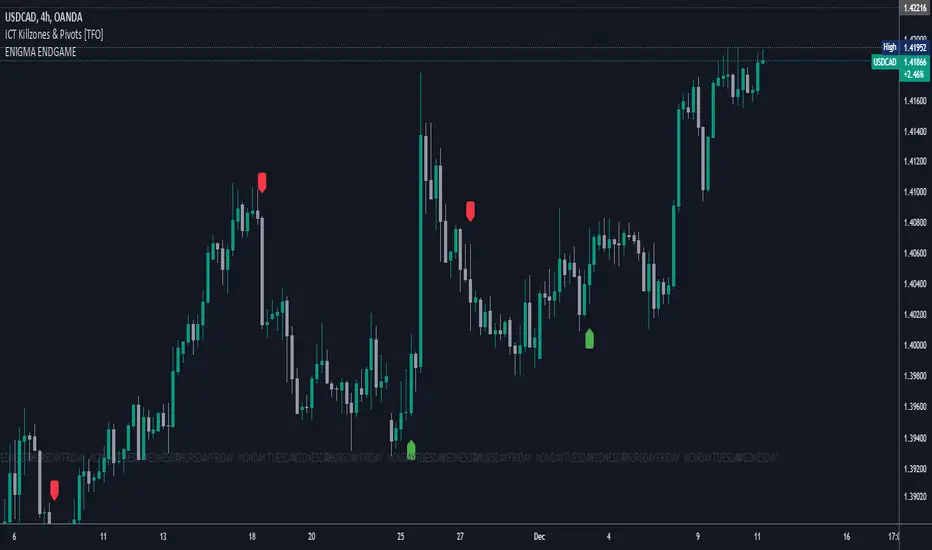
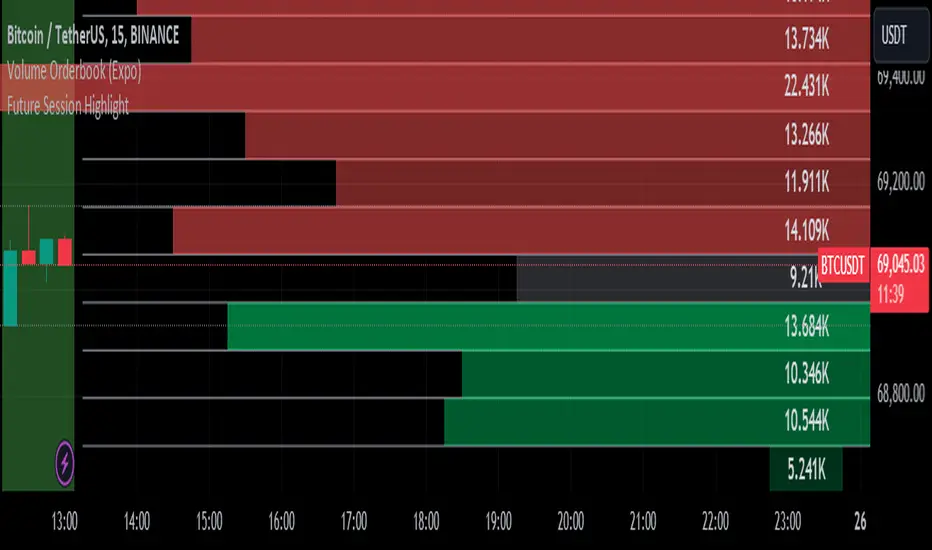
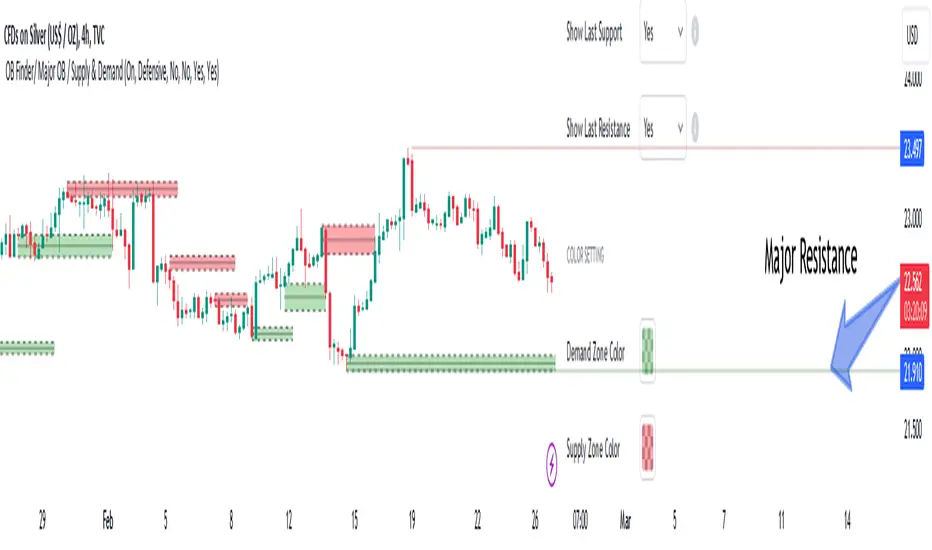
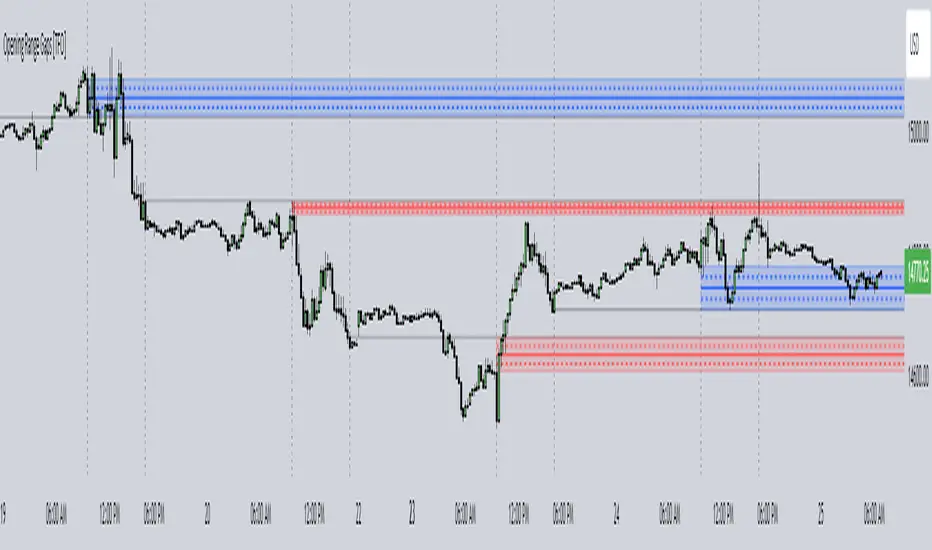
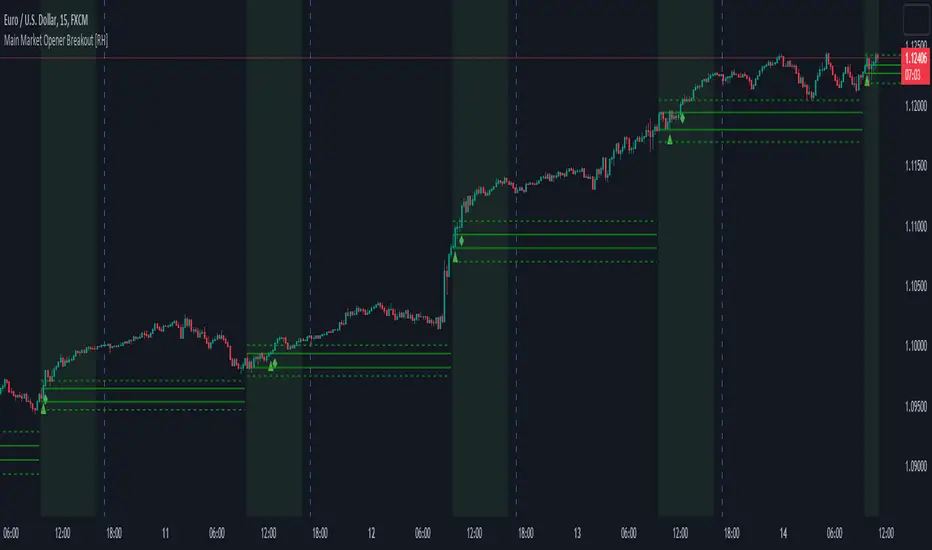
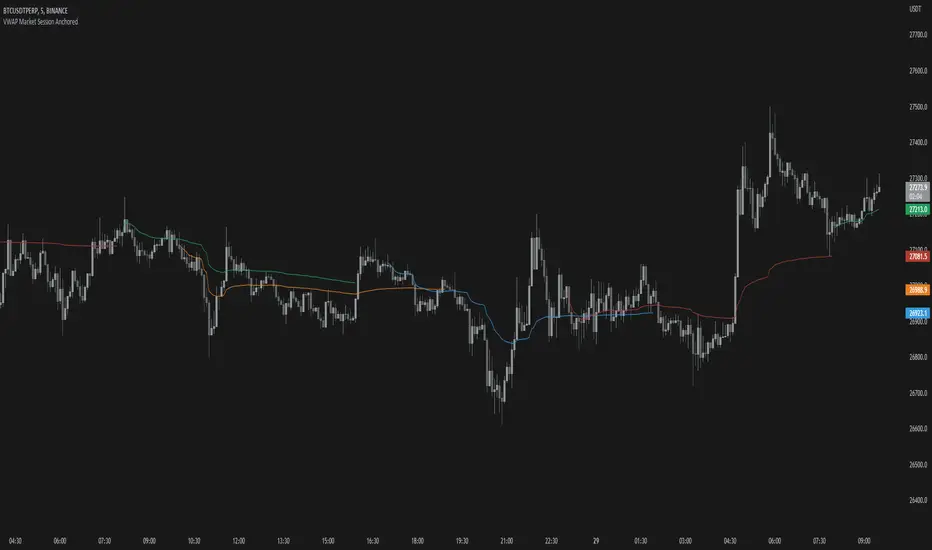
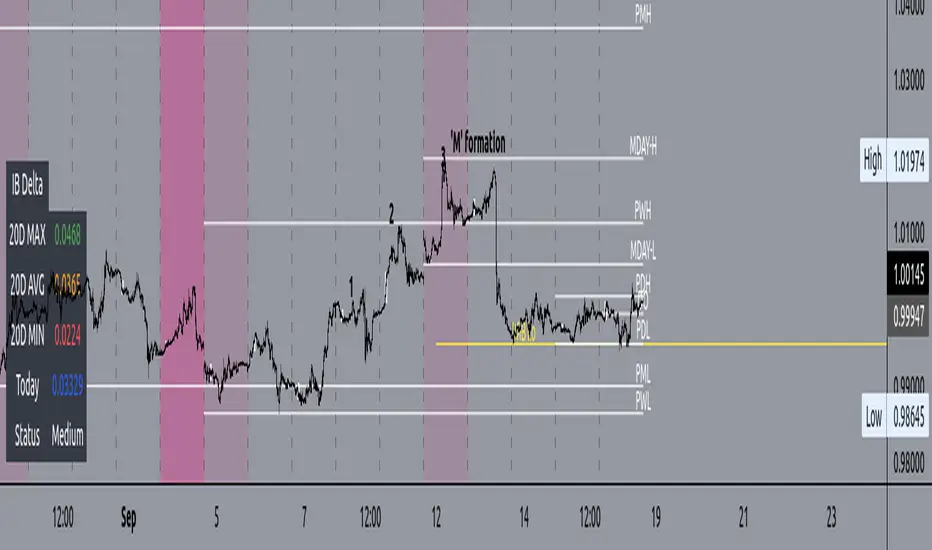
CM Time Based Vertical LinesCM Time Based Lines
Requested by codetrader to Visually Show Day Change on Intra-Day Charts.
Custom Indicator: Ability To Plot Recurring Time Lines On Chart!
Example of Uses:
Plot Lines at Midnight to Show Daily Change.
Plot Lines at Opening of Different Sessions.
Plot Lines at Opening and Closing of Sessions.
Plot Lines Every 4 Hours (Forex) To See 4-Hour Price Action!
Ability to Change Times!
Ability to Plot Up To 6 Recurring Time Based Lines!
Plus Many Other Uses!
Ability To Turn On/Off Any of the 6 Customizable Lines in Inputs Tab!
Ability To Change Thickness of Lines to Cover Multiple Bars!
ค้นหาในสคริปต์สำหรับ "sessions"
4MAs+5VWAPs+FVG+ Fractals4MAs + 5VWAPs + FVG + Fractals
All-in-one market structure indicator combining 4 moving averages, 5 VWAP timeframes, fair value gaps, fractals, and order blocks.
🔧 Features:
· 4 MAs - SMA/EMA, customizable lengths & colors
· 5 VWAPs - Daily, Weekly, Monthly, RTH, Custom sessions
· Fractals - Market structure with breakout lines & custom colors
· FVG/Imbalances - Bullish/bearish gap detection with alerts
· Order Blocks - Dynamic institutional levels
· Smart Labels - VWAP labels with color matching
⚙️ Quick Setup:
1. Toggle groups in Master Control Panel
2. Customize colors for each component
3. Set sessions for RTH/Custom VWAP
4. Adjust fractal periods (default: 2)
📈 Trading Use:
· Identify market structure with fractals
· Find confluence at VWAP + MA levels
· Trade FVG fills and order block reactions
· Multiple timeframe analysis with 5 VWAPs
Customizable • Color-Coordinated • Performance Optimized
Gold Futures Prop-Firm Strategy (GC) 1-18-2026Overview
This is a long-only, session-based, multi-regime trading strategy designed specifically for Gold futures (GC / GC1!) on intraday timeframes (typically 5–15 minutes).
The strategy aims to capture high-probability moves during the New York and Asian sessions while avoiding major economic news events and enforcing strict daily risk limits — making it suitable for prop firm challenges (e.g. FTMO, FundedNext, Apex, etc.) that require consistent profitability, limited drawdown, and disciplined risk management.
Core Philosophy
Trade longs only (shorts were removed after analysis showed they were consistently unprofitable)
Different logic depending on session and market regime (trending vs ranging)
Heavy filtering using trend strength (ADX), volume confirmation, EMA alignment, Bollinger Bands, and RSI
Strict position sizing, daily loss cap, per-session trade limits, and news blackout periods
Trailing stop mechanism to let winners run while protecting against reversals
Trading Sessions & Time Windows (Eastern Time)
NY Session: 08:30 – 15:00 ET
NY AM (trend/breakout zone): 08:30 – 11:30 ET
NY PM (mean-reversion zone): 11:30 – 15:00 ET
Asia Session (mean-reversion zone): 18:00 – 02:00 ET
News blackouts: short windows around high-impact releases (CPI/NFP, ISM/Fed, FOMC)
Entry Logic (Long Only)
NY AM – Trend Following & Breakouts (strongest trend filter)
ADX > 30 (strong trend)
Price above 200 EMA (bull regime)
Fast EMA (21) crosses above Slow EMA (55) or breakout above 20-bar high
Volume spike (> 1.4 × 20-period SMA)
Max 2 trades per NY session per day
NY PM & Asia – Mean Reversion
ADX ≤ 30 (ranging market)
Price below lower Bollinger Band (20, 2.0)
RSI < 25 (deep oversold)
No volume filter required here
Max 2 trades per Asia session per day
Risk Management Rules
Position size: Fixed 1–2 contracts (user selectable)
Initial stop: 1.7 × ATR(14) below entry (tightened from original)
Trailing stop:
Activates after price moves +1.0 × ATR in profit
Trails by 1.0 × ATR (locked-in profits aggressively)
Daily loss limit: -$600 (stops all trading for the day once hit)
No trading during defined news windows
Pyramiding disabled (only one position at a time)
No short entries (removed after backtest analysis)
Indicators Used
EMA 21 / 55 / 200 (trend direction & filter)
ATR(14) × 0.85 (volatility base)
ADX(14) threshold 30 (strong trend confirmation)
Bollinger Bands (20, 2.0) for mean-reversion entries
RSI(14) with oversold < 25
Volume spike filter (1.4× SMA) for trend/breakout entries
20-bar highest high / lowest low for breakout detection
Visual Elements on Chart
Fast (blue), Slow (orange), and Filter (red) EMAs
Bollinger Bands (gray, semi-transparent fill)
Background coloring:
Red tint during news blackout periods
Purple tint when daily loss limit is hit
Intended Use Case
Prop trading firm evaluation accounts
Conservative intraday gold trading
Focus on high-quality long setups in trending (NY AM) and mean-reverting (Asia/PM) environments
Goal: positive expectancy with controlled drawdown, suitable for passing drawdown and profit targets
ZigZag Volume Profile [Honestcowboy]The ZigZag Volume Profile Indicator is a combination of 2 very popular trading indicators, the volume profile and zigzag indicator. Instead of using predetermined sessions like traditional volume profile analysis. This indicator expands on zigzag indicators "legs" and draws a volume profile inside each zigzag leg.
What is a Volume Profile?
"Technical analysis tool showing trading volume at specific price levels, creating a horizontal histogram on the side of a chart to reveal areas of high buying/selling interest, unlike traditional volume bars showing volume over time. Key elements include the Point of Control (POC) for most traded price, the Value Area (VAH/VAL), identifying crucial support/resistance, and analyzing profile shapes (like D, B, P) to understand market balance and potential price targets, used by professionals to spot liquidity and market structure."
Key Differences
Does not have a value area but distinguishes each column in relation to the biggest column in percentage terms.
Does not take sessions into account instead using zigzag legs
🟦 CALCULATION
The zigzag volume profile first builds a standard zigzag indicator to find structure in the market. Using pivot points and a minimum % price move threshhold.
Then once it knows the zigzags it will use each leg as a time window to calculate a volume profile inside.
🔹Coloring each column:
The script will find the biggest column in the Profile and use that as a reference for all other columns. It will then decide for each column individually how big it is in % compared to the biggest column. It will use that percentage to decide which color to give it, top 20% will be red, top 40% purple, top 60% blue, top 80% green and all the rest yellow. The user is able to adjust these numbers for further customisation.
🟦 USAGE
The idea behind this indicator is, if you look at markets as different legs (moves) going in a zigzag pattern you might want to look deeper inside your previous moves and see where the actual liquidity/volume was during that move. The hypothesis here is you build trade ideas based on zigzags but then use the volume profiles.
Since volume and market structure are very well known concepts to discretionary traders I'm hoping this indicator might give some different perspective on this relation and help people create a trading approach based on it. Here's some quick cherry picked examples, just as a proof of concept:
🟦 SETTINGS
🔹ZIGZAG SETTINGS
Price Deviotion % : This is the minimum price move in % term from last pivot price needs to move to form a new pivot for the zigzag.
Pivot Legs (Left/Right): The amount of bars a high or a low needs to be higher/lower than to the left and right of the bar. 10 By default to create medium term zigzag
🔹Volume Profile
Profile Rows: The amount of rows in Y axis the zigzag is going to be sliced into to create the volume profile. Higher number is more detailed volume profile but also uses more box objects which is maxed at 500. 25 by default
Profiles to Display: The amount of volume profiles the indicator will draw back in time. Higher number means more history but also longer loading time. 20 by default
🔹Visual Settings
This part is pretty self explanatory and you have can manually select the colors used to create the volume profile. Refer back the the explanation about the "🔹coloring each column" section.
VWAP MTF 5-BandVWAP MTF Suite
Overview
The MTF Institutional VWAP Suite is a high-performance, multi-timeframe analysis tool designed for professional traders who require precise structural anchors. Built on the latest Pine Script v6 engine, this indicator allows for the simultaneous tracking of up to five independent VWAPs, each with its own volatility bands and customizable reset logic.
Unlike standard VWAP indicators that are limited to daily sessions, this suite provides institutional "magnets" across multiple horizons, allowing you to visualize where high-volume participants are positioned on a Daily, Weekly, Monthly, or Intraday basis.
Key Features
5 Independent VWAP Engines: Run up to five unique VWAPs concurrently without chart lag.
Multi-Timeframe Anchoring: Choose from hard-coded institutional pivots: Month, Week, Day, 12-Hour, 4-Hour, and 1-Hour.
Institutional Volatility Bands: Each VWAP includes an optional 1-Standard Deviation band calculated using cumulative variance logic for maximum precision.
Advanced UI Controls: Granular toggles for each instance allow you to display only the center line, only the bands, or the full shaded "value area" for any specific timeframe.
Modern Pine v6 Architecture: Utilizes the latest 2026 Pine Script optimizations, including method chaining and global-scope plot execution for a bug-free experience.
How to Use
Identify Value Clusters: When multiple VWAPs (e.g., Daily and Weekly) converge at a single price point, it creates a high-probability "Institutional Pivot" zone.
Mean Reversion: Use the 1-Standard Deviation bands to identify overextended price action. Institutional algorithms often mean-revert toward the VWAP when price reaches the exterior bands in a low-volatility environment.
Trend Confirmation: Use the slope and position of the 4-Hour or Daily VWAP to determine intraday bias. Trading above a rising VWAP confirms a "Long Gamma" or bullish trend.
Settings
Anchor Selection: Defines the starting point of the volume-weighted calculation.
Bands & Fill Toggles: Quickly clean up your chart by hiding the volatility bands or the background shading for specific timeframes.
Visual Customization: Full control over center line colors, global band colors, and label offsets to prevent text overlap on the right-hand scale.
Developer Notes
This script was optimized for the 2026 TradingView environment. It uses a custom variance-tracking function rather than the basic built-in ta.vwap to ensure that standard deviation bands remain mathematically accurate even when crossing multiple sessions or weekend gaps.
ICT iFVG Detector + Checklist + Killzones & Pivots (Merged)ZOE IFVG + Sessions + CISD (Multi-Timeframe) is an all-in-one ICT-style toolkit designed to simplify bias, timing, and execution by combining the most important market delivery concepts into one indicator.
This script merges:
🔥 1) IFVG (Inversion Fair Value Gaps)
Automatically detects and draws Inversion Fair Value Gaps
Helps highlight high-probability reversal / continuation delivery zones
Clean visual zones for entries + mitigation-based logic
⏰ 2) ICT Sessions / Killzones & Pivots
Fully integrated from the open-source ICT Killzones & Pivots toolset:
Asia, London, NY AM, NY Lunch, NY PM Killzones
Session high/low pivot lines + optional midpoint lines
Opening price lines and timestamp markers
Optional Day/Week/Month open + previous highs/lows
Day-of-week labels + session range table
This helps you time entries based on where you are in the day, and identify session liquidity levels that price reacts to.
📌 3) CISD (Change In State of Delivery) — Multi-Timeframe
Detects CISD levels using body-based market structure logic
Marks bullish and bearish CISD levels cleanly on chart
Adaptive Market Structure Channel By S B PrasadAdaptive Market Structure Channel (AMSC)
Institutional-Grade Trend, Volatility & Liquidity Framework
Overview
The Adaptive Market Structure Channel (AMSC) is a multi-engine, adaptive trading framework designed to read market structure, volatility, liquidity, and trend strength in real time.
It integrates ATR-based channels, pivot structure, supply–demand zones, liquidity sweeps, multi-factor momentum, and higher-timeframe confirmation into a single, coherent visual system.
AMSC is not a single-indicator strategy.
It is a context-driven decision framework intended to help traders align entries with dominant trend, structural levels, and institutional activity.
Core Components
1️⃣ Adaptive ATR Trend Channel
Dynamic ATR-based support & resistance
Automatically adjusts to volatility
Color-coded trend strength (strong / weak regimes)
Acts as the primary trend bias filter
2️⃣ Pivot-Based ATR Trend Channels
Channels built from confirmed pivot highs and lows
ATR-expanded structure, not fixed slopes
Separates impulse moves from corrections
Useful for trend continuation and pullback trades
3️⃣ Market Structure: Supply & Demand Zones
Automatically plots fresh demand and supply zones
Zones extend forward until violated
Helps identify high-probability reaction areas
Used as a location filter, not a standalone signal
4️⃣ Liquidity Sweep Detection (Smart Money Logic)
Identifies equal high / equal low liquidity pools
Detects stop-hunt style sweeps
Validates sweeps only when price reacts from structure zones
Prevents chasing false breakouts
5️⃣ Multi-Factor Trend Confirmation Engine
Combines:
EMA structure
MACD momentum
RSI regime
VWAP positioning
Optional ribbon & HMA filters
Signals are generated only when a majority of factors align, avoiding single-indicator bias.
6️⃣ Volatility Context (Bollinger Bands)
Provides volatility expansion / contraction context
Helps distinguish trend continuation vs compression
Works as a background regime filter
7️⃣ Higher Timeframe Confirmation
Confirms trend using a user-selected HTF
Prevents counter-trend trades during strong HTF bias
Essential for intraday and swing traders
8️⃣ Session-Aware Trading
Optional India, London, and New York session filters
Signals only during active market participation
Avoids low-liquidity false signals
9️⃣ Professional Dashboard
Real-time display of:
Trend direction
Trend strength
Factor alignment
HTF bias
Active zone
Trade signal
Session status
Designed for quick decision-making, not clutter.
How to Use AMSC (Best Practice)
✔ Trade in the direction of the ATR trend
✔ Enter near demand/supply within the channel
✔ Confirm with factor alignment & HTF bias
✔ Use liquidity sweeps as entry triggers, not signals alone
✔ Avoid trades during low-strength or inactive sessions
AMSC performs best when used as a confluence system, not a mechanical entry-exit robot.
Ideal Use Cases
Intraday index trading
Swing trading in trending markets
Futures & FX structure-based trading
Traders who prefer context over indicators
What AMSC Is NOT
❌ Not a scalping toy
❌ Not a repainting indicator
❌ Not a one-click signal generator
It is built for disciplined traders who understand structure and risk.
Final Note
AMSC is designed to think like the market, not predict it.
Use it to read conditions, not chase signals.
MSC — BEST CLEAN SETUP (RECOMMENDED)
🎯 Design Philosophy
“Context first, signals last.”
The goal is to:
Read trend & structure at a glance
Avoid indicator overload
Let price + zones + channel do the heavy lifting
1️⃣ CORE VISUALS (KEEP ON)
These are non-negotiable.
🔹 Adaptive ATR Trend Channel
✅ ON
Primary trend bias
Use ATR Trendline Color = ON
This alone defines:
Bull vs Bear
Strength vs weakness
👉 If price is above channel → bullish context
👉 If price is below channel → bearish context
🔹 Pivot ATR Trend Channel
✅ ON
Channel fill: ON
Transparency ≥ 85
Purpose:
Visualise trend slope
Spot pullbacks inside trend
👉 Treat channel edges as dynamic structure, not entry signals.
🔹 Supply & Demand Zones
✅ ON
Transparency: 80–85
Zones auto-expire visually when violated
👉 These are your only horizontal levels.
2️⃣ SMART FILTERS (SELECTIVE)
💧 Liquidity Sweep
✅ ON
Lookback: 5
Tolerance: 0.15 ATR
👉 Use sweeps only near zones
❌ Ignore sweeps in the middle of nowhere
⏱ Session Filter
✅ ON
Trade only one session
India (for NSE)
London (for FX)
New York (for US indices)
❌ Do NOT enable multiple sessions simultaneously
🔍 Higher Timeframe (HTF)
✅ ON
Intraday: Daily
Swing: Weekly
👉 If HTF disagrees → no trade
3️⃣ WHAT TO TURN OFF (CRITICAL)
This is where clutter dies.
❌ Bollinger Bands
🚫 OFF by default
Use only when studying volatility compression
Otherwise adds visual noise
❌ Full ATR Channel (Ver 15)
🚫 OFF
Redundant with pivot + ATR trend
Keep only one channel logic
❌ SuperTrend Channel
🚫 OFF
ATR Trend Channel already covers this
❌ Pivot Levels (P, R1, S1…)
🚫 OFF
Zones replace static pivots
Too many horizontal lines = paralysis
❌ Previous Day / Week Levels
🚫 OFF
Turn ON only for index option trading
Otherwise clutter
4️⃣ MOVING AVERAGES (STRICT RULE)
Keep ONLY:
EMA Fast (9)
EMA Slow (21)
Optional:
HMA → ON only for scalping
❌ Do NOT stack multiple MAs visually
5️⃣ DASHBOARD (MINIMAL MODE)
🧭 Dashboard
✅ ON
Position: Top Right
Text Size: Small
Watch only:
Trend
Strength
HTF
Zone
Signal
Ignore factor numbers once confidence develops.
6️⃣ SIGNAL USAGE (DISCIPLINE RULE)
✔ Signal must appear inside a zone
✔ Signal must align with trend & HTF
✔ Signal must be during session
❌ Never take:
Signals mid-channel
Signals against HTF
Signals during flat strength (<30%)
7️⃣ RECOMMENDED PRESETS (COPY THIS)
🔹 Intraday (Clean)
Timeframe: 5m / 15m
HTF: Daily
Session: India / NY
BB: OFF
Full ATR: OFF
SuperTrend: OFF
Pivots: OFF
🔹 Swing (Ultra Clean)
Timeframe: 1H / 4H
HTF: Weekly
Liquidity: ON
Zones: ON
Dashboard: ON (small)
8️⃣ GOLDEN RULE (MOST IMPORTANT)
If you cannot explain the trade using only:
Trend channel
One zone
One sweep
Do not trade it.
🏁 FINAL VERDICT
AMSC is not cluttered by design.
Clutter comes from turning everything ON.
Used correctly:
The chart stays clean
Decisions become obvious
Overtrading disappears
AMSC – TRADE EXECUTION RULEBOOK
Framework rule:
Trend → Structure → Liquidity → Entry → Risk → Exit
1️⃣ MARKET PRE-CONDITIONS (MANDATORY)
❌ NO TRADE unless ALL are TRUE
✅ Trend Filter
ATR Trend Channel = Bull for longs / Bear for shorts
Trend strength ≥ 40%
Price must be on the correct side of the channel
✅ HTF Confirmation
HTF bias must match LTF trend
If HTF is neutral → NO TRADE
✅ Session Filter
Trade only during active session
No first 5 minutes after session open
No last 15 minutes before session close
2️⃣ LOCATION RULE (MOST IMPORTANT)
🔹 Long Trades
Price must be inside or just above a DEMAND zone
Zone must be:
Fresh (not tested more than twice)
Within the Pivot ATR Channel
🔹 Short Trades
Price must be inside or just below a SUPPLY zone
Same freshness rules apply
❌ No zone → no trade
3️⃣ LIQUIDITY CONFIRMATION (ENTRY TRIGGER)
🔹 Long Entry Trigger
At the demand zone, you must see:
✔ Sell-side liquidity sweep
✔ Sweep candle closes bullish
✔ Sweep occurs inside the zone
🔹 Short Entry Trigger
At the supply zone, you must see:
✔ Buy-side liquidity sweep
✔ Sweep candle closes bearish
✔ Sweep occurs inside the zone
4️⃣ ENTRY RULE (EXECUTION)
🔵 LONG ENTRY
Enter BUY when all conditions align and:
Enter at:
Close of the sweep candle OR
50% retrace of the sweep candle (preferred)
🔴 SHORT ENTRY
Enter SELL when:
Enter at:
Close of the sweep candle OR
50% retrace of the sweep candle
5️⃣ STOP-LOSS RULES (NON-NEGOTIABLE)
🔻 Long SL
Place SL at:
Lowest point of the demand zone
OR
Below sweep low − 0.1 ATR (whichever is lower)
🔺 Short SL
Place SL at:
Highest point of the supply zone
OR
Above sweep high + 0.1 ATR (whichever is higher)
❌ Never trail SL early
❌ Never move SL to break-even before partial exit
6️⃣ POSITION SIZE (FIXED RISK ONLY)
Risk per trade: 0.5% – 1% max
If SL distance is large → reduce position size
Do not widen SL to fit position
7️⃣ EXIT RULES (STRUCTURED)
🎯 TARGET 1 (T1 – Protection)
At 1R
Action:
Book 50%
Move SL to Break-Even
🎯 TARGET 2 (T2 – Structure)
Next opposite zone
OR
Pivot ATR Channel mid-line
Book 30%
🎯 FINAL EXIT (TREND FOLLOW)
Exit remaining 20% when:
✔ Opposite liquidity sweep occurs
✔ Price closes beyond Pivot ATR Channel
✔ HTF bias flips
✔ Session ends
8️⃣ NO-TRADE CONDITIONS (ABSOLUTE)
❌ Trend strength < 30%
❌ Zone already tested 3+ times
❌ Liquidity sweep outside zone
❌ Entry candle is oversized (>1.8 ATR)
❌ Trade against HTF
❌ Emotional or revenge trade
9️⃣ ONE-SCREEN TRADE CHECKLIST
Before clicking BUY/SELL:
✔ Trend aligned
✔ HTF aligned
✔ In session
✔ At zone
✔ Sweep confirmed
✔ SL defined
✔ R ≥ 2 possible
If any answer = NO → skip trade
🔒 DISCIPLINE STATEMENT (PRINT THIS)
AMSC does not pay for activity.
It pays for patience, location, and discipline.
🏁 EXPECTED PERFORMANCE (REALISTIC)
Win rate: 45–60%
R:R average: 1:2.5 to 1:4
Drawdown: low
Trade frequency: selective
Adaptive Market Structure Channel — Visual Layout
5
🧭 How to READ the Chart (Left → Right)
1️⃣ Core Trend Context (FIRST thing your eyes see)
ATR Trend Channel
Acts as dynamic support/resistance
Green = bullish regime
Red = bearish regime
No second trendline competing with it
👉 If price is on the wrong side → no trade
2️⃣ Pivot ATR Structure Channel (SECOND layer)
Sloping channel following real swing structure
Shows:
Trend acceleration
Healthy pullbacks
Channel fill is very light (high transparency)
👉 Pullbacks inside this channel are valid
👉 Breaks outside = caution / exit
3️⃣ Supply & Demand Zones (ONLY horizontal objects)
Few, wide, soft-colored zones
No pivot clutter, no fibs, no grids
👉 Trades happen only here
4️⃣ Liquidity Sweep Markers (EVENT-BASED)
Appears only near zones
Indicates stop-hunt, not entry by itself
👉 Sweep + zone + trend = setup
👉 Sweep alone = ignore
5️⃣ Dashboard (Decision Support, not distraction)
Small
Corner-placed
Shows only:
Trend
Strength
HTF bias
Zone
Signal
Session
👉 After experience, you’ll barely look at it
🚫 What You DO NOT See (Very Important)
A clean AMSC chart intentionally avoids:
Multiple moving averages
Pivot levels (P/R/S)
Too many channels
Oscillator panels
Bright fills or thick lines
If your chart looks “busy”, something is ON that should be OFF.
🧠 Mental Model (Keep This Image in Mind)
AMSC chart =
1 dynamic trend
1 structure channel
1 zone
1 liquidity event
1 decision
Anything more → clutter
Anything less → blind trading
✅ Final Visual Checklist (Before Trading)
✔ Chart background visible
✔ Candles clearly readable
✔ Zones visible but not loud
✔ Channel guides the eye
✔ Nothing overlaps price excessively
If yes → you are trading AMSC correctly
eBacktesting: MultieBacktesting: Multi is an all-in-one chart toolkit built for structured day-trading study: multi-timeframe levels, “clean” movement zones, session context, bias, candle normalization, gaps, and a powerful alert system — all from one indicator.
What it can show on your chart
1) Multi-timeframe Support/Resistance (S/R) markup
- Detects and plots S/R levels from up to 8 configurable timeframes (mix HTF + LTF).
- Optional labeling styles: Simple, Type (S/R), or Directional.
- Optional price labels next to levels.
- Levels cleanup (decongestion): hides clustered levels to keep the chart readable
- Grouping: can group timeframes that share the same level into a single line.
- Level invalidation: levels can disappear after X passthroughs (with a “getting weaker” dashed style when close to invalidation).
2) Psychological levels (round numbers)
- Automatically draws round-number lines at a practical interval (with optional manual interval control).
- Has smart defaults for common markets (e.g., indices, BTC, metals).
3) Levels heatmap
- Shows level density as shaded “pressure areas”: areas where an agglomeration of S/R levels are present
- Can be simple or persisted (so you can study where price repeatedly reacts)
4) Repeated levels highlight
- Highlights “same area again” levels using a tolerance setting.
- Can require same direction (support with support / resistance with resistance) or allow any direction.
5) LTAs (Low Traffic Areas)
- Marks “air pockets” between levels where price can travel fast.
- Can be built from:
- S/R spacing (between detected levels), or
- Candle sequences (clean directional runs).
- Optional filters:
- By how “untouched” the boundary levels are (passthrough filter)
- By number of candles
- By size (points)
6) Clean zones (candle-based)
- Detects strong same-direction runs and boxes them as “clean zones” for study and backtesting practice.
7) Session Bias
- Computes a bias score from selected timeframes and shows it as a %.
- Can be weighted, inverted weight, or not weighted across timeframes (e.g. HTF candles having more weight towards bias calculation).
- Optional color coded “bias candles” overlay + option to dim weak candles so the signal is clearer.
- Alert when bias flips bullish/bearish/neutral.
8) Candles tools
- Smooth candles: removes candle gaps by drawing candles with open = previous close (useful for price action analysis).
- Ghost current candle: de-emphasizes the still-forming candle until it’s near completion (useful for not going in FOMO).
- Highlight no-wick candles: helps spot strong displacement / clean opens/closes.
- Snap candles: rounds candles to a chosen interval (ATR % or fixed), for cleaner structure reading.
- Optional candle stats: ATR & Average candle size
- Candle score: rates the last candle’s strength (body/wicks/size + context), useful for quick quality checks.
- Gaps: highlights unfilled gaps and optionally removes them once filled.
9) Sessions
- Up to 4 customizable sessions, each with its own color and optional background highlight.
- Option to hide candles outside session hours (great for focused session study).
10) Notifications
- Before session start alerts (X minutes early).
- Before session end alerts (X minutes early).
- Closing beyond detected S/R levels
- Closing beyond custom prices: type your prices (one per line)
- Proximity allowance + “advance notice” option for getting notified 30s/1m/5m before the candle closes based on your preferences
- Timer alerts (“check chart every X minutes”) with a custom message template.
eBacktesting integration (the important part)
This indicator fully integrates with the eBacktesting extension to automatically detect “important moments” during backtesting, so it can auto-pause, tag, and allow you to practice them step-by-step.
- When bias changed
- When a candle closed beyond an automatically detected S/R level
- When a candle closed beyond your custom price
- When new LTAs & clean zones are detected or invalidated
These indicator is built to pair perfectly with the eBacktesting extension, where traders can practice these concepts step-by-step. Backtesting concepts visually like this is one of the fastest ways to learn, build confidence, and improve trading performance.
Educational use only. Not financial advice.
Night Mode Session | ZeeZeeMon🇷🇺 Описание (Russian)
Night Mode Session Highlight
Night Mode Session Highlight — это визуальный индикатор, предназначенный для подсветки заданного временного диапазона на графике. Индикатор позволяет выделять ночную торговую сессию или любой другой временной интервал с помощью фоновой заливки, что упрощает анализ поведения цены в определённые часы.
Основные возможности
Подсветка выбранного временного диапазона на графике
Настройка времени сессии в формате HHMM–HHMM
Выбор таймзоны из выпадающего списка (IANA)
Настраиваемый цвет и прозрачность фоновой заливки
Корректная работа с интервалами, пересекающими полночь
Совместимость со всеми таймфреймами и инструментами
Параметры
Ночной режим (сессия) — временной интервал, который будет подсвечиваться (например, 0000-0800)
Таймзона — таймзона, относительно которой рассчитывается сессия
Цвет ночной подсветки — цвет и прозрачность фоновой заливки
Принцип работы
Индикатор проверяет, попадает ли текущий бар в заданную временную сессию с учётом выбранной таймзоны. Если условие выполняется, фон графика окрашивается выбранным цветом.
Назначение
Индикатор может использоваться для:
анализа ночной или азиатской сессии
визуального разделения торговых периодов
изучения волатильности и ликвидности в разные часы
вспомогательной визуальной фильтрации графика
Индикатор не генерирует торговых сигналов и не является торговой стратегией.
🇬🇧 Description (English)
Night Mode Session Highlight
Night Mode Session Highlight is a visual indicator designed to highlight a specific time range on the chart. It allows users to mark the night trading session or any custom time interval using background shading, making it easier to analyze price behavior during selected hours.
Key Features
Highlights a custom time session on the chart
Session time input in HHMM–HHMM format
Timezone selection via dropdown list (IANA)
Customizable background color and transparency
Correct handling of sessions crossing midnight
Works on all timeframes and instruments
Settings
Night Session — time range to be highlighted (e.g. 0000-0800)
Timezone — timezone used for session calculation
Night Background Color — background shading color and transparency
How It Works
The indicator checks whether the current bar belongs to the specified session using the selected timezone. If the condition is met, the chart background is filled with the chosen color.
Purpose
This indicator can be used for:
analyzing night or Asian trading sessions
visually separating trading periods
studying volatility and liquidity at different times
additional visual filtering of the chart
This indicator does not generate trading signals and is not a trading strategy.
Session Dominance Profile [Pointalgo]Session Dominance Profile is a visual volume-distribution tool that shows which global trading session (Asia, London, or New York) dominates price activity across different price levels within a defined historical range.
The indicator builds a horizontal volume profile using candle close prices and volume, then classifies each price level by the session that contributed the highest volume.
How It Works :
The script analyzes a configurable lookback period
Price range is divided into multiple horizontal bins
Volume is accumulated per price level
Each bin is split into three session buckets:
Asia Session (Yellow)
London Session (Blue)
New York Session (Red)
The session with the highest volume at that price level determines the color
This results in a Session-based Dominance Profile, helping traders visually identify:
Where major sessions were most active
Session-specific acceptance or rejection zones
Potential intraday and swing reaction areas
Practical Use Cases :
Identify price levels dominated by a specific session
Understand session rotation and participation
Combine with:
Market structure
Support & resistance
VWAP or moving averages
Useful for intraday, scalping, and swing trading
Inputs Explained:
Lookback – Number of historical bars used to build the profile
Resolution – Number of price bins (higher = more detail)
Fixed Width (Bars) – Maximum horizontal width of the profile
Offset (Bars) – Distance of the profile from the current bar
Profile Direction – Left-to-Right or Right-to-Left rendering
Session Time Reference:
All sessions are calculated using UTC time.
Important Notes:
This indicator is visual and analytical only
It does not generate buy or sell signals
No repainting: the profile is calculated on the last bar only
Designed for educational and research purposes
Disclaimer:
This script does not provide financial advice.
Trading involves risk, and past volume behavior does not guarantee future results.
Always confirm signals using additional analysis and proper risk management.
PSP Suite for Algo 1HTF -25% Target## 🔹 PSP Suite for Algo 1HTF – 25% Target
**(Nifty Options – CE / PE)**
### 📌 What this indicator is for
PSP Suite for Algo is a **trend-based directional options indicator** designed specifically for **NIFTY index options trading**.
It helps traders capture **high-probability directional moves** with **clear CE / PE signals**, controlled risk, and predefined targets.
---
## ⏱ Best Timeframe
* **Primary Timeframe:** ✅ **1 Hour (1H TF)**
* Do **not** use on lower timeframes for best accuracy
* Works best during **trending sessions**
---
## 📊 Instrument Best Suited
* **NIFTY Index**
* **NIFTY Weekly Options**
* Buy **CE** on BUY signal
* Buy **PE** on SELL signal
⚠️ Avoid Bank Nifty / Fin Nifty unless properly back-tested.
---
## 🟢 How to Trade (Simple Rules)
### ▶ BUY CE Signal
* When **BUY CE** label appears:
* Buy **ATM or slight ITM CE**
* Prefer same-week expiry
* Enter **after candle close** on 1H timeframe
### ▶ BUY PE Signal
* When **SELL PE** label appears:
* Buy **ATM or slight ITM PE**
* Prefer same-week expiry
* Enter **after candle close** on 1H timeframe
🚫 No over-trading: **Only one position per signal**
---
## 🎯 Target & Stop Loss (Strict Rule)
* **Target:** 🎯 **25% Option Premium**
* **Stop Loss:** ❌ **25% Option Premium**
* **Risk : Reward:** ⚖️ **1 : 1**
👉 When trade moves strongly in your favor, **manual trailing is recommended** (as shown on chart).
---
## 💰 Expected Returns on Nifty
* **Per Trade:**
* ~ **100 – 250 Nifty points equivalent move**
* Option premium typically gives **20–40% moves**
* **Accuracy:** High during **clear trends**
* Best results when market is **not sideways**
---
## 📅 Ideal Market Conditions
✅ Trending Market
✅ Expansion after consolidation
❌ Avoid very low-volatility / choppy sessions
---
## 🔔 Alerts
* Built-in alerts available for:
* **BUY CE**
* **BUY PE**
* Recommended to enable **Once Per Bar Close**
---
## 🧠 Important Notes
* This is **not a scalping tool**
* Designed for **positional intraday / short swing**
* Follow **discipline in SL & position sizing**
* Works best with **trend confirmation from price structure**
---
## ⚠️ Disclaimer
This indicator is for **educational and analytical purposes only**.
Options trading involves risk. Please trade responsibly.
PLOW/PLHW (Potential weekly highs/lows)AP Capital – PLOW / PLHW (Potential Weekly Low / High)
This indicator highlights Potential Weekly Lows (PLOW) and Potential Weekly Highs (PLHW) in real time, using current-week price action, session context, and confirmed candle closes.
It is designed for intraday and swing traders who want early-week and late-week structure levels without repainting or hindsight bias.
🔹 How It Works
Potential Weekly Low (PLOW)
Detected during early week sessions
Triggers when price prints the current week’s lowest low
Confirmed only on candle close
Typically aligns with liquidity grabs, stop runs, or accumulation
Potential Weekly High (PLHW)
Detected during late week sessions
Triggers when price prints the current week’s highest high
Confirmed only on candle close
Often marks distribution or exhaustion zones
📊 Visual Elements
Clean weekly high & low levels
Optional weekly midpoint
Session-aware confirmation
Non-repainting labels
Minimalist layout (no clutter)
⚙️ Key Features
Works on any intraday timeframe
Fully non-repainting
Session-based logic (early vs late week)
Optional weekly range info panel
Suitable for Gold, FX, Indices, Crypto
🧠 Best Use Cases
Fade moves into weekly extremes
Combine with:
Previous Day High / Low
Liquidity sweeps
Market structure shifts
Identify high-probability reversals
Avoid chasing price late in the week
⚠️ Important Notes
This is NOT predictive — levels are confirmed from live price action
Best used as context, not a standalone entry system
Designed to complement price action & liquidity-based trading
📌 Disclaimer
This indicator is for educational purposes only.
Not financial advice. Always manage risk.
Crypto Session Range 📄 INDICATOR DESCRIPTION (ENGLISH)
Crypto Session Range (Custom Timezone) is a lightweight and accurate session-based indicator designed specifically for cryptocurrency markets (24/7).
This indicator allows traders to define custom trading time windows using any global timezone, solving common issues found in traditional session indicators that are built for stock markets.
🔹 Key Features
Custom timezone support (e.g. America/Puerto_Rico, America/New_York, UTC)
Up to 3 configurable trading sessions
Visual background highlighting during active sessions
Automatic High & Low range tracking for each session
Optional range extension after the session ends
Works on all crypto pairs and timeframes
🔹 Who Is This For?
Crypto traders who want precise session control
Day traders, scalpers, and session-based strategies
Traders who operate during specific market windows (London / NY / custom)
🔹 Notes
This indicator is not restricted to exchange trading hours and is fully compatible with 24/7 markets like crypto, unlike many default session tools.
[Greeny] RTH Only Naked VPOCWhat it does
Calculates and displays daily Volume Point of Control (VPOC) levels based on RTH (Regular Trading Hours) session only. Tracks which VPOCs remain "naked" (untouched) and which have been hit - but only counts hits during RTH hours, ignoring overnight/globex touches.
Key Features
One VPOC per trading day calculated from entire RTH session volume profile
RTH-only hit detection - levels only marked as hit when touched during RTH, not overnight
Works on all timeframes - daily, hourly, or any chart timeframe
Volume-based filtering - automatically skips low-liquidity sessions (pre-front-month contract data)
Visual markers - small dash on origin bar shows where each VPOC was, even after being hit
Visual Guide
Yellow dashed line - Naked VPOC (not yet touched during RTH)
White dashed line - Hit VPOC (was touched during RTH)
Small dash on candle - POC origin marker
Settings
Display options: Toggle to show only naked POCs, customize hit/naked colors, adjust line width and style (solid/dashed/dotted), enable/disable line extension and origin markers.
RTH Session: Configure start and end time in NY timezone. Default is 9:30-16:00 (US equity market hours), which equals 15:30-22:00 Budapest time.
Advanced: Adjust volume profile resolution (default 250 bins), data source timeframe for calculations (5min recommended for daily charts), and minimum volume threshold to filter out low-liquidity sessions like pre-rollover contract data (default 10% of average).
Best For
ES/MES, NQ/MNQ futures traders
Mean reversion strategies using VPOC as support/resistance
Auction Market Theory practitioners
Anyone wanting clean RTH-only volume profile levels
Note on Contract Rollovers
When using specific contract symbols (e.g., ESH2026 instead of ES1!), the script may show many naked VPOCs from months before the contract became active. This happens because futures contracts have very low liquidity before becoming the front-month, creating unreliable VPOCs with gaps that never get hit. The volume filter helps reduce this, but you may need to increase the "Min Volume % of Average" setting or simply ignore older levels when viewing back-month data.
Current & Prior Day OHLC Levels# Current & Prior Day OHLC Levels with 15-Minute Opening Range
## Overview
This comprehensive indicator plots key price levels for futures and stock traders, displaying Current Day levels, Prior Day levels, and the 15-Minute Opening Range. These levels serve as critical support and resistance zones that professional traders monitor throughout the trading session.
## Key Features
### Current Day Levels (Session-Based)
- **Current Open**: The opening price of the current trading session
- **Current High**: The highest price reached during the current session (updates in real-time)
- **Current Low**: The lowest price reached during the current session (updates in real-time)
The indicator properly recognizes **futures trading sessions**, which begin at their respective session start times (not midnight). For example, most equity index futures sessions begin at 6:00 PM ET the previous day, ensuring accurate session-based tracking for overnight and globex trading.
### Prior Day Levels
- **Prior Open**: Opening price from the previous trading session
- **Prior High**: High of the previous trading session
- **Prior Low**: Low of the previous trading session
- **Prior Close**: Closing price from the previous trading session
Prior day levels are some of the most widely watched technical levels in trading, often acting as psychological support and resistance zones where price action tends to react.
### 15-Minute Opening Range (NY Session)
- **OR High**: The high of the first 15 minutes after New York market open (9:30-9:45 AM ET)
- **OR Low**: The low of the first 15 minutes after New York market open (9:30-9:45 AM ET)
The opening range concept is a popular day trading strategy. The first 15 minutes often establishes the tone for the day, with these levels frequently serving as breakout or breakdown points. The indicator tracks these levels in real-time as they form, then locks them in after 9:45 AM ET.
## Visual Design
### Smart Line Extension
- Lines extend **left** to the exact bar that created each level (e.g., the bar that made the high)
- Lines extend **right** by a configurable number of bars (default: 50 bars)
- No infinite line extension cluttering your chart
### Intelligent Label Placement
- Labels positioned **above** highs and opens
- Labels positioned **below** lows
- Adjustable offset to position labels optimally for your timeframe
- Optional price display in labels (e.g., "Current High: 5,950.00")
- Semi-transparent label backgrounds for clean chart appearance
## Customization Options
### Individual Level Controls
Each level (Current Open, High, Low, Prior Open, High, Low, Close, OR High, OR Low) can be:
- Toggled on/off independently
- Assigned a custom color
- Given its own line style (Solid, Dashed, or Dotted)
- Adjusted for line width (1-5 pixels)
### Default Styling
- **Current Day**: Solid lines (Gold for Open, Green for High, Red for Low)
- **Prior Day**: Dashed lines (Steel Blue for Open, Dark Cyan for High, Crimson for Low, Slate Blue for Close)
- **Opening Range**: Dotted lines (Cyan for High, Tomato for Low)
This default styling provides clear visual distinction between level types while remaining professional and easy to read.
### Label Customization
- Toggle all labels on/off
- Show or hide price values in labels
- Adjust label offset (distance from current bar)
- Five label size options: Tiny, Small, Normal, Large, Huge
### Line Extension Control
- Configurable right extension (0-500 bars)
- Adjust based on your chart timeframe and preference
## Best Use Cases
### Futures Traders
The indicator's session-aware design makes it perfect for futures markets, properly handling:
- Electronic trading hours (Globex)
- Session rollovers at 5:00 PM or 6:00 PM ET (depending on contract)
- Overnight price action
### Day Traders
- Use Opening Range levels for breakout/breakdown strategies
- Monitor Current High/Low for intraday trend identification
- Watch Prior Day levels for profit targets and stop placement
### Swing Traders
- Prior Day High/Low often act as key decision points
- Prior Close serves as an important reference level
- Current Day levels help with intraday entry/exit timing
### Multi-Timeframe Analysis
Works on any intraday timeframe:
- 1-minute for scalping
- 5-minute for active day trading
- 15-minute or 30-minute for swing entries
- 1-hour for position context
## Technical Details
### Session Detection
- Uses TradingView's built-in session detection for accurate daily boundaries
- Properly handles futures contracts with non-midnight session starts
- New York timezone detection for Opening Range (9:30 AM ET)
### Real-Time Updates
- Current High and Low update dynamically as price moves
- Opening Range levels update live during the 9:30-9:45 AM window
- Lines redraw on each bar to maintain accurate positioning
### Performance
- Maximum 500 lines and 500 labels to ensure smooth chart performance
- Efficient line/label deletion and recreation on session changes
- Minimal computational overhead
## Tips for Optimal Use
1. **Adjust Line Extension**: For lower timeframes (1-min, 5-min), reduce right extension to 20-30 bars. For higher timeframes (1-hour), increase to 100+ bars.
2. **Combine with Price Action**: These levels work best when combined with candlestick patterns, volume analysis, and order flow.
3. **Watch for Level Tests**: Price often tests these levels multiple times before breaking through or reversing.
4. **Opening Range Breakouts**: Many traders wait for price to break and close above OR High or below OR Low before entering directional trades.
5. **Prior Day Levels as Targets**: Use Prior High as an upside target and Prior Low as a downside target for intraday trades.
## Compatibility
- Works on all instruments (Futures, Stocks, Forex, Crypto)
- Optimized for intraday timeframes (1-min to 1-hour)
- Best results on liquid instruments with clear session boundaries
- Designed specifically with ES, NQ, YM, and RTY futures traders in mind
## Credits
Ported from NinjaTrader indicators with enhanced features and TradingView-specific optimizations. Original concept based on classic technical analysis principles used by professional traders worldwide.
---
*Note: These levels are for informational and educational purposes only. Past performance does not guarantee future results. Always practice proper risk management.*
Golder/Silter SetupsGolden/Silver Strategy
Overview
The Tony Rago Golden/Silver Strategy is a high-precision mean-reversion system specifically engineered for the Nasdaq (NQ/MNQ). It leverages the psychological 100-point price blocks to identify institutional exhaustion and reversal points.
Unlike standard "grid" bots, this strategy uses a sophisticated "Arm & Fire" logic: it requires a specific price "touch" to arm the setup, followed by a retracement to a "Golden" entry level to execute.
Key Logic: The 100-Point Grid
The strategy divides price action into 100-point blocks (e.g., 19500 to 19600).
Golden Setup (Long): Triggered when price touches the 50 level (mid-point). The order is placed at the 26 level on the retracement.
Silver Setup (Short): Triggered when price touches the 00 or 100 levels (block boundaries). The order is placed at the 77 or 26 levels on the retracement.
Professional Risk Management
This edition features a Dual-Contract Management system designed for Prop Firm consistency:
Contract 1 (The Scalp): Aims for a quick 24-point target (TP1) to secure realized gains and cover costs.
Contract 2 (The Runner): Stays in the trade for an extended 51-point target (TP2).
Automated Break-Even (BE): The moment TP1 is hit, the Stop Loss for the Runner is automatically moved to the entry price (plus a small offset). This ensures a "risk-free" environment for the remainder of the trade.
Independent Stop Losses: The Scalp and the Runner use different SL distances to account for Nasdaq volatility, preventing a single "noise" wick from wiping out the entire position.
Intelligent Filters
ADX Range Filter: The strategy monitors market trend strength. It only allows trades when the ADX is below a user-defined threshold (default 25), ensuring you only play mean-reversion during ranging or "choppy" markets.
MA Visual Semaphor: The 50 EMA changes color dynamically based on ADX (Lime/Green for Range, Orange/Red for Trend), giving you an instant visual "Go/No-Go" signal.
Time-Session Filtering: Optimized for three custom sessions (NY Open, Mid-Day Reversal, and Late Night). Outside these sessions, the strategy can "Arm" setups in memory but will not "Fire" orders.
How to Use
Timeframe: Optimized for 1-Minute or 2-Minute charts for precision entry.
Asset: Nasdaq 100 (NQ, MNQ) or similar high-volatility indices.
Setup: * Enable Session Filters to avoid news volatility.
Adjust TP/SL in Points (1 Point = 4 Ticks) to suit your specific risk appetite.
Watch for the "Armados" labels—these indicate the system is ready and waiting for the Golden/Silver entry.
Visual Interface
Dynamic Boxes: Real-time visual representation of your TP1, TP2, and SL levels.
Activation Labels: Clear indications of when a Long or Short setup has been "Armed" in memory.
Status Dashboard: A clean top-right table showing current ADX values, Session status, and Risk settings.
Disclaimer
Trading involves significant risk. This strategy is a tool for decision support and backtesting. Past performance does not guarantee future results. Always test on a demo account before risking live capital.
Williams Volatility Channel (Full Range Breakout)Overview
This indicator implements a volatility breakout system inspired by legendary trader Larry Williams. It plots daily breakout levels calculated as the previous day’s close ± the full previous day’s range (high – low). These levels act as extreme volatility expansion thresholds:
- Upper Level: Previous close + previous day’s range
- Lower Level: Previous close – previous day’s range
A price move beyond these levels signals a strong directional breakout driven by expanded volatility — a classic Larry Williams concept for identifying potential trend continuation or acceleration days.
This version uses the full prior range (multiplier = 1.0), making it more aggressive than Williams’ original examples (which often used smaller fractions like 0.25–0.5 × range). It is particularly useful on instruments with clear daily sessions and visible overnight gaps or volatility spikes.
Key Features
Daily breakout levels plotted as horizontal lines that update at the start of each new trading day.
Optional semi-transparent fill between upper and lower levels for better visual channel perception.
Subtle background shading on the first bar of each new day and new week for easier time orientation.
Configurable colors and visibility toggles.
Generic session duration input (informational only) to help estimate candles per day on non-standard markets (e.g., European indices ≈ 8.5h, US stocks ≈ 6.5h, crypto ≈ 24h).
How to Use the Indicator
Breakout Signals
Bullish Breakout: Price closes or sustains above the Upper Level → potential strong upward momentum. Consider long entries or adding to existing longs.
Bearish Breakout: Price closes or sustains below the Lower Level → potential strong downward momentum. Consider short entries or adding to existing shorts.
These breakouts often occur on news events, earnings, or when the market “wakes up” after low-volatility periods.
Trend Confirmation
Use the direction of the breakout to confirm the prevailing trend: In an uptrend, focus primarily on upside breakouts.
In a downtrend, focus primarily on downside breakouts.
Breakouts against the trend can signal potential reversals (use with caution and additional confirmation).
Support & Resistance
Once price has broken a level, that level often flips role: A broken Upper Level can act as support on pullbacks.
A broken Lower Level can act as resistance on bounces.
Risk Management
Place stops beyond the opposite level or use ATR-based stops.
Consider partial profit-taking at 1× or 2× the prior day’s range from entry.
Best Markets & Timeframes
Works well on: Stock indices (DAX, FTSE MIB, CAC, S&P 500 futures, etc.)
Individual stocks
Commodities and futures with defined daily sessions
Cryptocurrencies (adjust session hours to 24 for continuous markets)
Recommended intraday timeframes: 5–60 minutes. On higher timeframes (4H, daily), the levels still appear but are less frequently tested intraday.
Important Notes
This is a trend-following / momentum tool, not a mean-reversion or gap-fading strategy (unlike Larry Williams’ famous “OOPS” pattern).
False breakouts can occur in low-volatility or ranging markets — always use additional confluence (volume, trend filters, higher-timeframe context).
The session duration input is informational and allows definition of how many candles per day should be used in the calculation.
This indicator provides a clean, visually intuitive way to spot high-volatility breakout opportunities based on one of Larry Williams’ timeless volatility concepts. Add it to your charts and combine it with your existing trading system for enhanced entry timing on strong momentum days.
AI-based Price action confluence dashboard# **AI-Based Price Action Confluence Dashboard - Publication Guide**
Here's a comprehensive introduction guide for your TradingView indicator publication:
***
## **📊 TITLE**
**AI-Based Price Action Confluence Dashboard**
***
## **🎯 SHORT DESCRIPTION** (For the summary field)
A sophisticated real-time confluence scoring system that analyzes multiple price action signals across 15-minute timeframes, providing traders with an AI-weighted scoring mechanism (0-6 scale) to identify high-probability trade setups through visual signal panels and intelligent path detection.
***
## **📝 FULL DESCRIPTION**
### **Overview**
The AI-Based Price Action Confluence Dashboard is an advanced technical indicator designed to eliminate guesswork in intraday trading by systematically scoring and displaying multiple price action signals in real-time. Unlike traditional single-indicator approaches, this dashboard employs a confluence methodology that combines multiple independent signals to provide stronger trade confirmations and reduce false signals.
This indicator is specifically optimized for **1-minute chart analysis** while monitoring **15-minute price structure**, making it ideal for day traders and scalpers who need precise entry timing with larger timeframe context.
***
### **🔑 Key Features**
**✅ Real-Time AI Confluence Scoring**
- Dynamic scoring system (0-6 points) for both bullish and bearish setups
- Visual meter display shows signal strength at a glance
- Color-coded backgrounds indicate confluence levels (strong, moderate, mixed)
**✅ Multi-Signal Analysis**
The dashboard tracks 6 distinct signal types:
1. **FTFC (First to Finish Close)** - Base & Bonus signals
2. **Long/Short Grab** - Liquidity sweep patterns (Path A)
3. **High/Low Hold** - Extended momentum confirmation (+2 bonus)
4. **2-Up/2-Down** - Clean breakout patterns (Path B)
5. **Breakaway** - First candle gap strategies
**✅ Intelligent Path Detection**
- Mutually exclusive path logic prevents signal conflicts
- Automatically identifies whether price is following a "sweep path" or "clean path"
- Unavailable paths are clearly marked with gray indicators
**✅ Visual Signal Panels**
- 🟢 Green Light = Bullish signal ACTIVE
- 🔴 Red Light = Bearish signal ACTIVE
- 🟡 Yellow Light = Signal BUILDING (conditions partially met)
- ⚪ White Light = Signal OFF
- ▪️ Gray Square = Path UNAVAILABLE (mutually exclusive)
**✅ Comprehensive Alert System**
- 10 different alert conditions covering all major signals
- Strong confluence alerts (5+ points)
- Individual signal completion alerts
- Customizable alert messages
***
### **📐 How It Works**
#### **The Confluence Methodology**
This indicator implements a sophisticated confluence trading approach where multiple independent price action signals are combined to identify high-probability setups. Each signal type contributes points to either the bullish or bearish score, with a maximum of 6 points per direction.
**Scoring Breakdown:**
**BULLISH SIGNALS:**
- FTFC Base (15m close > previous 15m close) = +1
- FTFC Bonus (price clears 15th candle high) = +1
- **PATH A (Sweep):** Long Grab = +1, High Hold Bonus = +2
- **PATH B (Clean):** 2-Up = +1, 2-Up Bonus = +1
- Breakaway (gap above first candle) = +1
**BEARISH SIGNALS:**
- FTFC Base (15m close < previous 15m close) = +1
- FTFC Bonus (price clears 15th candle low) = +1
- **PATH A (Sweep):** Short Grab = +1, Low Hold Bonus = +2
- **PATH B (Clean):** 2-Down = +1, 2-Down Bonus = +1
- Breakaway (gap below first candle) = +1
#### **Path Detection Logic**
The indicator automatically determines which path the market is following:
**PATH A: SWEEP PATH**
- Activated when previous 15m low (bull) or high (bear) is breached
- Indicates liquidity grab before reversal
- Includes powerful +2 bonus for "Hold" confirmations
- Mutually exclusive with Path B
**PATH B: CLEAN PATH**
- Activated when previous 15m low (bull) or high (bear) holds
- Indicates strong directional momentum without sweep
- Cleaner price action but smaller point potential
- Mutually exclusive with Path A
This mutual exclusivity prevents double-counting and ensures signal accuracy.
***
### **🎨 How to Use**
#### **Installation**
1. Add indicator to your 1-minute chart
2. The dashboard appears as a table overlay (default: top right)
3. No additional indicators required - this is a complete system
#### **Reading the Dashboard**
**Top Section - Confluence Meter:**
- Shows current bull/bear scores with visual dot meters
- Background color changes based on confluence strength:
- **Bright Green/Red** = 5+ points (strong directional bias)
- **Medium Green/Red** = 3+ points (moderate bias)
- **Orange** = 3+ points both sides (conflicting signals)
- **Gray** = Low confluence (choppy conditions)
**Signal Panels Section:**
- Each row shows a signal type with bull/bear lights side-by-side
- Active signals (🟢🔴) contribute to the total score
- Building signals (🟡) indicate potential setups forming
- Unavailable paths (▪️) show which exclusive path is blocked
#### **Trading Strategy**
**High-Probability Long Entries:**
- Bull score ≥ 5 AND bear score ≤ 1
- Multiple green lights active in signal panels
- PATH A or PATH B showing full completion
- Consider entry on pullback to key 15m level
**High-Probability Short Entries:**
- Bear score ≥ 5 AND bull score ≤ 1
- Multiple red lights active in signal panels
- PATH A or PATH B showing full completion
- Consider entry on rally to key 15m level
**Avoid Trading When:**
- Both scores are 3+ (conflicting signals)
- No path is showing active/building status
- Score is below 3 on both sides (low confluence)
#### **Risk Management**
- Use 15m swing high/low for stop placement
- Target opposing 15m level or previous session extremes
- Scale out at partial targets when confluence decreases
- Best results when combined with proper position sizing
***
### **⚙️ Customization**
**Dashboard Settings:**
- **Table Location:** Top Left, Top Right, Bottom Left, Bottom Right
- **Text Size:** Tiny, Small, Normal, Large
**Color Scheme:**
- **Bullish Color:** Customize green for bull signals (default: #00cc66)
- **Bearish Color:** Customize red for bear signals (default: #ff4444)
- **Building Color:** Customize yellow for forming signals (default: #ffaa00)
- **Inactive Color:** Customize gray for off signals (default: #555555)
- **Unavailable Color:** Customize dark gray for blocked paths (default: #333333)
All colors can be adjusted to match your chart theme or visual preferences.
***
### **🎯 Best Practices**
1. **Use on 1-minute charts only** - The indicator is calibrated for this timeframe
2. **Trade during liquid sessions** - Best results during NY/London overlap
3. **Wait for 3+ confluence** - Minimum threshold for trade consideration
4. **Watch path transitions** - Signal strength changes when paths flip
5. **Use alerts strategically** - Set alerts for 5+ confluence to catch strong setups
6. **Combine with volume** - High volume confirms signal validity
7. **Respect 15m structure** - Don't fight the larger timeframe bias
***
### **⚠️ Important Notes**
- This indicator is designed for **intraday trading only**
- Requires active monitoring during trading sessions
- Works best on liquid instruments (major forex pairs, indices, large-cap stocks)
- Not suitable for swing trading or position trading
- Past performance does not guarantee future results
- Always use proper risk management and position sizing
***
### **🏷️ Category**
**Oscillators** or **Volatility** (choose based on TradingView categories)
***
### **🏷️ Suggested Tags**
- confluence
- price action
- day trading
- scalping
- intraday
- signals
- dashboard
- multi-timeframe
- 1-minute
- 15-minute
***
### **📜 Disclaimer**
This indicator is a tool for technical analysis and should not be used as the sole basis for trading decisions. All trading involves risk, and you should never risk more than you can afford to lose. The developer assumes no responsibility for trading losses incurred through the use of this indicator. Always practice proper risk management and consider your own risk tolerance before trading.
Session ATR Progression Tracker📊 Session ATR Progression Tracker - SIYL Regression Trading Tool
Track how much of your instrument's 7-day Average True Range (ATR) has been covered during the current trading session. This indicator is specifically designed for regression traders who follow the "Stay In Your Lane" (SIYL) methodology, helping you identify when the probability of mean reversion significantly increases. If you are interested in more on that check out Rod Casselli and tradersdevgroup.com.
🎯 Key Features:
• Real-time ATR Coverage Percentage - See at a glance what percentage of the 7-day ATR has been covered in the current session
• SIYL-Optimized Thresholds - See at a glance when the instrument has achieved 80% and 100% ATR coverage, the proven thresholds where mean reversion probability increases (customizable)
• Flexible Session Modes:
- Daily: Resets at calendar day change
- Session: Uses exchange-defined trading sessions
- Custom Session: Set your exact session start/end times (perfect for futures traders and international markets)
• Visual Alerts - Color-coded display (gray → orange → red) and optional background highlighting
• Repositionable Display - Choose from 9 screen positions to avoid chart clutter
• Session Markers - Green triangles mark the start of each new session
• Detailed Stats - View current range, ATR value, session high/low, and session status
💡 Why Use This Indicator?
This tool is built around a proven concept: regression trading becomes significantly more effective once a session has achieved at least 80% of its 7-day ATR. At this threshold, the probability of price reverting to mean increases substantially, creating higher-probability trade setups for SIYL practitioners.
Benefits for regression traders:
- Identify optimal entry points when mean reversion probability is highest (≥80% ATR coverage)
- Avoid premature regression entries before adequate range has been established
- Recognize when daily moves have "earned their range" and are ripe for reversal
- Time fade-the-move and counter-trend strategies with statistical backing
- Improve win rates by trading only after proven probability thresholds are met
⚙️ Setup Instructions:
1. Add the indicator to your chart
2. Select your preferred "Reset Mode" (recommend "Custom Session" for futures/international markets)
3. If using Custom Session, enter your session times in 24-hour format (e.g., 0930-1600 for US stocks, 1700-1600 for CME futures)
4. Adjust alert thresholds if desired (default: 80% and 100% - proven SIYL thresholds)
5. Position the display where it's most visible on your chart
📈 Works Across All Markets:
Stocks • Futures • Forex • Indices • Crypto • Commodities
Perfect for regression traders, mean reversion specialists, and SIYL practitioners who want to trade with probability on their side by entering only after the session has "earned its range."
---
Tip: For futures contracts with overnight sessions that span calendar days (like MES, MNQ, MYM), use "Custom Session" mode with your exchange's official session times for accurate tracking.
VWAP-Anchored MACD [BOSWaves]VWAP-Anchored MACD - Volume-Weighted Momentum Mapping With Zero-Line Filtering
Overview
The VWAP-Anchored MACD delivers a refined momentum model built on volume-weighted price rather than raw closes, giving you a more grounded view of trend strength during sessions, weeks, or months.
Instead of tracking two EMAs of price like a standard MACD, this tool reconstructs the MACD engine using anchored VWAP as the core input. The result is a momentum structure that reacts to real liquidity flow, filters out weak crossovers near the zero line, and visualizes acceleration shifts with clear, high-contrast gradients.
This indicator acts as a precise momentum map that adapts in real time. You see how weighted price is accelerating, where valid crossovers form, and when trend conviction is strong enough to justify execution.
It uses gradient line coloring to show bullish or bearish momentum, histogram shading to highlight energy shifts, cross dots to mark valid crossovers, optional buy/sell diamonds for execution cues, and candle coloring to display trend strength at a glance.
Theoretical Foundation
Traditional MACD compares the difference between two exponential moving averages of price.
This variant replaces price with anchored VWAP, making the calculation sensitive to actual traded volume across your chosen period (Session, Week, or Month).
Three principles drive the logic:
Anchored VWAP Momentum : Price is weighted by volume and aggregated across the selected anchor. The fast and slow VWAP-EMAs then expose how liquidity-corrected momentum is expanding or contracting.
Zero-Line Distance Filtering : Crossover signals that occur too close to the zero line are removed. This eliminates the common MACD problem of generating weak, directionless signals in choppy phases.
Directional Visualization : MACD line, signal line, histogram, candle colors, and optional diamond markers all react to shifts in VWAP-momentum, giving you a clean structural read on market pressure.
Anchoring VWAP to session, weekly, or monthly resets creates a systematic framework for tracking how capital flow is driving momentum throughout each trading cycle.
How It Works
The core engine processes momentum through several mapped layers:
VWAP Aggregation : Price × volume is accumulated until the anchor resets. This creates a continuous, liquidity-corrected VWAP curve.
MACD Construction : Fast and slow VWAP-EMAs define the MACD line, while a smoothed signal line identifies edges where momentum shifts.
Zero-Line Distance Filter : MACD and signal must both exceed a threshold distance from zero for a crossover to count as valid. This prevents fake crossovers during compression.
Visual Momentum Layers : It uses gradient line coloring to show bullish or bearish momentum, histogram shading to highlight energy shifts, cross dots to mark valid crossovers, optional buy/sell diamonds for execution cues, and candle coloring to display trend strength at a glance.
This layered structure ensures you always know whether momentum is strengthening, fading, or transitioning.
Interpretation
You get a clean, structural understanding of VWAP-based momentum:
Bullish Phases : MACD > Signal, histogram expands, candles turn bullish, and crossovers occur above the threshold.
Bearish Phases : MACD < Signal, histogram drives lower, candles shift bearish, and downward crossovers trigger below the threshold.
Neutral/Compression : Both lines remain near the zero boundary, histogram flattens, and signals are suppressed to avoid noise.
This creates a more disciplined version of MACD momentum reading - less noise, more conviction, and better alignment with liquidity.
Strategy Integration
Trend Continuation : Use VWAP-MACD crossovers that occur far from the zero line as higher-conviction entries.
Zero-Line Rejection : Watch for histogram contractions near zero to anticipate flattening momentum and potential reversal setups.
Session/Week/Month Anchors : Session anchor works best for intraday flows. Weekly or monthly anchor structures create cleaner macro momentum reads for swing trading.
Signal-Only Execution : Optional buy/sell diamonds give you direct points to trigger trades without overanalyzing the chart.
This indicator slots cleanly into any momentum-following system and offers higher signal quality than classic MACD variants due to the volume-weighted core.
Technical Implementation Details
VWAP Reset Logic : Session (D), Week (W), or Month (M)
Dynamic Fast/Slow VWAP EMAs : Fully configurable lengths, smoothing and anchor settings
MACD/Signal Line Framework : Traditional structure with volume-anchored input
Zero-Line Filtering : Adjustable threshold for structural confirmation
Dual Visualization Layers : MACD body + histogram + crosses + candle coloring
Optimized Performance : Lightweight, fast rendering across all timeframes
Optimal Application Parameters
Timeframes:
1- 15 min : Short-term momentum scalping and rapid trend shifts
30- 240 min : Balanced momentum mapping with clear structural filtering
Daily : Macro VWAP regime identification
Suggested Configuration:
Fast Length : 12
Slow Length : 26
Signal Length : 9
Zero Threshold : 200 - 500 depending on asset range
These suggested parameters should be used as a baseline; their effectiveness depends on the asset volatility, liquidity, and preferred entry frequency, so fine-tuning is expected for optimal performance.
Performance Characteristics
High Effectiveness:
Assets with strong intraday or session-based volume cycles
Markets where volume-weighted momentum leads price swings
Trend environments with strong acceleration
Reduced Effectiveness:
Ultra-choppy markets hugging the VWAP axis
Sessions with abnormally low volume
Ranges where MACD naturally compresses
Disclaimer
The VWAP-Anchored MACD is a structural momentum tool designed to enhance directional clarity - not a guaranteed predictor. Performance depends on market regime, volatility, and disciplined execution. Use it alongside broader trend, volume, and structural analysis for optimal results.
Dual Session Range Boxes with FIB Lines█ OVERVIEW
The Dual Session Range Boxes with FIB Lines indicator is a powerful tool for identifying and visualizing Range Breakout or Inside Boxes Strategy setups with dual session tracking, customizable Fibonacci extensions, and trade zone levels. Perfect for traders who focus on session-based strategies across multiple markets.
█ FEATURES
◆ DUAL SESSION RANGES
- Range 1: Defines the Range (ORB) based on a specific time window
- Range 2: Extends the Range levels throughout a second session for trade management
- Both ranges can be independently configured with preset sessions or custom times
◆ SESSION PRESETS
- Tokyo Session (00:00 - 09:00)
- London Session (08:00 - 17:00)
- New York Session (14:00 - 21:00)
- Pre Market Session (10:00 - 15:30)
- Custom Time: Define your own session windows
◆ FIBONACCI EXTENSION LEVELS
- Automatically calculated from Range 1 High/Low
- Buy Side Levels: Projected above the range (green)
- Sell Side Levels: Projected below the range (red)
- 10 customizable Fib levels with individual on/off toggles:
- 23.6%, 38.2%, 50%, 61.8%, 78.6%, 100%, 127.2%, 161.8%, 200%, 261.8%
- Special color highlighting for key levels (50%, 100%, 200%)
- All percentage values are fully editable
◆ INSIDE TRADE ZONES
- Two horizontal lines drawn inside the Range 1 box
- Configurable percentage from High/Low (default: 10%)
- Helps identify premium/discount zones within the range
◆ LABELS & DISPLAY OPTIONS
- Show/hide price values on labels
- Show/hide percentage values on labels
- Adjustable label size (Tiny, Small, Normal, Large, Huge)
- Configurable label offset (distance above lines)
- Multiple rounding options for price display:
- 0.25 (quarter points - ideal for indices)
- 0.1 (tenth points)
- 0.01 (two decimals)
◆ STYLE CUSTOMIZATION
- Independent fill and border colors for both ranges
- Adjustable border width (1-5)
- Line style options: Solid, Dashed, Dotted
- Separate color settings for:
- Buy side Fibonacci levels
- Sell side Fibonacci levels
- Trade zone lines
- Special levels (50%, 100%, 200%)
◆ HISTORICAL DATA CONTROL
- Toggle to show/hide historical sessions
- Current session always remains visible
- Clean chart view when analyzing only the active session
█ HOW TO USE
1. Set your timezone in General settings
2. Configure Range 1 to capture your desired Opening Range period
3. Configure Range 2 to define how long levels should extend
4. Adjust Fibonacci levels based on your trading strategy
5. Use Trade Zones to identify key areas within the range
6. Toggle historical data on/off based on your analysis needs
█ USE CASES
- Opening Range Breakout (ORB) strategies
- Session-based trading (London, New York, Tokyo, Pre-Market)
- Fibonacci extension targets for breakout trades
- Identifying support/resistance from session ranges
- Multi-session analysis and confluence zones
█ NOTES
- Indicator works on timeframes lower than Daily
- All times are based on the selected timezone setting
- Range 2 only activates after Range 1 completes
- Fibonacci levels extend from Range 1 start to Range 2 end
Let me know if you like to have any enhancements.
Leave a like if you like it!
BuLLzEyE_MNQ FVG/IFVG SystemFVG Boxes
These are the main trading zones. The indicator automatically detects Fair Value Gaps and draws boxes on your chart:
• GREEN boxes = Bullish FVG (potential buy zone)
• RED boxes = Bearish FVG (potential sell zone)
• YELLOW boxes = IFVG (Inverse FVG - filled gaps that now act as support/resistance)
• GRAY boxes = Mitigated FVG (gap has been filled)
• WHITE dashed line = 50% level (optimal entry point within the FVG)
Session Boxes
Session boxes show you the high/low range of each major trading session. This helps identify where liquidity sits:
• PURPLE = Asia Session (6:00 PM - 3:00 AM ET)
• BLUE = London Session (3:00 AM - 12:00 PM ET)
• ORANGE = New York Session (9:30 AM - 4:00 PM ET)
• TEAL = Sydney Session (5:00 PM - 2:00 AM ET)
• LIME GREEN = Kill Zone / London-NY Overlap (8:00 AM - 11:00 AM ET) - BEST TRADING TIME
Entry Signals
• GREEN triangle pointing UP = Long entry signal at a Bullish FVG (not 100% reliable)
• RED triangle pointing DOWN = Short entry signal at a Bearish FVG (not 100% reliable)
Liquidity Sweeps
• RED X with 'SWEEP' = Previous Day High (PDH) was swept
• GREEN X with 'SWEEP' = Previous Day Low (PDL) was swept
• Dotted lines = PDH (red) and PDL (green) levels
Information Tables
HTF Bias Table (Top Right): Shows whether the higher timeframe (default 15m) is bullish or bearish, the number of active FVGs, and whether you're in the trading session.
Risk Calculator Table (Bottom Right): Shows your risk amount and calculates how many contracts you can trade for different stop loss sizes (5pt, 10pt, 15pt).
How It Works
What is a Fair Value Gap?
A Fair Value Gap (FVG) is a 3-candle pattern where aggressive buying or selling creates a price void. Specifically, it's when the wick of the first candle doesn't overlap with the wick of the third candle, leaving a gap in between. Price tends to return to these gaps to 'rebalance' before continuing in the original direction.
What is an Inverse FVG?
When an FVG gets filled (price returns and closes through the gap), it becomes an Inverse FVG (IFVG). These zones flip their polarity - a filled Bullish FVG becomes resistance, and a filled Bearish FVG becomes support. The indicator automatically converts mitigated FVGs to yellow IFVG boxes.
The 50% Entry Level
The dashed white line in each FVG represents the 50% level (also called Consequent Encroachment). This is considered the optimal entry point - it's the middle of the imbalance where price is most likely to react.
Suggested Trading Strategy
1. Check HTF Bias (top right table) - only trade in that direction
2. Wait for a liquidity sweep (SWEEP label appears)
3. Look for an FVG to form AFTER the sweep
4. Enter when price returns to the 50% level (dashed line)
5. Place stop loss below/above the FVG (add 2 ticks buffer)
6. Take profit at 1:2 or 1:3 risk-to-reward ratio
Settings Explained
FVG Settings
• Min FVG Size: Minimum gap size in points to be considered valid (default: 2.0)
• Max FVG Age: How many bars until an FVG is removed from chart (default: 50)
• Show 50% Entry Level: Toggle the dashed entry line on/off
Session Settings
• Show Session Boxes: Toggle all session boxes on/off
• Max Sessions to Show: How many historical sessions to display (default: 5)
• Individual Session Toggles: Turn each session (Asia/London/NY/Sydney/Kill Zone) on or off
Risk Calculator Settings
• Account Size: Your trading account balance
• Risk Per Trade: Percentage of account to risk per trade (default: 0.5%)
• Tick Value/Size: Contract specifications for MNQ ($0.50 per tick, 0.25 point tick size)
Tips for Best Results
1. Trade during the Kill Zone (8:00-11:00 AM ET) for best volatility and liquidity
2. Always align trades with HTF bias - don't fight the trend
3. Wait for liquidity sweeps before entering - this confirms smart money activity
4. Use the 50% level for entries - it offers the best risk-to-reward
5. Watch for IFVG zones as additional confluence for entries
6. Use the risk calculator to size positions properly - never risk more than you can afford
7. Session boxes help identify where stops are clustered - sweeps of these levels often precede reversals
Available Alerts
• New FVG Formed (Bullish or Bearish)
• Price Touching 50% Entry Level
• FVG Mitigated (gap filled)
• Long Entry Signal
• Short Entry Signal
• PDH/PDL Liquidity Sweep
─────────────────────────────────────
Created by BullyTrading
Designed for MNQ Prop Firm Trading
MTF S/R Array - Full CustomA clean, institutional-style multi-timeframe support and resistance indicator designed for precision trading decisions. Plots previous and current period levels with full customization for backtesting and live trading.
━━━━━━━━━━━━━━━━━━━━━━
WHAT IT PLOTS
━━━━━━━━━━━━━━━━━━━━━━
MONTHLY
- Previous Month High / Low / Close
- Previous Month Highest Closing Price
- Current Month High / Low / Highest Close
WEEKLY
- Previous Week High / Low / Close
- Current Week High / Low
DAILY
- Previous Day High / Low / Close
- Current Day High / Low
SESSIONS (Full Session - EST)
- Asian: 7pm - 4am
- London: 3am - 12pm
- New York: 8am - 5pm
OPENING RANGE
- Monday/Tuesday combined high and low
- Clean box visualization for weekly initial balance
━━━━━━━━━━━━━━━━━━━━━━
WHY THESE LEVELS MATTER
━━━━━━━━━━━━━━━━━━━━━━
Institutions and smart money reference these key levels for:
- Liquidity targets
- Stop hunts
- Reversal zones
- Trend continuation entries
Previous period levels act as magnets for price. Current levels show where the battle is happening now.
━━━━━━━━━━━━━━━━━━━━━━
FULL CUSTOMIZATION
━━━━━━━━━━━━━━━━━━━━━━
Every level type has independent controls:
- Show/Hide Previous and Current separately
- Extend Bars - control how far each level stretches
- Line Width - adjust thickness per level
- Transparency - fade previous levels for clarity
- Colors - separate colors for High/Low vs Close
Additional settings:
- Labels on/off with size and style options
- Info table with position and size controls
- Opening range box transparency and border width
━━━━━━━━━━━━━━━━━━━━━━
HOW TO USE
━━━━━━━━━━━━━━━━━━━━━━
1. Use on lower timeframes (1m, 5m, 15m) to see HTF levels
2. Watch for price reactions at previous period highs/lows
3. Look for session high/low sweeps followed by reversals
4. Use Monday/Tuesday opening range for weekly bias and targets
5. Previous levels extend further back for backtesting context
━━━━━━━━━━━━━━━━━━━━━━
TIPS
━━━━━━━━━━━━━━━━━━━━━━
- Increase "Prev Extend Bars" on monthly/weekly to see levels across more history
- Use higher transparency on previous levels to keep chart clean
- Turn off sessions you don't trade to reduce clutter
- The info table shows all values at a glance - position it where it doesn't block price action
━━━━━━━━━━━━━━━━━━━━━━
BEST FOR
━━━━━━━━━━━━━━━━━━━━━━
- ICT / Smart Money Concepts traders
- Session-based strategies
- Swing traders using HTF levels on LTF entries
- Anyone who wants clean, customizable S/R levels
Works on Forex, Crypto, Stocks, Futures, and Indices.