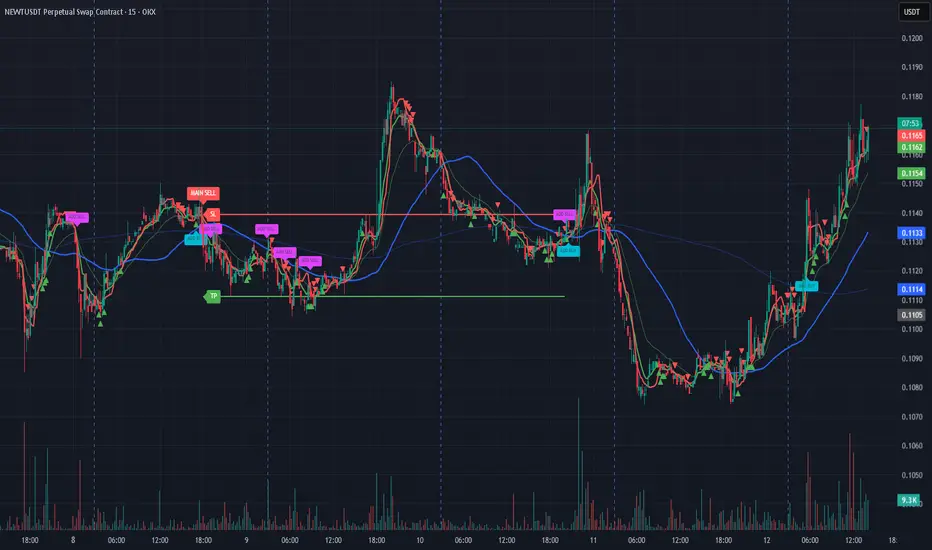
MES ORB A+ (Pullback Entry)opening range breakout with pullback entry on future charts to get the perfect entry everytimeอินดิเคเตอร์ Pine Script®โดย gschultzz911
AI Smart Entry Pro v4 (AVINASH27)AI Smart Entry Pro v4 is a rule-based trading strategy designed to identify high-probability market entries using trend confirmation and momentum logic. This strategy is intended for educational and back-testing purposes only. It does not repaint and all signals are generated strictly on closed candles. Key Features: Works best in trending market conditions Uses predefined logic for entry and exit Suitable for intraday and scalping timeframes Designed for consistent risk-controlled trading No future data or repainting logic used Recommended Usage: Apply on liquid instruments (Forex, Indices, Gold, Crypto) Combine with proper risk management Always forward-test before live trading ⚠️ Disclaimer: This strategy does not guarantee profits. Trading involves risk, and past performance is not indicative of future results. Use at your own discretion.อินดิเคเตอร์ Pine Script®โดย PastorAvinash_Kumar114
SPY 200SMA +4% Entry -3% Exit TQQQ/QLD/GLDM THREE PHASE STRATEGYWanted to take a look at all of the individual trades and provide a series of options to balance performance and risk. This post is expanding on my previous one - www.reddit.com Here is the data and the backtesting splitting the strategy into three primary phases with multiple options and exact trade dates to help people easily backtest other combinations - docs.google.com (Three Tabs with the three phases) If you just want my personal recommendations this would be what I will be using - PHASE 1 (Strategy BUY signal triggers when SPY price crosses +4% over the SPY 200SMA) = 100% TQQQ If trade lasts 366 days (Long Term Cap Gains) go to PHASE 2 If SPY price crosses below -3% SPY 200SMA go to PHASE 3 PHASE 2 (PHASE 1 lasts 366 days) = Deleverage and diversify into 50% QLD & 50% GLDM PHASE 3 (Strategy SELL signal triggers when SPY price crosses -3% below the SPY 200SMA) = Defensive posture with 50% SGOV & 50% GLDM As market degrades start selling SGOV and buying QQQ until 50% QQQ & 50% GLDM TradingView Script for the THREE PHASE STRATEGY (imgur.com): // @version= 5 strategy("SPY 200SMA +4% Entry -3% Exit Strategy", overlay=true, default_qty_type=strategy.percent_of_equity, default_qty_value=100) // === Inputs === smaLength = input.int(200, title="SMA Period", minval=1) entryThreshold = input.float(0.04, title="Entry Threshold (%)", step=0.01) exitThreshold = input.float(0.03, title="Exit Threshold (%)", step=0.01) startYear = input.int(1995, "Start Year") startMonth = input.int(1, "Start Month") startDay = input.int(1, "Start Day") // === Time filter === startTime = timestamp(startYear, startMonth, startDay, 0, 0) isAfterStart = time >= startTime // === Calculations === sma200 = ta.sma(close, smaLength) upperThreshold = sma200 * (1 + entryThreshold) lowerThreshold = sma200 * (1 - exitThreshold) // === Strategy Logic === enterLong = close > upperThreshold exitLong = close < lowerThreshold if isAfterStart if enterLong and strategy.position_size == 0 strategy.entry("Buy", strategy.long) if exitLong and strategy.position_size > 0 strategy.close("Buy") // === 366-Day Marker Logic (Uninterrupted) === var int targetTime = na // 1. Capture entry time only when a brand new position starts if strategy.position_size > 0 and strategy.position_size == 0 targetTime := time + (366 * 24 * 60 * 60 * 1000) // 2. IMPORTANT: If position is closed or a sell signal hits, reset the timer to "na" if strategy.position_size == 0 targetTime := na // 3. Trigger only if we are still in the trade and hit the timestamp isAnniversary = not na(targetTime) and time >= targetTime and time < targetTime // === Visuals === p_sma = plot(sma200, title="200 SMA", color=color.rgb(255, 0, 242)) p_upper = plot(upperThreshold, title="Entry Threshold (+4%)", color=color.rgb(0, 200, 0)) p_lower = plot(lowerThreshold, title="Exit Threshold (-3%)", color=color.rgb(255, 0, 0)) fill(p_sma, p_upper, color=color.new(color.green, 80), title="Entry Zone") // Draw marker only if 366 days passed without a sell if isAnniversary label.new(bar_index, high, "366 DAYS - PHASE 2", style=label.style_label_down, color=color.yellow, textcolor=color.black, size=size.small) // === Entry/Exit Labels === newOpen = strategy.position_size > 0 and strategy.position_size == 0 newClose = strategy.position_size == 0 and strategy.position_size > 0 if newOpen label.new(x=bar_index, y=low * 0.97, text="BUY - PHASE 1", xloc=xloc.bar_index, yloc=yloc.price, color=color.lime, style=label.style_label_up, textcolor=color.black, size=size.small) if newClose label.new(x=bar_index, y=high * 1.03, text="SELL - PHASE 3", xloc=xloc.bar_index, yloc=yloc.price, color=color.red, style=label.style_label_down, textcolor=color.white, size=size.small) 200 SMA SPY Trading Range Bands Script: // @version= 5 indicator("200 SMA SPY Trading Range Bands", overlay=true) // === Settings === smaLength = input.int(200, title="SMA Length") mult1 = input.float(1.09, title="Multiplier 1 (9% Over)") mult2 = input.float(1.15, title="Multiplier 2 (15% Over)") // === Calculations === smaValue = ta.sma(close, smaLength) line9Over = smaValue * mult1 line15Over = smaValue * mult2 // === Plotting === plot(smaValue, title="200 SMA", color=color.gray, linewidth=1, style=plot.style_linebr) plot(line9Over, title="9% Over 200 SMA", color=color.rgb(255, 145, 0), linewidth=1) plot(line15Over, title="15% Over 200 SMA", color=color.rgb(38, 1, 1), linewidth=2)กลยุทธ์ Pine Script®โดย freefighter0759
BB Re-entry HUD1) What this script does This indicator is an BB Re-entry HUD Core idea: Price sweeps outside BB (often liquidity wick sweep) Re-enters back inside BB within 1–2 bars Multiple ELITE++ filters reduce fake signals HUD scores follow-through strength (trend & momentum confirmation) 2) ELITE++ Re-entry Signal Logic A BUY/SELL signal is triggered when: One of the previous 1–2 bars moved outside BB (wick or close, selectable) Current bar re-enters BB (optionally requires close inside) Optional filters confirm signal quality: Outside depth minimum (% of BB width) Candle direction confirmation (Buy=green, Sell=red) Re-entry close crosses previous candle 50% Zone filter near BB edges Touch filter: wick touches the band Squeeze → Expand regime requirement Cooldown to avoid rapid repeat signals 3) Trade Power HUD (0–5 Scoring) After a signal, HUD evaluates either on the next bar (recommended) or the same bar. Score components (1 point each): Structure: short-term structure aligns with direction Impulse Body: body > average body Volume: volume > volume MA BB Trend + Expand: price on trend side + BB width expanding RSI + ATR: RSI threshold + ATR expanding Interpretation: 4–5/5 = STRONG → Hold / Trail 2–3/5 = MID → Take partial / be cautious 0–1/5 = WEAK → Higher chance of fakeout 4) How to use (practical) Enable BB plots and arrows Wait for BUY/SELL signal Check HUD score: 4–5: higher follow-through probability 2–3: quick TP / reduced size 0–1: skip or wait for better confirmation Works well on 5m–15m (intraday) and 1H (smoother swings). 5) Notes This is not a standalone holy grail—best used with support/resistance and market structure context. Volatile news periods may produce multiple band breaks—use squeeze/cooldown filters accordingly.อินดิเคเตอร์ Pine Script®โดย Roongee27
ICT Entry V2 [TS_Indie]📌 Description – ICT Entry V2 The market structure, liquidity, FVG, and iFVG mechanisms remain the same as in Version 1. However, the price action for order entries is different, with the positions of the FVG and iFVG swapped. Pending orders and stop loss are placed at the iFVG. ⚙️ Core Logic & Working Mechanism I won’t explain FVG in detail, as most traders are already familiar with it. Let’s focus on the mechanism of iFVG instead. The concept of iFVG is based on a supply-to-demand flip and a demand-to-supply flip within an FVG zone. For an iFVG to be confirmed, the candle close must break through the FVG. A wick alone does not count as a valid iFVG confirmation. The confirmation of market structure swings uses a pivot length mechanism combined with price action. It validates a swing by detecting a structure break formed by candles making new highs or new lows. 📈 Buy Setup 1.Liquidity sweep on the demand side, with price closing above the liquidity level. 2.A demand zone is formed as iFVG and FVG, where FVG is located above iFVG. 3.The gap between the upper box of iFVG and the lower box of FVG must be within the defined Min and Max range. 4.Market Structure must be in a Bullish trend. 5.Place a Pending Order at the upper box of iFVG and set Stop Loss at the lower box of iFVG (Entry and Stop Loss can be adjusted using Entry Zone and ATR-based Stop Loss). 📉 Sell Setup 1.Liquidity sweep on the supply side, with price closing below the liquidity level. 2.A supply zone is formed as iFVG and FVG, where FVG is located below iFVG. 3.The gap between the lower box of iFVG and the upper box of FVG must be within the defined Min and Max range. 4.Market Structure must be in a Bearish trend. 5.Place a Pending Order at the lower box of iFVG and set Stop Loss at the upper box of iFVG (Entry and Stop Loss can be adjusted using Entry Zone and ATR-based Stop Loss). ⚙️ Liquidity Sweep Conditions ➯ When a liquidity sweep occurs on the demand side, the system will start looking for Buy Setup conditions. ➯ When a liquidity sweep occurs on the supply side, the system will immediately switch to looking for Sell Setup conditions. ➯ The system will always prioritize the most recent liquidity sweep and search for setups based on that direction. ➯ The liquidity sweep condition will be invalidated when price closes back below (for demand sweep) or above (for supply sweep) the most recently swept liquidity level. ⭐ Pending Order Cancellation Conditions A Pending Order will be canceled under the following conditions: 1.A new Price Action signal appears on either the Buy or Sell side. 2.When Time Session is enabled, the Pending Order is canceled once price exits the selected session. 🕹 Order Management Rule When there is an active open position, the indicator restricts the creation of new Pending Orders to prevent overlapping positions. ⚠️ Disclaimer This indicator is designed for educational and research purposes only. It does not guarantee profits and should not be considered financial advice. Trading in financial markets involves significant risk, including the potential loss of capital. 🥂 Community Sharing If you find parameter settings that work well or produce strong statistical results, feel free to share them with the community so we can improve and develop this indicator together. กลยุทธ์ Pine Script®โดย Truth_Strategy_Indieที่อัปเดต: 2.1 K
Fibonacci Entry Zone [OTE] (@ath.snipr)🇬🇧 English Description 📌 Fibonacci Entry Zone – @ath.snipr Fibonacci Entry Zone is an indicator designed to automatically detect market structure, identify Change of Character (CHoCH), and project Optimal Trade Entry (OTE) zones using Fibonacci retracements. It is suitable for scalping, day trading, and swing trading across all markets (Forex, indices, crypto, commodities). 🎯 Indicator Purpose This indicator helps traders to: ✔ Detect significant swing highs and lows ✔ Identify structure shifts (CHoCH) ✔ Automatically draw Fibonacci retracement levels ✔ Highlight the Golden Zone (OTE) ✔ Dynamically track new swings in real-time The goal is to patiently wait for price to retrace into a high-probability value area instead of chasing price. 🧠 How It Works 1️⃣ Market Structure Detection The algorithm detects price pivots to identify: 📈 Bullish structure: Higher High / Higher Low 📉 Bearish structure: Lower High / Lower Low When a structure shift occurs, a CHoCH label appears and a new Fibonacci projection is automatically created. 2️⃣ Fibonacci OTE Levels Fibonacci levels are calculated between the latest swing high and swing low. Default levels: 0.50 0.618 These represent the Optimal Trade Entry (OTE) zone where price statistically reacts more often. The Golden Zone can be filled for better visualization. 3️⃣ Dynamic Updates When Swing Tracker is enabled: Fibonacci levels automatically update as new swings form. The projection always stays aligned with the current market structure. 4️⃣ Visual Elements The indicator displays: ✔ CHoCH labels ✔ Break of Structure lines ✔ Swing trend line (dotted) ✔ Swing price labels ✔ Extended Fibonacci levels Everything is fully customizable. 🛠️ Key Settings Structure Structure Period – Swing sensitivity (higher = stronger structure). Bullish / Bearish – Enable bullish or bearish structures. BoS Width – Structure line thickness. Fibonacci Mode Swing Tracker – Auto-update Fibonacci levels. Swing Line – Show swing connection line. Swing Labels – Show swing price labels. Fibonacci Extend – Extend levels to current price. Previous – Keep previous levels. Fill Golden Zone – Highlight OTE zone. Levels – Customize Fibonacci levels. 📈 How to Trade with It (example) ▶ Bullish Scenario A bullish CHoCH appears. Price impulsively moves up. Wait for a retracement into the Golden Zone (0.5 – 0.618). Confirm with your strategy (price action, liquidity, SMT, etc.). Enter long with stop below the last swing low. ▶ Bearish Scenario Same logic in reverse. ⚠️ Disclaimer This indicator is a decision-support tool only. It does not guarantee profits and must be used with proper risk management and personal confirmation.อินดิเคเตอร์ Pine Script®โดย tmsttm33725
M15 Impulse FVG EntryM15 Impulse FVG Entry M15 Impulse FVG Entry is a minimalist price-action tool designed to highlight structured entry contexts using impulse candles, decision zones, and Fair Value Gap (FVG) logic. ⸻ Core Logic 1. M15 Impulse Candle A strong M15 candle is identified using ATR expansion and body-to-range ratio. This candle defines a decision zone (High / Low). 2. IN Candle Only the first candle that forms fully inside the decision zone after the M15 impulse is considered. This candle acts as the structural reference. 3. OUT Candle Price must break cleanly outside the zone. The previous candle must already close outside the zone. No reversal is allowed through the IN candle extreme. 4. FVG Entry Context The gap between the IN candle and the OUT candle forms the Fair Value Gap. A midpoint between IN and OUT can be used as a potential entry reference. ⸻ What This Script Shows • M15 — Impulse candle marker • Zone — High / Low of the impulse candle • IN — First valid candle inside the zone • OUT — Valid breakout candle ⸻ Design Philosophy • No BUY / SELL bias • No alerts, no automation • No indicator stacking • Clean and chart-friendly This script provides market context and structure only . Risk management and execution rules remain the trader’s responsibility.อินดิเคเตอร์ Pine Script®โดย addwwayea2414ที่อัปเดต: 18
GEOFF LONG/SHORT ENTRY + STOP + TP / FINALIZED + ALERT / EMA This professional-grade scalper is engineered specifically for the Micro E-mini S&P 500 (MES) and focuses exclusively on high-probability "A+" setups. By stripping away secondary noise, the indicator identifies surgical entries where momentum, trend, and institutional value converge. ### THE "PERFECT SETUP" LOGIC (4-LAYER FILTER) To ensure the highest strike rate, a trade is only triggered when all four of the following conditions align: 1. TREND: 8 EMA crossing the 21 EMA (Short-term momentum shift). 2. VALUE: Price must be above VWAP for Longs or below VWAP for Shorts (Institutional bias). 3. MOMENTUM: RSI must be > 55 for Longs or < 45 for Shorts (Confirming the "Flush"). 4. VOLATILITY: The entry candle must close outside the EMA spread to confirm strength. ### KEY FEATURES * IRON-CLAD ANCHORING: Uses Pine Script v6 'chart.point' math to mathematically weld boxes and labels to the price bars. Drawings will NOT drift or lag when zooming or panning. * DYNAMIC RISK CALCULATOR: Automatically calculates Take Profit and Stop Loss levels based on your input points. It displays the real-time dollar gain/loss ($5 per point for MES) directly on the chart. * SURGICAL VISUALS: Features a 3-label system (Entry Price, Target Price, and Stop Price) positioned externally to keep the candlestick price action clear and visible. * COLOR-SYNC LOGIC: Intuitively designed so that the Profit Target is ALWAYS Lime/Green and the Risk/Stop is ALWAYS Red, regardless of whether you are in a Long or Short position. * INTEGRATED ALERTS: Includes built-in alert conditions for "Perfect Long" and "Perfect Short" to sync with phone or browser notifications. ### BEST USED ON: Optimized for the 1m, 2m, and 5m timeframes for MES Futures. อินดิเคเตอร์ Pine Script®โดย gkshops145
ICT Entry V1 [TS_Indie]📌 Description – ICT Entry V1 This trading system is based on price action, combined with FVG, iFVG, and liquidity, and it uses the mechanism from the indicator “Smallest Swing ” to validate swings that become liquidity. ⚙️ Core Logic & Working Mechanism I won’t explain FVG in detail, as most traders are already familiar with it. Let’s focus on the mechanism of iFVG instead. The concept of iFVG is based on a supply-to-demand flip and a demand-to-supply flip within an FVG zone. For an iFVG to be confirmed, the candle close must break through the FVG. A wick alone does not count as a valid iFVG confirmation. The confirmation of market structure swings uses a pivot length mechanism combined with price action. It validates a swing by detecting a structure break formed by candles making new highs or new lows. 📈 Buy Setup 1.Liquidity sweep on the demand side, with price closing above the liquidity level. 2.A demand zone is formed as FVG and iFVG, where iFVG is located above FVG. 3.The gap between the upper box of FVG and the lower box of iFVG must be within the defined Min and Max range. 4.Market Structure must be in a Bullish trend. 5.Place a Pending Order at the upper box of FVG and set Stop Loss at the lower box of FVG (Entry and Stop Loss can be adjusted using Entry Zone and ATR-based Stop Loss). 📉 Sell Setup 1.Liquidity sweep on the supply side, with price closing below the liquidity level. 2.A supply zone is formed as FVG and iFVG, where iFVG is located below FVG. 3.The gap between the lower box of FVG and the upper box of iFVG must be within the defined Min and Max range. 4.Market Structure must be in a Bearish trend. 5.Place a Pending Order at the lower box of FVG and set Stop Loss at the upper box of FVG (Entry and Stop Loss can be adjusted using Entry Zone and ATR-based Stop Loss). ⚙️ Liquidity Sweep Conditions ➯ When a liquidity sweep occurs on the demand side, the system will start looking for Buy Setup conditions. ➯ When a liquidity sweep occurs on the supply side, the system will immediately switch to looking for Sell Setup conditions. ➯ The system will always prioritize the most recent liquidity sweep and search for setups based on that direction. ➯ The liquidity sweep condition will be invalidated when price closes back below (for demand sweep) or above (for supply sweep) the most recently swept liquidity level. ⭐ Pending Order Cancellation Conditions A Pending Order will be canceled under the following conditions: 1.A new Price Action signal appears on either the Buy or Sell side. 2.When Time Session is enabled, the Pending Order is canceled once price exits the selected session. 🕹 Order Management Rule When there is an active open position, the indicator restricts the creation of new Pending Orders to prevent overlapping positions. ⚠️ Disclaimer This indicator is designed for educational and research purposes only. It does not guarantee profits and should not be considered financial advice. Trading in financial markets involves significant risk, including the potential loss of capital. 🥂 Community Sharing If you find parameter settings that work well or produce strong statistical results, feel free to share them with the community so we can improve and develop this indicator together.กลยุทธ์ Pine Script®โดย Truth_Strategy_Indieที่อัปเดต: 33 1.5 K
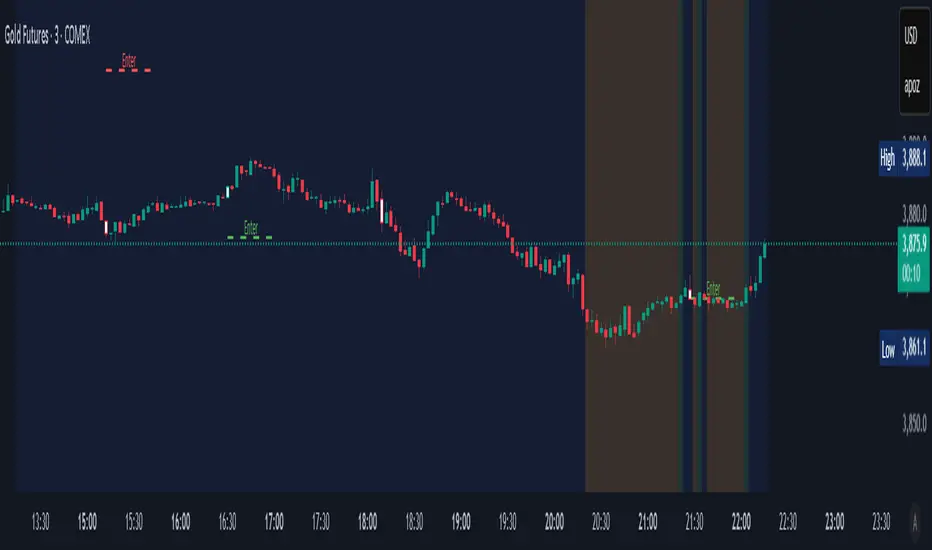
Borna Zones Entry First Close BreakThis indicator marks close-based entry signals for DAX / GER40 on the 1-minute timeframe, using two fixed intraday zones: 08:00 candle → Zone 08 09:00 candle → Zone 09 If the zones overlap, an entry is marked on the first candle close breaking the combined zone. If the zones are separated, an entry is marked on the first candle close breaking the 09:00 zone, in the direction of the 08:00 zone. Entries are shown only between 09:00 and 11:00 and only on the first valid breakout (no repeated signals).อินดิเคเตอร์ Pine Script®โดย Borna_trading1146
ATR Based SL & TP Targets from Entry (Long/Short)ATR-based target helper for manual trade planning. Plots a single entry level plus ATR-based stop loss and take-profit targets on the price scale. The script uses a standard ATR (default 14) and lets you select the position side (Long or Short). For Long positions, it places the stop loss 1× ATR below the entry and take-profit levels at 1, 2, 3, and 4× ATR above. For Short positions, it mirrors this logic, placing the stop 1× ATR above the entry and targets 1–4× ATR below. You can adjust the entry price and ATR multipliers from the settings, and all levels update instantly, giving a clean visual of your risk and reward targets on the price scale. ------------------- Tip: After entry, and after I set my SL & TP levels, I hide the indicator until it's needed again. อินดิเคเตอร์ Pine Script®โดย ThomasPg4
Trade Time & Position Duration Monitor (Multi-Entry)Overview Active Position Hold Timer is a specialized risk management tool designed to track the "psychological time cost" of your trades. Beyond just monitoring price, it focuses on the precise duration your position stays in profit or loss. Key Features: Real-time Duration Tracking: Automatically calculates total time in profit vs. loss. Max Loss Streak: Records the longest continuous time in a losing state. Multi-Entry Cost Averaging: Supports initial entry plus 2 scale-ins. Dual Language Interface: Switch between English and Traditional Chinese. Time-Based Alerts: Set custom alerts for total or consecutive duration. Calculation Logic: Baseline Calculation: Starts accumulating once entry time is reached. Profit/Loss Detection: Compares Close Price to Average Cost on every bar. Live Update: Uses timenow for second-by-second dashboard updates. 中文說明 本指標專為管理「心理時間成本」而設計。它不僅監控價格,更專注於記錄倉位處於盈虧狀態的精確時間,幫助交易者克服持倉時的心理壓力。 主要功能: 即時時長統計:自動計算總浮盈/浮虧時間,以及當前連續狀態的持續時間。 歷史最大浮虧時長:記錄該筆交易中,最長一次連續虧損的時間壓力。 多筆進場計算:支援初始進場加上兩次加倉,自動繪製動態成本線。 雙語切換:表格界面支援中/英文切換。 多維度警報:可針對總時間或連續時間設定警報,提醒您交易是否持有過久。 計算邏輯: 基準計時:當時間超過進場點後,根據圖表週期累加時長。 盈虧判定:每根 K 棒收盤時,自動比較收盤價與平均成本。 即時秒級更新:加入 **Live Timer** 邏輯,計算當前 K 棒已跳動的時間,確保儀表板數據每秒更新。 壓力追蹤:持續追蹤並記錄最長的連續虧損時長。 อินดิเคเตอร์ Pine Script®โดย awsl10
Liquidity Entry Triggers (4-Model System) | WarRoomXYZLiquidity Entry Triggers is an open-source, price-action-based analytical framework designed to highlight recurring institutional liquidity behaviors that appear across all liquid markets. The script focuses on how and where liquidity is taken, rather than attempting to predict direction using oscillators or lagging indicators. It is optimized for XAUUSD, FX pairs, indices, and crypto , particularly on 1m–15m timeframes where session behavior and liquidity reactions are most visible. This tool is not a buy/sell signal generator . It provides contextual entry zones based on structural liquidity logic, allowing traders to apply their own execution rules. Core Philosophy Markets move because of: •Trapped traders •Forced liquidations •Session-based liquidity cycles •Reactions at prior institutional participation zones This script visualizes four repeatable entry triggers that emerge from those mechanisms. 🔹 1. Failed Breakout / Trapped Trader Model When price breaks a clearly defined range high or low, breakout traders often enter expecting continuation. If price fails to hold outside the range and closes back inside, those traders become trapped. The script detects: •Breaks beyond recent highs/lows •Immediate rejection back into the range •Structural failure of momentum These conditions frequently lead to mean reversion or reversal moves as trapped traders exit and fuel movement in the opposite direction. Markers are plotted at the point of failure to highlight potential trap zones. 🔹 2. Liquidation Flush Detection Sharp impulsive candles with abnormally large wicks often represent liquidation cascades rather than healthy trend continuation. The script identifies liquidation behavior by measuring: •Wick-to-body imbalance •Sudden expansion followed by rejection •Temporary price inefficiencies These flushes commonly occur near: •Session highs/lows •Range extremes •Trend exhaustion points Such events often lead to rebalance moves , where price partially or fully fills the wick. 🔹 3. Orderblock Reaction Zones Orderblocks represent areas where heavy participation occurred before a strong displacement move. The script highlights: •Clean bullish and bearish orderblock structures •Zones formed during consolidation prior to expansion •Areas likely to be defended when revisited Orderblocks with minimal noise and clean departure are prioritized, as they often reflect institutional positioning rather than retail activity. These zones are intended as reaction areas , not automatic entry signals. 🔹 4. London Session Liquidity Sweep Model The London session frequently establishes the initial daily high or low. Later in the session or during New York, price often: •Sweeps internal liquidity around that level •Rejects after the sweep •Continues with the higher-timeframe bias The script monitors London session behavior and marks: •Liquidity runs above/below London highs and lows •Rejections back inside the prior structure This model is especially effective when combined with broader daily context. 🔹4. How the Components Work Together The framework is designed as a context stack , not a checklist of signals: Liquidity Event → Location → Timing → Trader Execution Each model reinforces the others: •Failed breakouts often occur after liquidity sweeps •Liquidation wicks frequently form near orderblocks •London sweeps often trigger failed momentum moves •Confluence increases probability, not certainty 🔹 Practical Usage Guide ✔ Identify context Determine whether price is approaching a range extreme, session level, or prior participation zone. ✔ Wait for a liquidity event Look for a sweep, failed breakout, or liquidation wick. ✔ Observe reaction Rejection, displacement, or reclaim behavior provides confirmation. ✔ Execute manually Stops are commonly placed beyond the liquidity extreme. Targets are typically internal liquidity, prior highs/lows, or imbalance zones. The indicator does not manage trades or enforce rules. Execution and risk management remain the trader’s responsibility. 🔹 5. Originality & Design Notes This script does not replicate or bundle existing indicators. It introduces: •A multi-model liquidity entry framework •Structural failed breakout detection •Wick-based liquidation imbalance logic •Session-aware liquidity sweep visualization •A unified, minimal, non-lagging design All concepts are based on observable market behavior and integrated into a single analytical tool. 🔹 6. Suitable Markets & Timeframes Works best on: •XAUUSD •Major FX pairs •Indices •Liquid crypto markets Recommended timeframes: •1m •5m •15m •30m 🔹7. Limitations & Notes •This is an analytical framework , not a trading system •All markings are confirmed at candle close (non-repainting) •No open interest or order flow data is used •Results depend on user interpretation and execution •Best used alongside session bias and higher-timeframe structure Disclaimer This script is provided for educational and informational purposes only. It does not constitute financial advice, investment advice, or a recommendation to buy or sell any instrument. Trading involves risk, and losses can exceed initial deposits. The author assumes no responsibility for trading decisions made using this tool. Users are strongly encouraged to test this script in demo or simulation environments and to apply proper risk management, position sizing, and personal discretion at all times. By using this script, you acknowledge and accept all associated risks.อินดิเคเตอร์ Pine Script®โดย WarroomXYZ55
Bassi MA Entry Helper MTF EMA , VWMA Swing , ADX , SMA200 , TPBassi MA Entry Helper is an advanced multi-timeframe confluence system designed to identify high-probability entries using trend, volume, market structure, and volatility filters. It is built for traders who want cleaner signals, fewer false entries, and strong multi-confirmation setups. Key Features Multi-Timeframe EMA Crossovers – HTF signal engine SMA200 Trend Filter – prevents counter-trend trades VWMA Swing Confirmation – volume-validated micro-swings ADX Filter – only trade when the trend has strength Fractal Structure Mapping – identifies swing highs/lows Retracement Filter – confirms pullbacks before entries TP/SL Automation – ATR or percentage based Clean Entry Labels – main & additional entry signals Highly Customizable – mode, timeframe, filters, visuals This script is ideal for: Scalping • Intraday • Swing • Trend continuation • Volume-based setups • Multi-timeframe alignment How It Works Main Buy/Sell Signals Triggered when: ✔ Fast EMA crosses Slow EMA (HTF) ✔ Price aligned with trend ✔ SMA200 filter valid ✔ VWMA confirmation (optional) ✔ ADX strong ✔ Retracement valid (optional) Additional Buy/Sell Signals Triggered when VWMA crosses Slow EMA during trend continuation. TP/SL System You can choose between: %-based take-profit & stop-loss ATR-based dynamic levels Automatically projects clean visual levels on your chart. Notes This indicator does not repaint and is suitable for both real-time and historical analysis. Always combine signals with proper risk management. Initial Release – v1.0 Added multi-timeframe EMA engine Added SMA200 trend filter Added VWMA swing entries Added ADX strength filter Added retracement filter Added fractal swing detection Added TP/SL auto plotting Added main & additional entry labels Performance optimizedอินดิเคเตอร์ Pine Script®โดย Mahdibas26
Dual MTF Confirmed Trend Strategy (5m Entry / 15m MACD & RSI) v1That is a detailed Dual Multi-Timeframe (MTF) Confirmed Trend Strategy written in Pine Script for TradingView. The core idea of this strategy is to only take entry signals on a faster timeframe (5-minute) when the trend is strongly confirmed on a slower, higher timeframe (15-minute). This aims to reduce false signals and trade in the direction of the dominant trend. Here is an explanation of how the strategy works, broken down by section: 1. 5-Minute Entry Filters 🚀This section calculates several indicators on the current 5-minute chart to identify potential trade setups. A position is only considered if all 5-minute conditions align. Supertrend: A trend-following indicator based on Average True Range (ATR). Long Condition: The closing price must be above the Supertrend line. Short Condition: The closing price must be below the Supertrend line. Gann Hi-Lo (GHL): A trend indicator using Simple Moving Averages (SMA) of the high and low prices. GHL Line: Switches between the SMA of the Highs and the SMA of the Lows based on price action. Long Condition: The closing price must be above the GHL line. Short Condition: The closing price must be below the GHL line. Exponential Moving Averages (EMAs): It uses a 50-period EMA and a 100-period EMA to confirm the short-term trend direction. Long Condition: The closing price must be above both the 50 EMA and the 100 EMA. Short Condition: The closing price must be below both the 50 EMA and the 100 EMA. 2. 15-Minute MTF Confirmation Filters ⏳This is the crucial step where the strategy verifies the trend on the slower, 15-minute timeframe using the request security function. This step acts as a gatekeeper to ensure the 5-minute trade aligns with the larger trend. MACD Histogram (12, 26, 9): The difference between the MACD Line and the Signal Line. Long Confirmation: The 15m MACD Histogram must be greater than 0 (MACD line is above the Signal line, indicating bullish momentum). Short Confirmation: The 15m MACD Histogram must be less than 0 (MACD line is below the Signal line, indicating bearish momentum). RSI (Relative Strength Index) (14): A momentum oscillator. The 50 level is often used to determine the general market trend. Long Confirmation: The 15m RSI must be greater than 50 (indicating stronger bullish momentum). Short Confirmation: The 15m RSI must be less than 50 (indicating stronger bearish momentum). The Total 15m Confirmation is only true if both the MACD and the RSI confirmation signals align. 3. Trade Orders (Entry Logic) ⚖️ The strategy only executes a trade when the 5-minute entry conditions are met AND the 15-minute confirmation conditions are met. Final Long Condition: 5m Conditions (Supertrend, GHL, EMA alignment) AND 15m Confirmation (MACD Hist > 0 AND RSI > 50) Final Short Condition: 5m Conditions (Supertrend, GHL, EMA alignment) AND 15m Confirmation (MACD Hist < 0 AND RSI < 50) When a trade signal is generated, the strategy: Closes any opposite position (e.g., closes a "Short" trade if a "Long" signal appears). Enters the new position (e.g., enters a "Long" trade). This is designed as a reversal strategy where a new entry automatically closes the previous opposing trade. In Summary The strategy operates on a principle of Trend Alignment: 5-Minute Chart: Is used for Signal Timing (when exactly to enter the market). 15-Minute Chart: Is used for Trend Validation (is the overall market momentum supporting the signal?). It's an attempt to capture short-term moves (5m signals) that are backed by strong medium-term momentum (15m confirmation), thereby aiming for higher probability trades. This is not investment advice; it is recommended to perform optimization and backtesting for the assets intended for implementation. กลยุทธ์ Pine Script®โดย mhakany14
PLANBXPRESS PSYCHOLOGICAL LEVEL ENTRY MODELThis Indicator merges multiple professional trading concepts into one visual tool — helping traders identify momentum shifts, entry zones, and daily trading plans with volume confirmation. It automatically detects trend direction, generates dynamic take-profit & stop-loss levels, and overlays key daily reference points such as VWAP, pivot, support, and resistance zones based on ATR and trend context. ⚙️ Main Components 1️⃣ Signal System Detects trend bias using SMA-based logic. Generates entry price, TP1–TP3, and SL dynamically from recent impulse ranges. Updates signals automatically when trend bias changes or previous targets are hit. Visual levels are drawn directly on the chart. 2️⃣ Volume Analysis Compares current volume against a moving average (SMA). Classifies volume as: 🟢 Strong (above 1.5× average) 🟡 Average 🔴 Weak (below 0.8× average) Displays the current volume strength and trend bias in an on-chart table. 3️⃣ Auto Day Plan Uses multi-timeframe ATR calculations to define: Support / Resistance zones Pivot & Balance areas Daily VWAP Auto Targets (ATR-based expansion levels) Adapts automatically to selected base timeframe (1H, 4H, or Daily). 4️⃣ Trend Context Dual EMA system (50 & 200) to confirm bullish/bearish structure. Aligns expected direction with VWAP & pivot location for context-aware bias. 🎯 What You Get on Chart 📈 Automatic LONG/SHORT signals 🎯 TP1, TP2, TP3, and SL levels 📊 Volume strength meter 🧭 VWAP, pivot, support/resistance & balance zones 🎨 Clean visual layout for intraday and swing traders 🧩 Inputs Parameter Description lenImpulse Impulse range length smaLen SMA length for trend bias levelRatio SL/TP ratio multiplier volLen Volume SMA length baseTF Base timeframe for zones/VWAP atrMult1 / atrMult2 ATR multipliers for target levels fwdBars Extension range for future projection 💡 How to Use Add the script to your chart and choose your preferred timeframe. Observe signal direction (📈 LONG / 📉 SHORT) and TP/SL levels. Confirm entries when: Trend aligns with VWAP direction, and Volume category shows Strong or Average. Use Auto Day Plan levels (pivot, balance, VWAP) as intraday reaction zones.อินดิเคเตอร์ Pine Script®โดย planbxpress165
PLANBXPRESS ENTRYThe Combined Signal + Auto Day Plan + Volume indicator merges multiple professional trading concepts into one visual tool — helping traders identify momentum shifts, entry zones, and daily trading plans with volume confirmation. It automatically detects trend direction, generates dynamic take-profit & stop-loss levels, and overlays key daily reference points such as VWAP, pivot, support, and resistance zones based on ATR and trend context. ⚙️ Main Components 1️⃣ Signal System Detects trend bias using SMA-based logic. Generates entry price, TP1–TP3, and SL dynamically from recent impulse ranges. Updates signals automatically when trend bias changes or previous targets are hit. Visual levels are drawn directly on the chart. 2️⃣ Volume Analysis Compares current volume against a moving average (SMA). Classifies volume as: 🟢 Strong (above 1.5× average) 🟡 Average 🔴 Weak (below 0.8× average) Displays the current volume strength and trend bias in an on-chart table. 3️⃣ Auto Day Plan Uses multi-timeframe ATR calculations to define: Support / Resistance zones Pivot & Balance areas Daily VWAP Auto Targets (ATR-based expansion levels) Adapts automatically to selected base timeframe (1H, 4H, or Daily). 4️⃣ Trend Context Dual EMA system (50 & 200) to confirm bullish/bearish structure. Aligns expected direction with VWAP & pivot location for context-aware bias. 🎯 What You Get on Chart 📈 Automatic LONG/SHORT signals 🎯 TP1, TP2, TP3, and SL levels 📊 Volume strength meter 🧭 VWAP, pivot, support/resistance & balance zones 🎨 Clean visual layout for intraday and swing traders 🧩 Inputs Parameter Description lenImpulse Impulse range length smaLen SMA length for trend bias levelRatio SL/TP ratio multiplier volLen Volume SMA length baseTF Base timeframe for zones/VWAP atrMult1 / atrMult2 ATR multipliers for target levels fwdBars Extension range for future projection 💡 How to Use Add the script to your chart and choose your preferred timeframe. Observe signal direction (📈 LONG / 📉 SHORT) and TP/SL levels. Confirm entries when: Trend aligns with VWAP direction, and Volume category shows Strong or Average. Use Auto Day Plan levels (pivot, balance, VWAP) as intraday reaction zones.อินดิเคเตอร์ Pine Script®โดย planbxpress22625
FDF — EMAs+VWAP with setup & entry (stable scale) - Final 9 21 vwap entry system 90% candle tend This will help you find the perfect entry off the 9 and 21 using the vwap for confluence. We have a strick 90% candle or wick off the 21 We have wick on the entry side more than 30% of the candleอินดิเคเตอร์ Pine Script®โดย BradleyDumont2
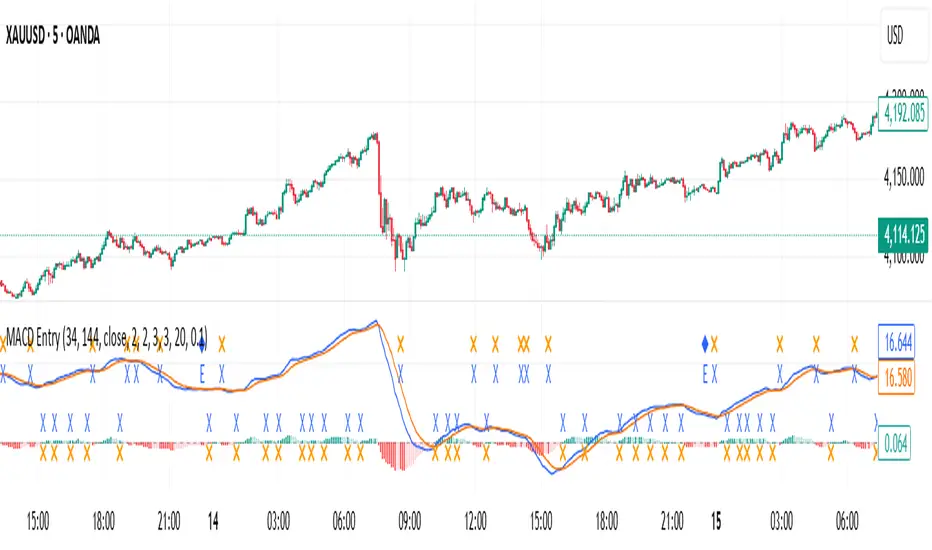
MACD with Smart Entry Signals & Trend Filter This advanced MACD indicator combines traditional MACD analysis with intelligent entry signal detection and an optional EMA trend filter. It identifies high-probability entry points by analyzing histogram patterns, consolidation phases, and trend continuation setups. ### Key Features **🎯 Smart Entry Detection** - **Consolidation Breakouts**: Identifies exits from consolidation zones (weak bars) with strong momentum - **Trend Reversals**: Detects potential trend changes after extended weak phases - **Correction/Continuation Patterns**: Recognizes brief corrections within strong trends that offer continuation opportunities **📊 Enhanced MACD Visualization** - Color-coded histogram showing four distinct states: - Strong Bullish (dark green): Rising histogram above zero - Weak Bullish (light green): Falling histogram above zero - Weak Bearish (light red): Rising histogram below zero - Strong Bearish (dark red): Falling histogram below zero **🔍 Multi-Layer Filtering System** - **Candle Size Filter**: Eliminates signals during high volatility/large candle ranges - **EMA Trend Filter**: Optional filter ensuring entries align with the dominant trend direction - Visual markers for rejected signals (orange X for candle size, blue E for EMA trend) **⚙️ Customizable Parameters** - Adjustable MACD periods (default: 34/144/9) - Configurable consolidation bar requirements - Flexible correction pattern detection - EMA trend filter with adjustable sensitivity - Multiple alert types for all signal conditions ### How to Use 1. **Enable/disable filters** based on your trading style and market conditions 2. **Green triangles (L)**: Long entry signals when all conditions are met 3. **Red triangles (S)**: Short entry signals when all conditions are met 4. **Rejected signal markers**: Help you understand why certain setups were filtered out 5. **Background coloring**: Provides visual confirmation of signal zones and correction patterns ### Alert System Comprehensive alerts for: - Long and short entry signals - Specific pattern types (consolidation, reversal, continuation) - Rejected signals (helps refine strategy) - Traditional MACD histogram crossovers ### Best Practices - Use the EMA trend filter in trending markets to avoid counter-trend trades - Adjust candle size filter based on your instrument's typical volatility - Consider combining with support/resistance levels for confirmation - Test different consolidation bar settings for your timeframe ### Parameters Summary - Fast/Slow Length: MACD calculation periods - Signal Smoothing: Signal line period - Consolidation Bars: Minimum weak bars before breakout - Max Candle Range: Filter for oversized candles - EMA Period & Sensitivity: Trend filter configuration --- *This indicator is designed for traders who want a systematic approach to identifying MACD-based entry opportunities with built-in risk management through filtering.*อินดิเคเตอร์ Pine Script®โดย pulsy_cb10
FEI: Futures Entry Identifier📘 FEI: Futures Entry Identifier FEI is a modular, futures-grade entry engine designed for precision trading across GC1!, MNQ1!, ES1!, and related contracts. It combines manual SVP structure, CHoCH detection, and Colby-style candle strength filters to identify high-probability long and short entries. 🔧 Features • Manual SVP inputs (VAH, VAL, POC) • Symbol-aware filters for micro vs standard contracts • Multi-timeframe signal logic (3m, 5m, 10m, 15m, 30m) • CHoCH detection with optional engulfing filter (default off) • FRVP entry zone plotting after CHoCH confirmation • Candle coloring on CHoCH trigger • Session-aware logic (ETH default, optional RTH-only) • Narratable visuals and audit-safe alerts 🧭 How to Use 1. Input VAH, VAL, and POC manually 2. Select signal timeframe (e.g. 3m or 5m) 3. Watch for CHoCH (white candle = structural shift) 4. Entry line plots at top/bottom of recent range 5. Long/short markers appear when SVP + candle strength align 6. Toggle RTH-only mode if needed 🌟 Why It’s Unique FEI is built for traders who demand clarity, structure, and precision. Every signal is narratable, audit-safe, and resolution-aware—ideal for futures overlays and sniper-grade entries.อินดิเคเตอร์ Pine Script®โดย dscottmuller20
Ultimate Sniper Entry - Pivot PerfectionT2R📌 Description The Ultimate Sniper Entry – Pivot Perfection is a precision trading tool designed to identify high-probability pivot points and generate early buy/sell entries with strong confirmation. By combining pivot detection, volume spikes, momentum filters (RSI), candle patterns, and EMA trend alignment, this system helps traders capture market reversals and trend continuation setups with improved accuracy. It offers: Smart Pivot Detection with adjustable sensitivity. Multi-layer Confirmation: volume, momentum, candle structure, and EMA trend filter. Non-Repainting Signals: arrows plotted only after pivot confirmation. Visual Aids: buy/sell arrows, optional pivot markers, background trend shading. Alerts: instant notifications for sniper buy/sell entries. Info Panel: quick reference guide directly on chart. Ideal for traders who want structured, rules-based entries while avoiding false signals, the Ultimate Sniper Entry system adapts to multiple markets and timeframes.อินดิเคเตอร์ Pine Script®โดย bhbrfawu119
Multipower Entry SecretMultipower Entry Secret indicator is designed to be the ultimate trading companion for traders of all skill levels—especially those who struggle with decision-making due to unclear or overwhelming signals. Unlike conventional trading systems cluttered with too many lines and confusing alerts, this indicator provides a clear, adaptive, and actionable guide for market entries and exits. Key Points: Clear Buy/Sell/Wait Signals: The script dynamically analyzes price action, candle patterns, volume, trend strength, and higher time frame context. This means it gives you “Buy,” “Sell,” or “Wait” signals based on real, meaningful market information—filtering out the noise and weak trades. Multi-Timeframe Adaptive Analysis: It synchronizes signals between higher and current timeframes, ensuring you get the most reliable direction—reducing the risk of getting caught in fake moves or sudden reversals. Automatic Support, Resistance & Liquidity Zones: Key levels like support, resistance, and liquidity zones are auto-detected and displayed directly on the chart, helping you make precise decisions without manual drawing. Real-Time Dashboard: All relevant information, such as trend strength, market intent, volume sentiment, and the reason behind each signal, is neatly summarized in a dashboard—making monitoring effortless and intuitive. Customizable & Beginner-Friendly: Whether you’re a newcomer wanting straightforward guidance or a professional needing advanced customization, the indicator offers flexible options to adjust analysis depth, timeframes, sensitivity, and more. Visual & Clutter-Free: The design ensures that your chart remains clean and readable, showing only the most important information. This minimizes mental overload and allows for instant decision-making. Who Will Benefit? Beginners who want to learn trading logic, avoid common traps, and see the exact reason behind every signal. Advanced traders who require adaptive multi-timeframe analytics, fast execution, and stress-free monitoring. Anyone who wants to save screen time, reduce analysis paralysis, and have more confidence in every trade they take. 1. No Indicator Clutter Intent: Many traders get confused by charts filled with too many indicators and signals. This often leads to hesitation, missed trades, or taking random, risky trades. In this Indicator: You get a clean and clutter-free chart. Only the most important buy/sell/wait signals and relevant support/resistance/liquidity levels are shown. These update automatically, removing the “overload” and keeping your focus sharp, so your decision-making is faster and stress-free. 2. Exact Entry Guide Intent: Traders often struggle with entry timing, leading to FOMO (fear of missing out) or getting trapped in sudden market reversals. In this Indicator: The system uses powerful adaptive logic to filter out weak signals and only highlight the strongest market moves. This not only prevents you from entering late or on noise, but also helps avoid losses from false breakouts or whipsaws. You get actionable suggestions—when to enter, when to hold back—so your entries are high-conviction and disciplined. 3. HTF+LTF Logic: Multitimeframe Sync Analysis Intent: Most losing trades happen when you act only on the short-term chart, ignoring the bigger market trend. In this Indicator: Signals are based on both the current chart timeframe (LTF) and a higher (HTF, like hourly/daily) timeframe. The indicator synchronizes trend direction, momentum, and structure across both levels, quickly adapting to show you when both are aligned. This filtering results in “only trade with the bigger trend”—dramatically increasing your win rate and market confidence. 4. Auto Support/Resistance & Liquidity Zones Intent: Drawing support/resistance and liquidity zones manually is time-consuming and error-prone, especially for beginners. In this Indicator: The system automatically identifies and plots the most crucial support/resistance levels and liquidity zones on your chart. This is based on adaptive, real-time price and volume analysis. These zones highlight where major institutional activity, trap setups, or real breakouts/reversals are most likely, removing guesswork and giving you a clear reference for entries, exits, and stop placements. 5. Clear Action/Direction Intent: Traders need certainty—what does the market want right now? Most indicators are vague. In this Indicator: Your dashboard always displays in plain words (like “BUY”, “SELL”, or “WAIT”) what action makes sense in the current market phase. Whether it’s a bull trap, volume spike, wick reversal, or exhaustion—it’s interpreted and explained clearly. No more confusion—just direct, real-time advice. 6. For Everyone (Beginner to Pro) Intent: Most advanced indicators are overwhelming for new traders; simple ones lack depth for professionals. In this Indicator: It is simple enough for a beginner—just add it to the chart and instantly see what action to consider. At the same time, it includes advanced adaptive analysis, multi-timeframe logic, and customizable settings so professional traders can fine-tune it for their strategies. 7. Ideal Usage and User Benefits Instant Decision Support: Whenever you’re unsure about a trade, just look at the indicator’s suggestion for clarity. Entry Learning: Beginners get real-time “practice” by not only seeing signals, but also the reason behind them—improving your chart reading and market understanding. Screen Time & Stress Reduction: Clear, relevant information only; no noise, less fatigue, faster decisions. Makes Trading Confident & Simple: The smart dashboard splits actionable levels (HTF, LTF, action) so you never miss a move, avoid traps, and stay aligned with high-probability trades. 8. Advanced Input Settings (Smart Customization) Explained with Examples: Enable Wick Analysis: Finds candles with strong upper/lower wicks (signs of rejection/buying/selling force), alerting you to hidden reversals and protecting from FOMO entries. Enable Absorption: Detects when heavy order flow from one side is “absorbed” by the other (shows where institutional buyers/sellers are likely active, helps spot fake breakouts). Enable Unusual Breakout: Highlights real breakouts—large volatility plus high volume—so you catch genuine moves and avoid random spikes. Enable Range/Expansion: Smartly flags sudden range expansions—when the market goes from quiet to volatile—so you can act at the start of real trends. Trend Bar Lookback: Adjusts how many bars/candles are used in trend calculations. Short (fast trades, more signals), long (more reliability, fewer whipsaws). Bull/Bear Bars for Strong Trend Min: Sets how many candles in a row must support a trend before calling it “strong”—prevents flipping signals, keeps you disciplined. Volume MA Length: Lets you adjust how many bars back volume is averaged—fine-tune for your asset and trading style for best volume signals. Swing Lookback Bars: Set how many bars to use for swing high/low detection—short (quick swing levels), long (stronger support/resistance). HTF (Bias Window): Decide which higher timeframe the indicator should use for big-picture market mood. Adjustable for any style (scalp, swing, position). Adaptive Lookback (HTF): Choose how much HTF history is used for detecting major extremes/zones. Quick adjust for more/less sensitivity. Show Support/Resistance, Liquidity Zones, Trendlines: Toggle them on/off instantly per your needs—keeps your chart relevant and tailored. 9. Live Dashboard Sections Explained Intent HTF: Shows if the bigger timeframe currently has a Bullish, Bearish, or Neutral (“Chop”) intent, based on strict volume/price body calculations. Instant clarity—no more guessing on trend bias. HTF Bias: Clear message about which side (buy/sell/sideways) controls the market on the higher timeframe, so you always trade with the “big money.” Chart Action: The central action for the current bar—Whether to Buy, Sell, or Wait—calculated from all indicator logic, not just one rule. TrendScore Long/Short: See how many candles in your chosen window were bullish or bearish, at a glance. Instantly gauge market momentum. Reason (WHY): Every time a signal appears, the “reason” cell tells you the primary logic (breakout, wick, strong trend, etc.) behind it. Full transparency and learning—never trade blindly. Strong Trend: Shows if the market is currently in a powerful trend or not—helping you avoid choppy, risky entries. HTF Vol/Body: Displays current higher timeframe volume and candle body %—helping spot when big players are active for higher probability trades. Volume Sentiment: A real-time analysis of market psychology (strong bullish/bearish, neutral)—making your decision-making much more confident. 10. Smart and User-Friendly Design Multi-timeframe Adaptive: All calculations can now be drawn from your choice of higher or current timeframe, ensuring signals are filtered by larger market context. Flexible Table Position: You can set the live dashboard/summary anywhere on the chart for best visibility. Refined Zone Visualization: Liquidity and order blocks are visually highlighted, auto-tuning for your settings and always cleaning up to stay clutter-free. Multi-Lingual & Beginner Accessible: With Hindi and simple English support, descriptions and settings are accessible for a wide audience—anyone can start using powerful trading logic with zero language barrier. Efficient Labels & Clear Reasoning: Signal labels and reasons are shown/removed dynamically so your chart stays informative, not messy. Every detail of this indicator is designed to make trading both simpler and smarter—helping you avoid the common pitfalls, learn real price action, stay in sync with the market’s true mood, and act with discipline for higher consistency and confidence. This indicator makes professional-grade market analysis accessible to everyone. It’s your trusted assistant for making smarter, faster, and more profitable trading decisions—providing not just signals, but also the “why” behind every action. With auto-adaptive logic, clear visuals, and strong focus on real trading needs, it lets you focus on capturing the moves that matter—every single time.อินดิเคเตอร์ Pine Script®โดย cnagda3ที่อัปเดต: 55443
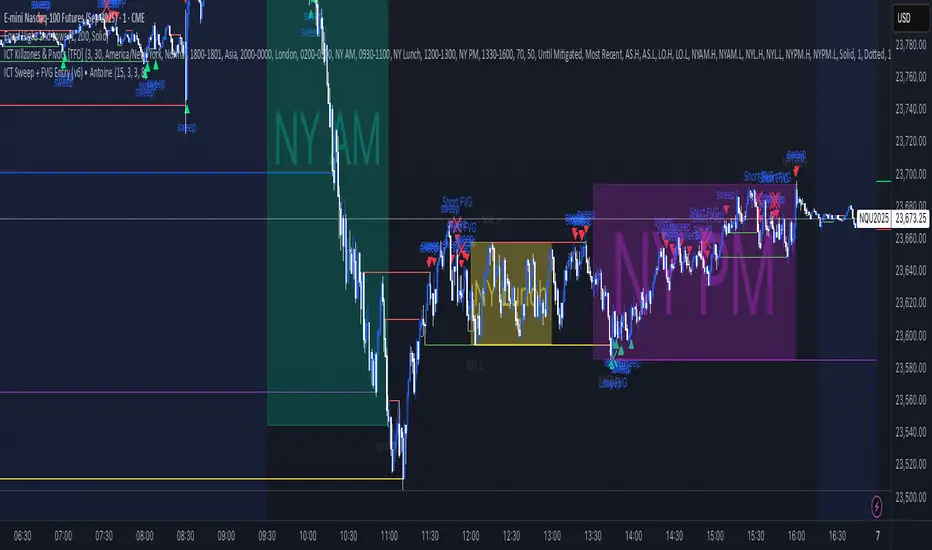
ICT Sweep + FVG Entry (v6) • Antoine📌 ICT Sweep + FVG Entry (Antoine) This indicator is designed for price action traders who follow ICT concepts and want a mechanical tool to spot liquidity sweeps, fair value gaps (FVGs), and precise entry signals. 🔎 Key Features Liquidity Pools (HTF) • Automatically plots recent swing highs/lows from a higher timeframe (5m/15m). • These act as Buy Side Liquidity (BSL) and Sell Side Liquidity (SSL) levels where stop orders accumulate. Sweep Detection • Identifies when price breaks a pool (BSL/SSL) but closes back inside → a classic liquidity grab. • Plots a triangle on the chart when a sweep is confirmed. Fair Value Gap (FVG) Highlighting • Detects bullish and bearish FVGs on the execution timeframe (ideal for 1m). • Option to display active FVG zones with shaded boxes. Entry Signals • A signal (cross) appears when: A liquidity sweep occurs. An FVG forms in the direction of the rejection. Price retests the FVG (entry at the 50% mid-level or edge). Alerts Ready • Get alerted for sweeps (bullish/bearish) and for entry confirmations (long/short FVG retests). 🎯 How to Use Choose your HTF (5m or 15m) → The indicator maps major liquidity pools. Drop to LTF (1m) → Wait for a sweep signal at one of the pools. Confirm with FVG → If an FVG appears in the sweep’s direction, the indicator waits for a retest. Entry → Enter on the retest of the FVG (edge or 50%). Risk Management Stop loss: just beyond the sweep’s wick. Target: opposite liquidity pool. Minimum recommended R:R: 1:2. ✅ Why this helps This tool makes it easier to trade ICT-style setups without missing opportunities: No need to manually draw every swing high/low. Automatic FVG detection saves time. Clear sweep + FVG + retest logic keeps your entries mechanical and disciplined. ⚠️ Disclaimer: This script is for educational purposes only. It does not guarantee profits. Always use proper risk management.อินดิเคเตอร์ Pine Script®โดย agagnon2005102